Mastering JSON Parsing in Swift: Advanced Techniques with Custom Codable Types
Introduction
Mastering JSON Parsing in Swift: Advanced Techniques with Custom Codable Types
Introduction
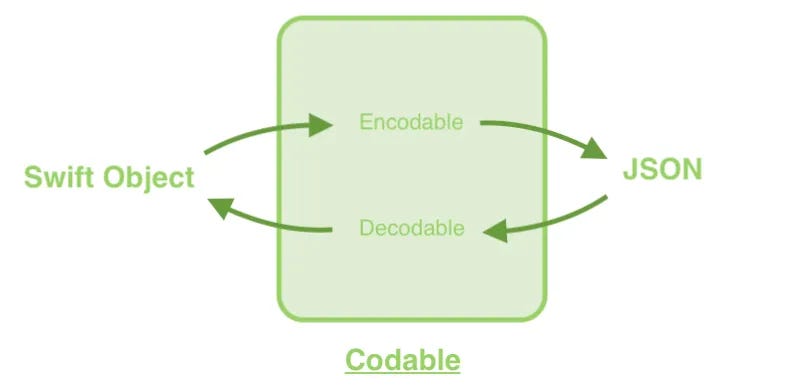
In modern iOS development, interacting with APIs and handling JSON data is a crucial aspect. The Codable protocol in Swift provides an elegant and efficient way to convert between JSON data and Swift types. In this article, we will explore advanced techniques for working with JSON, specifically focusing on scenarios where the JSON keys do not match the property names in our Swift types. We will use custom Codable types to handle these discrepancies seamlessly.
Basics of JSON Handling with Codable
In a previous discussion, we covered the basics of transforming JSON data into Swift structs or classes using the Codable protocol. When the JSON keys match the property names exactly, the process is straightforward. For example, consider the following JSON and its corresponding Swift struct: JSON Example:
{
  "identifier": "12345678-1234-1234-1234-123456789012",
  "user_name": "john_doe",
  "email_address": "john.doe@example.com",
  "is_active": "true",
  "date_of_birth": "1990-01-01"
}
Swift Struct:
struct User: Codable {
    let id: String
    let userName: String
    let email: String
    let active: String
    let birthDate: String
}
Custom Keys with Codable
However, real-world scenarios often present JSON keys that do not align with our Swift naming conventions. For instance, consider a JSON payload where user_name is used instead of userName. To handle this, we can customize the coding process using the CodingKeys enum within our struct.
JSON with Different Keys:
{
  "identifier": "12345678-1234-1234-1234-123456789012",
  "user_name": "john_doe",
  "email_address": "john.doe@example.com",
  "is_active": "true",
  "date_of_birth": "1990-01-01"
}
Swift Struct with Custom CodingKeys:
struct User: Codable {
    let id: String
    let userName: String
    let email: String
    let active: String
    let birthDate: String

    enum CodingKeys: String, CodingKey {
        case id = "identifier"
        case userName = "user_name"
        case email = "email_address"
        case active = "is_active"
        case birthDate = "date_of_birth"
    }
}
Encoding JSON with Custom Keys
Encoding a Swift struct to JSON with custom keys is straightforward. Let’s create an instance of User and encode it:
Swift Code:
let user = User(id: "12345678-1234-1234-1234-123456789012",
                userName: "john_doe",
                email: "john.doe@example.com",
                active: "true",
                birthDate: "1990-01-01")

do {
    let jsonData = try JSONEncoder().encode(user)
    if let jsonString = String(data: jsonData, encoding: .utf8) {
        print(jsonString)
    }
} catch {
    print("Failed to encode User: \(error)")
}
Console Output:
{"identifier":"12345678-1234-1234-1234-123456789012","user_name":"john_doe","email_address":"john.doe@example.com","is_active":"true","date_of_birth":"1990-01-01"}Decoding JSON with Custom Keys
Similarly, decoding JSON data into a Swift struct with custom keys is also straightforward:
JSON String:
{
  "identifier": "12345678-1234-1234-1234-123456789012",
  "user_name": "john_doe",
  "email_address": "john.doe@example.com",
  "is_active": "true",
  "date_of_birth": "1990-01-01"
}
Swift Code:
let userJson = """
{
  "identifier": "12345678-1234-1234-1234-123456789012",
  "user_name": "john_doe",
  "email_address": "john.doe@example.com",
  "is_active": "true",
  "date_of_birth": "1990-01-01"
}
"""

if let jsonData = userJson.data(using: .utf8) {
    do {
        let user = try JSONDecoder().decode(User.self, from: jsonData)
        print(user)
    } catch {
        print("Failed to decode User: \(error.localizedDescription)")
    }
}
Console Output:
User(id: "12345678-1234-1234-1234-123456789012", userName: "john_doe", email: "john.doe@example.com", active: "true", birthDate: "1990-01-01")Using Tools to Generate Swift Models
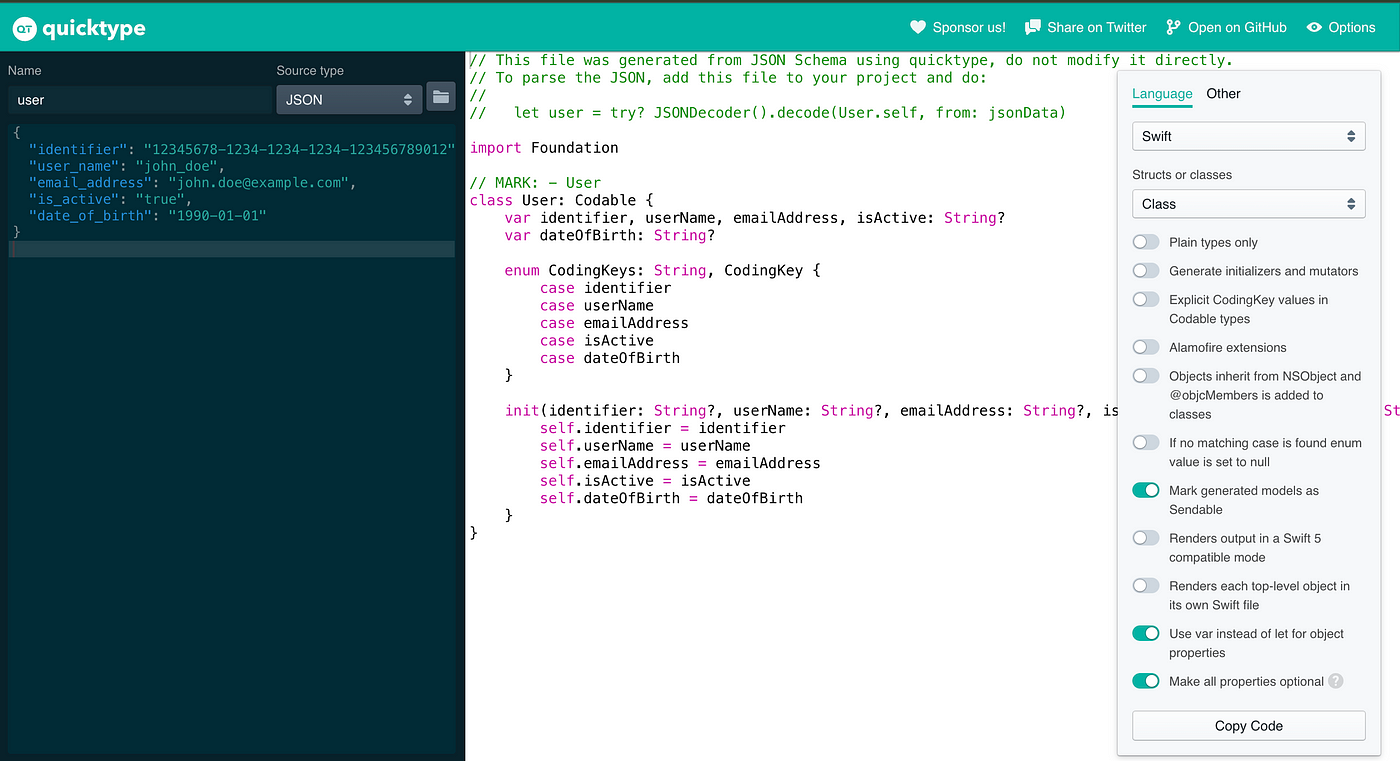
While writing custom Codable types is a powerful technique, it can sometimes be tedious and error-prone, especially for large JSON structures. Fortunately, there are tools available that can help generate Swift models from JSON automatically. One such tool is QuickType. By pasting your JSON data into QuickType, you can generate Swift Codable structs quickly and accurately. This can save you time and ensure your models are correctly structured.
Conclusion
Working with JSON in Swift using the Codable protocol is powerful and flexible. By utilizing custom CodingKeys, we can easily handle scenarios where JSON keys do not match our Swift property names. This technique ensures our code adheres to Swift naming conventions while seamlessly integrating with various JSON data formats from different APIs. Mastering these advanced techniques will significantly enhance your iOS development skills and streamline your interactions with web services.
If you found this article helpful, please consider sharing it with others and giving it a round of applause! 👏🏻👏🏻
You can also connect with me on LinkedIn
Feel free to check out my code on GitHub
Have you found it informative?
If you have any comments, questions or suggestions, don’t hesitate to drop them in the comment section below. 💬
Happy coding! 💁🏻♀️
Thank you for reading!
메타데이터
- post_id
- f606d7d7200e
- slug
- mastering-json-parsing-in-swift-advanced-techniques-with-custom-codable-types-f606d7d7200e
- url
- https://medium.com/@ramimustafa/mastering-json-parsing-in-swift-advanced-techniques-with-custom-codable-types-f606d7d7200e
- canonical_url
- https://medium.com/@ramimustafa/mastering-json-parsing-in-swift-advanced-techniques-with-custom-codable-types-f606d7d7200e
- author_url
- https://medium.com/@ramimustafa
- status
- ok
- fetched_at
- 2026-07-08 00:46:22




