Run x86/amd64 based images on Apple M1/M2 Macs
Recently, I have been involved in migrating one of our CI pipelines from Jenkins to some other Tool. During the process, I had to debug an…
Run x86/amd64 based images on Apple M1/M2 Macs
Recently, I have been involved in migrating one of our CI pipelines from Jenkins to some other Tool. During the process, I had to debug an integration test that involved running multiple container images using docker-compose.
Ideally, to debug this test locally, I would need to run the docker-compose on my local machine. However, since I’m using an Apple M1, some of the images are not working/supported as expected. For example, Oracle XE images cannot run on the new Apple M chips via Docker Desktop.
As a workaround, we can use colima (containers on lima)
You can install it via brew
brew install colimaTo start it
colima start --cpu 2 --memory 4 --disk 50 --arch x86_64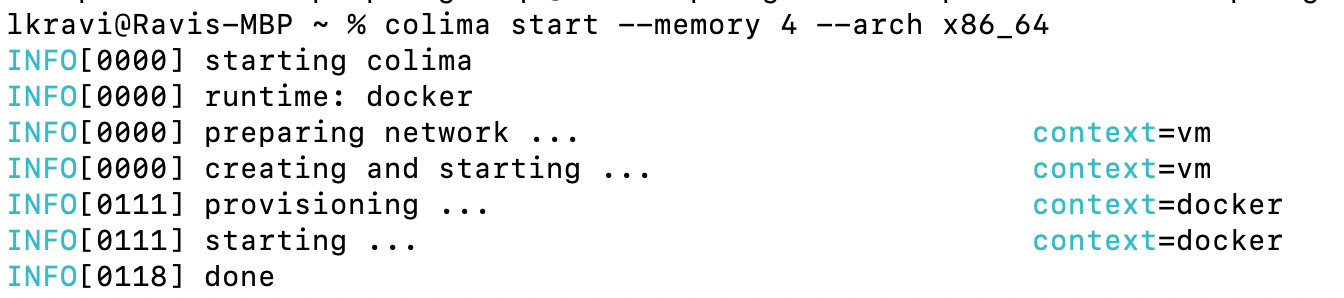
Now, your docker runtime is ready to run any x86_64 container images on your Mac M1/M2.
[embed]
To set your default preferences, you can edit the config file using the following command.
colima start --editKnown issue on M2 (Ventura)
Downgrading qemu from 8.1.0 to 8.0.4 works for me.
메타데이터
- post_id
- f652cd841cfd
- slug
- run-x86-amd64-based-images-on-apple-m1-m2-macs-f652cd841cfd
- url
- https://medium.com/@lkravi/run-x86-amd64-based-images-on-apple-m1-m2-macs-f652cd841cfd
- canonical_url
- https://medium.com/@lkravi/run-x86-amd64-based-images-on-apple-m1-m2-macs-f652cd841cfd
- author_url
- https://medium.com/@lkravi
- status
- ok
- fetched_at
- 2026-08-06 05:50:16


