Implementing i18n in AEM: A Practical Guide for Developers
Internationalization (i18n) is a key aspect of building scalable and globally accessible applications in Adobe Experience Manager (AEM)…
Implementing i18n in AEM: A Practical Guide for Developers
Internationalization (i18n) is a key aspect of building scalable and globally accessible applications in Adobe Experience Manager (AEM). Whether it’s translating UI text, accessibility labels like aria-label, or formatting locale-specific data such as dates, i18n ensures your content adapts seamlessly to different languages and regions.
In this blog, we’ll walk through how to implement i18n in AEM at different levels — HTL, JavaScript, and Java — using a simple and practical approach.
What is i18n in AEM?
In AEM, i18n is supported through a built-in API and framework that allows developers to manage translations using dictionary files stored in the repository. These translations are then dynamically resolved based on the page locale.
Setting Up i18n in AEM
Step 1: Create i18n Folder
Start by creating the i18n dictionary folder under your project:
/apps/wknd/i18nIf this folder already exists, you can directly proceed to adding translation files.
Step 2: Identify Supported Languages
To determine the languages used in your site, inspect your page properties or check the page language configuration.
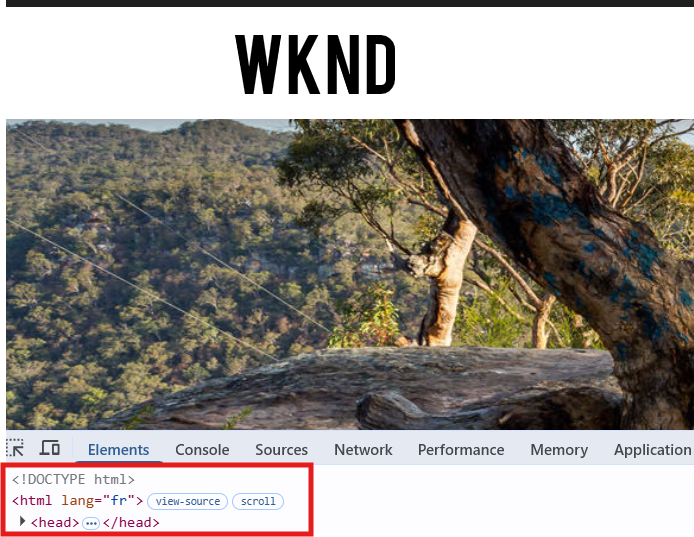
Step 3: Create Language JSON Files
Create JSON files for each supported language inside the i18n folder. For example:
en.json(English)fr.json(French)

Each JSON file contains key-value pairs for translations.
Implementing i18n in AEM
AEM provides multiple ways to implement i18n depending on where the translation is needed.
1. i18n in HTL (Sightly)
This is the most straightforward approach for translating static text in components.
For example, if you have hardcoded text in an accessibility label:
<h2 class="cmp-byline__name" aria-label="${'Byline' @ i18n}">
    ${byline.name}
</h2>
<p class="cmp-byline__occupations">
    ${byline.occupations @ join=', '}
</p>
Here, the @ i18n annotation automatically resolves the correct translation based on the current page locale.
Fallback Behavior:
If a translation is not available for a specific language, AEM defaults to the value in en.json.
2. i18n in JavaScript
For client-side dynamic behavior, AEM provides the Granite I18n API.
Step 1: Add Dependency
Update your clientlib.config.js to include the required dependency:
...libsBaseConfig,
name: 'clientlib-dependencies',
categories: ['wknd.dependencies'],
dependencies: ['granite.utils'],
embed: ['granite.csrf.standalone'],
After deployment, this dependency becomes available in your client libraries.
Step 2: Use Granite I18n API
You can now fetch translations in JavaScript like this:
if (!element.hasAttribute('aria-label')) {
  element.setAttribute('aria-label', Granite.I18n.get('Occupations'));
}
This ensures that dynamically added UI elements also support localization.
3. i18n in Java (Backend Implementation)
Backend i18n is useful when you need to process locale-specific data, such as formatting dates or generating translated content dynamically.
Inject ResourceBundleProvider
@OSGiService(filter = "(component.name=org.apache.sling.i18n.impl.JcrResourceBundleProvider)")
private ResourceBundleProvider resourceBundleProvider;
Create a Utility Method
private I18n getI18n() {
    Locale locale = currentPage != null
            ? currentPage.getLanguage(false)
            : Locale.getDefault();
ResourceBundle bundle = resourceBundleProvider.getResourceBundle(locale);
    if (bundle == null) {
        log.warn("ResourceBundle is null for locale: {}. Falling back to request bundle.", locale);
        bundle = request.getResourceBundle(locale);
    }
    return new I18n(bundle);
}
This method retrieves the appropriate resource bundle based on the page locale.
Example: Locale-Based Date Formatting
public String getFormattedCreatedDate() {
    String formattedDate = StringUtils.EMPTY;
if (this.page != null) {
        Calendar createdDate = this.page.getProperties()
                .get(JcrConstants.JCR_CREATED, Calendar.class);
        if (createdDate != null) {
            Locale locale = this.page.getLanguage(false);
            String datePattern = getI18n().get("date.format.long");
            SimpleDateFormat dateFormat = new SimpleDateFormat(datePattern, locale);
            formattedDate = dateFormat.format(createdDate.getTime());
        }
    }
    return formattedDate;
}
Use in HTL
<span class="cmp-image-list__item-date"
      data-sly-test="${item.formattedCreatedDate}">
    ${item.formattedCreatedDate}
</span>
Example Outputs
English Page

French page

Conclusion
Implementing i18n in AEM is essential for delivering a consistent and localized user experience. By leveraging HTL, JavaScript, and Java APIs, developers can handle translations efficiently across all layers of the application.
A well-structured i18n setup not only improves accessibility but also ensures your application is ready for a global audience.
Thank you for taking the time to read this guide. I hope this helps you implement i18n effectively in your AEM projects. If you have any questions or suggestions, feel free to share your thoughts!
메타데이터
- post_id
- f7a80069d1be
- slug
- implementing-i18n-in-aem-a-practical-guide-for-developers-f7a80069d1be
- url
- https://medium.com/@keerthanaaem99/implementing-i18n-in-aem-a-practical-guide-for-developers-f7a80069d1be
- canonical_url
- https://medium.com/@keerthanaaem99/implementing-i18n-in-aem-a-practical-guide-for-developers-f7a80069d1be
- author_url
- https://medium.com/@keerthanaaem99
- status
- ok
- fetched_at
- 2026-08-18 22:13:10



