Why you should NOT use a traditional defragmenter tool on a Solid State Drive (SSD).
If you are a Windows PC user and used ‘Defragment and Optimize Drives’ to optimize and defragment your HDD in past, and still using it to…
Why you should NOT use a traditional defragmenter tool on a Solid State Drive (SSD).
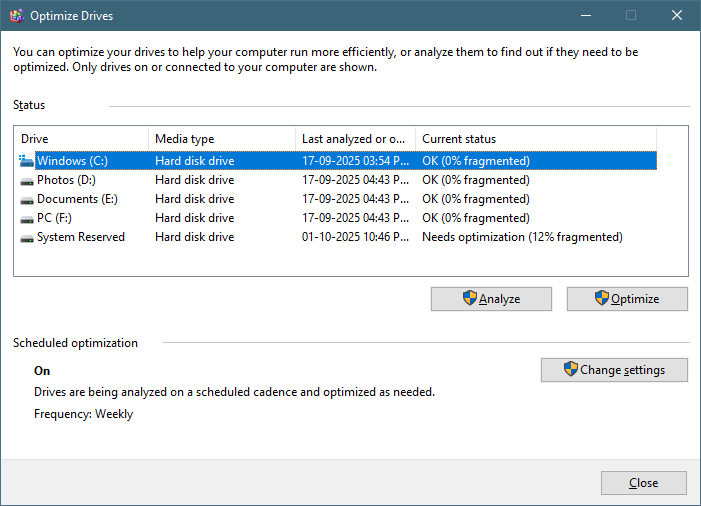
(Traditional Defragmenter Tool on Windows)
If you are a Windows PC user and used ‘Defragment and Optimize Drives’ to optimize and defragment your HDD in past, and still using it to your SSD drives, then you should stop it now. Because doing this is unnecessary and to your SSD and can also harm the lifespan of the drive.
Although our Windows OS has become smart enough to suggest right tools to optimize drives like Traditional Defragment Tool for HDD and TRIM Tool for SSD.
First of all, let’s understand the basic difference between HDD and SSD:

There are a lot of differences between HDD and SSD…
HARD DISK DRIVE (HDD):
HDD is actually a mechanical drive that uses platter and a header to read and write files on the platter. There is motor which spins the platter very fast from around 5400RPM to 7200RPM.
When we save a single file, it is not stored on the platter in one place, rather it is scattered, and its pieces are stored on different locations on the platter. And when we access the file, the header physically jumps over each of the location on the platter to get the file (and this process makes the drive slow).
When we delete a very small sized file (like a “.txt” file), the small blocks that were acquired for this file on the platter is neither freed nor used for storing another file, and if we used the drive for a long time, it becomes slower due to the lots of fragmentation of the block on the platter, and then we need a “defragmenter too”.
SOLID STATE DRIVE (SSD):
While SSD is not a mechanical drive instead, it is actually a complete electronic drive that do not has platter and read write head like HDD. It stores it data on the memory chips.
Like HDD, SDD also stores the file on different locations on the memory chips, since there are no moving platter and no requirement of a header, the file is accessed instantly from any locations on the drive electronically. Therefore, defragmentation does not improve the speed of SSD.
So, is there any tool to optimize the SSD drive?
The answer is “Yes”. Just as there is a traditional defragmenter tool for HDD, in the same way there is new modern tool “TRIM” for SDD. And our Windows OS is smart enough; it detects which type of drive we use and suggest the appropriate ‘drive optimization tool’ for it. TRIM allows the SSD to efficiently clears the data blocks that are no longer in use.
Why defragmenting an SSD is HARMFUL?
SSDs comes with a finite number of read or write cycle. Although this number is very large but limited. And the process of traditional defragmentation involves a lot of write and erase cycle, that will ultimately use the limited no. of read / write cycle of the drive and will shorten the lifespan of the drive.
If you liked this article, clap 👏👏👏 for it…. And follow me for some more interesting articles and contents….
메타데이터
- post_id
- f89e2c8e9d44
- slug
- why-you-should-not-use-a-traditional-defragmenter-tool-on-a-solid-state-drive-ssd-f89e2c8e9d44
- url
- https://medium.com/@amitbharat/why-you-should-not-use-a-traditional-defragmenter-tool-on-a-solid-state-drive-ssd-f89e2c8e9d44
- canonical_url
- https://medium.com/@amitbharat/why-you-should-not-use-a-traditional-defragmenter-tool-on-a-solid-state-drive-ssd-f89e2c8e9d44
- author_url
- https://medium.com/@amitbharat
- status
- ok
- fetched_at
- 2026-06-26 03:39:16





