How to publish a Python package with a manual GitHub Actions release workflow
Publishing a Python library makes your code reusable and discoverable. This guide walks through a minimal, reliable workflow to prepare…
How to publish a Python package with a manual GitHub Actions release workflow
Publishing a Python library makes your code reusable and discoverable. This guide walks through a minimal, reliable workflow to prepare, build, and publish a package to PyPI, plus good practices for CI, versioning, and releases.
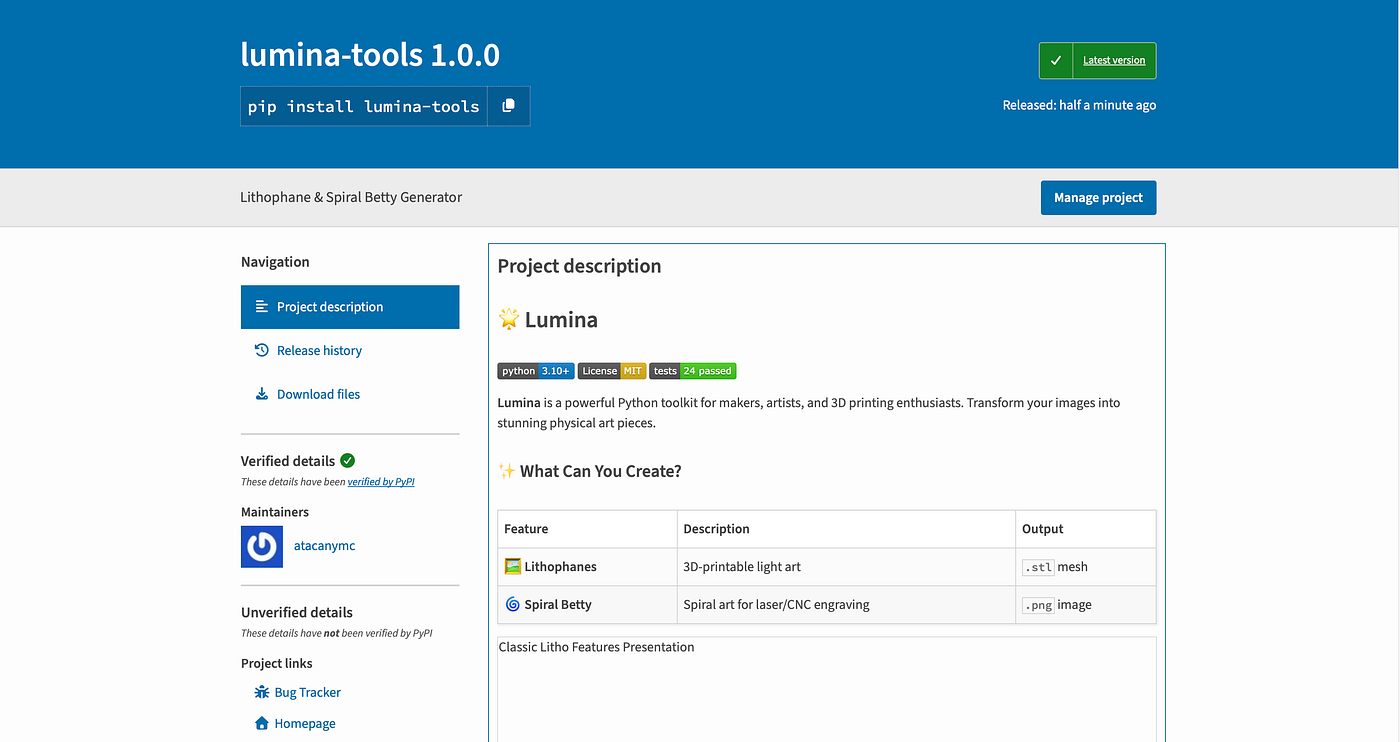
1. Prerequisites
- Python 3.10+ installed.
- A project with a clear package layout and README.md.
- A PyPI account (create at https://pypi.org/).
- Git repository (preferably on GitHub).
2. Project layout (recommended)
Keep a simple layout:
- myproject/ (package)
- tests/
- pyproject.toml
- README.md
- LICENSE
- setup.cfg (optional)
3. Prepare metadata with pyproject.toml
A minimal pyproject.toml using setuptools + wheel or flit/poetry. Below is a concise pyproject.toml for setuptools with declarative metadata.
[build-system]
requires = ["setuptools>=61", "wheel"]
build-backend = "setuptools.build_meta"

[project]
name = "my-cool-package"
version = "0.1.0"
description = "Short description of my package."
readme = "README.md"
requires-python = ">=3.10"
license = {text = "MIT"}
authors = [{name = "Your Name", email = "you@example.com"}]
classifiers = [
  "Programming Language :: Python :: 3",
  "License :: OSI Approved :: MIT License",
  "Operating System :: OS Independent"
]

[project.urls]
"Homepage" = "https://github.com/youruser/my-cool-package"
"Repository" = "https://github.com/youruser/my-cool-package"
4. Write tests and CI
- Add tests under tests/
- Create a GitHub Actions workflow to run pytest, linters, and format checks on pull requests.
- Ensure CI installs the package in editable mode so imports work.
pip install -r requirements.txt && pip install -e5. Local checks before publishing
- Format and lint: run black, isort, ruff.
- Run tests: pytest -q — cov=yourpkg — cov-report=xml:coverage.xml
- Check packaging locally: build a sdist and wheel, then inspect.
python -m pip install --upgrade build twine
python -m build
6. Validate distributions
python -m twine check dist/*7. Create a PyPI API token
- Go to https://pypi.org/manage/account/ and create an API token scoped to the project or to all projects.
- Store the token securely (use GitHub repository secret PYPI_API_TOKEN for CI).
8. Upload to Test PyPI first (recommended)
Install and test the package from test.pypi.org to ensure everything works.
python -m twine upload --repository testpypi dist/*
# or interactive, specify username __token__ and token as password
9. Publish to PyPI
python -m twine upload dist/*10. Versioning and Git tags
git tag v0.1.0
git push --tags
11. Automate publishing with GitHub Actions
- Add a workflow that builds on tag push (e.g., on: push: tags: [‘v..*’]).
- In the workflow, install dependencies, build, and upload using twine with PYPI_API_TOKEN secret.
# yaml
name: Release (manual)

on:
  workflow_dispatch:
    inputs:
      version:
        description: 'Version to release (semver), e.g. 0.1.1'
        required: true
        type: string
      repository:
        description: 'Publish target: pypi or testpypi'
        required: true
        type: choice
        options:
          - pypi
          - testpypi
      changelog_from:
        description: 'Git ref to start changelog from (optional, default previous tag)'
        required: false
        type: string

permissions:
  contents: write
  packages: write
  issues: write

concurrency:
  group: release-${{ github.ref }}
  cancel-in-progress: false

jobs:
  release:
    name: Create release and publish
    runs-on: ubuntu-latest

    steps:
      - name: Checkout
        uses: actions/checkout@v4
        with:
          fetch-depth: 0
          persist-credentials: true

      - name: Set up Python
        uses: actions/setup-python@v4
        with:
          python-version: '3.11'

      - name: Show inputs
        run: |
          echo "inputs: version=${{ github.event.inputs.version }} repository=${{ github.event.inputs.repository }}"

      - name: Bump version in pyproject.toml
        id: bump
        run: |
          set -euo pipefail
          NEW_VERSION="${{ github.event.inputs.version }}"
          python scripts/bump_version.py "$NEW_VERSION"

          git config user.name "github-actions[bot]"
          git config user.email "github-actions[bot]@users.noreply.github.com"
          git add pyproject.toml
          git commit -m "chore(release): bump version to ${NEW_VERSION}" || echo "no changes to commit"
          # push current branch (safe: fetch-depth 0 above)
          CURRENT_BRANCH="$(git rev-parse --abbrev-ref HEAD)"
          git push origin "HEAD:${CURRENT_BRANCH}" || true
          echo "bumped=${NEW_VERSION}" >> $GITHUB_OUTPUT

      - name: Create annotated tag
        id: tag
        run: |
          set -e
          TAG="v${{ github.event.inputs.version }}"
          # avoid creating existing tag
          if git rev-parse "$TAG" >/dev/null 2>&1; then
            echo "Tag $TAG already exists"
          else
            git tag -a "$TAG" -m "Release $TAG"
            git push origin "$TAG"
          fi
          echo "tag=$TAG" >> $GITHUB_OUTPUT

      - name: Build distributions
        env:
          VERSION: ${{ github.event.inputs.version }}
        run: |
          set -euo pipefail
          python -m pip install --upgrade pip build twine
          python -m build --sdist --wheel

          # verify built artifacts contain expected version
          python scripts/check_dist_version.py "${{ github.event.inputs.version }}"

      - name: Validate metadata and long description
        run: |
          set -e
          python -m twine check dist/* || true

      - name: Publish to PyPI / TestPyPI
        env:
          TWINE_USERNAME: __token__
        run: |
          set -euo pipefail
          REPO="${{ github.event.inputs.repository }}"

          if [ "$REPO" = "testpypi" ]; then
            if [ -z "${{ secrets.TEST_PYPI_API_TOKEN }}" ]; then
              echo "ERROR: TEST_PYPI_API_TOKEN secret is not set" >&2
              exit 1
            fi
            export TWINE_PASSWORD="${{ secrets.TEST_PYPI_API_TOKEN }}"
            python -m pip install --upgrade pip
            pip install twine
            python -m twine upload --repository-url https://test.pypi.org/legacy/ dist/*
          else
            if [ -z "${{ secrets.PYPI_API_TOKEN }}" ]; then
              echo "ERROR: PYPI_API_TOKEN secret is not set" >&2
              exit 1
            fi
            export TWINE_PASSWORD="${{ secrets.PYPI_API_TOKEN }}"
            python -m pip install --upgrade pip
            pip install twine
            python -m twine upload dist/*
          fi

      - name: Generate changelog
        id: changelog
        run: |
          set -e
          if [ -n "${{ github.event.inputs.changelog_from }}" ]; then
            PREV="${{ github.event.inputs.changelog_from }}"
          else
            PREV=$(git describe --tags --abbrev=0 HEAD^ 2>/dev/null || true)
          fi

          if [ -n "$PREV" ]; then
            git log --pretty=format:'- %s (%an)' "$PREV"..HEAD > changelog.md || true
          else
            git log --pretty=format:'- %s (%an)' > changelog.md || true
          fi

          # write multiline output safely
          echo 'body<<EOF' >> "$GITHUB_OUTPUT"
          if [ -f changelog.md ]; then
            awk '{ print " " $0 }' changelog.md >> "$GITHUB_OUTPUT" || true
          fi
          echo >> "$GITHUB_OUTPUT"
          echo 'EOF' >> "$GITHUB_OUTPUT"

      - name: Create GitHub Release
        uses: actions/create-release@v1
        env:
          GITHUB_TOKEN: ${{ secrets.GITHUB_TOKEN }}
        with:
          tag_name: ${{ steps.tag.outputs.tag }}
          release_name: ${{ steps.tag.outputs.tag }}
          body: ${{ steps.changelog.outputs.body }}

      - name: Cleanup
        run: |
          rm -rf dist build *.egg-info changelog.md
12. Post-release checklist
- Verify package on PyPI and install it locally: pip install my-cool-package.
- Update documentation and changelog.
Bonus: Best Practices
- Use CI to block broken releases.
- Keep README.md as the long description (use twine check to validate).
- Use semantic versioning.
- Automate publishing from tags, never from unreviewed branches.
- Keep secrets in CI provider, not in repository.
메타데이터
- post_id
- fa1dc5cb7b56
- slug
- how-to-publish-a-python-package-with-a-manual-github-actions-release-workflow-fa1dc5cb7b56
- url
- https://medium.com/@atacanymc/how-to-publish-a-python-package-with-a-manual-github-actions-release-workflow-fa1dc5cb7b56
- canonical_url
- https://medium.com/@atacanymc/how-to-publish-a-python-package-with-a-manual-github-actions-release-workflow-fa1dc5cb7b56
- author_url
- https://medium.com/@atacanymc
- status
- ok
- fetched_at
- 2026-06-09 15:37:30






