Managing Client System Migrations Without Breaking Integrations
The Migration Problem MSPs Know Better
Managing Client System Migrations Without Breaking Integrations
The Migration Problem MSPs Know Better
For an internal IT team, a system migration is a major project that happens once every few years. For a Managed Service Provider, it is a recurring operational reality — happening across multiple client environments, often simultaneously, with different tools, different timelines, and different tolerances for disruption.
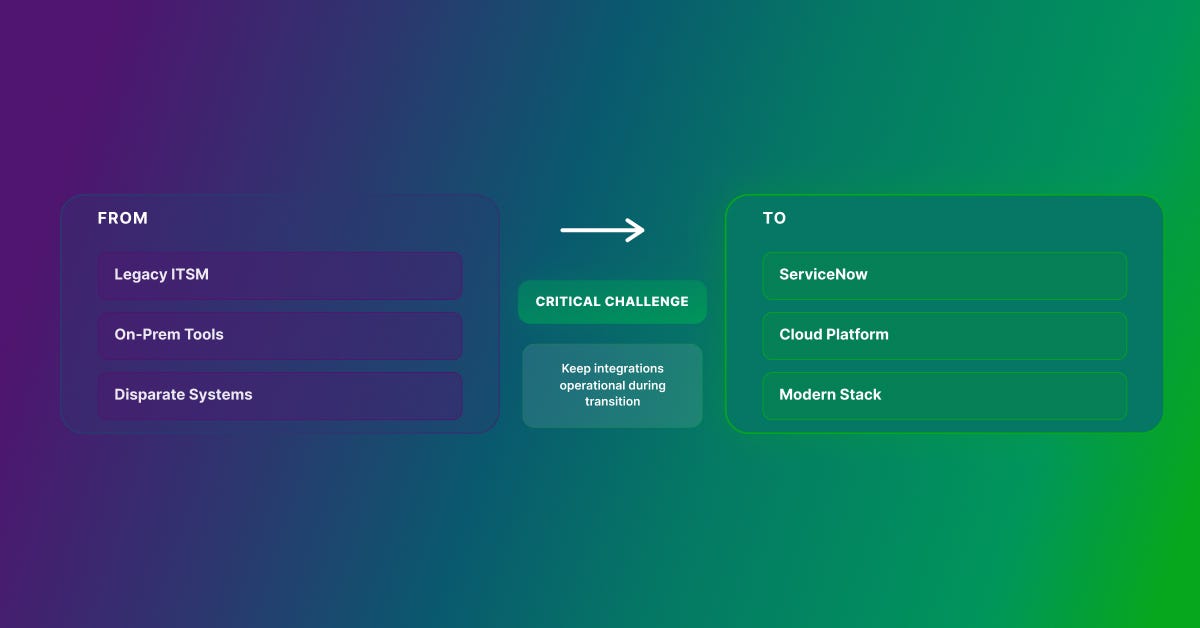
When a client migrates from a legacy ITSM platform to ServiceNow, or consolidates tools after an acquisition, the integration layer is where things get complicated fast. Fields change. APIs shift. Service accounts need reissuing. And unlike an internal team that can absorb a few days of workflow disruption, your clients are watching. Every broken integration is a support ticket, a missed SLA, or a conversation about whether you are the right partner for the job.
This guide is written specifically for MSPs and their technical teams: the engineers managing multi-client environments, the service delivery managers responsible for migration timelines, and the practice leads building repeatable frameworks for handling system migrations at scale.
Why Integrations Break During Client System Migrations
Integrations are built on a set of assumptions: specific API endpoints, field names, authentication credentials, and data schemas. When a client’s system changes, those assumptions are invalidated — often without warning.
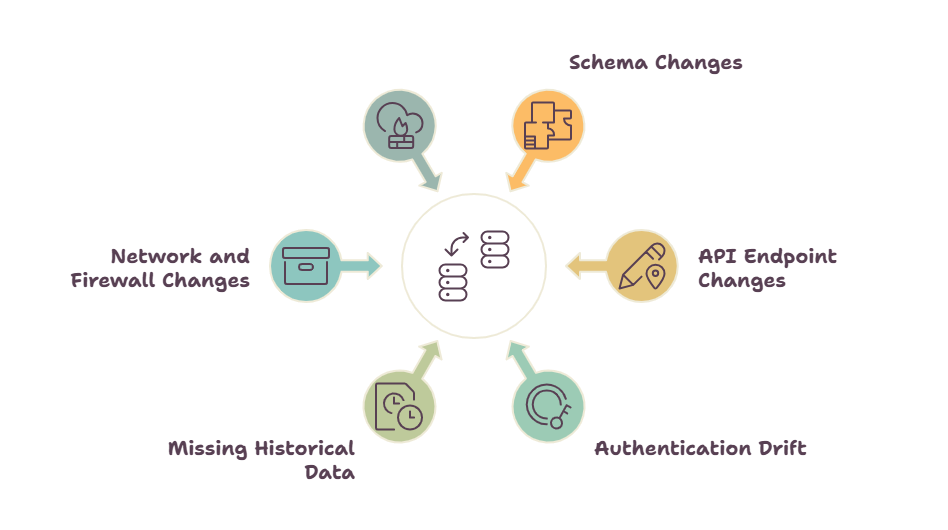
The most common failure points in client migration scenarios include:
• Schema changes: Fields that existed in the source system may be renamed, restructured, or removed in the target platform. What was ‘Priority’ in BMC Remedy may map differently in ServiceNow.
• API endpoint changes: New platforms expose different REST or SOAP endpoints, breaking any hard-coded connection the previous MSP or client team built.
• Authentication drift: OAuth tokens, API keys, and service account credentials need to be reissued for the new environment. This step is frequently missed until something breaks.
• Timing mismatches: During phased migrations, records exist in both systems simultaneously. Without conflict resolution logic, you get duplicate entries and sync errors.
• Missing historical data context: Integrations that depend on audit trails or record history may fail if that context was not carried over during the data migration.
• Network and firewall changes: Moving a client to a new cloud environment often changes IP ranges and routing rules that integrations depend on silently.
For MSPs, there is an additional layer of complexity: you are managing these failure points across multiple clients at the same time, often with different tool stacks, different data models, and different business stakeholders asking for status updates.
The Core Principle: Decouple Integrations from System State
The most resilient approach to managing integrations during any migration — and the one that scales across a multi-client MSP environment — is to decouple integration logic from the specific state of either the source or target system.
Tightly coupled integrations — custom scripts, point-to-point connectors, or platform-native integrations built directly into the client’s tools — break the moment a system changes. Updating them requires developer time, testing, and a change management window. Multiply that by ten clients and you have a significant operational problem.
A middleware integration platform like ZigiOps abstracts the underlying system details. Field mappings, transformation rules, and routing logic live in the integration layer — not in the systems themselves. When a client’s platform changes, you update the configuration in the UI, not the code. When a new API endpoint goes live in the target system, you redirect the connection without opening a development ticket.
For MSPs, this decoupling is not just convenient — it is the difference between a migration that goes smoothly and one that generates weeks of reactive support work.
Planning Client Integration Strategy Before Migration Begins
Successful integration continuity during a client migration requires planning that starts well before the first record moves. For MSP engagements, this planning phase should begin six to eight weeks before the migration start date and should involve both your technical team and the client’s business stakeholders.
Step 1: Audit Every Active Client Integration
Before you can protect a client’s integrations, you need a complete picture of what exists. This means documenting every active integration: source system, target system, data objects being synced, sync frequency, field mappings, authentication method, and the business process each integration supports.
For MSPs taking over a new client environment, this audit often surfaces integrations that nobody on the client side fully owns or understands. Those undocumented connections are your highest-risk items. Flag them early.
Step 2: Classify Integrations by Criticality
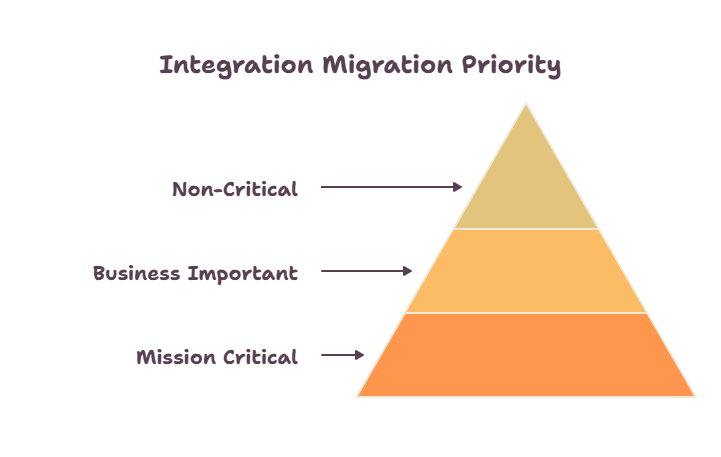
Not every client integration carries the same risk to service delivery. A tiered classification approach keeps the migration focused on what matters most:
- Tier 1 — Mission Critical: Integrations directly supporting incident management, alerting, or SLA-driven workflows. Any downtime here affects the client’s service delivery and your SLA commitments. These must remain operational throughout the migration.
- Tier 2 — Business Important: Integrations supporting reporting pipelines, change management workflows, or cross-team notifications. Brief, planned outages are acceptable if communicated in advance and resolved within hours of cutover.
- Tier 3 — Non-Critical: Lower-priority data flows that can be temporarily suspended and rebuilt natively on the new platform post-migration.
Step 3: Map Integration Dependency Chains
Many MSP client environments run integration chains where one event triggers a cascade across multiple systems: a monitoring alert creates a ServiceNow incident, which spawns a Jira ticket, which triggers a PagerDuty notification. Migrating any single system in that chain can cascade failures across the entire workflow.
Map these chains before migration begins. Identify the most vulnerable links and prioritize them for early stabilization in ZigiOps before the migration window opens.
Running Integrations During a Phased Client Migration
Most enterprise client migrations are phased — moving users, data, and workflows in controlled batches over weeks or months. This reduces risk but creates a period of dual-system operation that is particularly challenging for MSPs managing integration continuity.
During a phased migration, some client data lives in the old system and some in the new one. Integrations need to route correctly to both environments without creating duplicates or dropping updates.
The Dual-Write Strategy
The dual-write approach configures integrations to write updates to both the source and target systems simultaneously during the migration window. Both systems stay consistent regardless of which platform a given user or process is operating on at any given moment.
Implementing dual-write requires a middleware layer capable of broadcasting writes to multiple endpoints — ZigiOps supports this natively — along with conflict resolution logic and deduplication rules to handle simultaneous updates from both systems. Every write to both systems is tracked in the audit log for post-migration reconciliation.
The Read-From-Source, Write-To-Target Strategy
When a client migration is primarily one-directional — moving operations forward to the new platform within a defined cutover window — the read-source/write-target approach works well. Integrations continue reading from the legacy system while writing exclusively to the new environment. This is particularly effective for Jira migrations where project data is moved to a new instance and integrations need to feed updates into the new environment while the legacy instance is wound down.
Building Rollback Into Every Client Migration Plan
Every phased migration plan for an MSP engagement must include a rollback path for each Tier 1 integration. If a critical failure occurs in the new environment, you need to revert quickly — and your integration configurations need to follow. With ZigiOps, switching between source and target environments is a matter of updating a connection parameter in the UI, not rebuilding the integration from scratch. That capability becomes valuable very quickly when a client’s cutover hits an unexpected problem at 11pm.
Data Migration and Integration: Why MSPs Need to Manage Both Together
A common mistake in MSP-managed migrations is treating data migration and integration management as separate workstreams owned by different people. In practice, every data migration decision has immediate integration implications.
When client data is cleaned or transformed during migration — normalizing field values, merging duplicate records, updating naming conventions — those same transformations need to be reflected in live integration flows. If the integration layer is not updated in lockstep, it starts pushing data in the old format into a new system that expects the new format. The result is sync errors, data corruption, and a significant increase in post-migration support volume.
For MSPs, this has a specific operational implication: the person managing the integration configuration needs to be in the same conversation as the person managing the data migration. These are not separate swim lanes — they are the same workstream.
ZigiOps supports this alignment by making integration configuration changes fast and UI-driven. As the data migration team finalizes field transformations and schema decisions, the integration team can update mappings in real time without waiting for a developer cycle.
How ZigiOps Supports MSPs Managing Multi-Client Migrations?
ZigiOps is designed for the operational complexity of enterprise IT, and its architecture is particularly well-suited to MSP environments where the same integration platform needs to serve multiple client environments efficiently.
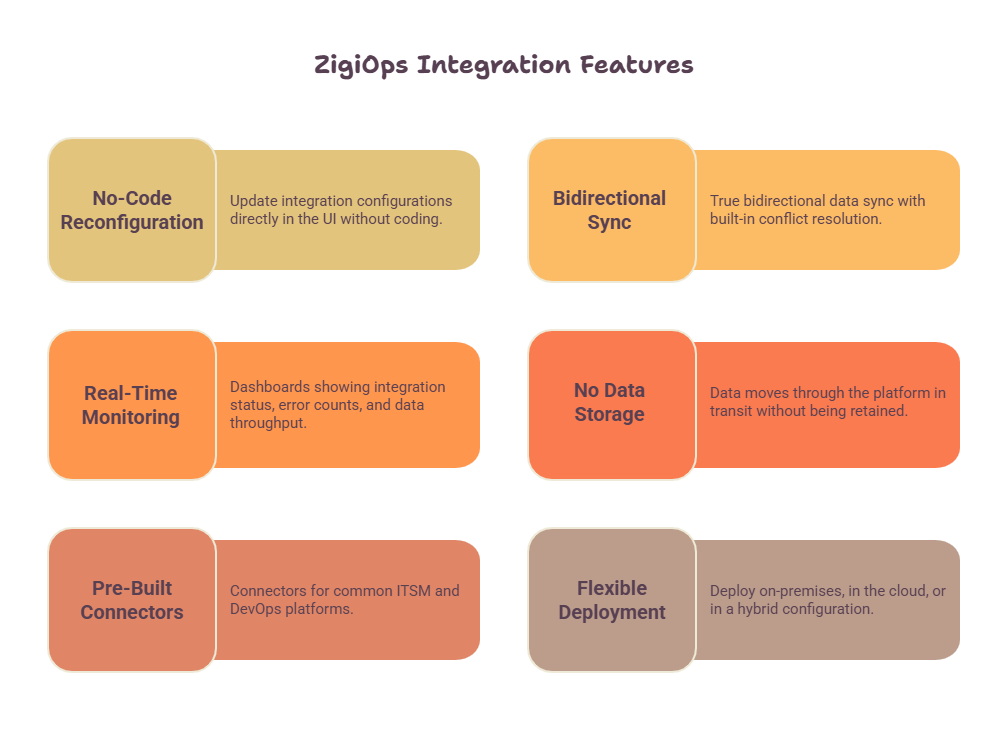
- 100% No-Code Reconfiguration: When a client migration changes field names, API endpoints, or data schemas, your team updates the integration configuration directly in the ZigiOps UI — no coding required, no developer dependency, no change management delay. This is especially valuable for MSPs where the engineer managing the migration may not be the same person who originally built the integration.
- Bidirectional Sync with Conflict Resolution: ZigiOps supports true bidirectional data sync with built-in conflict resolution logic. During phased client migrations where both systems are live simultaneously, this ensures updates from both environments are handled correctly and no data is lost or overwritten.
- Real-Time Monitoring Across Client Environments: During a migration, visibility is everything — especially when you are managing multiple client environments in parallel.
- No Data Storage — Critical for MSP Security and Compliance: ZigiOps does not store any of the client data it transfers. Data moves through the platform in transit and arrives at the destination without being retained. For MSPs handling client data under GDPR, ISO 27001, or other compliance frameworks, this architecture significantly simplifies the data processing picture and removes ZigiOps as a data residency concern in client environments.
- Pre-Built Connectors for Common ITSM and DevOps Platforms: ZigiOps includes pre-built, maintained connectors for ServiceNow, Jira, BMC Remedy, Dynatrace, Splunk, PagerDuty, and more than 30 other enterprise tools. These connectors are maintained when supported platforms release API changes, which dramatically reduces the maintenance burden on your team during and after migration.
- Flexible Deployment: ZigiOps can be deployed on-premises, in the cloud — matching whatever deployment model a client migration is targeting. The integration platform itself does not need to change when the underlying client systems move.
Step-by-Step Integration Framework for MSP-Managed System Migrations
The following framework gives MSP delivery teams a structured, repeatable approach to managing integration continuity across every phase of a client system migration.
Phase 1: Pre-Migration Preparation (6–8 Weeks Before)
• Complete the integration inventory and dependency mapping for the client environment
• Classify all integrations by criticality tier in coordination with the client’s service delivery stakeholders
• Deploy ZigiOps in the target environment and validate connectivity to all relevant systems
• Configure integration templates for the new system alongside existing live configurations
• Test all new integration configurations against a staging instance of the target system using realistic data volumes
• Define rollback procedures for every Tier 1 integration and document them in the client’s runbook
• Confirm service account permissions in the new environment before the migration window opens
Phase 2: Parallel Operation (During Migration Window)
• Activate dual-write or read-source/write-target strategy based on the client’s migration approach
• Monitor all active integrations continuously for errors, latency increases, and data inconsistencies
• Run daily reconciliation reports comparing record counts and field values between source and target systems
• Update integration field mappings in real time as data migration decisions are finalized
• Maintain a change log of every integration configuration update made during the migration window
• Communicate integration status updates to client stakeholders on a defined cadence
Phase 3: Cutover
• Switch all Tier 1 integrations to target-only mode at the designated cutover time
• Validate each integration with a functional test before decommissioning source connections
• Run a final reconciliation check to confirm data integrity across all integrated systems
• Archive source system integration configurations in ZigiOps for reference and potential rollback
• Brief the client’s service desk and operations team on the new integration topology
Phase 4: Post-Migration Stabilization (2–4 Weeks After)
- Address any issues surfaced by client users or automated monitoring as high priority
- Decommission Tier 3 integration placeholders and rebuild them natively on the new platform if required
- Deliver final integration documentation to the client covering the post-migration configuration
- Conduct an internal post-migration review to capture lessons learned and update your MSP delivery playbook
- Monitor all integrations at elevated frequency for the first two weeks post-migration
Common Mistakes MSPs Make During Client System Migrations
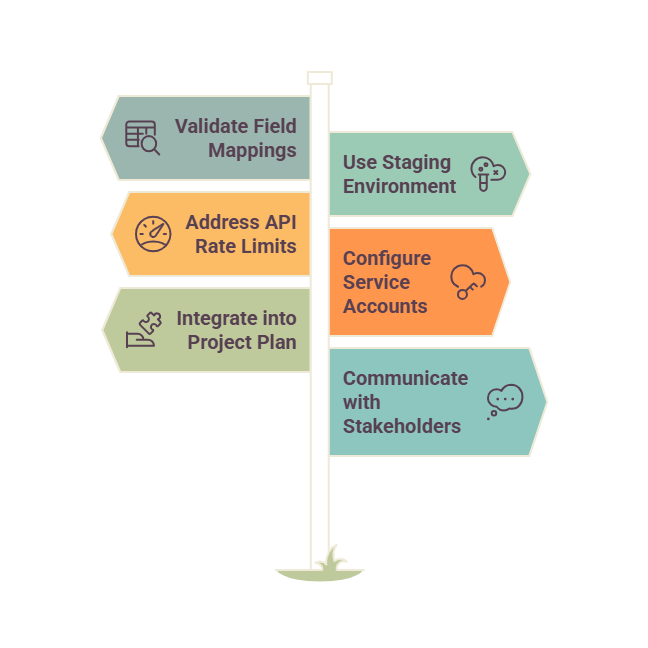
- Assuming the new platform works like the old one. Every platform has its own data model, API behavior, and field conventions. Never assume a field called ‘Priority’ in a client’s legacy ITSM maps cleanly to the same field in ServiceNow. Validate every field mapping explicitly, even the ones that look obvious.
- Skipping staging environment testing. Testing integration configurations directly in a client’s production environment during a migration is a risk that MSPs cannot afford. Always validate against a staging environment that mirrors the production target as closely as possible, including realistic data volumes and API call frequencies.
- Underestimating API rate limits. Data volumes spike through integrations during migration windows. Cloud-hosted platforms like Jira Cloud and ServiceNow enforce API rate limits that can throttle or block integration traffic at exactly the wrong moment. ZigiOps handles rate-limit-aware throttling and retry logic automatically, but this needs to be on your pre-migration checklist for any client environment.
- Forgetting service account permissions. New environments need new service account setup. One of the most common and most avoidable failure modes in client migrations is launching a new integration configuration only to find that the service account lacks the necessary permissions in the target system. Validate permissions explicitly before the migration window opens.
- Treating integration as an afterthought in the project plan. In MSP-managed migrations, integration work is often scoped separately from data migration work and handed off to a different team. Build integration configuration into the same workstream as data migration from day one.
- Under-communicating with client stakeholders. Integrations support business processes. When those integrations are modified during a migration, the people who depend on those processes need to know what is changing, when, and what they should do if something does not look right. Proactive communication from your MSP team reduces client-side incident volume and builds confidence in your delivery.
Why No-Code Integration Platforms Are the Right Choice for MSP-Managed Migrations
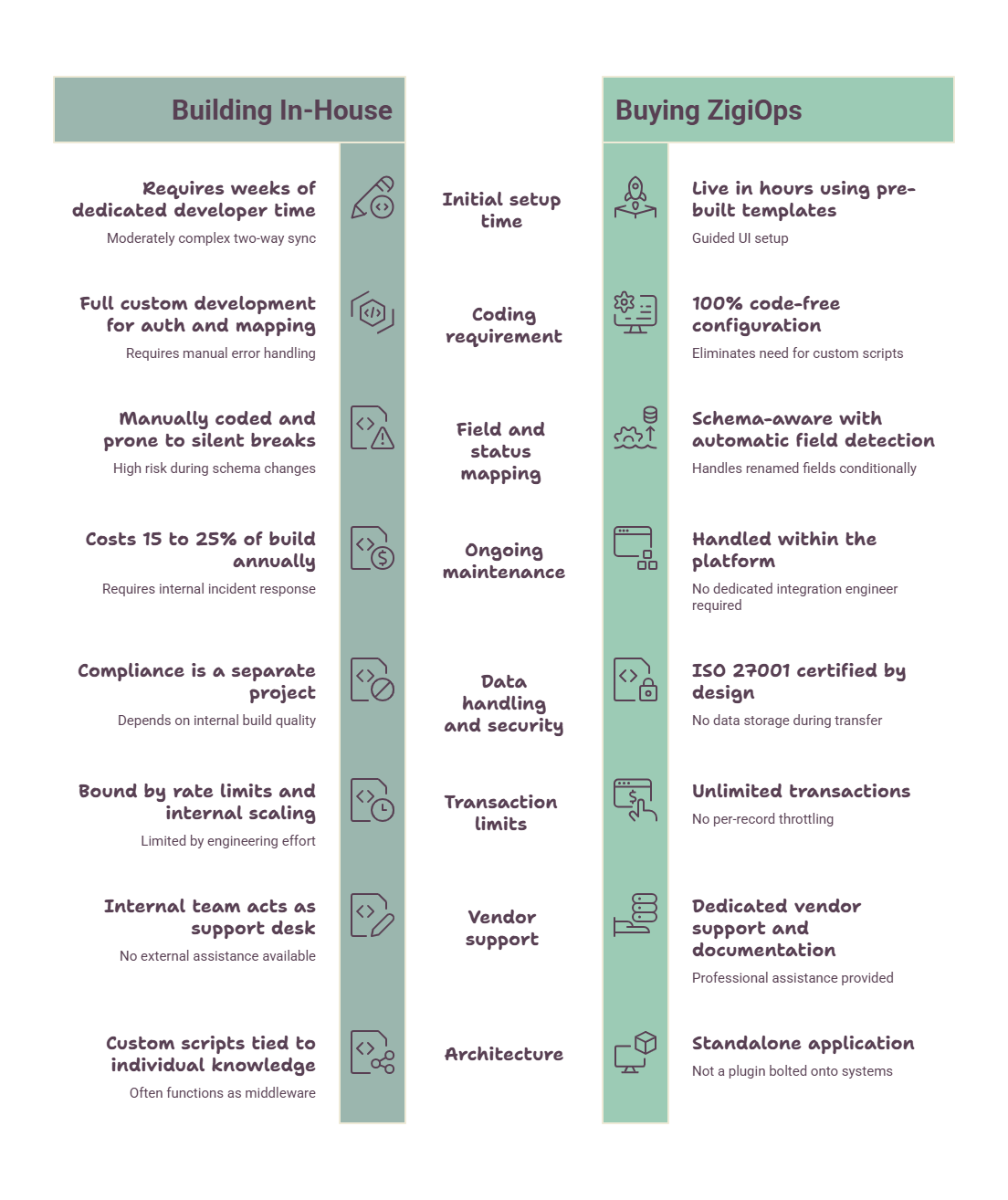
Traditional integration approaches — custom scripts, point-to-point connectors, or platform-native integrations — share a critical weakness in MSP environments: they are brittle, they require developer expertise to maintain, and they do not scale across multiple client environments.
When a client migration introduces a schema change, a no-code platform lets your team update the mapping in the UI in minutes. When a new API endpoint is available in the target system, you redirect the connection without writing code. When a new requirement comes in from the client at the last minute — and it will — you respond in real time rather than queuing a developer ticket.
This agility matters more in MSP environments than anywhere else. You are managing migrations across clients who have different tools, different timelines, and different levels of tolerance for disruption. A platform that requires code changes to adapt to migration surprises is a liability. A platform that lets any qualified engineer update configurations from the UI is an asset.
See how ZigiOps integration templates work across ITSM, monitoring, and DevOps tools to understand the full range of client environments your team can support.
Integration Continuity Into Your MSP Migration Practice
System migration is one of the highest-risk service delivery engagements an MSP can take on. The technical complexity is real, the client expectations are high, and the consequences of getting it wrong — broken workflows, missed SLAs, damaged trust — are significant.
The MSPs that execute migrations most successfully are the ones that treat integration continuity as a first-class deliverable, not a side task. They inventory client integrations early, classify them by criticality, design for dual-system operation, test thoroughly in staging, monitor continuously during the migration window, and use tooling that allows their teams to adapt in real time.
ZigiOps gives MSP delivery teams exactly that capability: a centralized, ISO 27001 certified integration platform that is 100% code-free, stores none of your clients’ transferred data, and lets your engineers configure, reconfigure, and monitor integrations across every client environment from a single UI.
If your MSP practice is taking on system migration engagements, the time to standardize your integration tooling is before the next client migration starts — not during it.
메타데이터
- post_id
- fa3c857ef4c0
- slug
- managing-client-system-migrations-without-breaking-integrations-fa3c857ef4c0
- url
- https://medium.com/@zigiwave/managing-client-system-migrations-without-breaking-integrations-fa3c857ef4c0
- canonical_url
- https://medium.com/@zigiwave/managing-client-system-migrations-without-breaking-integrations-fa3c857ef4c0
- author_url
- https://medium.com/@zigiwave
- status
- ok
- fetched_at
- 2026-07-11 18:50:18