Claude Writes Confluence Docs. I Just Review Them.
Automate Confluence docs from code or a plan file using Claude AI. Under a minute.
Claude Writes Confluence Docs. I Just Review Them.
Automate Confluence docs from code or a plan file using Claude AI. Under a minute.
I was fifteen minutes into a design review when someone asked, “Where’s the alternatives section?” The engineer who wrote it looked confused, it was there, just buried under “Other Approaches” inside a wall of prose. We spent ten minutes tracking it down. The actual decision got five minutes at the end.
Third time that month. Each time something different: missing sections, wrong structure, context buried three pages in. Engineers weren’t being lazy. Creating a doc from scratch has too much overhead. What sections go in? What order? How formal? How much context before the proposal? Those calls get made mid-draft, under time pressure, while your brain is still on the actual technical problem.
A style guide doesn’t fix that. It just adds one more decision to an already full plate. The team didn’t need a checklist. They needed the doc to mostly write itself.
The hidden cost of Confluence docs
The obvious symptom was inconsistency — every design doc a different layout, reviewers reading linearly just to find the section they care about. Four reviewers per doc, three docs in a busy sprint. I tracked it one quarter: forty to sixty minutes per sprint on navigation alone. Not debating the design. Just finding things.
Fixing that was the wrong problem to start with. Consistent docs are a side effect of a deeper fix. Most teams don’t have a documentation problem. They have a creation problem.
When an engineer opens a blank page to document something they just built, they already understand the system completely. They built it. But now they have to make thirty meta-decisions: what sections, what order, how formal, how much background, how detailed the architecture section vs. the data flow section. Not design decisions. Formatting decisions, made under time pressure, while the brain is still on the actual technical work.
The blank page is a decision problem, and it compounds every time.
That’s what I built around. Not a better style guide. A way to cut those decisions out entirely.
What I built
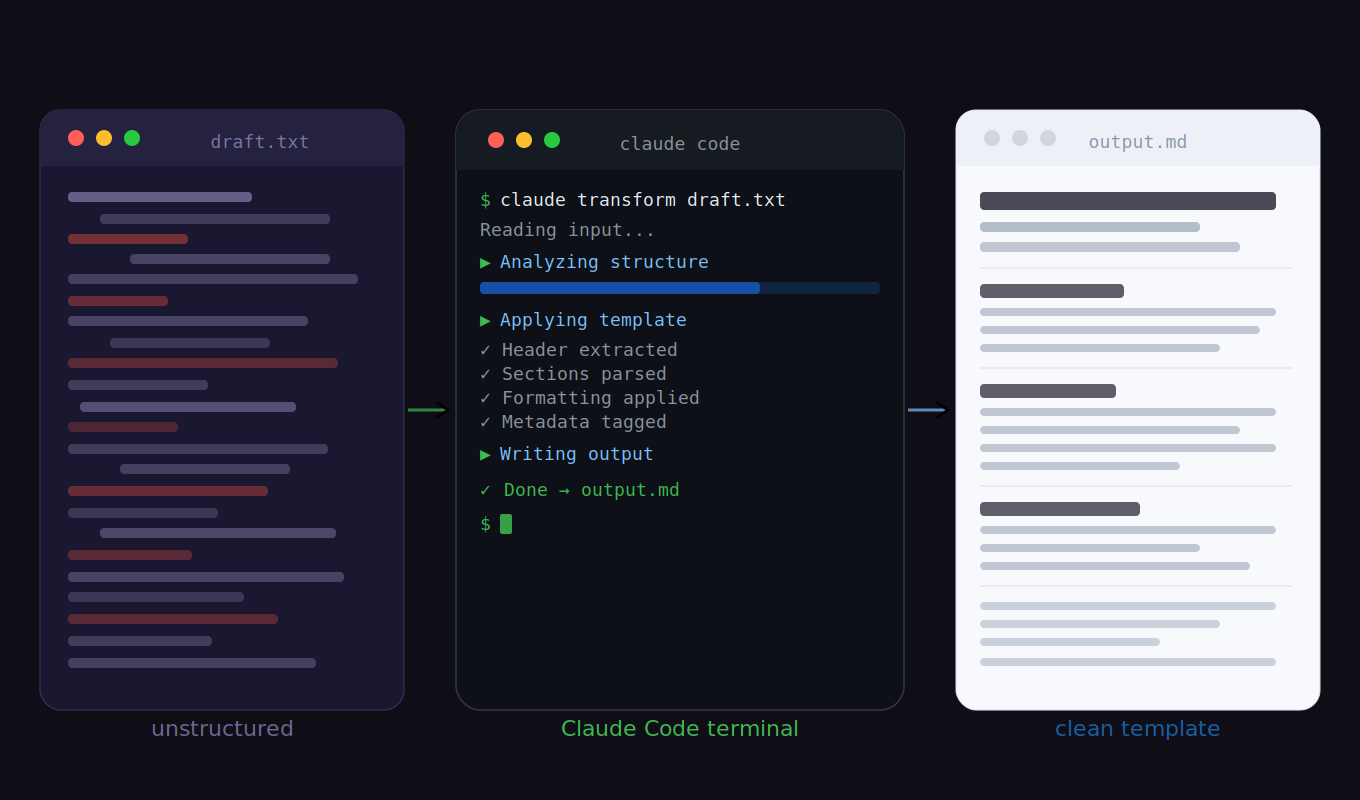
You describe what you need in plain English. Claude reads your codebase, picks the right template, fills every section from the actual implementation, and posts the page to Confluence. You get a URL back. Under a minute.
It’s not a form. Claude reads the actual files. Point it at a data pipeline and it pulls the source, the transformations, the destination from the code. You describe what you’re building once. The doc figures itself out.
Here’s the architecture section Claude generated for this project itself, straight from the code:
Components

confluence_page.py - Core CLI
Entry point for all page operations. Authenticates via PAT token
(CONFLUENCE_TOKEN env var) if set, falling back to cookie session
(~/.confluence-session). Creates an authenticated requests.Session,
calls the Confluence REST API, prints a structured result including
the page URL. Handles 4 commands: create, update, read, search.

refresh_cookies.py - Auth Management
Three modes: auto (reads Chrome SQLite DB), --guided (opens Chrome
+ walks user through DevTools), --manual (direct input). All modes
write to ~/.confluence-session. Validates all 3 required cookies
present before saving. Falls back auto → guided automatically.
That’s the actual output. Component names, responsibilities, auth flow, fallback behavior — pulled directly from the source files. No prompting for sections, no manual filling.
No codebase yet? Point it at a plan file. Claude pulls the same structure from design notes, an RFC, or a spec doc. Works before the first line of code exists.
Six page types supported out of the box:
AI Win Story    →  outcome documentation, 10 fixed sections
Architecture    →  system design, component decisions, ADRs
Data Flow/ETL   →  pipeline design, data movement, dependencies
Infra Flow      →  infrastructure and deployment design
PRD             →  product requirements, success metrics
User Guide      →  how-to documentation, prerequisites, steps
You never specify which template. Claude infers it from what you said. “Create an ETL pipeline page” maps to data flow. “Document our auth service” maps to architecture. Ambiguous? Claude asks one question and moves on.

What actually changed
Most engineers don’t hate documentation. They hate the overhead — the blank page, the “what sections do I need again?”, the thirty minutes of formatting before a single word of actual content. This tool removes that. Any templated doc in under a minute. Architecture page, data flow, user guide: describe it, get the URL back, move on.
That speed changed something I didn’t expect: people started writing docs before POCs, not after. When the cost is low enough, docs-first stops feeling like process overhead. A scope problem caught in a doc review costs nothing. Three weeks into a build, it doesn’t.
Consistency changed reviews too. Every architecture doc has the same eight sections, same order, same headings. Reviewers know where decision rationale is, where alternatives live, where open questions sit. The first ten minutes go to the actual tradeoffs, not finding your place in someone else’s layout.
Every service also ships with a user guide now. Same structure every time. Prerequisites, quick start, common tasks — you know where to look because it’s always in the same place. Nobody hunts through a README anymore.
What it doesn’t fix: a weak proposal is still a weak proposal. No template saves underdeveloped thinking. Claude handles the structure. The accuracy is still yours.
How it works
The routing logic is a single markdown table — plain-English phrases mapped to templates. “ETL pipeline” maps to the data flow template. “Auth service” maps to architecture. Each template has named placeholders; Claude fills them from your codebase before posting. The HTML renders directly in Confluence, no conversion needed.
Took about a day to build the six templates. Adding a new page type is adding a row to the table and writing the HTML once.
Everything is in the repo: github.com/dev-vpandey/ai-confluence-automation — clone it, point it at any service directory, run one command.
When writing a doc costs less than explaining something in Slack, people stop avoiding it. That’s the part no style guide ever fixed.
If you got here and it clicked, clap or follow. I write about this kind of thing regularly. More coming.
메타데이터
- post_id
- fa530e8da31a
- slug
- claude-writes-confluence-docs-i-just-review-them-fa530e8da31a
- url
- https://medium.com/@contactme.vickypandey/claude-writes-confluence-docs-i-just-review-them-fa530e8da31a
- canonical_url
- https://medium.com/@contactme.vickypandey/claude-writes-confluence-docs-i-just-review-them-fa530e8da31a
- author_url
- https://medium.com/@contactme.vickypandey
- status
- ok
- fetched_at
- 2026-06-09 15:37:30