The Ghost in the Server Room: A Tech-First Guide to the Hardware Lifecycle
Every IT professional knows the distinct, gut-wrenching sound of a mechanical hard drive entering its final death spiral. It sounds like a…
The Ghost in the Server Room: A Tech-First Guide to the Hardware Lifecycle
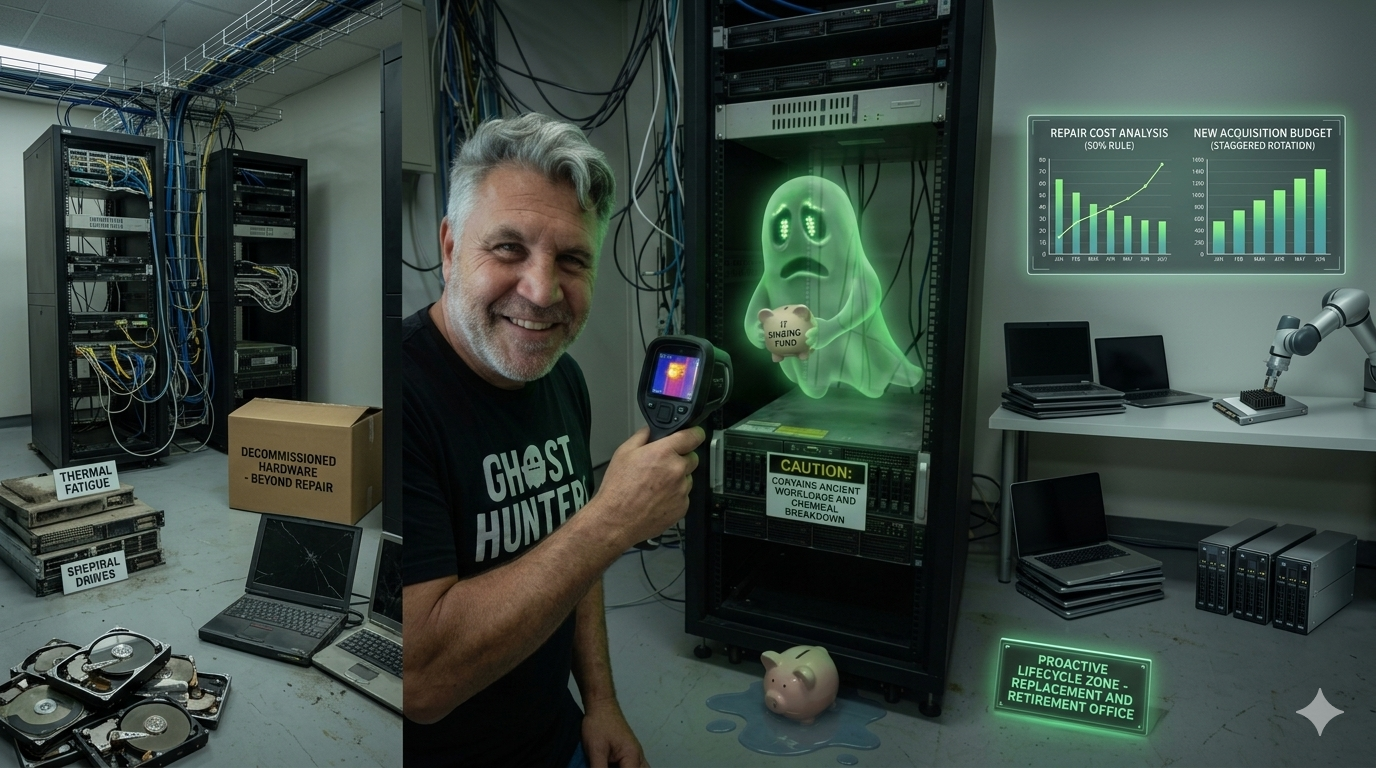
Is that an old server fan whirring, or is your server room actually haunted? 👻 Either way, it’s costing you money. Here is how to know when to repair your tech vs. when to finally lay it to rest.
Every IT professional knows the distinct, gut-wrenching sound of a mechanical hard drive entering its final death spiral. It sounds like a tiny, angry cybernetic woodpecker trapped inside your server rack, trying to dig its way out.
For business owners, that sound translates directly into a different kind of noise: money draining rapidly out of the corporate bank account.
Managing a business hardware lifecycle often feels like playing a high-stakes game of tech roulette. Do you patch up that five-year-old laptop with some extra RAM and a prayer? Or do you drop thousands on a sleek new fleet of machines, praying the CFO doesn’t launch you out of a window?
Let’s look at a clear, tech-driven framework for balancing repairs, replacements, and budgeting before your infrastructure makes the decision for you.
The Anatomy of Aging Silicon: Why Tech Dies
To understand when to repair or replace, we first need to look at why hardware degrades. Unlike a mechanical delivery van, a laptop or server doesn’t have pistons or a transmission. Instead, it suffers from a mix of thermal fatigue, chemical breakdown, and software bloat.
1. The Laptop Death Curve
Laptops are the frontline infantry of your business. They get dropped, shoved into backpacks, blasted with hot coffee, and left in sunny cars.
- Batteries: Lithium-ion batteries have a finite number of charge cycles (usually around 300 to 500). Past this point, they undergo chemical degradation, leading to swelling, poor holding capacity, or sudden shutdowns.
- Thermal Fatigue: Tiny solder joints inside chips expand and contract every time a user boots up a heavy spreadsheet or joins a video call. Over time, these microscopic connections crack.
- The Crucial Threshold: For business laptops, performance and structural reliability generally begin a steep decline at the 36-to-48-month mark.
2. The Server Erosion Engine
Servers live a life of pampered luxury compared to laptops. They reside in climate-controlled rooms, rack-mounted, and fed filtered electricity. Yet, they face a different enemy: continuous, relentless workload.
- Storage Wear: Solid State Drives (SSDs) have a finite number of Terabytes Written (TBW). Once the flash memory cells are exhausted, they become read-only or fail entirely.
- Capacitor Plague: Motherboard capacitors store and regulate electrical current. Over years of 24/7 exposure to heat, these components can bulge, leak, or fail, causing random reboots that haunt your sysadmin’s dreams.
- The Crucial Threshold: Servers generally hit their operational sweet spot between years 1 and 4, entering the high-risk failure zone after year 5.
The “Frankenstein” Formula: When to Repair
Repairing hardware is seductive. It feels like a victory over consumerism. Spending R1,500 on a repair looks much better on a balance sheet than spending R15,000 on a new unit.
However, you must separate a viable technical intervention from digital necromancy.
The 50% Rule of Thumb
As a baseline tech policy, never repair a device if the cost of the repair exceeds 50% of the cost of a comparable new machine.
When Repair Makes Perfect Tech Sense:
- The Component is Modular: If a machine has a broken screen or a dead keyboard but boasts a modern processor, replace the component.
- The Bottleneck is Storage or Memory: Taking a three-year-old laptop with a mechanical drive and dropping an inexpensive SATA or NVMe SSD into it can instantly multiply its speed by five.
- The Machine is Under Vendor Warranty: If you paid for a 3-year or 4-year Next Business Day on-site warranty, milk it dry. Let the manufacturer pay for the parts and labour.
The True Cost of Downtime (TCO)
When calculating repair costs, businesses often forget the hidden variable: Idle Employee Cost. If an accountant earning R300 an hour sits idle for two days while their laptop is in a repair shop, you haven’t saved money. You’ve just shifted the loss to another line item.
The “E-Waste” Reality Check: When to Replace
There comes a time when you must let go. Trying to keep obsolete hardware alive doesn’t make you thrifty; it makes you a liability to your own operations.
Signs a Device Needs Immediate Retirement:
- No More Security Updates: If a processor or chipset cannot natively run modern, secure operating systems (like modern Windows 11 enterprise builds or the latest Linux LTS kernels), it is an open window for ransomware.
- Proprietary Architecture Failures: If a server’s proprietary backplane or motherboard dies outside of warranty, tracking down a refurbished part on eBay puts your business continuity at the mercy of random online sellers.
- Systemic Thermal Throttling: When a device runs so hot that the CPU intentionally drops its clock speed to prevent melting, your employee’s productivity drops right along with it.
The Financial Shield: Budgeting for the Inevitable
The worst time to figure out how to pay for ten new laptops is when five of them have just died in a freak electrical surge. Budgeting shouldn’t be reactive. It must be built cleanly into your cash flow model.
1. The Laptop Replacement Budget Formula
To avoid massive, unexpected capital expenditure (CapEx) spikes, use a staggered replacement cycle. Aim to replace 25% of your laptop fleet every year.
By budgeting annually, you ensure no single machine is ever older than four years, and you never face a sudden R600,000 bill.
2. The Server “Sinking Fund” Model
Because servers represent larger, chunkier capital outlays, they require a dedicated sinking fund or an OpEx shift.
- The Sinking Fund Method: Take the projected replacement cost of your server infrastructure plus migration labour, divide it by 60 months (5 years), and save that amount monthly.
- The Hybrid Cloud Pivot: Avoid the hardware lifecycle altogether for non-essential physical assets. Migrate unpredictable infrastructure workloads to cloud environments (like AWS or Azure) or shift to a Hardware-as-a-Service (HaaS) leasing model. This turns volatile hardware crises into a predictable, flat monthly operating expense (OpEx).
Summary Checklist for IT Procurement
Before you sign off on a repair or hit “add to cart” on a distributor’s website, run through this rapid triage:
- Age Check: Is the asset over 4 years old (laptop) or 5 years old (server)? If yes, replace.
- Security Check: Can this device receive the next 24 months of OS security patches? If no, replace.
- Warranty Check: Is the device covered? If yes, let the vendor repair it.
- Financial Check: Does the repair estimate exceed 50% of a modern equivalent device? If yes, replace.
By treating your hardware like a highly predictable pipeline rather than an unpredictable series of tech emergencies, you keep your employees productive, your data secure, and your server room perfectly quiet.
메타데이터
- post_id
- fa768bae2507
- slug
- the-ghost-in-the-server-room-a-tech-first-guide-to-the-hardware-lifecycle-fa768bae2507
- url
- https://medium.com/@tania_51061/the-ghost-in-the-server-room-a-tech-first-guide-to-the-hardware-lifecycle-fa768bae2507
- canonical_url
- https://medium.com/@tania_51061/the-ghost-in-the-server-room-a-tech-first-guide-to-the-hardware-lifecycle-fa768bae2507
- author_url
- https://medium.com/@tania_51061
- status
- ok
- fetched_at
- 2026-07-17 08:06:55