Bazzite Linux for Gaming, AI, and Coding: A Year in Review
I’ve been running Bazzite Linux for the past year. Part of it was me being cheap. I didn’t want to pay for Windows. The rest was curiosity…
Bazzite Linux for Gaming, AI, and Coding: A Year in Review
I’ve been running Bazzite Linux for the past year. Part of it was me being cheap. I didn’t want to pay for Windows. The rest was curiosity. I’m coming back to Linux after my college days, back when Canonical mailed me an Ubuntu CD (yes, I’m that old) and gaming on Linux meant Tux Racer.
So, is it any good?
Yes… for the enthusiast. Here’s my experience, broken down by use case.
Gaming
It just works!
I’ve tested popular games like Dota 2, Counter-Strike, Genshin Impact, and Wuthering Waves. All of them ran without any manual setup. Even Genshin — which doesn’t have an official ProtonDB listing — ran fine through Lutris.

Furina and her on-demand dessert collection
For gaming on Linux, ProtonDB is your best friend. Most popular titles land at Gold or Platinum, and from my experience, that rating is honest. Games I’ve put at least an hour into without a single issue: FF7 Rebirth (Gold), Persona 5 Royal (Platinum), The Stanley Parable (Platinum), Anno 1800 (Gold), Europa Universalis IV (Gold). The list goes on.
This shouldn’t be surprising, because modern handhelds like the Steam Deck and Lenovo Legion Go also run Linux with AMD.
AI
This one also works well — AI data centers run on Linux, after all.
On Bazzite, you can run local models for inference and experiment freely (assuming you can still afford RAM). I use LM Studio to run open-source models for Kotlin benchmarking. Text-to-image generation holds up nicely. I was able to run inference on Stable Diffusion and Flux models, which is a useful option to have even if I don’t use it often.
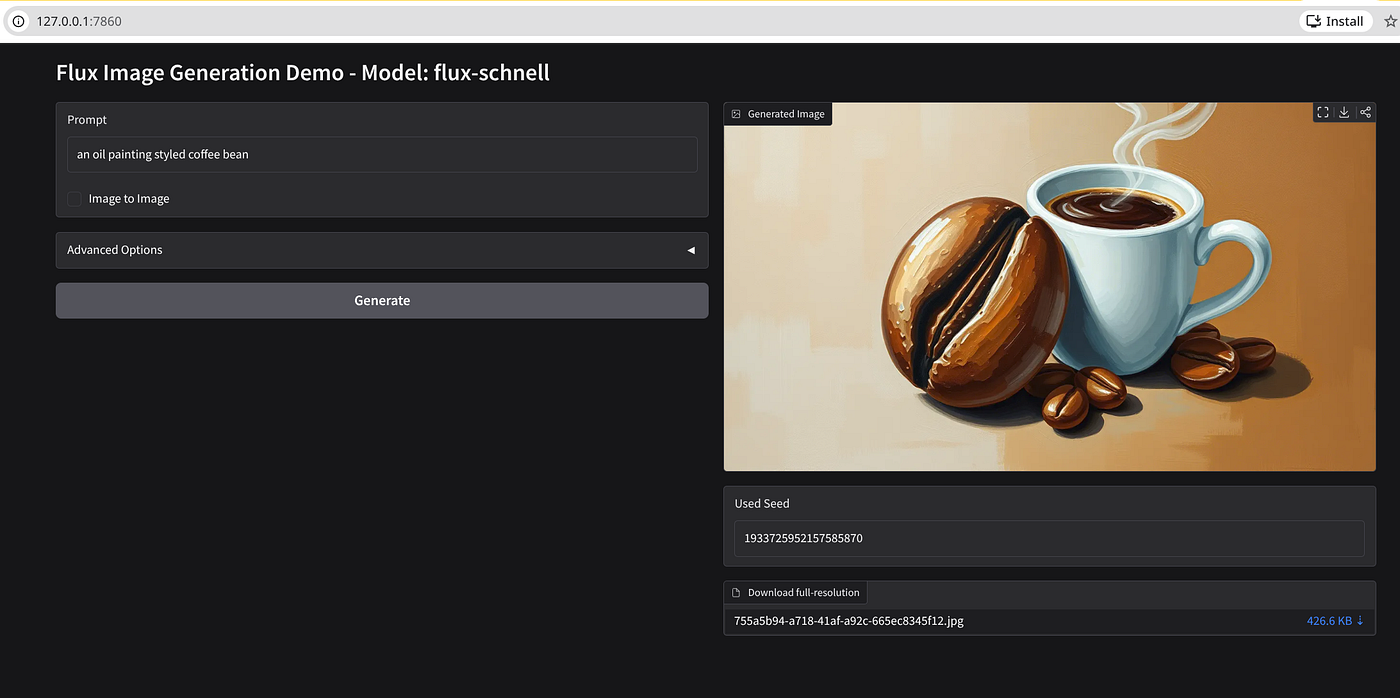
That’s one big coffee bean
For agentic coding, Claude Code works smoothly. On a recent project, it helped me set up a tree-sitter harness for a home-made Android benchmark. The Claude browser extension has also been useful, I used it to bulk-unsubscribe from promotional emails, and to add hyperlinks to this article.
OpenClaw also works. Although I have an unpopular opinion on this tool: it’s not particularly groundbreaking? I can see the potential, and I only enabled the blog-reading skill, so I’m probably not using it to its full capability. But compared to mainstream tools with large user bases, it still feels niche. Maybe I’m wrong, but do share your opinion in the comment section.
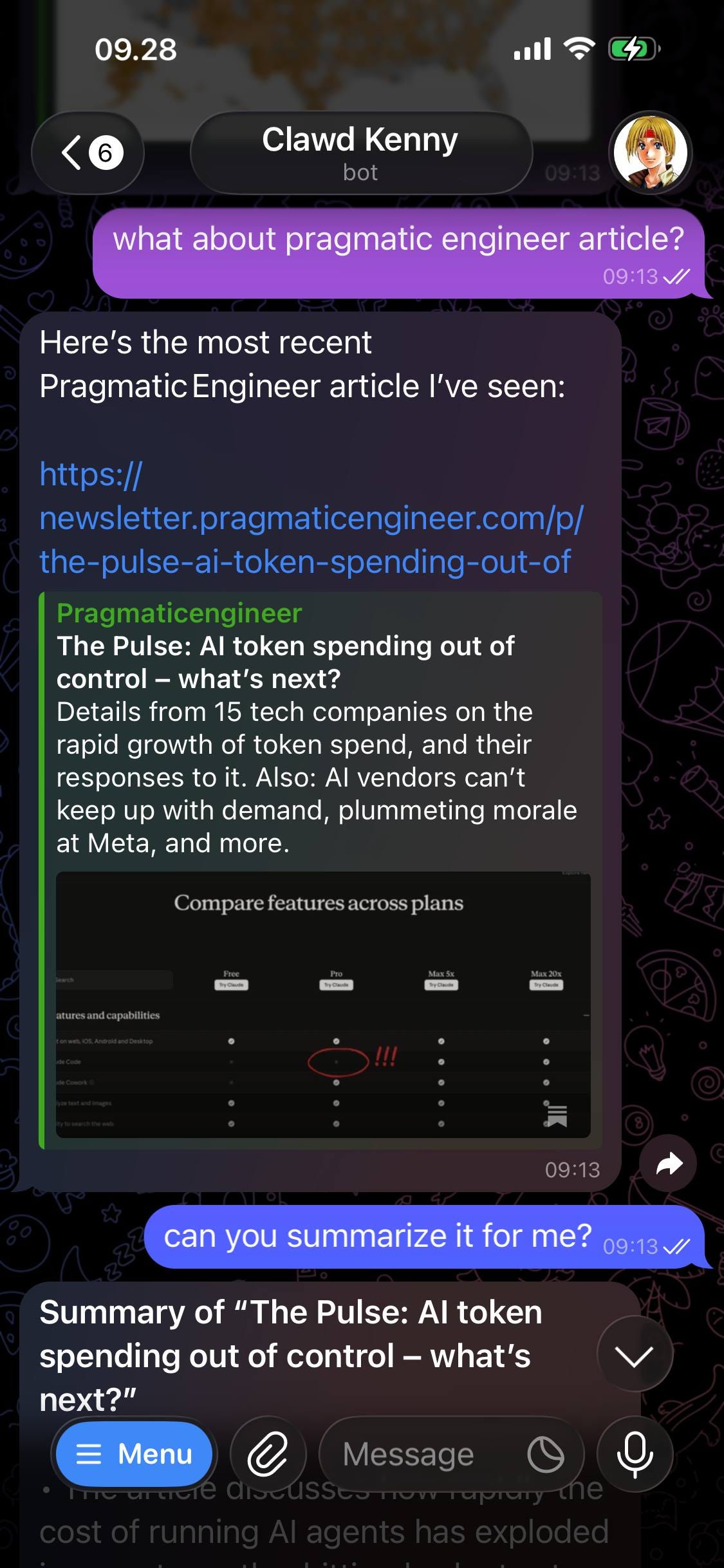
Introducing Clawd C. Kenny: My personal JRPG hero bot.
The main gap: desktop apps like Claude Cowork and ChatGPT don’t have Linux versions. Therefore, you can’t use Dispatch from your phone to run Claude on your desktop remotely, though I wouldn’t be surprised if an open-source alternative shows up soon. This is a recurring theme across Linux in general, most proprietary desktop apps, like Notion, skip this platform.
Coding
This part is the least new info, developers use MacBooks, partially due to their Linux-like experience. What’s new, though, is more hardware options like Framework, and companies enforcing this (37signals makes Linux the default for their engineers).
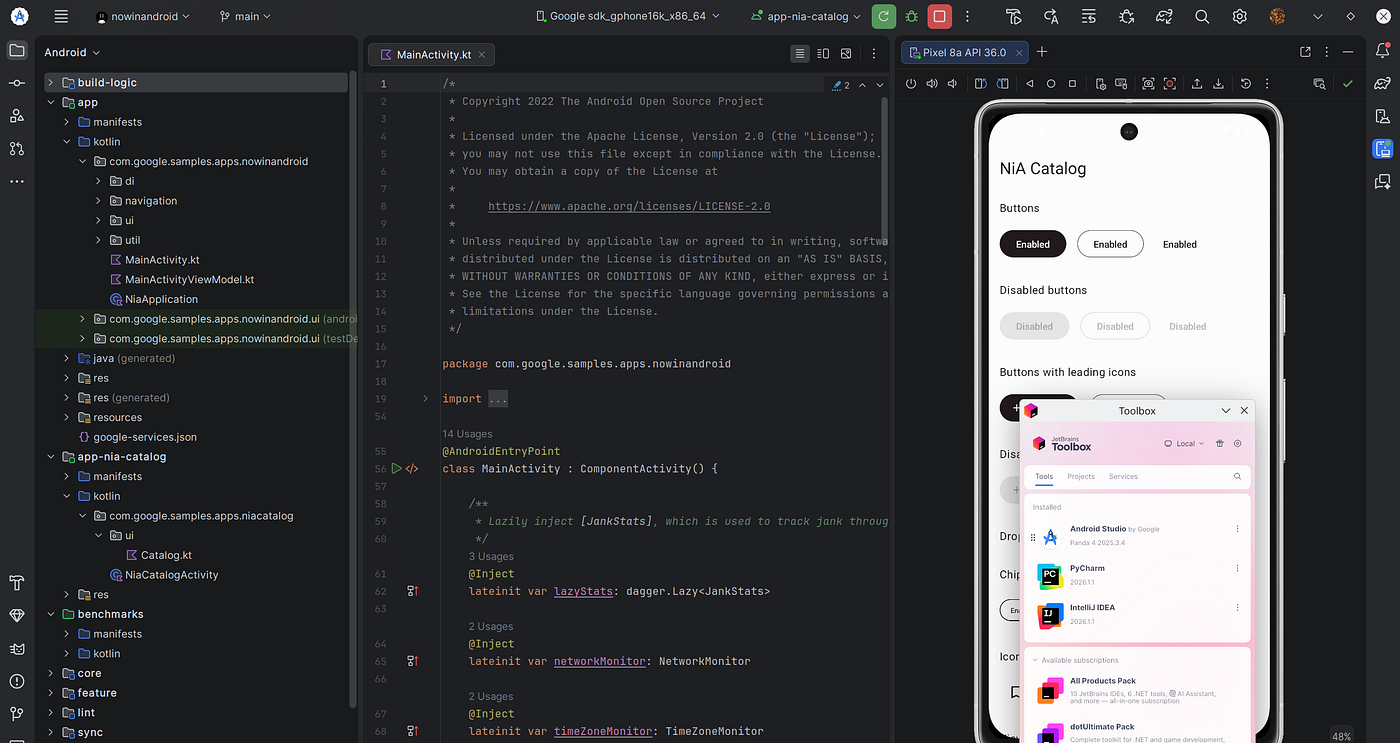
Toolbox makes installing & updating Android Studio and others easier
For IDE support, JetBrains provides Toolbox on Linux, so you always have access to the latest JetBrains apps (PyCharm, GoLand, etc.). Bazzite also includes a ujust utility with one-command installation for JetBrains Toolbox, Davinci Resolve, and other popular apps.
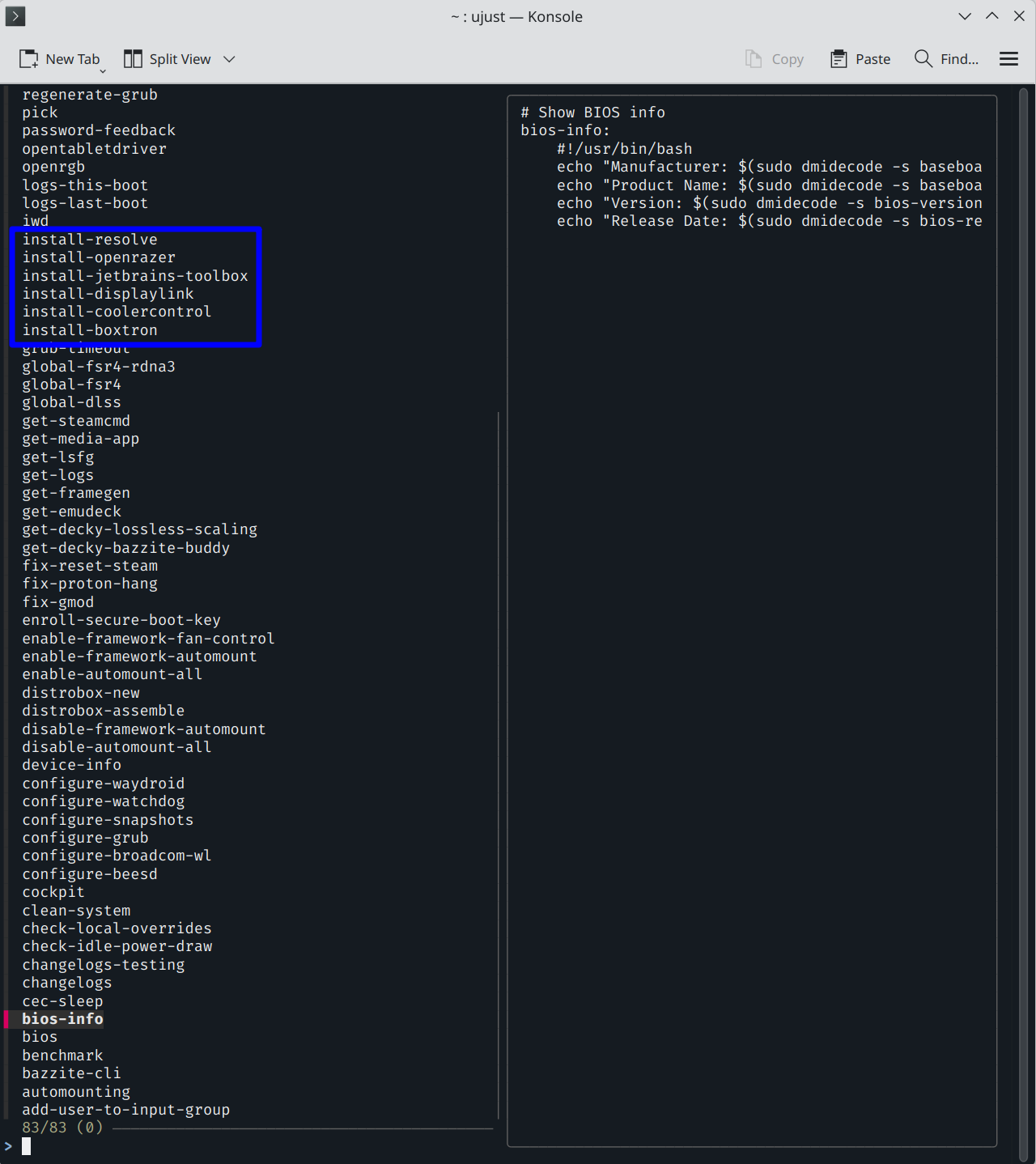
Available installation and other built-in commands in ujust
My current stack: Zed for scratch files, VS Code and Cursor for project work. All straightforward to install. Zed, for instance, is a single bash command for the full setup.
Summary
This is where the “for enthusiasts” caveat comes in.
A lot of things work out of the box — gaming especially. But you should expect to get your hands dirty. When something breaks or isn’t supported, you’ll be debugging it yourself: through AI, GitHub issues, or community forums.
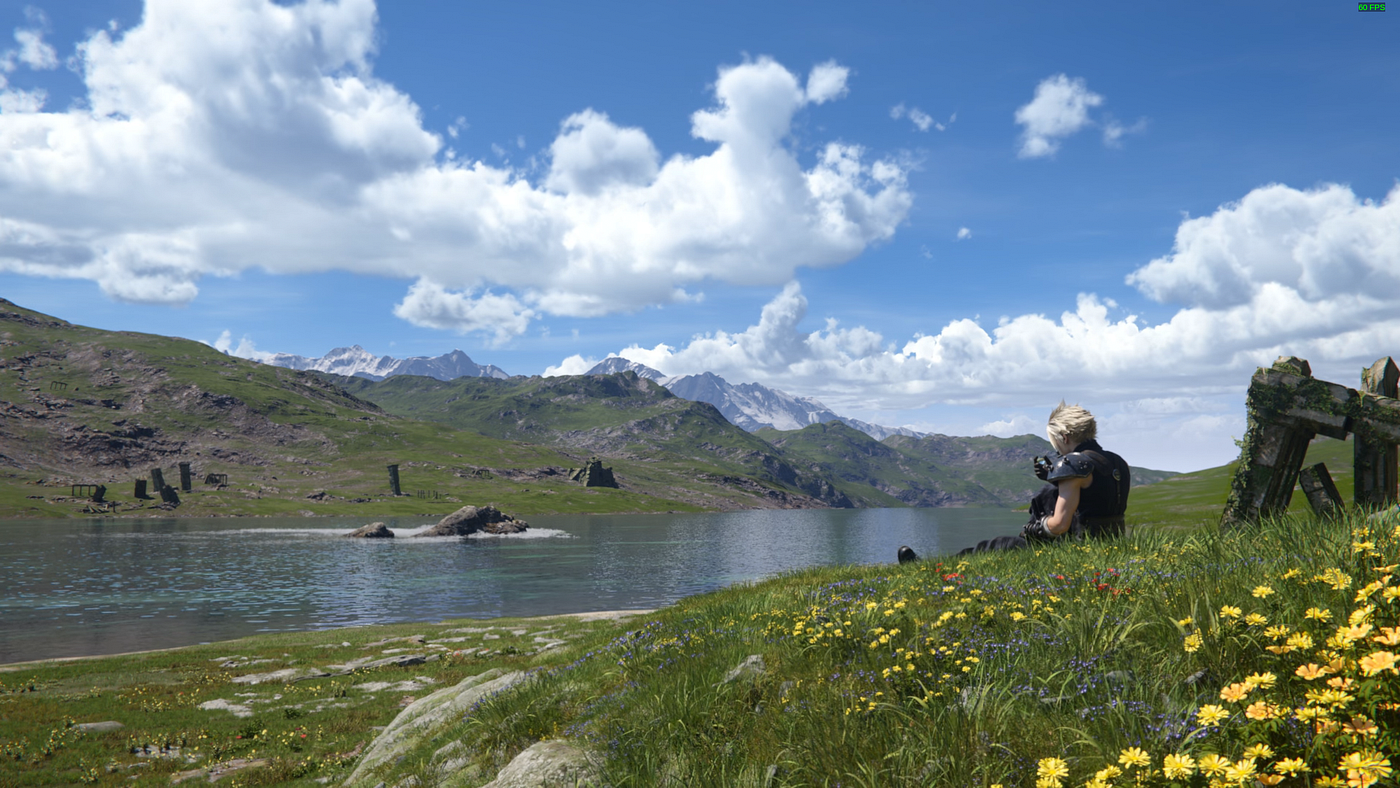
I wouldn’t have imagined completing FF7 Rebirth on a Fedora-based distro 10 years ago.
The Bazaar, Flatpak app store, covers most of what you’d want, but not everything. I still haven’t had time to set up Google Drive (rclone exists, but it takes time to configure properly), and installing Cloudflare WARP requires adding a new repo and installing it via rpm-ostree.
There’s also the reality of Linux moving fast. Bazaar, which I mentioned before, was previously FlatHub, and the default terminal recently migrated from one app to Konsole (so I need to set up Fish as default again). They’re minor things, but they happen from time to time.
Most hardware just works, mechanical keyboards, gaming controllers, USB dongles, and webcams all worked, but my Bluetooth adapter didn’t, and installing the driver is challenging given Bazzite’s immutable distro design.
So, yes, I’d recommend Bazzite — and yes, I’ll keep using it. But go in knowing it’s a platform that rewards the effort you put in.
메타데이터
- post_id
- fafe6fcef97f
- slug
- bazzite-linux-for-gaming-ai-and-coding-a-year-in-review-fafe6fcef97f
- url
- https://medium.com/@aldo.wachyudi/bazzite-linux-for-gaming-ai-and-coding-a-year-in-review-fafe6fcef97f
- canonical_url
- https://medium.com/@aldo.wachyudi/bazzite-linux-for-gaming-ai-and-coding-a-year-in-review-fafe6fcef97f
- author_url
- https://medium.com/@aldo.wachyudi
- status
- ok
- fetched_at
- 2026-07-13 22:08:31




