Azure Vwan: naked vhub to clothed securehub
Covering up your hub's naughty bits.
Azure Vwan: naked vhub to clothed securehub
Covering up your hub's naughty bits.
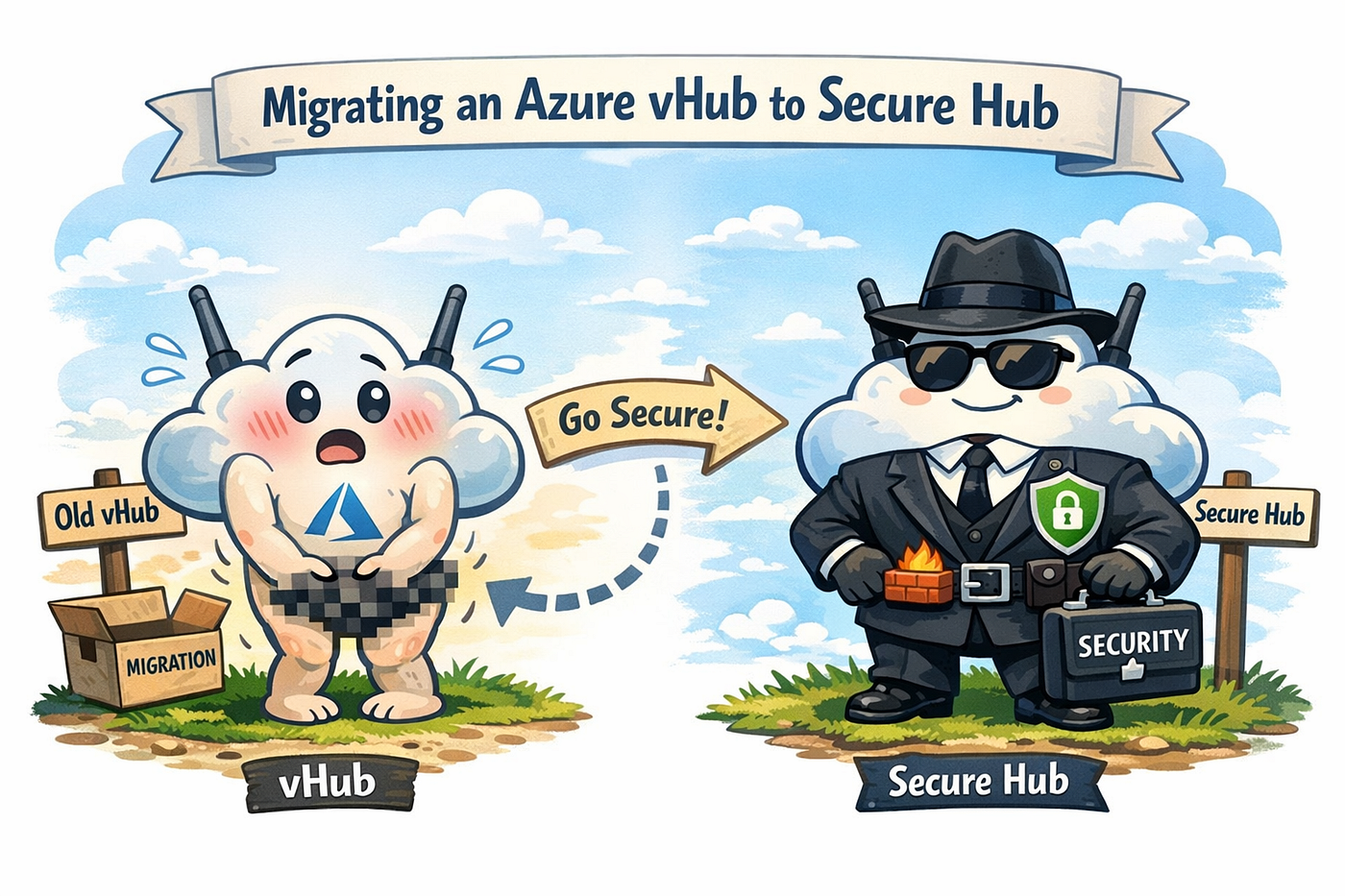
I spoke to someone recently who was looking for documentation on migrating from regular vhubs to securehubs (fancy way of saying putting a firewall in the hubs). I tried to help, but neither of us found much in the way of how-to’s or what to watch out for. Because of that, and because I am in constant need of things to write about, I wanted to walk through an example of how to go about taking a vanilla hub and cramming a security device in it, making it a securehub.
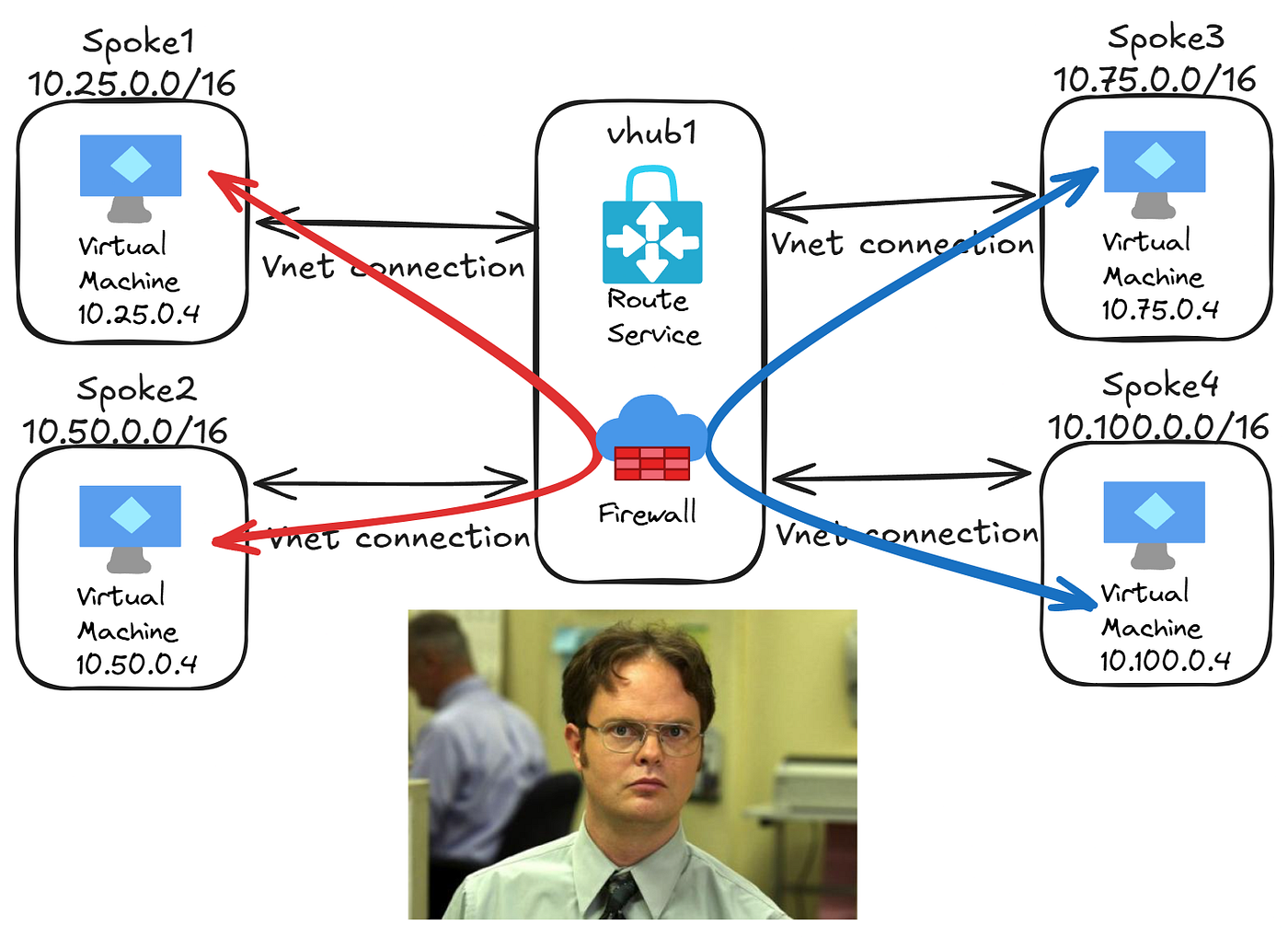
Let’s say you have something like this:
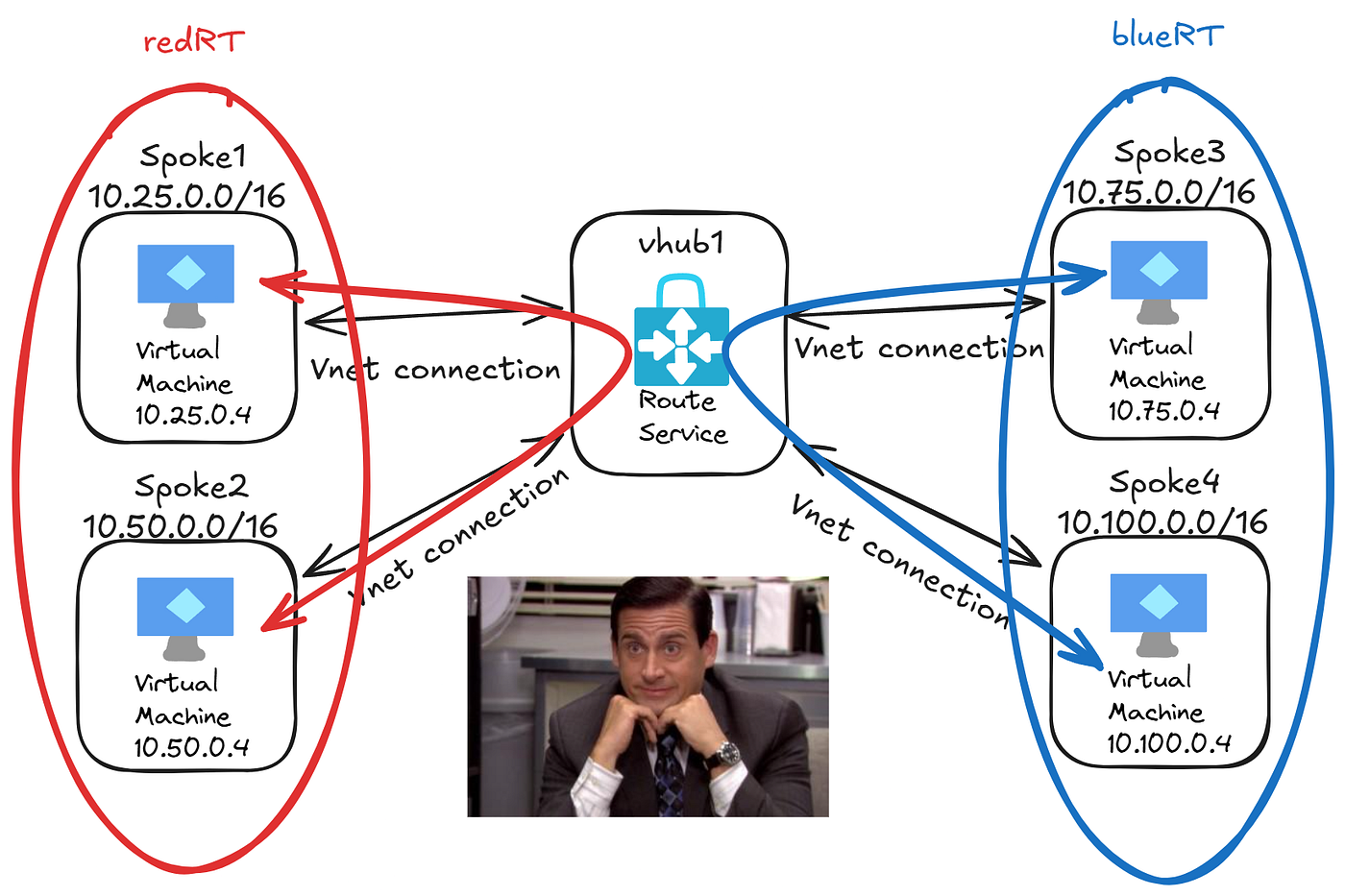
The vnets are isolated by the custom route tables but now you want to slap some firewalls in the mix, to be like the rich and powerful.
It may seem scary and maybe a bit counter intuitive but it’s actually quite simple to put a firewall in your vhub without any disruption at all. That simple act doesn’t actually use the firewall, it just deploys it and it starts burning money but not actually securing anything.

If the end goal is to enable routing intent and let any and everything go through the firewall, something to remember is that you won’t be able to keep the custom tables but you’ll use the firewall to control the traffic instead of just blocking routes (this will still happen anyway, all the connections with propagate to none with routing intent).
A relatively easy way to start is to make sure that all your connections propagate to the default table, this will make sure the firewall knows about them. If you want to take things slow, you can just add static routes in a custom table to reach the other vnets in that table with a next hop of the firewall. For example:
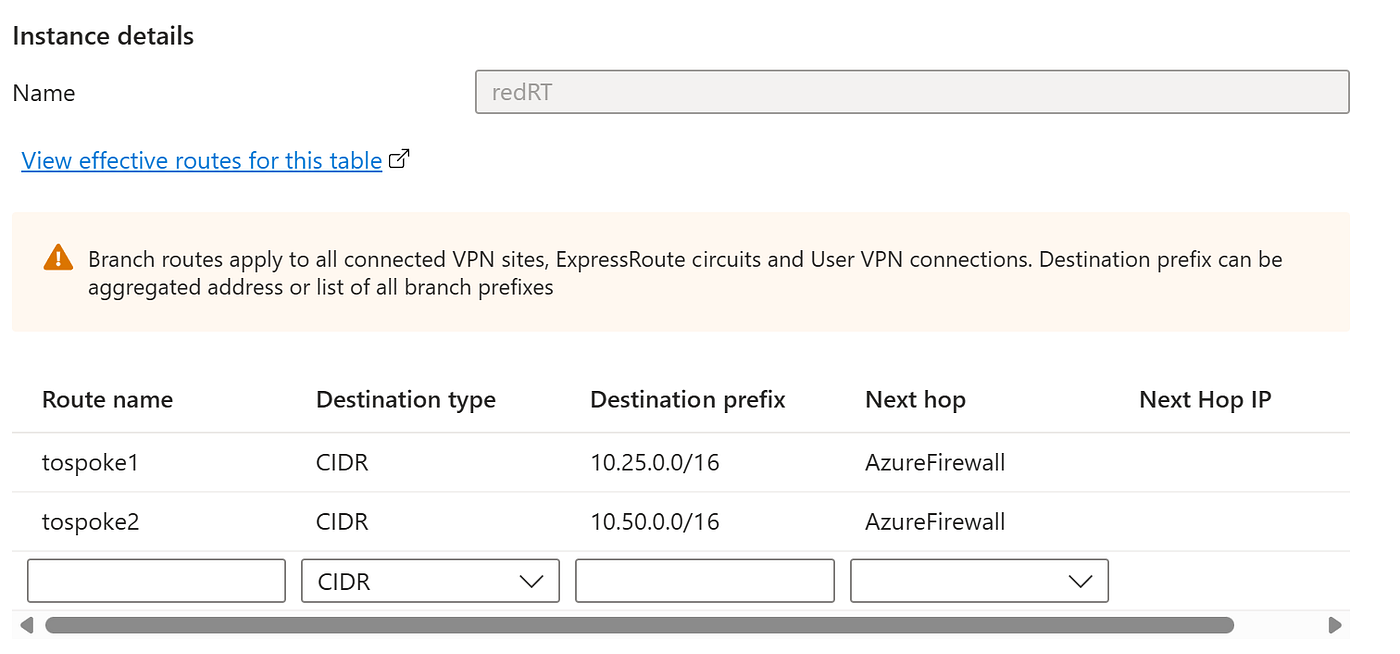
This lets you test the waters a bit before moving a lot of traffic over. Once you’re comfortable, you can associate those vnets with the default table instead of the custom one and copy those routes to the default table.
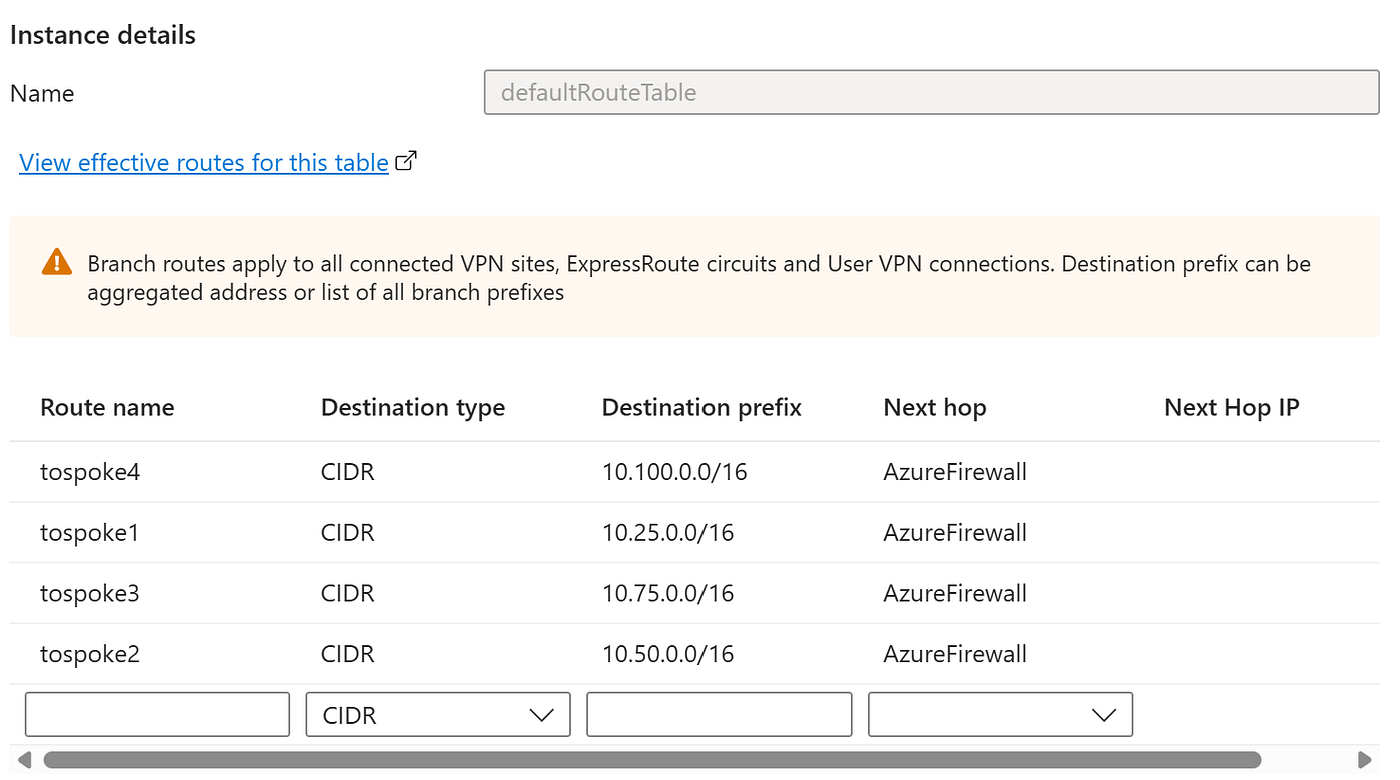
You can do this with all your other custom tables and move them slowly. At the end of it all, you have nothing associated or propagating to the custom tables and they can be deleted.
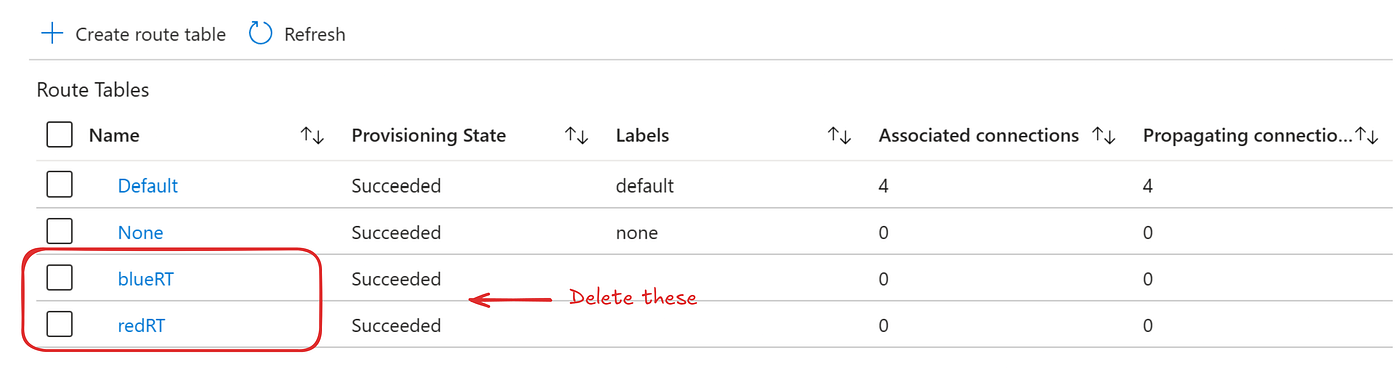
This is doing something very similar to routing intent but won’t let you send any interhub traffic via the firewall (if you have other hubs). Now you can enable routing intent, this will edit the default table and add a “private_traffic” route with those ranges you had static routes for and propagate the connections to none.
Once routing intent is enable you can remove those though, since the traffic will be caught by the rfc1918 routes. You can either remove them in the private traffic prefixes area or in the default table itself:
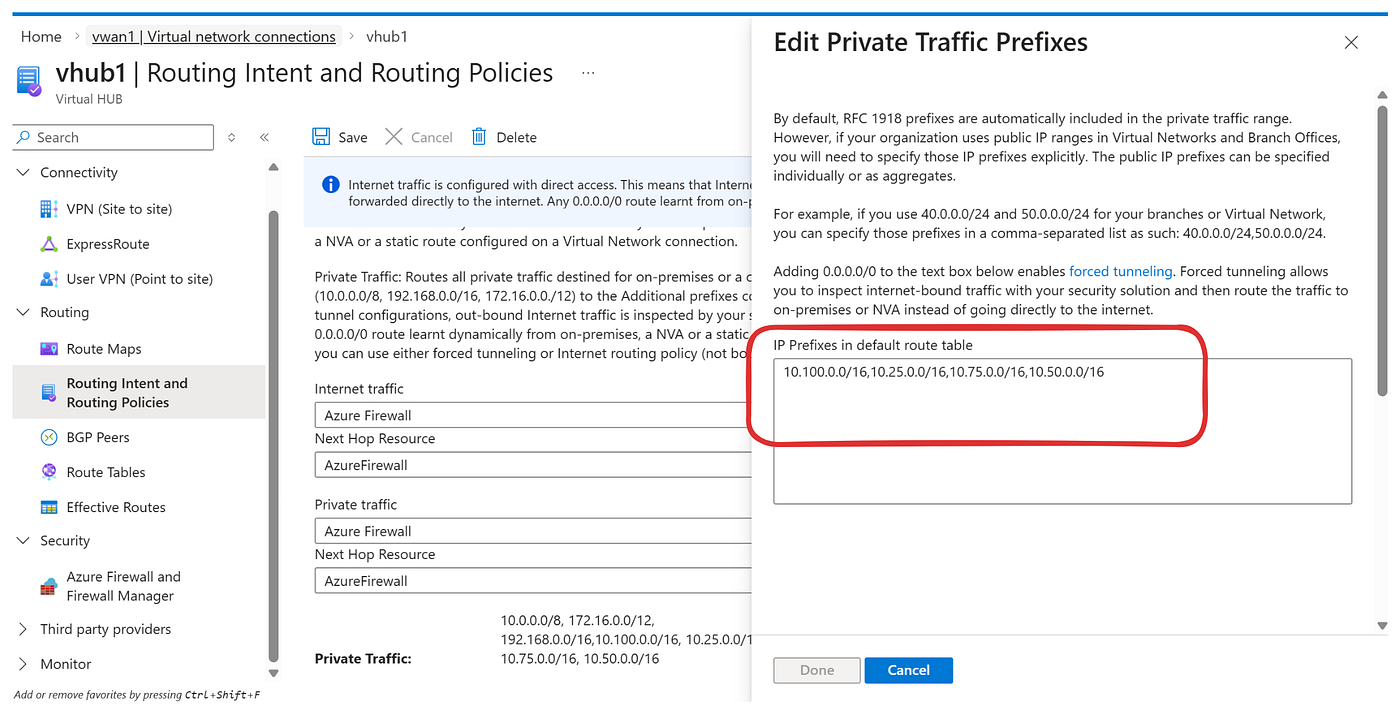
or
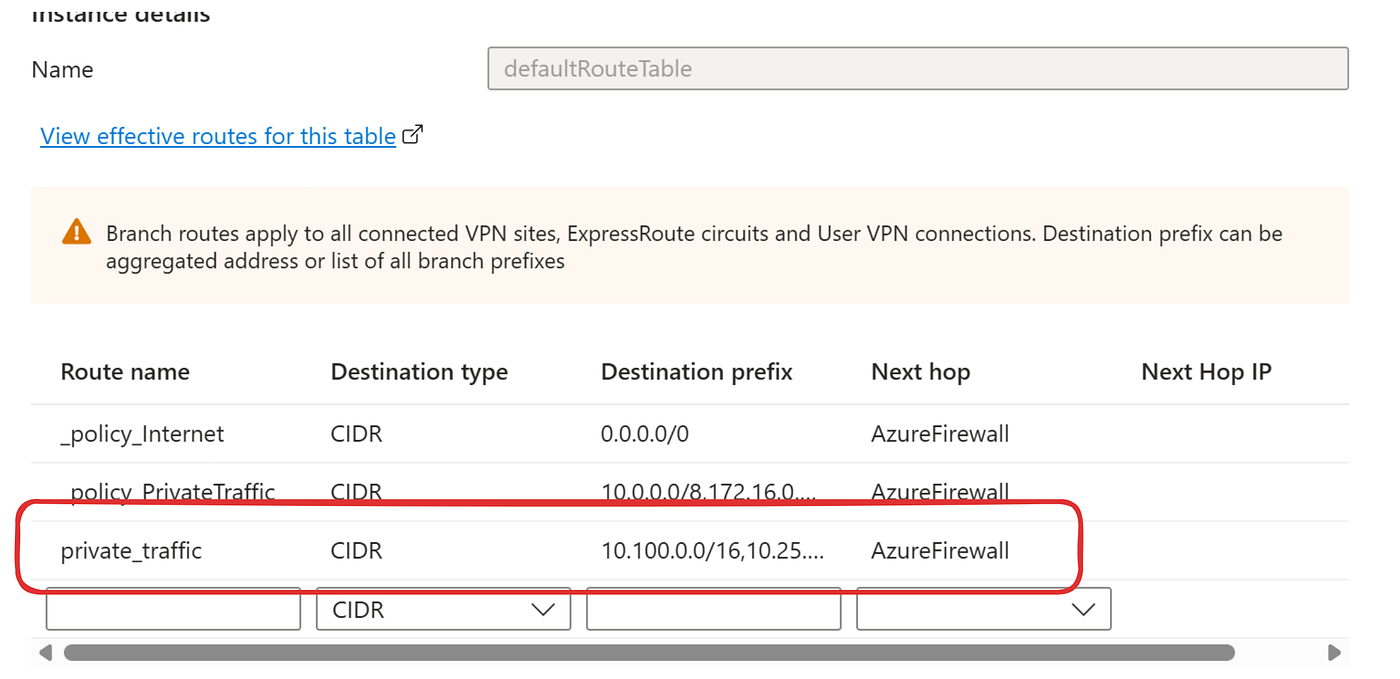
If you’re using non-rfc1918 addresses onprem, you’ll want to add those in there as well btw. And off you go! You’re now moving in the elite circles of the securehub aristocracy, enjoy!
Thanks for reading this quick walkthrough on vhub to securehub migration, I hope it helps. Check out my Github for more labs and examples here: https://github.com/quiveringbacon.

메타데이터
- post_id
- fb1f51c1923b
- slug
- azure-vwan-naked-vhub-to-clothed-securehub-fb1f51c1923b
- url
- https://medium.com/@sunaj10/azure-vwan-naked-vhub-to-clothed-securehub-fb1f51c1923b
- canonical_url
- https://medium.com/@sunaj10/azure-vwan-naked-vhub-to-clothed-securehub-fb1f51c1923b
- author_url
- https://medium.com/@sunaj10
- status
- ok
- fetched_at
- 2026-06-26 21:52:29