What is 3D Gaussian Splatting?
From Photos to 3D
What is 3D Gaussian Splatting?
From Photos to 3D
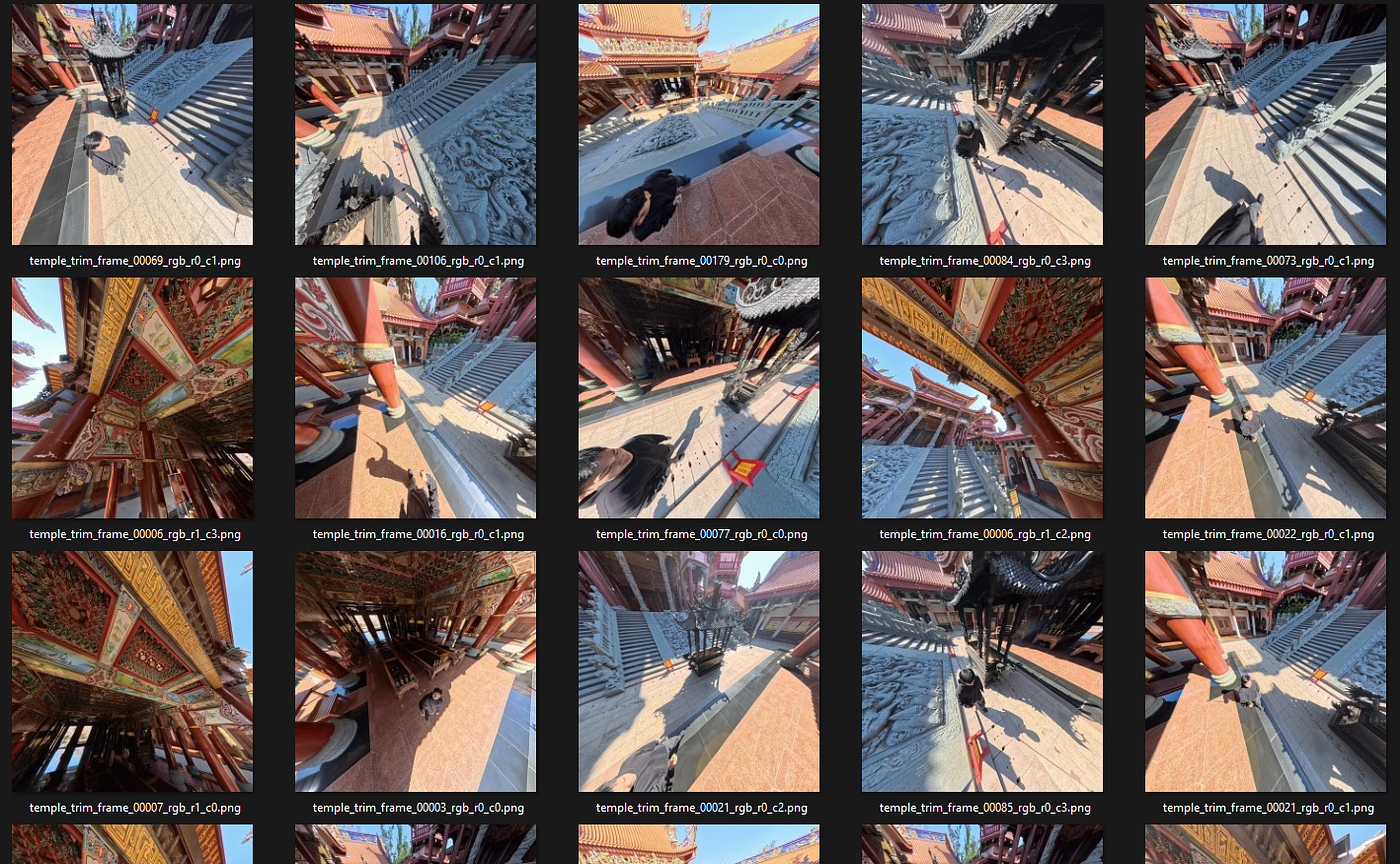
Imagine taking a bunch of photos of a place, and then being able to walk through it in 3D — exploring from any angle, as if you were actually there. That’s exactly what 3D Gaussian Splatting (3DGS) does.
Input: Regular photos taken from different angles
Output: An explorable 3D scene
No expensive 3D scanners. No professional equipment. Just your camera (or phone) and the right software.
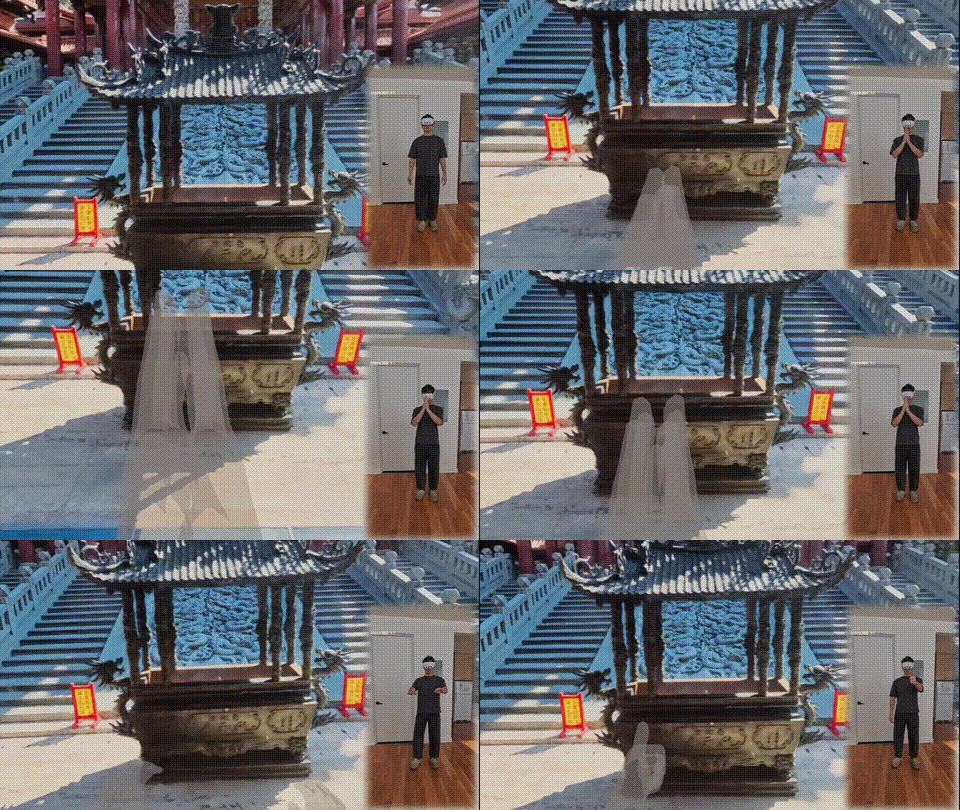
VR experience/Free camera exploration
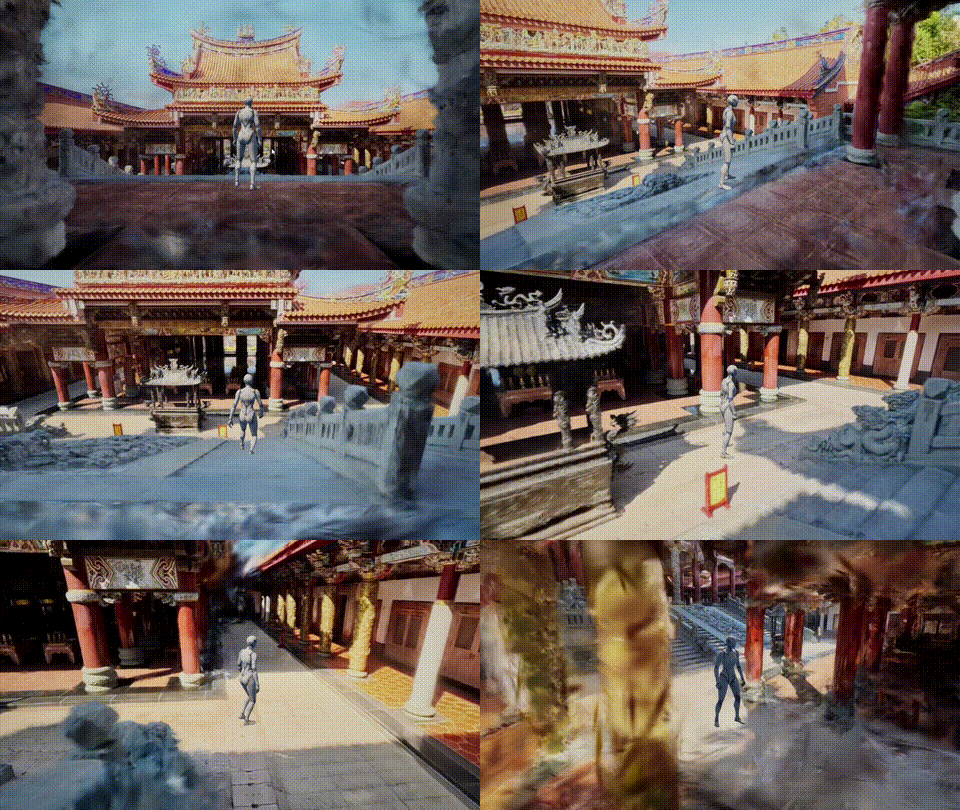
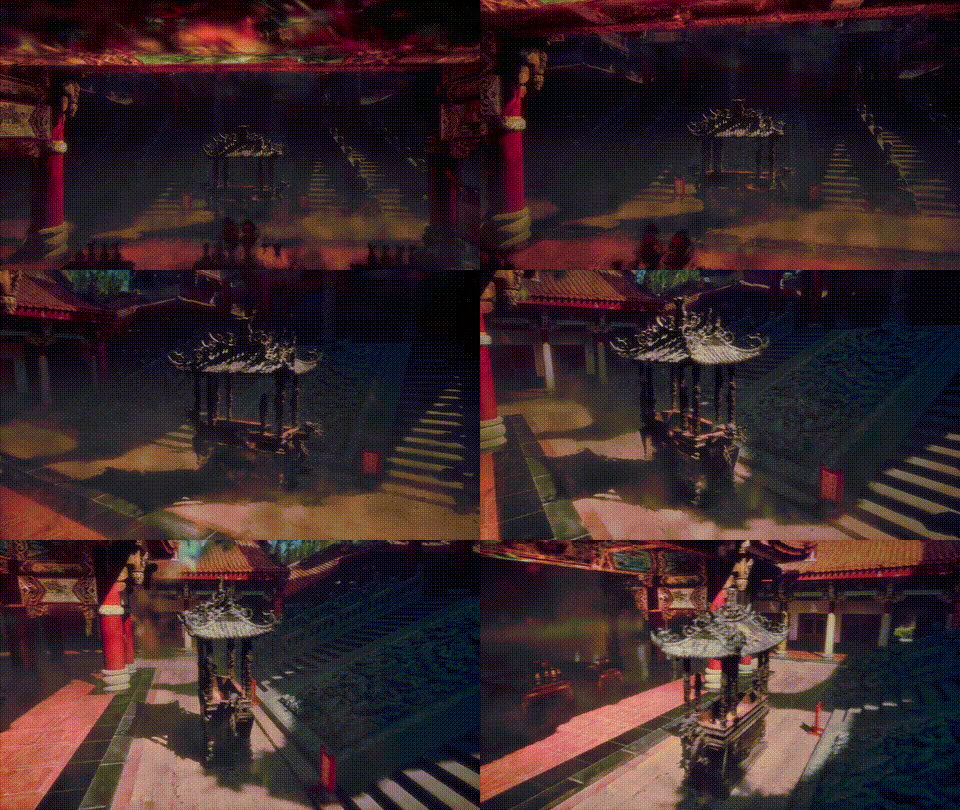
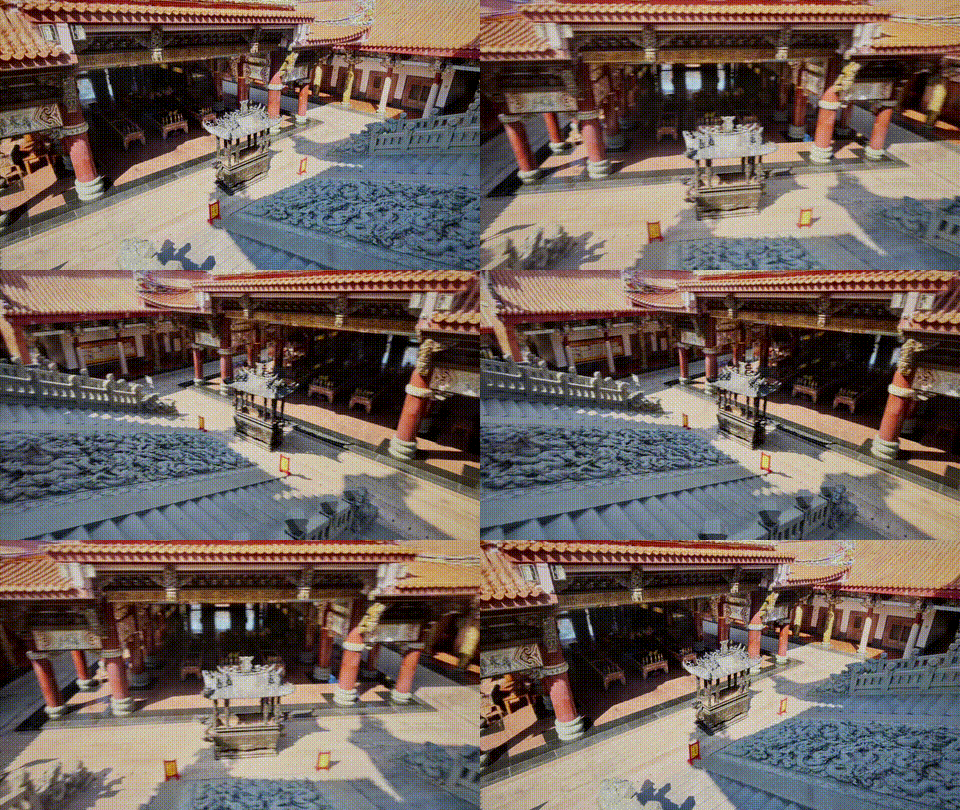
Third-person walkthrough/Relight and postprocess
3DGS vs Traditional 3D Scanning
You might be wondering: how is this different from other 3D scanning methods? Here’s a quick comparison:
Traditional 3D Scanning (LiDAR, Structured Light)
- How it works: Uses lasers or projected patterns to measure distances
- Equipment: Expensive specialized scanners ($1,000 — $50,000+)
- Output: Geometric mesh (triangles)
- Strengths: Precise measurements, works in any lighting
- Weaknesses: Struggles with shiny/transparent surfaces, expensive, slower workflow
Photogrammetry (Traditional)
- How it works: Calculates 3D geometry from overlapping photos
- Equipment: Any camera
- Output: Textured mesh
- Strengths: Accessible, good for solid objects
- Weaknesses: Struggles with fine details (hair, foliage), can produce messy geometry
3D Gaussian Splatting
- How it works: Represents scenes as millions of tiny colored “splats” learned from photos
- Equipment: Any camera
- Output: Point cloud of Gaussians (renders as image, not mesh)
- Strengths: Incredible visual quality, captures fine details, real-time rendering, accessible
- Weaknesses: Not a true mesh (harder to edit), struggles with reflections
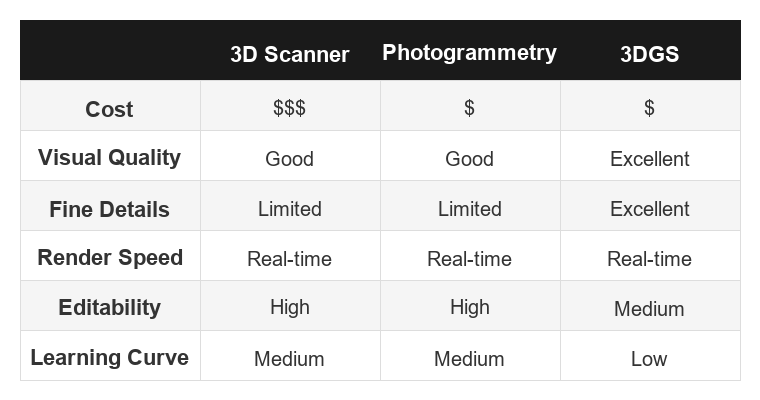
Bottom line: 3DGS excels at capturing the look of a scene with photorealistic quality, while traditional methods excel at capturing precise geometry.
How Does It Actually Work?
Without getting too technical, here’s the basic idea:
- Take photos from many angles around your subject
- Software figures out where each photo was taken (camera positions)
- Creates millions of tiny “Gaussians” — think of them as fuzzy, colored dots in 3D space
- Trains/optimizes these Gaussians until the scene looks right from every angle
- Renders in real-time by projecting these Gaussians onto your screen
The magic is in how these Gaussians capture not just position and color, but also shape, transparency, and even view-dependent effects (like how surfaces look different from different angles).
What Can You Do With It?
3DGS is being used for:
- Cultural preservation — Digitizing temples, monuments, and historical sites
- Real estate — Virtual property tours
- Film & VFX — Capturing real locations for visual effects
- Gaming — Creating photorealistic environments
- Personal memories — Preserving places and moments in 3D
Getting Started
Want to try it yourself? Here’s the simplest path:
- Capture — Take 50–100+ photos walking around your subject (or record a 1–2 minute video)
- Process — Upload to Luma AI or Polycam (free tiers available)
- Explore — View your 3D scene in their web viewer
For more control and professional results, check out my detailed guides:
- **PostShot: The Easiest Desktop App for 3DGS Training**
- **Nankunshen Temple Project** — A complete walkthrough from capture to VR
Current Limitations
3DGS isn’t perfect for everything:
- Reflective surfaces (mirrors, chrome) — The algorithm gets confused
- Transparent objects (glass, water) — Hard to capture properly
- Moving subjects — Works best on static scenes
- Editing — Unlike meshes, you can’t easily modify the geometry
But the technology is evolving rapidly. What’s impossible today may be solved tomorrow.
Related Articles
- PostShot: The Easiest Way to Train 3DGS
- SuperSplat: Edit 3DGS in Your Browser
- Nankunshen Temple Project — From photos to VR experience
Sources
- Original 3DGS Paper — “3D Gaussian Splatting for Real-Time Radiance Field Rendering” (SIGGRAPH 2023)
- Awesome 3D Gaussian Splatting — Curated list of resources
Get in Touch
Have questions about 3DGS or want to collaborate on a project?
Website: https://dazaistudio.com/
Instagram: dazai.studio
LinkedIN: Dazai Chen
email: dazai.studio@gmail.com
Originally published at https://dazaistudio.com on January 20, 2026.
메타데이터
- post_id
- fbd341dbeabd
- slug
- what-is-3d-gaussian-splatting-fbd341dbeabd
- url
- https://medium.com/@dazai.studio/what-is-3d-gaussian-splatting-fbd341dbeabd
- canonical_url
- https://medium.com/@dazai.studio/what-is-3d-gaussian-splatting-fbd341dbeabd
- author_url
- https://medium.com/@dazai.studio
- status
- ok
- fetched_at
- 2026-06-14 11:28:49