Noobs guide to generate product ad creatives (stills + short clips) with a reusable workflow
One product photo and a short brief can drive multiple ad-ready layouts — and optional motion — without rewriting long prompts every time.
Noobs guide to generate product ad creatives (stills + short clips) with a reusable workflow
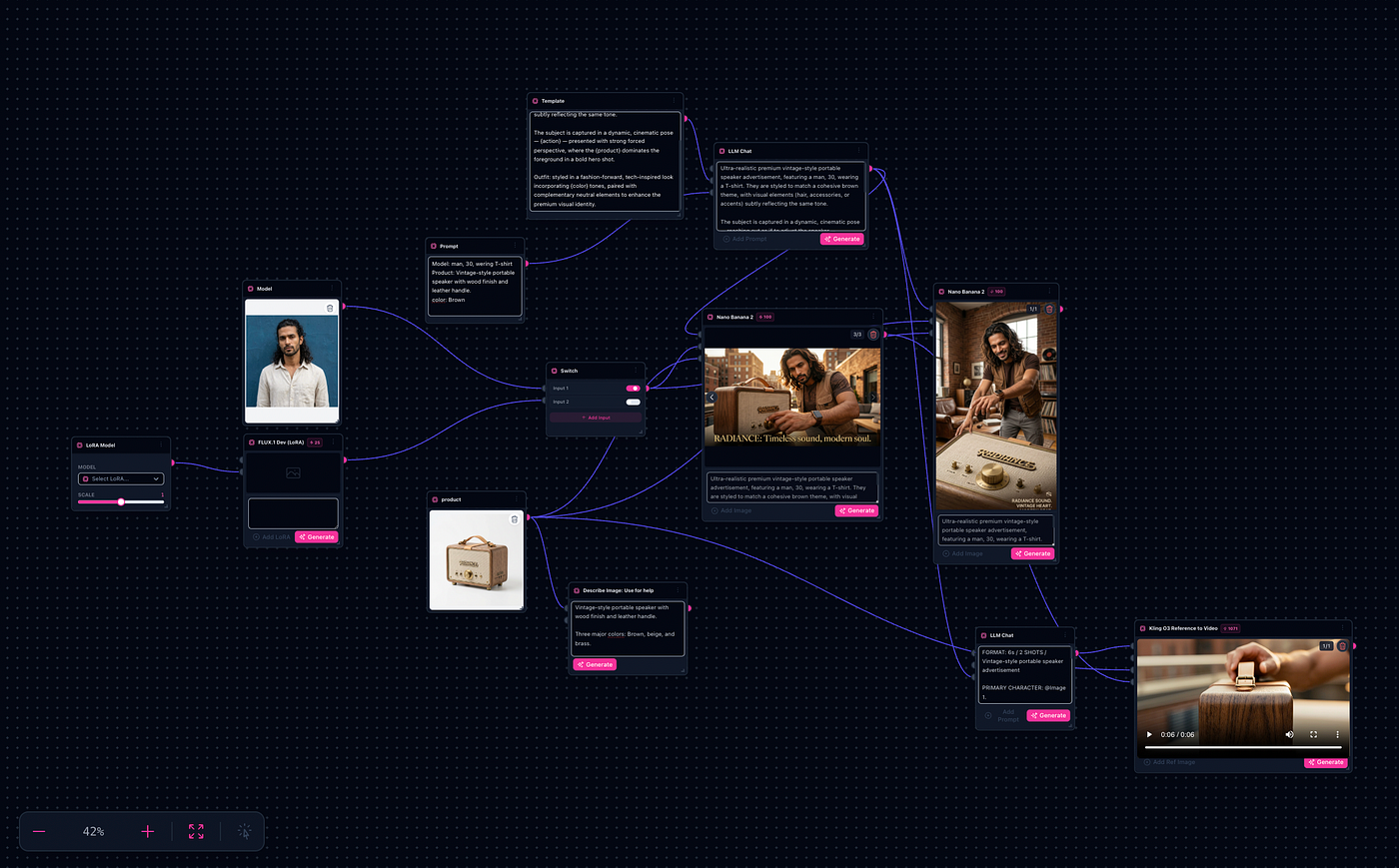
Product ad workflow — from one SKU photo to multiple ad-ready layouts
One product photo and a short brief can drive multiple ad-ready layouts — and optional motion — without rewriting long prompts every time.
If you’ve ever tried to make “just 10 more ad creatives” from the same SKU, you’ve felt the trap:
- You rewrite the prompt each time.
- You lose consistency between variants.
- You end up with a folder full of assets that don’t feel like the same campaign.
This post shows a workflow approach: start from one product photo, add a simple brief, generate multiple ad-ready scenes, then (optionally) turn the best still into a short video clip.
Try it: https://thefluxtrain.com/ai-product-ad-generator
What you’ll need
1 product image (front/hero shot works best)
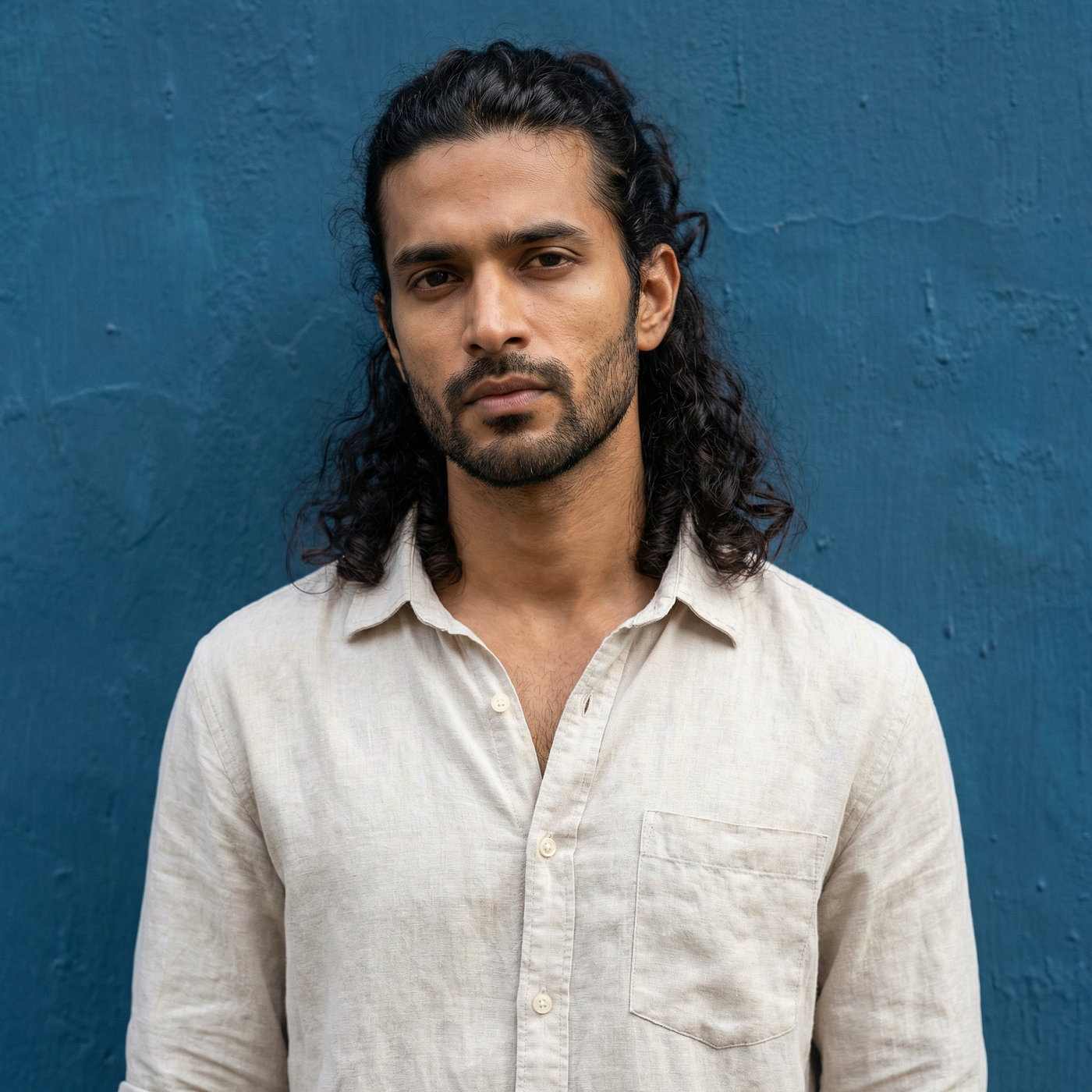
Optional: 1 model/lifestyle reference image (if your ad includes a person)
A short brief:
Product name (simple is fine) Color theme (or brand palette cue) One action (what the person does, or what the product “does” visually) Desired aspect ratios (e.g. 1:1 for feeds, 9:16 for stories, 16:9 for YouTube)
For your first run, expect some iteration. The goal is a repeatable workflow you can rerun for every SKU — not a perfect first generation.
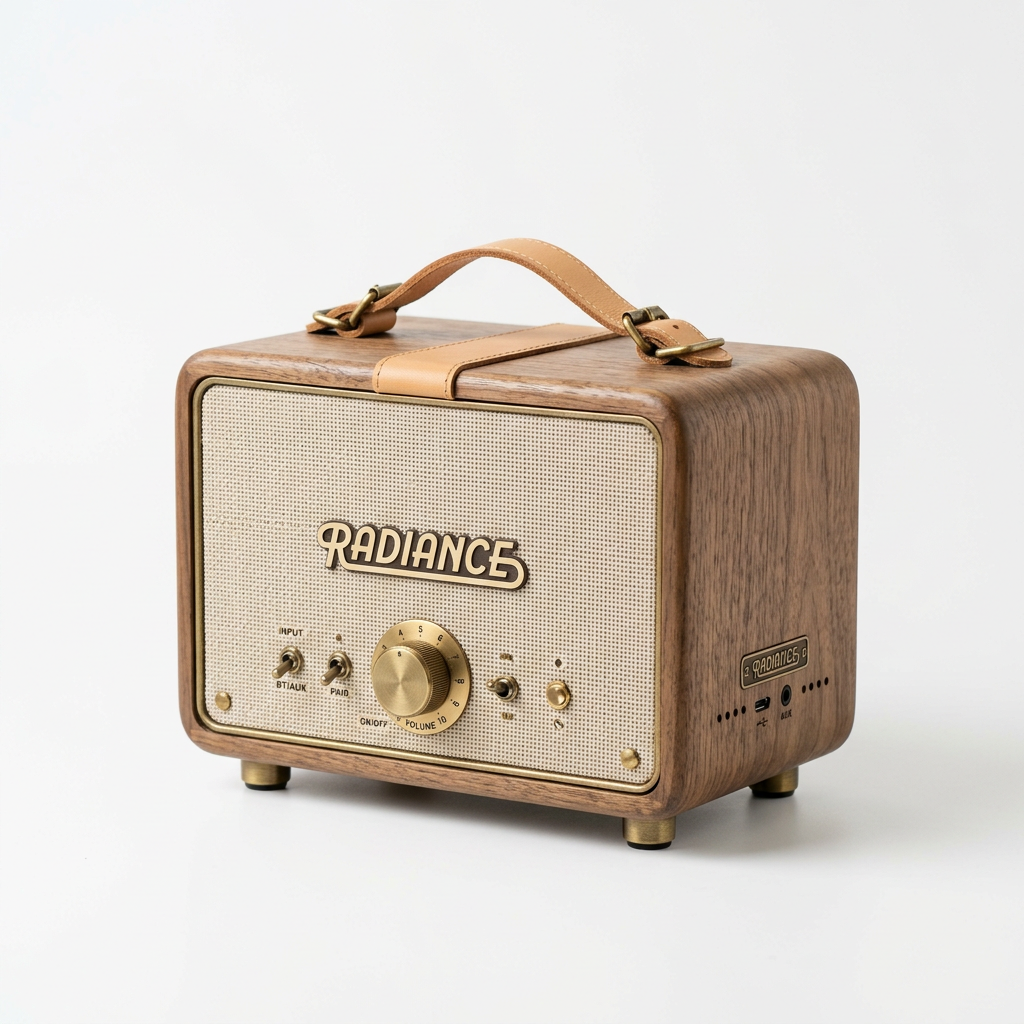
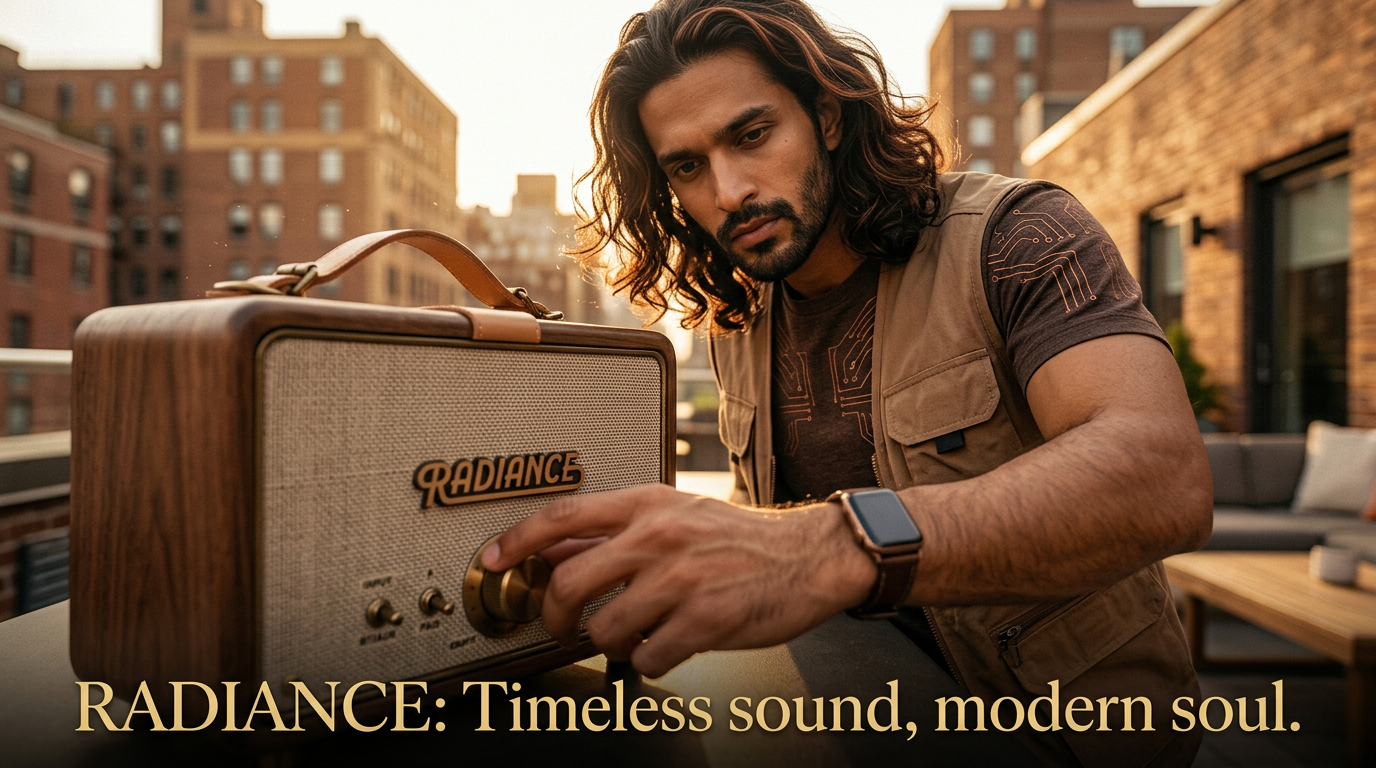
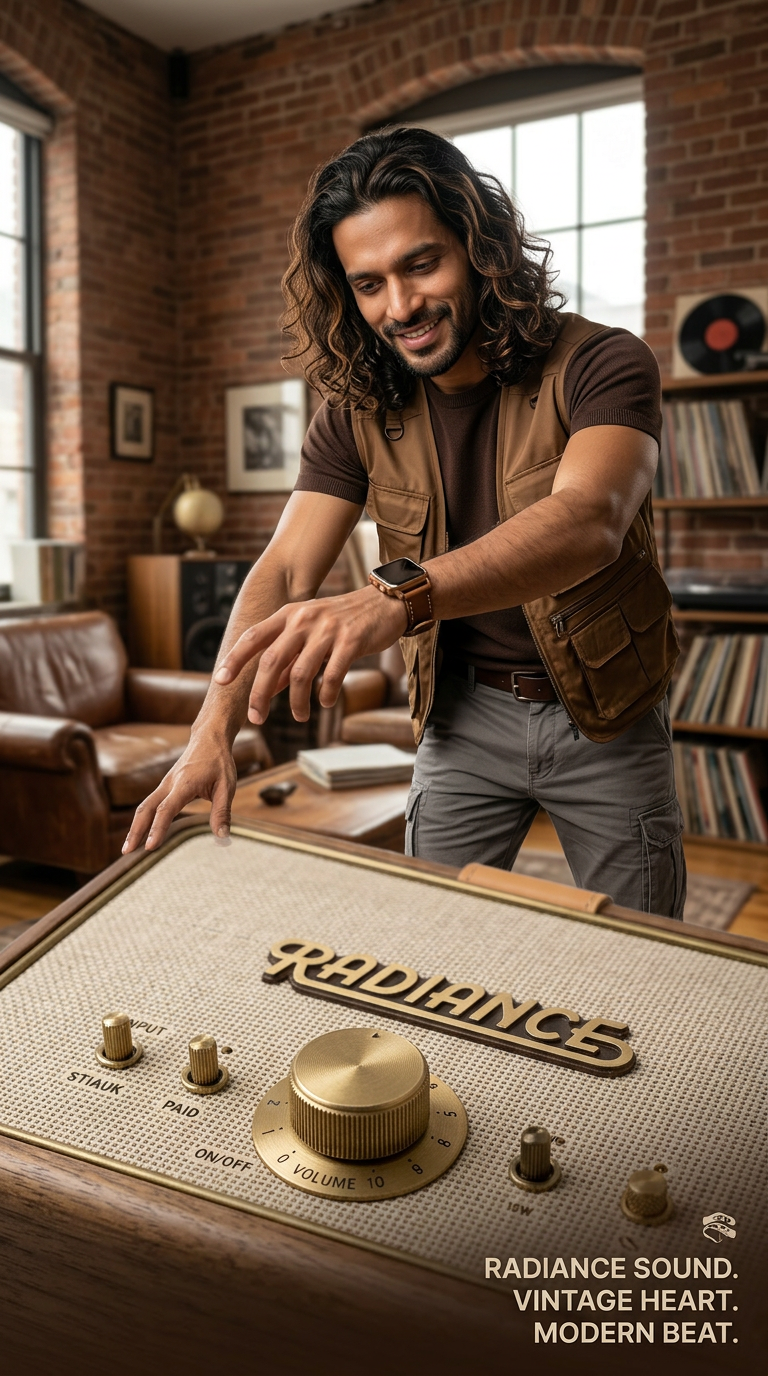
Input and output from the workflow
We can also generate video-
The workflow in one sentence
Template prompt → fill with a brief → generate hero stills → rerun for aspect ratios → (optional) generate a short clip from the same references.
Step-by-step: run the workflow in Flow Studio
-
Open the workflow : Go to **https://thefluxtrain.com/ai-product-ad-generator** and open the template in TheFluxTrain Flow Studio.
-
Add your product image : Replace the placeholder product image with your SKU photo.
-
(Optional) add a model/lifestyle reference : This is an optional step. If you do not provide any image, then AI will generate its own model. But it will be difficult to keep it consistent.
- If you want a person in the ad, add the model/lifestyle image you want the creative to “feel like”.
- If you don’t want a person, skip this and keep the scene product-led.
- Write a short brief (not a full prompt)
Keep it structured and simple. Example:
Product: “Vintage-style portable speaker” Color theme: “Brown” Model: “Man, 30, t-shirt” Action: “Reaching out to adjust the speaker”
-
Generate the hero still : Run the image generation step to get a first set of ad scenes. Pick one that nails the campaign vibe (lighting, composition, product dominance).
-
Generate variants without rewriting everything
- Keep the same brief and prompt template.
- Change only what matters: aspect ratio (e.g.
16:9→9:16), action (small changes: “placing it on a shelf”, “holding it while walking”, etc.), color theme for seasonal campaigns
- (Optional) create a short video ad clip: Use the same prompt + references to generate a short clip (example template run is 6 seconds / 2 shots). Treat this as a “first edit”: you’re aiming for a motion draft you can iterate on.
The Product Ad graph sends your uploads and structured brief through a reusable prompt template into image generation, then optionally into video — so you adjust ratio or action at specific steps instead of rebuilding everything.
Why this works better than “one prompt per creative”
Consistency: the same prompt template drives the entire campaign set. Speed of iteration: change one field, rerun, compare results. Less prompt debt: you don’t accumulate 40 slightly different prompts no one can maintain. A path to motion: the same references can drive a short clip without restarting from scratch.
Common tweaks that make outputs look more “ad-ready”
- Forced perspective: keep the product dominant in the foreground.
- One strong palette: choose one primary theme color + one accent.
- One action per scene: avoid “too much happening” in a single image.
- Generate in the target ratio: don’t rely on cropping after the fact for vertical ads.
Limitations
You’ll still want a final pass for brand compliance (logos, claims, offers). Some SKUs need a better source photo (clean lighting and a readable silhouette matter). Video generation is best treated as iterative drafts — don’t expect a perfect finished commercial on the first run.
Next step
If you want a repeatable way to go from a SKU photo to multiple ad variations (and optionally a short clip), start with the template and run it once:
Open the Product Ad workflow: https://thefluxtrain.com/ai-product-ad-generator
메타데이터
- post_id
- fc04fd42ccaf
- slug
- noobs-guide-to-generate-product-ad-creatives-stills-short-clips-with-a-reusable-workflow-fc04fd42ccaf
- url
- https://blog.thefluxtrain.com/noobs-guide-to-generate-product-ad-creatives-stills-short-clips-with-a-reusable-workflow-fc04fd42ccaf
- canonical_url
- https://blog.thefluxtrain.com/noobs-guide-to-generate-product-ad-creatives-stills-short-clips-with-a-reusable-workflow-fc04fd42ccaf
- author_url
- https://medium.com/@saquiboye
- status
- ok
- fetched_at
- 2026-06-09 15:37:30