Why Your App Scales Worse After Adding Pods (Spring Boot + Kubernetes Reality)
Horizontal scaling sounds like magic.
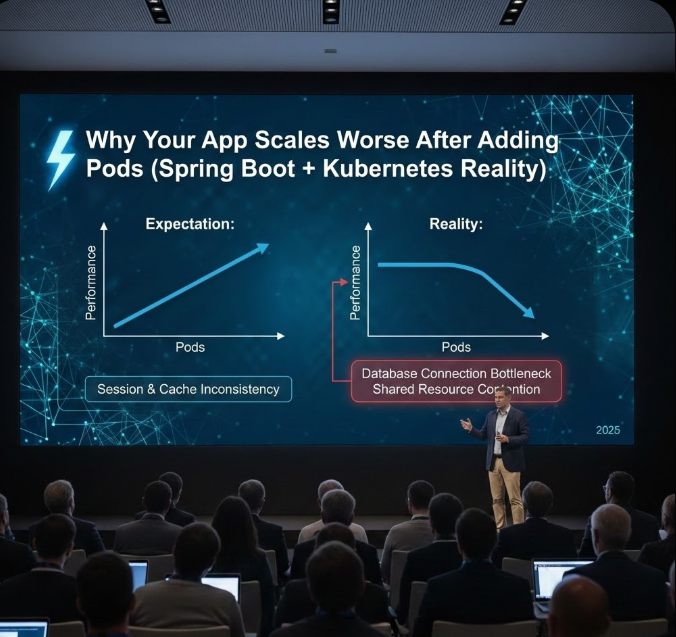
Why Your App Scales Worse After Adding Pods (Spring Boot + Kubernetes Reality)
Why Your App Scales Worse After Adding Pods (Spring Boot + Kubernetes Reality)
Horizontal scaling sounds like magic.
🚀 More pods 🚀 More capacity 🚀 More performance
And yet many teams experience:
- Higher latency
- More timeouts
- Lower throughput
After scaling out.
Let’s explain why.
🚨 The Scaling Lie
“Kubernetes will handle it.”
Kubernetes schedules containers.
It does not fix:
- Bad architecture
- Blocking code
- Shared bottlenecks
Scaling broken systems just breaks them faster.
🧠 What Happens When You Add Pods
Each new pod brings:
- Its own thread pools
- Its own DB connections
- Its own caches
- Its own GC cycles
Multiply that by 10 pods — and everything downstream feels it.
💣 Problem #1: Database Becomes the Bottleneck
spring.datasource.hikari.maximum-pool-size: 1010 pods × 10 connections = 100 DB connections
Most databases can’t handle that efficiently.
Result: ❌ Lock contention ❌ Slower queries ❌ Timeouts everywhere
🔥 More Pods = More Pressure
The database didn’t scale.
Your app did.
💣 Problem #2: Thread Pool Explosion
Each pod:
server.tomcat.max-threads: 20010 pods = 2,000 threads
Now:
- CPU context switching skyrockets
- Cache locality drops
- Latency becomes unpredictable
Threads aren’t free.
🧠 Blocking Code Multiplies Damage
Thread.sleep(500);One pod blocks 200 threads. Ten pods block 2,000 threads.
Your cluster becomes a waiting room.
💣 Problem #3: Cold Caches Hurt More
Each pod has:
- Its own memory
- Its own cache
- Its own warm-up cost
After scaling: ❌ Cache miss storms ❌ DB overload ❌ Slower responses
Scaling out resets performance.
🔥 “But It Was Fast Before Scaling”
Yes. Because cache was warm.
💣 Problem #4: Load Balancer Isn’t Fair
Requests don’t distribute perfectly.
Some pods:
- Get hot
- Exhaust threads
- Start failing
Others:
- Sit idle
Scaling increases variance.
🧠 Problem #5: Distributed Systems Amplify Failures
More pods means:
- More retries
- More network calls
- More coordination
Failures multiply, not average out.
💣 Problem #6: Session State Breaks
HttpSession session;Without sticky sessions or shared state: ❌ Users get logged out ❌ Data disappears
More pods = more inconsistency.
🔥 Problem #7: Logging & Metrics Overhead
Each pod:
- Writes logs
- Exports metrics
- Emits traces
Multiply that by scale — observability itself becomes load.
🧠 Why Vertical Scaling Sometimes Wins
One pod with: ✔ Fewer threads ✔ Warm cache ✔ Fewer connections
Can outperform many small pods.
🔥 How Senior Engineers Scale Safely
✔ Identify the real bottleneck first ✔ Limit DB connections per pod ✔ Reduce thread counts ✔ Use backpressure ✔ Scale databases before apps
🧠 Rule of Thumb
You can’t scale around a bottleneck.
You can only make it louder.
🚀 Final Takeaway
Adding pods doesn’t:
- Fix blocking code
- Speed up databases
- Reduce contention
It multiplies everything.
If performance gets worse after scaling: 👉 The system wasn’t ready to scale.
Fix architecture first. Scale second.
메타데이터
- post_id
- fc6e208ec6d5
- slug
- why-your-app-scales-worse-after-adding-pods-spring-boot-kubernetes-reality-fc6e208ec6d5
- url
- https://medium.com/@karunakunwar899/why-your-app-scales-worse-after-adding-pods-spring-boot-kubernetes-reality-fc6e208ec6d5
- canonical_url
- https://medium.com/@karunakunwar899/why-your-app-scales-worse-after-adding-pods-spring-boot-kubernetes-reality-fc6e208ec6d5
- author_url
- https://medium.com/@karunakunwar899
- status
- ok
- fetched_at
- 2026-07-13 13:07:09