Container based Software Development using .NET, Mssql & Radis
Container-based development for .NET web APIs involves creating, building, and running .NET applications within containerized environments…
Container based Software Development using .NET, Mssql & Radis
Container-based development for .NET web APIs involves creating, building, and running .NET applications within containerized environments, typically using Docker or Podman. This approach provides benefits like portability, consistency, and isolation of application environments.
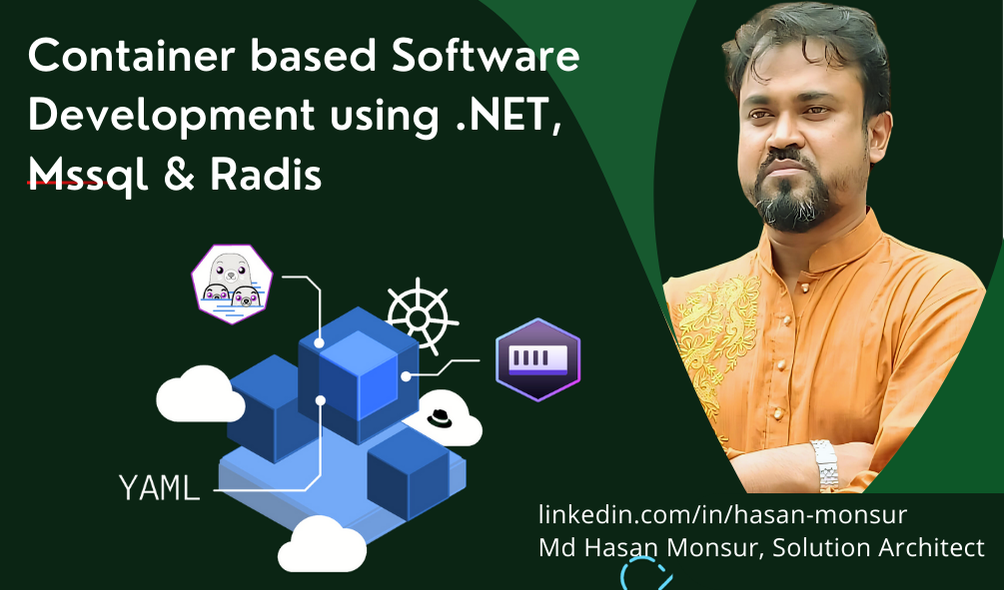
Container based Software Development using .NET, Mssql & Radis
Developing container-based software with a .NET application that uses both SQL Server and Redis involves setting up a multi-container environment where each service runs in its own isolated container. This setup allows for efficient microservices development and smooth integration of different components. Here’s a step-by-step guide on how to create and run a .NET Web API with SQL Server and Redis containers using Docker or Podman:
Here’s a basic overview of how to develop a container-based .NET web API:
project download- https://github.com/hasanmonsur/Parallel-Processing-by-Multiple-instances-in-.NET.git
Project Setup and Requirements
To start, ensure you have the following tools installed on your machine:
- .NET SDK (6, 7, or 8)
- Docker or Podman
- Visual Studio (if using an IDE) or Visual Studio Code
- Docker Compose or Podman Compose
Step 1: Create a .NET Web API Project
If you haven’t created a .NET Web API project yet, you can create one using the .NET CLI or Visual Studio:
Using .NET CLI:
dotnet new webapi -n MyContainerizedApi
cd MyContainerizedApi
Install NuGet packages for SQL Server and Redis:
dotnet add package Microsoft.EntityFrameworkCore.SqlServer
dotnet add package StackExchange.Redis
Step 2: Add a Dockerfile or Containerfile
Add a Dockerfile or Containerfile to the root of your project to define how the container should be built. Here's a sample Dockerfile for a .NET Web API:
# Use the .NET SDK image to build and publish the project
FROM mcr.microsoft.com/dotnet/sdk:8.0 AS build
WORKDIR /app

# Copy csproj and restore dependencies
COPY *.csproj ./
RUN dotnet restore

# Copy the entire project and build it
COPY . .
RUN dotnet publish -c Release -o /out

# Use the ASP.NET runtime image to run the app
FROM mcr.microsoft.com/dotnet/aspnet:8.0 AS runtime
WORKDIR /app
COPY --from=build /out .

# Expose port 80 and run the application
EXPOSE 80
ENTRYPOINT ["dotnet", "MyContainerizedApi.dll"]
Modify the .NET Application Configuration
In your appsettings.json, add connection strings and Redis configuration:
{
  "ConnectionStrings": {
    "DefaultConnection": "Server=sqlserver,1433;Database=AppDb;User=sa;Password=YourStrong!Passw0rd;"
  },
  "Redis": {
    "Configuration": "redis:6379"
  },
  "Logging": {
    "LogLevel": {
      "Default": "Information",
      "Microsoft.AspNetCore": "Warning"
    }
  },
  "AllowedHosts": "*"
}
Implementing .NET Code to Use SQL Server and Redis
In your Program.cs, configure the services to use SQL Server and Redis:
    // Add DbContext for SQL Server
    services.AddDbContext<ApplicationDbContext>(options =>
        options.UseSqlServer(Configuration.GetConnectionString("DefaultConnection")));

    // Configure Redis Cache
    services.AddStackExchangeRedisCache(options =>
    {
        options.Configuration = Configuration["Redis:Configuration"];
        options.InstanceName = "ContainerizedApp_";
    });

    // Other service configurations
    services.AddControllers();
Step 3: Build and Run the Container
To build and run the container, use Docker or Podman commands:
Build the Docker image:
podman build -t mycontainerizedapi .Run the Docker container:
podman run -d -p 8080:80 --name mycontainerizedapi mycontainerizedapiThis will map port 80 inside the container to port 8080 on your host, allowing you to access the API via [http://localhost:8080.](http://localhost:8080.)
Step 4: Use Docker Compose for Multiple Services
For more complex setups that include databases or other services, use docker-compose or podman-compose:
Create a docker-compose.yml file:
version: '3.8'

services:
  # .NET Web API service
  webapi:
    image: webapi-image
    build:
      context: .
      dockerfile: Dockerfile
    ports:
      - "5000:80" # Map port 80 inside the container to port 5000 on the host machine
    depends_on:
      - sqlserver
      - redis
    environment:
      ASPNETCORE_ENVIRONMENT: Development
      ConnectionStrings__DefaultConnection: "Server=sqlserver,1433;Database=AppDb;User=sa;Password=YourStrong!Passw0rd;"
      Redis__Configuration: "redis:6379"

  # SQL Server container
  sqlserver:
    image: mcr.microsoft.com/mssql/server:2022-latest
    container_name: sqlserver
    environment:
      - ACCEPT_EULA=Y
      - MSSQL_SA_PASSWORD=YourStrong!Passw0rd
    ports:
      - "1433:1433" # Expose SQL Server on port 1433
    volumes:
      - sql_data:/var/opt/mssql

  # Redis container
  redis:
    image: redis:7
    container_name: redis
    ports:
      - "6379:6379" # Expose Redis on port 6379
    volumes:
      - redis_data:/data

# Define named volumes for persistence
volumes:
  sql_data:
  redis_data:
Then, run:
docker-compose up -dNow if one container access another container then:
podman network create my-network

podman network connect my-network dockerwebapi1-container
podman network connect my-network dockerwebapi2-container
podman network connect my-network dockerwebapi3-container

podman network connect my-network nginx-server
This workflow sets up a complete container-based environment with .NET, MSSQL, and Redis, allowing for efficient software development and testing. Let me know if you need help with any specific configurations or troubleshooting!
If you enjoy my content or find my work helpful, consider supporting me — your contribution helps fuel more projects and knowledge sharing! https://buymeacoffee.com/hasanmcse

I offered you others article- https://medium.com/@hasanmcse
Connect with me https://www.linkedin.com/in/hasan-monsur/
메타데이터
- post_id
- fcb7f9ab4d41
- slug
- container-based-software-development-using-net-mssql-radis-fcb7f9ab4d41
- url
- https://medium.com/asp-dotnet/container-based-software-development-using-net-mssql-radis-fcb7f9ab4d41
- canonical_url
- https://medium.com/asp-dotnet/container-based-software-development-using-net-mssql-radis-fcb7f9ab4d41
- author_url
- https://medium.com/@hasanmcse
- status
- ok
- fetched_at
- 2026-06-27 08:54:08