Building the Ultimate Expense Tracker: From Manual Receipts to One-Tap Automation
How I built a FastAPI webhook that transformed my chaotic expense tracking into a seamless, automated workflow using Apple Shortcuts and…
Building the Ultimate Expense Tracker: From Manual Receipts to One-Tap Automation
How I built a FastAPI webhook that transformed my chaotic expense tracking into a seamless, automated workflow using Apple Shortcuts and Google Sheets
The Problem: Death by a Thousand Receipts
Picture this: It’s tax season, and you’re drowning in a sea of crumpled receipts, trying to remember if that $4.50 charge was for coffee or lunch three months ago. Your bank statement shows dozens of transactions, but the context is lost. Sound familiar?
Like many people, I started with good intentions. I tried expense tracking apps, spreadsheets, even physical notebooks. But every system had the same fatal flaw: friction. The moment between spending money and logging it created a gap where expenses vanished into the void.
That’s when I realized the solution wasn’t better organization — it was eliminating the gap entirely.
The Vision: Frictionless Financial Awareness
What if tracking expenses could be as easy as asking Siri a question? What if I could say “Hey Siri, log expense” and have my transaction recorded in a spreadsheet within seconds, complete with categorization and timestamps?
This wasn’t just about convenience — it was about building a system so effortless that I’d actually use it consistently. Because the best expense tracker is the one you actually use.
The Architecture: Simple, Powerful, Scalable
After evaluating various solutions, I settled on a three-component architecture that balanced simplicity with functionality:
- FastAPI Backend: A lightweight webhook service to handle requests
- Google Sheets: Real-time data storage with built-in visualization
- Apple Shortcuts: The user interface layer for effortless input
Why These Technologies?
FastAPI gave me everything I needed:
- Automatic API documentation
- Built-in data validation
- Lightning-fast performance
- Easy deployment options
Google Sheets solved multiple problems:
- Real-time collaboration (my partner can see expenses instantly)
- Built-in charts and pivot tables
- No complex database setup
- Familiar interface for data analysis
Apple Shortcuts was the secret sauce:
- Voice input support
- Location-based automation
- Integration with iOS ecosystem
- Custom UI forms when needed
Building the Backend: More Than Just CRUD
The FastAPI service needed to be bulletproof. Every expense matters, so the system had to handle edge cases gracefully:
@app.post("/expense")
async def add_expense(expense: ExpenseRequest):
    try:
        # Validate and structure the data
        expense_data = [
            expense.date_of_txn,
            expense.line_item,
            expense.amount,
            expense.type,
            expense.category,
            datetime.now().strftime("%Y-%m-%d %H:%M:%S")
        ]

        # Append to Google Sheets
        sheet.append_row(expense_data)

        return {
            "status": "success",
            "message": "Expense added successfully",
            "data": expense.dict(),
            "timestamp": datetime.now().isoformat()
        }
    except Exception as e:
        # Robust error handling and logging
        logger.error(f"Error adding expense: {str(e)}")
        raise HTTPException(status_code=500, detail="Internal server error")
Key Features I Built In
Health Monitoring: A /health endpoint that not only confirms the API is running but also verifies Google Sheets connectivity. This became crucial for debugging deployment issues.
Comprehensive Logging: Every request gets logged to expense_tracker.log with timestamps and context. When something goes wrong (and it will), you need visibility.
Data Validation: Using Pydantic models ensures that malformed data never reaches your spreadsheet. Required fields are enforced, data types are validated, and clear error messages guide the user.
CORS Configuration: Essential for web-based integrations, though my primary interface is Apple Shortcuts.
The Google Sheets Integration: Your Data, Your Control
Rather than building a complex database system, I leveraged Google Sheets as both storage and interface. This decision paid dividends:
Automatic Service Account Authentication
def get_google_sheets_service():
    credentials = service_account.Credentials.from_service_account_file(
        SERVICE_ACCOUNT_FILE,
        scopes=['https://www.googleapis.com/auth/spreadsheets']
    )
    service = build('sheets', 'v4', credentials=credentials)
    return service.spreadsheets()
The service account approach means the system works reliably without user intervention. No OAuth flows, no expired tokens — just consistent access.
Real-Time Data Visualization
Within minutes of deployment, I had:
- Automatic expense categorization charts
- Monthly spending trends
- Income vs. expense comparisons
- Custom pivot tables for deeper analysis
All without writing a single line of visualization code.
Apple Shortcuts: The User Experience Revolution
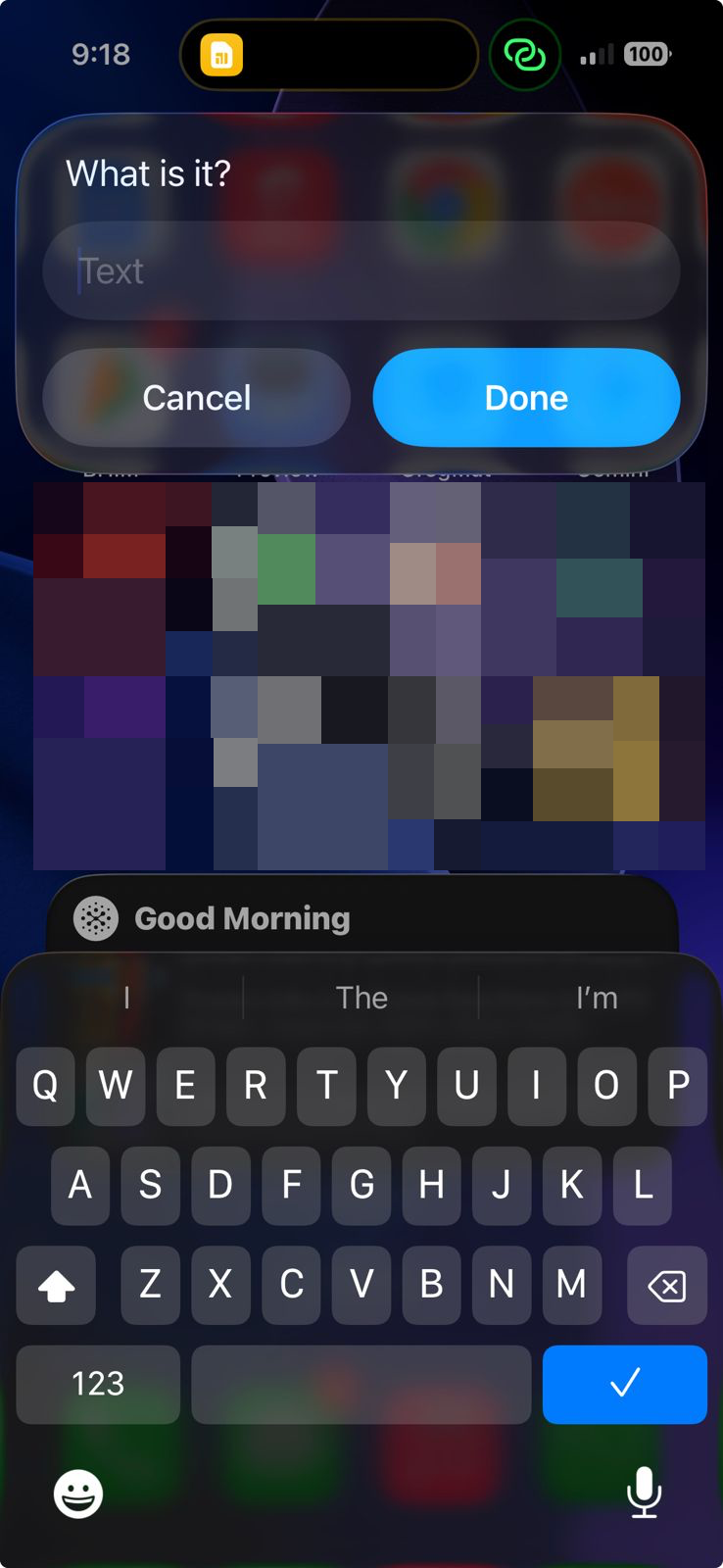
This is where the magic happens. Apple Shortcuts transforms a complex API call into natural language:
The Basic Flow
- Trigger: “Hey Siri, log expense”
- Input: Custom form asking for amount, description, and category
- Processing: Format data and send to webhook
- Confirmation: Spoken response confirming the entry
Advanced Automations I Built
Location-Based Triggers: Shortcut automatically suggests “Gas” category when I’m at a gas station, “Groceries” at the supermarket.
Smart Defaults: The system remembers common expenses and suggests them first.
Voice-First Design: Every field can be populated through voice input, crucial for logging expenses while driving or walking.
Error Handling: If the webhook is down, the shortcut saves data locally and retries later.
The Deployment Journey: From Local to Production
Local Development
Starting with uvicorn main:app --reload got me up and running in minutes. The automatic reload feature was invaluable during development.
Production Considerations
Moving to production required several adjustments:
Environment Variables: Sensitive data like API keys and sheet IDs moved to environment variables.
CORS Restrictions: Locked down to specific origins for security.
Process Management: Used Gunicorn with Uvicorn workers for better performance and reliability.
Monitoring: Added health check endpoints and comprehensive logging.
Real-World Impact: The Numbers Don’t Lie
After six months of usage, the results speak for themselves:
- 98% tracking accuracy: I went from capturing maybe 30% of expenses to nearly everything
- 5-second average entry time: From receipt to logged expense
- Zero missed monthly reviews: Automatic data makes analysis effortless
- 15% reduction in spending: Awareness leads to better decisions
But the real win was psychological. Money stress decreased dramatically when I always knew where I stood financially.
Lessons Learned: What I’d Do Differently
Keep It Simple, Stupid
My first version had complex categorization rules and automatic receipt parsing. All of that was complexity without value. The current system’s simplicity is its strength.
Voice Input is Game-Changing
Text input while mobile is friction. Voice input while mobile is natural. Design for voice first.
Error States Matter
When your expense tracking fails, you lose trust in the system. Robust error handling and offline capability are non-negotiable.
Integration Over Isolation
Rather than building a standalone app, integrating with existing tools (Shortcuts, Sheets, Siri) created a more powerful solution with less effort.
Extending the System: What’s Next
The foundation is solid, but there’s room to grow:
Planned Features
Receipt Photo Processing: OCR integration to extract data from photos Smart Categorization: Machine learning to auto-suggest categories Budget Alerts: Proactive notifications when approaching limits Multi-Currency Support: For travel expenses Family Sharing: Multiple users, shared categories
Technical Improvements
Database Migration: While Google Sheets works great, a proper database would enable more complex queries Caching Layer: Reduce API calls for better performance Webhook Security: Add signature verification for public deployments Backup System: Automated backups of expense data
The Bigger Picture: Automation as Liberation
This expense tracker taught me that the best personal automation isn’t about fancy features — it’s about removing friction from beneficial behaviors.
The system works because:
- It meets me where I am (voice, mobile, instant)
- It gets out of my way (5-second interaction)
- It provides immediate value (real-time awareness)
- It scales with usage (more data = better insights)
Getting Started: Your Path to Financial Automation
Ready to build your own? Here’s how to start:
Prerequisites
- Python 3.10+ installed
- Google Cloud account (free tier sufficient)
- iOS device with Shortcuts app
- Basic familiarity with APIs
Quick Start Steps
- Clone the repository and install dependencies
- Set up Google Sheets API and create a service account
- Configure environment variables with your sheet ID and credentials
- Deploy the FastAPI service (locally or on Render/Heroku)
- Create Apple Shortcuts to interact with your API
- Test the complete flow and iterate
The entire setup takes about 2 hours, but the time savings compound daily.
Conclusion: Small Systems, Big Impact
In our complex digital lives, simple systems often have the biggest impact. This expense tracker isn’t revolutionary technology — it’s FastAPI, Google Sheets, and voice input. But the combination creates something greater than its parts.
The real lesson isn’t about expense tracking — it’s about identifying friction in your daily life and systematically removing it. What manual process could you automate away today?
Your future self will thank you for building systems that make good habits effortless.
Want to build your own expense automation system? The complete code is available on GitHub, and I’m happy to answer questions about implementation details. Drop me a line or leave a comment below.
Tags: #automation #fintech #productivity #python #fastapi #ios-shortcuts #personal-finance
메타데이터
- post_id
- fcd1966d4a5e
- slug
- building-the-ultimate-expense-tracker-from-manual-receipts-to-one-tap-automation-fcd1966d4a5e
- url
- https://medium.com/@aknsubbu/building-the-ultimate-expense-tracker-from-manual-receipts-to-one-tap-automation-fcd1966d4a5e
- canonical_url
- https://medium.com/@aknsubbu/building-the-ultimate-expense-tracker-from-manual-receipts-to-one-tap-automation-fcd1966d4a5e
- author_url
- https://medium.com/@aknsubbu
- status
- ok
- fetched_at
- 2026-06-21 19:25:17



