Setting Up Koin Across Modules in Android (With Build Logic)
Using Koin in a single-module app is straightforward.
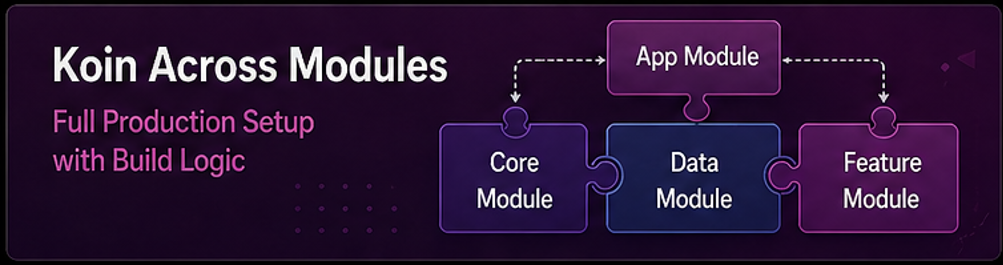
Setting Up Koin Across Modules in Android (With Build Logic)
Using Koin in a single-module app is straightforward.
You define a module, register dependencies, and everything works.
But once your app becomes modular, things change.
Now you have:
- Feature modules
- Core modules
- Shared dependencies
- Build logic managing configuration
At this point, the real question becomes:
How do you structure DI so it scales with your modules instead of fighting them?
The Core Problem in Modular DI
A common early mistake is this:
Everything is defined in the app module.
startKoin {
    modules(
        dataModule,
        homeModule,
        playerModule,
        // many more...
    )
}
At first, it looks fine.
But as modules grow:
- The app module becomes a dumping ground
- Dependencies lose clear ownership
- Debugging becomes harder
- Changes affect unrelated modules
This breaks the purpose of modularization.
The Goal
A scalable DI setup should:
- Let each module define its own dependencies
- Keep modules independent
- Avoid duplication
- Keep the app module as a composition root
Module Owns Its Dependencies
Each module should declare its own DI.

Example: Data Module
val dataModule = module {
    single { VideoApi(get()) }
    single { VideoDao(get()) }
    single<VideoRepository> {
        VideoRepositoryImpl(get(), get())
    }
}
Example: Feature Module
val homeModule = module {
    viewModel { HomeViewModel(get()) }
}
Each module knows only what it needs.
App Module as Composition Root
The app module should only assemble modules.
class MyApp : Application() {
    override fun onCreate() {
        super.onCreate()

        startKoin {
            androidContext(this@MyApp)
            modules(
                dataModule,
                homeModule,
                playerModule
            )
        }
    }
}
No business logic here. Only wiring.
Using Build Logic for Consistency
Instead of adding Koin dependency in every module:
Centralize it.
Version Catalog
[libraries]
koin = "io.insert-koin:koin-android:3.5.3"
Convention Plugin
class KoinConventionPlugin : Plugin<Project> {
    override fun apply(target: Project) = with(target) {
        dependencies {
            add("implementation", libs.findLibrary("koin").get())
        }
    }
}
Apply in Modules
plugins {
    id("your.koin.plugin")
}
Now all modules have consistent DI setup.
Dependency Direction Rules
Even with DI, boundaries must be respected.
feature → core ✅
core → feature ❌
feature → feature ❌ (avoid)
Koin won’t stop you from breaking this , but your architecture will suffer if you do.
Grouping Modules (Scaling Strategy)
As modules increase, group them logically:
val coreModules = listOf(dataModule, commonModule)
val featureModules = listOf(homeModule, playerModule)
Then:
startKoin {
    modules(coreModules + featureModules)
}
Cleaner and easier to scale.
Dynamic Module Loading (Advanced)
For large apps or feature-based delivery:
loadKoinModules(homeModule)Useful for:
- On-demand features
- Reducing startup work
But adds complexity — use only when needed.
Common Mistakes
Putting all DI in app module Breaks modular ownership.
Duplicating dependencies Leads to inconsistency.
Ignoring module boundaries Creates tight coupling again.
Over-engineering early Simple setups are often enough.
Practical Setup by Scale
Small modular app:
- Basic module DI
- Single Koin start
Medium app:
- Module-level DI
- Build logic for consistency
Large app:
- Grouped modules
- Dynamic loading
- Strict boundaries
Real Insight
Koin itself is simple.
The complexity comes from how you structure your modules.
If each module owns its dependencies and the app just connects them, things stay manageable.
If not, DI becomes another layer of chaos.
Final Thoughts
Dependency injection should support your architecture not fight it.
In modular apps, the key idea is simple:
Each module defines its own world. The app brings those worlds together.
Do this right, and scaling becomes much easier.
What Comes Next
At this point, you’ve covered:
- Architecture
- Data layer
- Async handling
- Dependency injection
- Modularization
- Build logic
- Multi-module DI
From here, the next level topics are:
- Offline-first architecture
- System design for large apps
- Advanced scaling strategies
This is where Android development starts looking more like system design than just app development.
메타데이터
- post_id
- fcd46c070b6d
- slug
- setting-up-koin-across-modules-in-android-with-build-logic-fcd46c070b6d
- url
- https://medium.com/@nisarbahoo.hypersoft/setting-up-koin-across-modules-in-android-with-build-logic-fcd46c070b6d
- canonical_url
- https://medium.com/@nisarbahoo.hypersoft/setting-up-koin-across-modules-in-android-with-build-logic-fcd46c070b6d
- author_url
- https://medium.com/@nisarbahoo.hypersoft
- status
- ok
- fetched_at
- 2026-06-18 00:10:23




