The End of Handoffs: Fully Automating Your Figma Design System in 2026
The End of Handoffs: Fully Automating Your Figma Design System in 2026
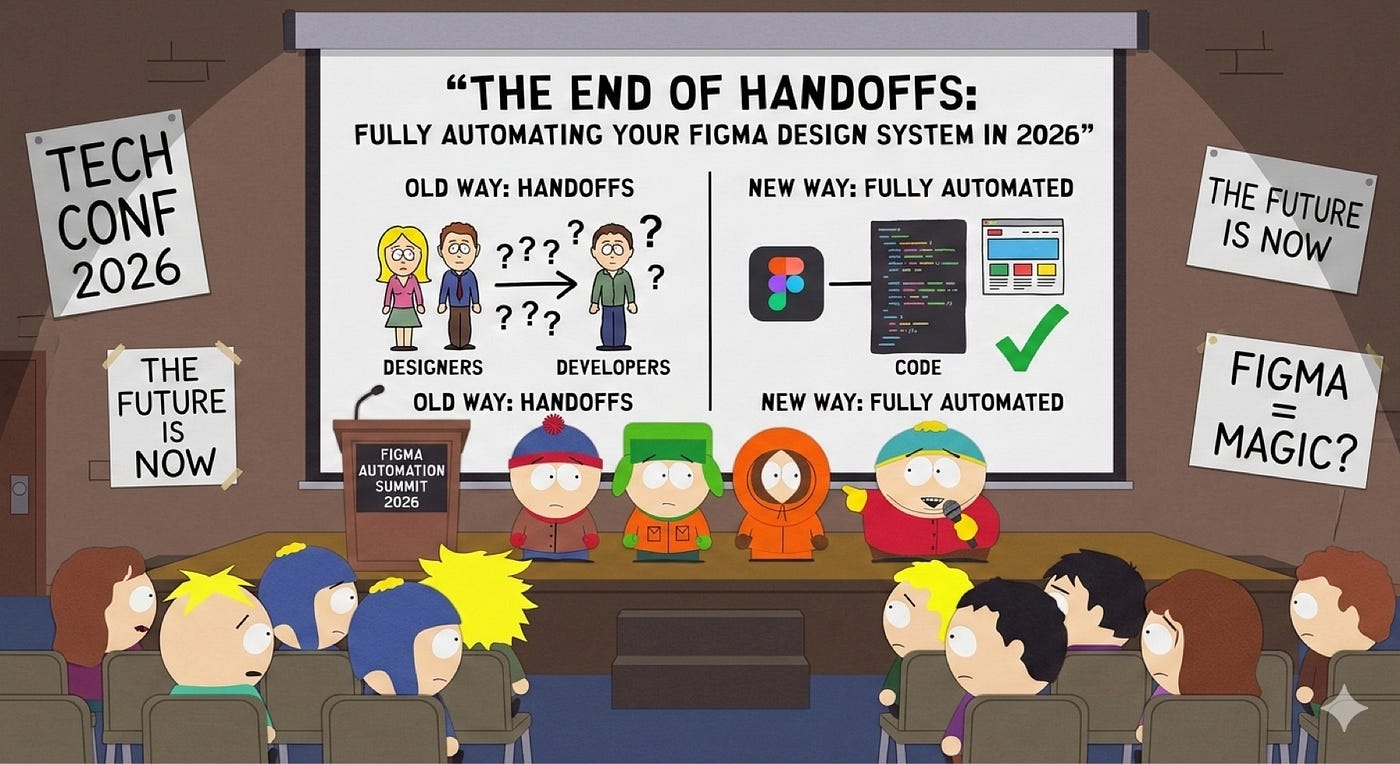
Remember the days of manually copying hex codes, begging developers to fix a 2px padding error, and maintaining massive spreadsheets of design tokens? If your team is still working that way, you are losing hundreds of hours to a process that was solved years ago.
By 2026, the gap between high-velocity engineering teams and lagging product teams comes down to one thing: automation. A modern design system is no longer a static “sticker sheet” of UI components. It’s a living, breathing, AI-enhanced infrastructure that talks directly to your codebase.
Let’s break down exactly how you can architect a fully automated workflow across Figma variables, tokens, and components – in plain English, with real-world examples.
1. The 3-Tier Variable System (And Why AI Loves It)
The foundation of an automated system relies on a rigid, three-tier token architecture. Think of this like organizing your kitchen: you have your raw ingredients, your recipes, and your final dishes.
- Tier 1: Primitives (The Raw Ingredients): These are raw, foundational values. For example, color/blue/500 is literally just #0052FF. It has no meaning yet.
- Tier 2: Semantics (The Recipe): These are purpose-driven names that point to your primitives. For example, color-action-primary points to color/blue/500.
- Tier 3: Component-Specific (The Final Dish): Highly scoped tokens applied to specific elements, like button-primary-background-hover.
The Real-World Example:
Let’s say you want to implement an automated dark mode. Instead of going through 100 screens and manually changing white backgrounds to black, you simply use the Tier 2 Semantic token: color-bg-primary. In Light Mode, this token points to #FFFFFF. In Dark Mode, it automatically points to #111111. When you switch modes, your entire app adapts instantly.
The AI Upgrade:
Instead of manually policing these tokens, modern teams use AI-powered linting bots like DesignLint or Figma Tokens AI. These run quietly in the background, scanning your Figma files to ensure no one accidentally used a raw hex code where a semantic token should be.

2. Embrace “Native Slots” to Kill Component Bloat
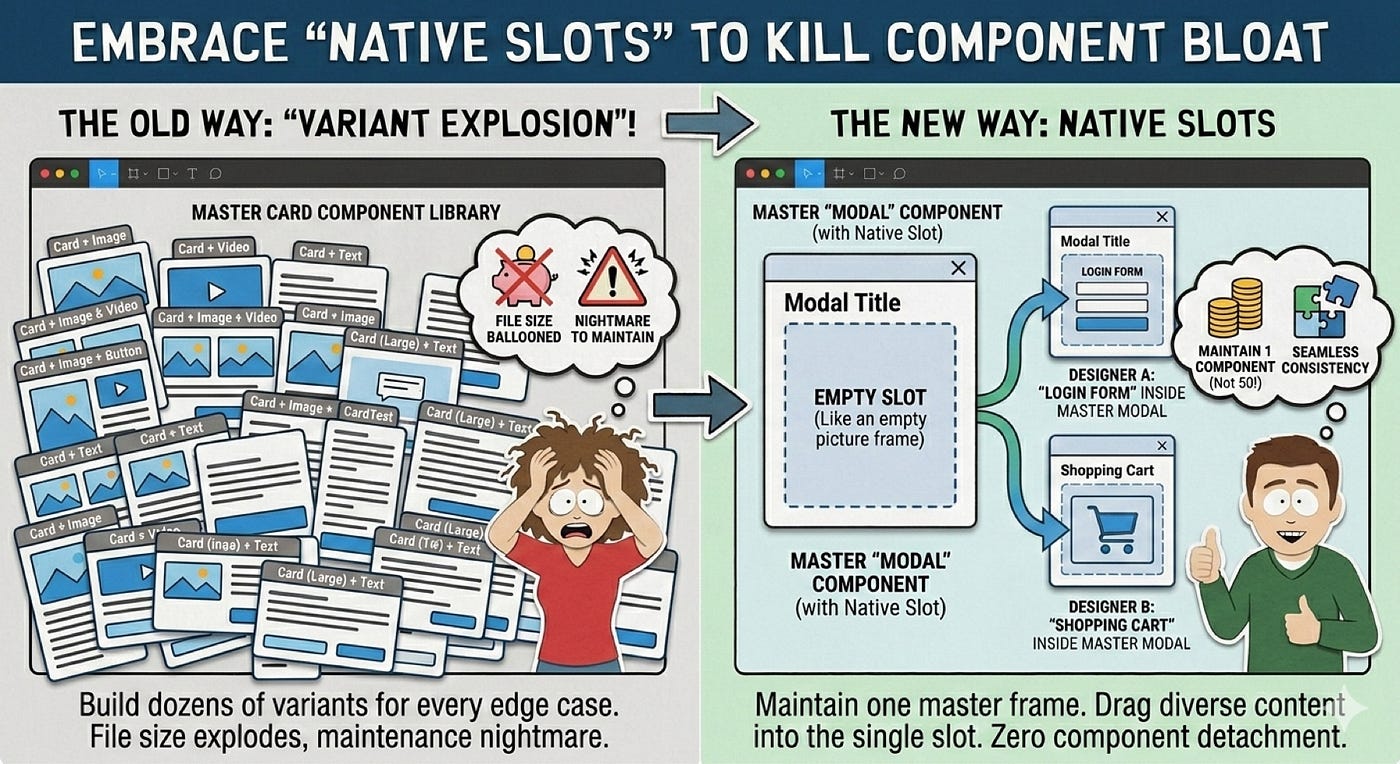
If you’ve been designing for a while, you’ve experienced “variant explosion.” In the past, if you wanted a “Card” component with an image, another with a video, and another with just text, you had to build dozens of different variants. Your file size ballooned, and it was a nightmare to maintain.
Enter Native Slots.
Think of a slot as an empty picture frame. You build the beautiful frame (a modal window with a close button, a drop shadow, and a title), and the “slot” is just an empty box in the middle.
The Real-World Example:
You design one master “Modal” component with a slot. Designer A can drag a “Login Form” into that slot. Designer B can drag a “Shopping Cart” into that same slot. You never have to detach the component from the main library, and your design systems team only has to maintain one modal instead of fifty.
3. Automating the Code Sync (No More Handoff Meetings)
Your design system should function as a synchronized pipeline. You shouldn’t have to call a meeting to tell developers that you changed the primary button color.
Using Figma’s Variables REST API, you can establish a two-way synchronization between your design file and the developer’s GitHub repository.
The Real-World Example:
Let’s say you tweak your brand’s primary blue variable in Figma. The moment you hit “Publish,” Figma automatically pings your developer’s GitHub using a tool like Tokens Studio or Styleframe. This triggers a script that automatically translates your new blue into CSS, iOS, and Android code. It then creates a “Pull Request” for the engineering team to review.
A process that used to take hours of manual updating and back-and-forth Slack messages now takes about 15 seconds.

4. The Magic of MCP (Model Context Protocol)
This is the most disruptive shift in how we work today. The Model Context Protocol (MCP) acts as a “universal translator” between Figma and AI coding assistants like Cursor or Claude Code.
In the past, AI code generators just looked at flattened screenshots of your design and tried to guess the spacing, often resulting in messy, hardcoded websites. MCP changes everything by allowing the AI to literally “read” the underlying math of your Figma file.
The Real-World Example:
You open your code editor and type: “Build the checkout screen from this Figma link.”
Because of the Figma MCP server, the AI doesn’t just look at a picture. It reads your Auto Layout constraints, it sees that your padding is set to spacing-md, and it recognizes that your button is the <PrimaryButton> component from your React library. It then writes production-ready code that perfectly matches your company’s unique design system.
Furthermore, we are now entering the era of Agentic AI. These aren’t just chatbots; they are autonomous agents that can scan your code repositories to detect “design drift,” ensuring that every new piece of code strictly adheres to your core brand principles before it ever reaches the live product.

Conclusion
The exhaustion of “pixel-pushing” is finally over. By leveraging a strict variable structure, native component slots, and AI-driven protocols like MCP, we can entirely automate the repetitive translation of design into code.
This doesn’t mean designers are being replaced. It means we are finally free to stop acting like human compilers and start acting like true system architects – focusing on strategy, user psychology, and solving real problems.

메타데이터
- post_id
- fd792df44192
- slug
- the-end-of-handoffs-fully-automating-your-figma-design-system-in-2026-fd792df44192
- url
- https://medium.com/@rbiswas5888/the-end-of-handoffs-fully-automating-your-figma-design-system-in-2026-fd792df44192
- canonical_url
- https://medium.com/@rbiswas5888/the-end-of-handoffs-fully-automating-your-figma-design-system-in-2026-fd792df44192
- author_url
- https://medium.com/@rbiswas5888
- status
- ok
- fetched_at
- 2026-06-09 15:37:30




