Flyway vs Liquibase: Why I prefer Flyway for Spring Boot projects
Every Spring Boot project that touches a database hits this question sooner or later: Flyway or Liquibase?
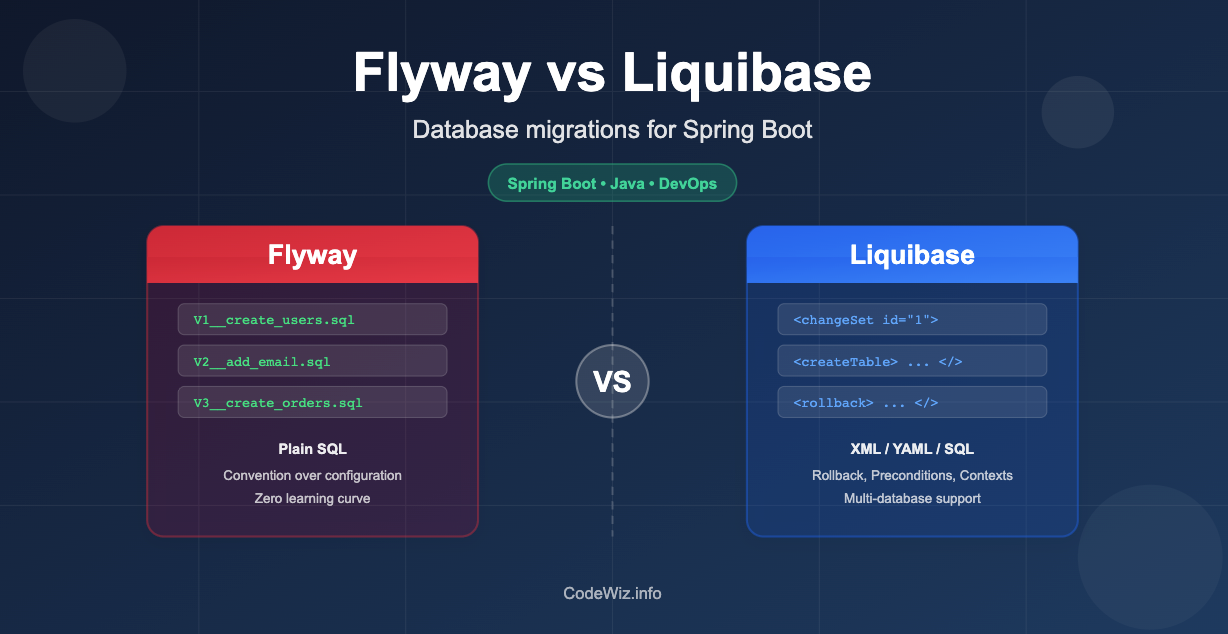
Flyway vs Liquibase: Why I prefer Flyway for Spring Boot projects
Every Spring Boot project that touches a database hits this question sooner or later: Flyway or Liquibase?
I’ve used both across different teams and projects over the years. Both are battle-tested, both integrate with Spring Boot out of the box, and both get the job done. But I keep reaching for Flyway. Not because Liquibase is bad (it isn’t), but because Flyway’s philosophy aligns better with how I think about database changes.
Let me walk through the real differences, the stuff that actually matters day-to-day, and why I land where I do.
You can read the same blog here on my website also
What both tools actually do
Before comparing, let’s be clear about the shared goal. Both Flyway and Liquibase:
- Track which schema changes have been applied to a database
- Run pending migrations automatically on application startup
- Store migration history in a metadata table (
flyway_schema_historyfor Flyway,DATABASECHANGELOGfor Liquibase) - Integrate with Spring Boot via auto-configuration (just add the dependency and it works)
- Support all major databases: PostgreSQL, MySQL, Oracle, SQL Server, H2, etc.
The difference is in how they approach migrations.
Flyway: SQL files, naming conventions, done
Flyway’s approach is dead simple. You write SQL files, name them with a version prefix, and drop them in a folder. That’s it.
src/main/resources/db/migration/
├── V1__create_users_table.sql
├── V2__add_email_column.sql
├── V3__create_orders_table.sql
└── V4__add_index_on_email.sql
Each file contains plain SQL:
-- V1__create_users_table.sql
CREATE TABLE users (
    id BIGSERIAL PRIMARY KEY,
    username VARCHAR(100) NOT NULL UNIQUE,
    created_at TIMESTAMP NOT NULL DEFAULT NOW()
);
Flyway scans the folder, checks which versions have already been applied (via flyway_schema_history), and runs the new ones in order. The naming convention ( V{version}__{description}.sql) is the entire configuration.
Spring Boot setup? One dependency and zero configuration:
<dependency>
    <groupId>org.flywaydb</groupId>
    <artifactId>flyway-core</artifactId>
</dependency>
Spring Boot auto-detects the db/migration folder and runs Flyway on startup. You don't even need to add a single property unless you want to customize something.
Liquibase: Changelogs, changesets, and format choices
Liquibase takes a different approach. Instead of raw SQL files, you define changes in a changelog file using XML, YAML, JSON, or SQL. Each change is wrapped in a changeset with an author and an ID.
Here’s the same users table creation in Liquibase XML:
<!-- db/changelog/db.changelog-master.xml -->
<databaseChangeLog xmlns="http://www.liquibase.org/xml/ns/dbchangelog"
    xmlns:xsi="http://www.w3.org/2001/XMLSchema-instance"
    xsi:schemaLocation="http://www.liquibase.org/xml/ns/dbchangelog
        http://www.liquibase.org/xml/ns/dbchangelog/dbchangelog-latest.xsd">

    <changeSet id="1" author="user1">
        <createTable tableName="users">
            <column name="id" type="BIGSERIAL" autoIncrement="true">
                <constraints primaryKey="true" nullable="false"/>
            </column>
            <column name="username" type="VARCHAR(100)">
                <constraints nullable="false" unique="true"/>
            </column>
            <column name="created_at" type="TIMESTAMP" defaultValueComputed="NOW()">
                <constraints nullable="false"/>
            </column>
        </createTable>
    </changeSet>

</databaseChangeLog>
Or in YAML:
databaseChangeLog:
  - changeSet:
      id: 1
      author: user1
      changes:
        - createTable:
            tableName: users
            columns:
              - column:
                  name: id
                  type: BIGSERIAL
                  autoIncrement: true
                  constraints:
                    primaryKey: true
                    nullable: false
              - column:
                  name: username
                  type: VARCHAR(100)
                  constraints:
                    nullable: false
                    unique: true
Spring Boot setup for Liquibase:
<dependency>
    <groupId>org.liquibase</groupId>
    <artifactId>liquibase-core</artifactId>
</dependency>
By default, Spring Boot looks for
db/changelog/db.changelog-master.yaml(or.xml).
The real differences that matter
Let me cut through the feature-matrix noise and focus on what actually impacts your daily workflow.
1. Migration format: SQL vs abstraction layer
This is the fundamental philosophical split.
Flyway says: “You know SQL. Write SQL.”
Liquibase says: “Describe what you want, and we’ll generate the right SQL for your database.”
Liquibase’s abstraction layer (createTable, addColumn, etc.) is genuinely useful if you deploy the same app against multiple database engines. If your app needs to run on both PostgreSQL and Oracle, writing createTable in XML is easier than maintaining two sets of SQL files.
But here’s the thing: most Spring Boot projects I’ve worked on target one database. We pick PostgreSQL (or MySQL, or whatever) and stick with it. In that world, the abstraction layer is overhead. I’d rather write the exact CREATE TABLE statement I want, with the exact PostgreSQL-specific features I need (BIGSERIAL, JSONB columns, partial indexes), than translate my intent through XML tags.
Flyway does support Java-based migrations for complex cases, and Liquibase lets you write raw SQL changesets too. But the defaults and conventions push you in opposite directions.
2. Readability in code review
This one matters more than people think.
When a teammate opens a PR with a new Flyway migration, I see SQL. I can immediately tell what’s changing. I can mentally run the statement and think about locking implications, index strategies, or data type choices.
-- V12__add_status_to_orders.sql
ALTER TABLE orders ADD COLUMN status VARCHAR(20) NOT NULL DEFAULT 'PENDING';
CREATE INDEX idx_orders_status ON orders(status);
That’s two lines. I know exactly what’s happening.
The Liquibase equivalent:
<changeSet id="12" author="ratheesh">
    <addColumn tableName="orders">
        <column name="status" type="VARCHAR(20)" defaultValue="PENDING">
            <constraints nullable="false"/>
        </column>
    </addColumn>
    <createIndex indexName="idx_orders_status" tableName="orders">
        <column name="status"/>
    </createIndex>
</changeSet>
It’s more verbose, and the XML ceremony makes it harder to scan quickly. In a busy PR with application code changes alongside migration changes, the Flyway version wins for me every time.
3. Rollback support
This is where Liquibase has a genuine edge, and I want to be honest about it.
Liquibase supports automatic rollback for many operations. If a createTable was applied, it knows to DROP TABLE on rollback. For operations where it can't auto-generate a rollback, you can define custom rollback SQL within the changeset.
<changeSet id="5" author="ratheesh">
    <addColumn tableName="users">
        <column name="phone" type="VARCHAR(20)"/>
    </addColumn>
    <rollback>
        <dropColumn tableName="users" columnName="phone"/>
    </rollback>
</changeSet>
Flyway’s community edition doesn’t support rollback at all. The paid “Teams” edition does, but honestly? I’ve never relied on automated rollback in production anyway.
Here’s my take: if a migration goes wrong in production, I don’t want to “undo” it automatically. I want to understand what happened, assess data impact, and write a forward migration to fix it. Rolling back a CREATE TABLE is fine, but rolling back an ALTER TABLE that just ran against 50 million rows? That needs human judgment, not an automated reverse script.
So while Liquibase’s rollback support is technically better, I don’t consider it a dealbreaker.
4. Spring Boot integration
Both tools have first-class Spring Boot support, but Flyway’s is slightly more frictionless.
Flyway with Spring Boot:
# application.properties - honestly, you might not need ANY of these
spring.flyway.enabled=true
spring.flyway.locations=classpath:db/migration
# That's it. Both lines above are the defaults anyway.
Liquibase with Spring Boot:
spring.liquibase.enabled=true
spring.liquibase.change-log=classpath:db/changelog/db.changelog-master.yaml
The difference is minimal, but Flyway’s convention of “just drop SQL files in db/migration" means there is genuinely zero configuration needed. No master changelog file to maintain, no changeset IDs to manage.
5. Learning curve
I’ve onboarded junior developers onto both tools. With Flyway, the conversation goes:
“Write your SQL, name the file V{next_number}__description.sql, put it in db/migration. Done."
With Liquibase, there’s more to explain: changelog format choices (XML? YAML? SQL?), changeset structure, author/ID conventions, preconditions, contexts, labels. It’s more powerful, but newcomers have more to absorb.
Where Liquibase genuinely wins
I don’t want to pretend Flyway is better at everything. Liquibase has real strengths:
Multi-database support. If you ship a product that customers deploy on their choice of database (PostgreSQL, MySQL, Oracle, SQL Server), Liquibase’s abstraction layer saves you from maintaining separate SQL scripts per database. Flyway can do this with location overrides, but it’s more manual.
Preconditions. Liquibase can check if a table exists before trying to create it, or if a column is a certain type before altering it. This is useful for migrations that might run against databases in varying states (common in large enterprise environments).
<changeSet id="10" author="ratheesh">
    <preConditions onFail="MARK_RAN">
        <not><tableExists tableName="audit_log"/></not>
    </preConditions>
    <createTable tableName="audit_log">
        <!-- columns -->
    </createTable>
</changeSet>
Contexts and labels. Need to apply certain migrations only in dev but not prod? Liquibase has built-in support for this with contexts. Flyway can achieve similar results, but it's not as clean.
Diff and changelog generation. Liquibase can compare two database schemas and auto-generate a changelog of differences. This is helpful when reverse-engineering an existing database into version control for the first time.
Where Flyway wins (and why I pick it)
Simplicity. There is almost nothing to learn. SQL files, naming convention, done. The cognitive overhead is close to zero.
Transparency. What you see is what’s executed. No abstraction layer translating your intent into SQL behind the scenes. When something goes wrong, there’s no question about what SQL actually ran.
Speed of authoring. Writing a SQL file is faster than wrapping the same logic in XML/YAML tags. Over hundreds of migrations across a project’s lifetime, this adds up.
Clean Git history. Each migration is a standalone file. Git blame and log work exactly as you'd expect. With Liquibase's single-changelog-file approach (or even with includes), the history is messier.
Team convention. Since there’s only one way to do things in Flyway (SQL files with version prefixes), there are fewer debates. With Liquibase, teams argue about XML vs YAML, single changelog vs multiple files, when to use preconditions, etc.
A side-by-side Spring Boot setup
For anyone who wants to quickly try both, here’s the minimum setup for each.
Flyway:
pom.xml:    flyway-core dependency
            (flyway-database-postgresql if using PG)
folder:     src/main/resources/db/migration/
file:       V1__init.sql
config:     nothing required
Liquibase:
pom.xml:    liquibase-core dependency
folder:     src/main/resources/db/changelog/
file:       db.changelog-master.yaml (+ included changelogs)
config:     nothing required (Spring Boot defaults work)
When to pick Liquibase instead
Pick Liquibase when:
- Your application deploys against multiple database vendors and you want one set of migration definitions
- You’re in a heavily regulated environment where rollback support, preconditions, and labels are required by policy
- You’re working with customers who manage their own database and migrations need to be resilient to schema drift
- You need to reverse-engineer an existing database into version-controlled changelogs
When to pick Flyway (most of the time)
Pick Flyway when:
- You target a single database (which is the majority of Spring Boot apps)
- You value simplicity and want the lowest possible learning curve
- Your team is comfortable writing SQL directly
- You want maximum transparency in code reviews
- You don’t need automated rollback (forward-only migrations is your strategy)
My honest take
Both Flyway and Liquibase are production-ready tools used by thousands of teams. You won’t regret picking either one.
But I keep choosing Flyway because it stays out of my way. I write SQL every day. I don’t need an abstraction layer to write ALTER TABLE. The naming convention enforces order without any configuration. And when I review a teammate's migration PR, I see exactly what will happen to the database. No translation needed.
Liquibase is the better choice when your problem space genuinely requires its advanced features (multi-database, preconditions, policy-driven rollbacks). But for the typical Spring Boot app talking to one PostgreSQL instance? Flyway is all you need.
Pick the tool that matches your team’s reality, not the one with the longest feature list.
📚 Related: If you’re working with Spring Data JPA alongside your migrations, check out the Spring JPA cheat sheet and Database indexes deep dive.
🔗 Blog 🔗 LinkedIn 🔗 Medium 🔗 Github
Originally published at https://codewiz.info.
메타데이터
- post_id
- fdd4c9636f23
- slug
- flyway-vs-liquibase-why-i-prefer-flyway-for-spring-boot-projects-fdd4c9636f23
- url
- https://medium.com/@code.wizzard01/flyway-vs-liquibase-why-i-prefer-flyway-for-spring-boot-projects-fdd4c9636f23
- canonical_url
- https://medium.com/@code.wizzard01/flyway-vs-liquibase-why-i-prefer-flyway-for-spring-boot-projects-fdd4c9636f23
- author_url
- https://medium.com/@code.wizzard01
- status
- ok
- fetched_at
- 2026-07-10 22:52:34