Building a Serverless AI tool on AWS
Deployment using Lambda, Bedrock, and a minimal serverless architecture
Building a Serverless AI tool on AWS
Deployment using Lambda, Bedrock, and a minimal serverless architecture
image from Unsplash by Growtika
In this article I will walk you through how I deployed my AI tool Codebase auditor, using a serverless architecture on AWS.
The idea of the project is minimal. You simply insert any public GitHub repo, as a response you get an analysis of the structure and a health report with a score. The score rates the repo’s architecture, reproducibility, and some deployment practices. Additionally, there’s a chat bot functionality, you can ask follow up questions about the repo.
The whole thing runs on a serverless AWS backend with a Vercel frontend.
Live demo: https://codebase-auditor.vercel.app/ Repository: https://github.com/lynn511/codebase-auditor
Image of an analysis and score rate of a GitHub a repo on Codebase Auditor
Components Overview
Vercel (Front end platform) Vercel is a cloud platform used to host and deploy web applications.
API Gateway An AWS service that acts as a managed entry point for APIs, receiving requests and routing them to backend services.
AWS Lambda A serverless compute service that runs code in response to events without requiring server management.
AWS Bedrock A managed service that provides access to large language models for building AI powered applications.
Amazon S3 A cloud object storage service used to store and retrieve files and data at scale.
Architecture Overview
I built the architecture intentionally simple. There’s no orchestration layer, no message queues, no database.
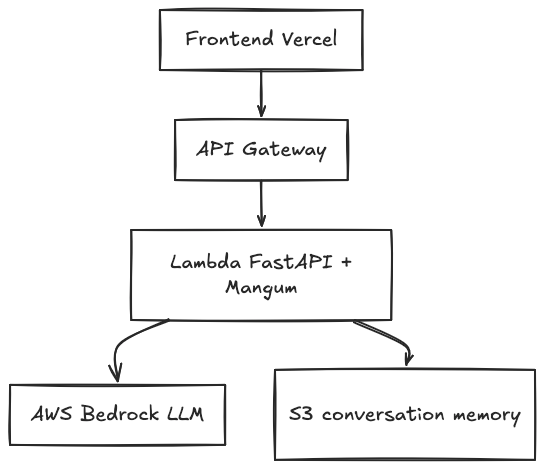
Diagram on the architecture overview
When a user submits a repository URL, the frontend fetches metadata from GitHub, samples key files, and sends the context to the backend for analysis.
Front end
The user submits a GitHub URL through the Vercel hosted frontend. The frontend fetches the repository tree via GitHub’s API, samples relevant files (prioritizing config files, READMEs, and code structure), and sends the context to the backend.
Back end
The backend (which is a FastAPI application running on AWS Lambda) receives the context, calls Amazon Bedrock (using the Nova lite model), and returns a structured JSON audit. The conversation is persisted in S3, which lets users ask questions without losing context.
The key is that the frontend handles GitHub API calls directly. This keeps the backend stateless and reduces Lambda execution time, the LLM only gets the relevant sampled files, not the entire repository.
Key Engineering Decisions
What is serverless computing?
Serverless computing is a cloud execution model where the cloud provider manages provisioning, scaling, and infrastructure maintenance.
You simply deploy code and the platform runs it in response to events.
Serverless does not mean there are no servers. It means the servers exist, but you do not manage them.
Why did I choose serverless?
Serverless makes it ideal for applications with unpredictable workloads.
As mentioned above, serverless means I don’t have to think about servers. API Gateway triggers Lambda on demand. So, if nobody uses the tool for a week, I pay nothing. And if it gets a lot of attention suddenly, it scales automatically.
However, the trade off here, is the cold starts. Lambda functions can take a few seconds to initialize if they haven’t been invoked recently.
And realistically, in a tool where users would wait 20 seconds for an audit anyway, I do think such a wait time is acceptable
FastAPI + Mangum: Running ASGI on Lambda
The backend is built with FastAPI. It’s lightweight, fast, and gives me automatic Open API docs for free, which is useful when debugging the API from the frontend.
But FastAPI is an ASGI application, and Lambda expects a specific handler format. This is where Mangum comes in:
from mangum import Mangum
from server import app

# Create the Lambda handler
handler = Mangum(app)
That’s it. Three lines of code and the entire FastAPI application runs inside Lambda. Mangum translates API Gateway events into ASGI requests and back.
if you’re interested to know more about ASGI, check out: https://www.reddit.com/r/Python/comments/1fr59e2/wtf_is_asgi_and_wsgi_in_python_apps_a_writeup/
The pydantic_core error:
During development, I hit this error when deploying to Lambda:
Unable to import module 'lambda_handler': No module named 'pydantic_core._pydantic_core'It is worth mentioning that the code worked perfectly locally, I hit this error while deploying to lambda.
When I research about it, I found out that Python packages with C extensions (like pydantic_core)need to be compiled for the specific platform they'll run on. I was building dependencies on macOS (arm64) and deploying to Lambda (Linux x86_64). Which means the compiled extensions were incompatible
The fix was to explicitly build for the Lambda environment, here’s the command:
pip install \
  --platform manylinux2014_x86_64 \
  --implementation cp \
  --python-version 3.12 \
  --only-binary=:all: \
  -r requirements.txt \
  -t lambda-package/
This forces pip to download precompiled wheels compatible with Lambda’s Linux runtime. The only-binary=:all: flag prevents pip from trying to build from source, which would reintroduce the platform problem
What’s the use of memory in this project, and why S3 for conversation persistence?
The project Codebase auditor contains a chat bot which allows users ask follow up questions. When you get an audit report, you might want to ask a follow up question to the chat bot (ex: which files need configuration improvements?)
Such questions require memory, because you are following up on a previous messages. I needed to store the conversation somewhere. The options were:
- a database (too much overhead)
- in-memory (this won’t survive Lambda cold starts)
- S3 (simple, durable, cheap)
Session data are just small JSON documents, and S3 seemed like the best option for this.
Each session gets a key like sessions/{session_id}.json. When a user sends a follow up question, Lambda loads the file, appends the new interaction and writes it back
Infrastructure as Code
Terraform is one of the most popular tools used for infrastructure as a code. Due to the region imposed restrictions of Terraform, I decided to use OpenTofu, which is a Terraform fork.
Using Opentofu, I was able to set up the lambda functions, API gateway HTTP API, IAM roles with permissions for bedrock and s3, and s3 bucket for session memory in one script.
I added this ai generated snippet that sets up a small backend stack: an S3 bucket for memory, a Lambda function, and an API Gateway endpoint to expose it. The services and permissions are wired together automatically.
locals {
  name = var.project_name
}

resource "aws_s3_bucket" "memory" {
  bucket = "${local.name}-memory-<aws-account-id>"

  tags = {
    Project = local.name
  }
}

resource "aws_iam_role" "lambda" {
  name = "${local.name}-lambda-role"

  assume_role_policy = jsonencode({
    Version = "2012-10-17"
    Statement = [{
      Effect = "Allow"
      Principal = {
        Service = "lambda.amazonaws.com"
      }
      Action = "sts:AssumeRole"
    }]
  })
}

resource "aws_lambda_function" "api" {
  function_name = "${local.name}-api"
  filename      = "${path.module}/../backend/<lambda-package>.zip"
  handler       = "lambda_handler.handler"
  runtime       = "python3.12"
  role          = aws_iam_role.lambda.arn

  environment {
    variables = {
      S3_BUCKET        = aws_s3_bucket.memory.bucket
      BEDROCK_MODEL_ID = "<bedrock-model-id>"
    }
  }
}

resource "aws_apigatewayv2_api" "api" {
  name          = "${local.name}-api"
  protocol_type = "HTTP"
}

resource "aws_apigatewayv2_integration" "lambda" {
  api_id                 = aws_apigatewayv2_api.api.id
  integration_type       = "AWS_PROXY"
  integration_uri        = aws_lambda_function.api.invoke_arn
  payload_format_version = "2.0"
}

resource "aws_apigatewayv2_route" "proxy" {
  api_id    = aws_apigatewayv2_api.api.id
  route_key = "$default"
  target    = "integrations/${aws_apigatewayv2_integration.lambda.id}"
}

resource "aws_apigatewayv2_stage" "default" {
  api_id      = aws_apigatewayv2_api.api.id
  name        = "$default"
  auto_deploy = true
}
Doing all of these configurations manually in the AWS console would require many steps. So Opentofu, or any IAC tool, saves you a lot of time, effort and errors. Because of the script above, the entire backend environment became reproducible and version controlled.
Why did I choose Bedrock?
Honestly, I wanted to experiment with AWS Bedrock. And also I didn’t want to manage GPU instances or model serving infrastructure. Fortunately, Bedrock handles all of that.
caveat: One thing I learned after a persisting error, the model id must include the correct regional prefix. For eu-west-3 (Paris), it's eu.amazon.nova-micro-v1:0 ( I was invoking it without the eu- prefix, so look out for that)
The model invocation uses the converse API with a system prompt:
response = bedrock.converse(
    modelId=model_id,
    messages=conversation,
    system=[{"text": audit_system_prompt()}],
    inferenceConfig={
        "temperature": 0.3,
        "maxTokens": 4000
    }
)
Using the system parameter is important, like in the snippet. If you inject the system prompt as a user message, the model doesn't treat it as instructions, it just sees it as part of the conversation.
IAM Permissions
Lambda needs explicit permissions to call Bedrock. This is easy to forget because the code will run locally with your AWS credentials but fail on Lambda.
The IAM policy must include:
{
  "Effect": "Allow",
  "Action": [
    "bedrock:InvokeModel",
    "bedrock:Converse"
  ],
  "Resource": "*"
}
I initially only included InvokeModel, but the converse API requires its own permission. (The error message was unhelpful it just said the model couldn't be invoked, so I’m telling you here so you can avoid such a problem.)
Deployment Workflow
The deployment process is intentionally straightforward.
1- Build the Lambda package with platform-specific dependencies
2- Create a deployment zip
3- Run OpenTofu to ensure infrastructure is up to date
4- Update Lambda function code
aws lambda update-function-code \
  --function-name code-auditor-api \
  --zip-file fileb://lambda-deployment.zip \
  --region eu-west-3
Front end deploys automatically to Vercel when I push to GitHub.
Project Reference
This architecture powers the Codebase Auditor project. You can try it yourself with any public GitHub repository
Repository: https://github.com/lynn511/codebase-auditor
Live Demo: https://codebase-auditor.vercel.app/
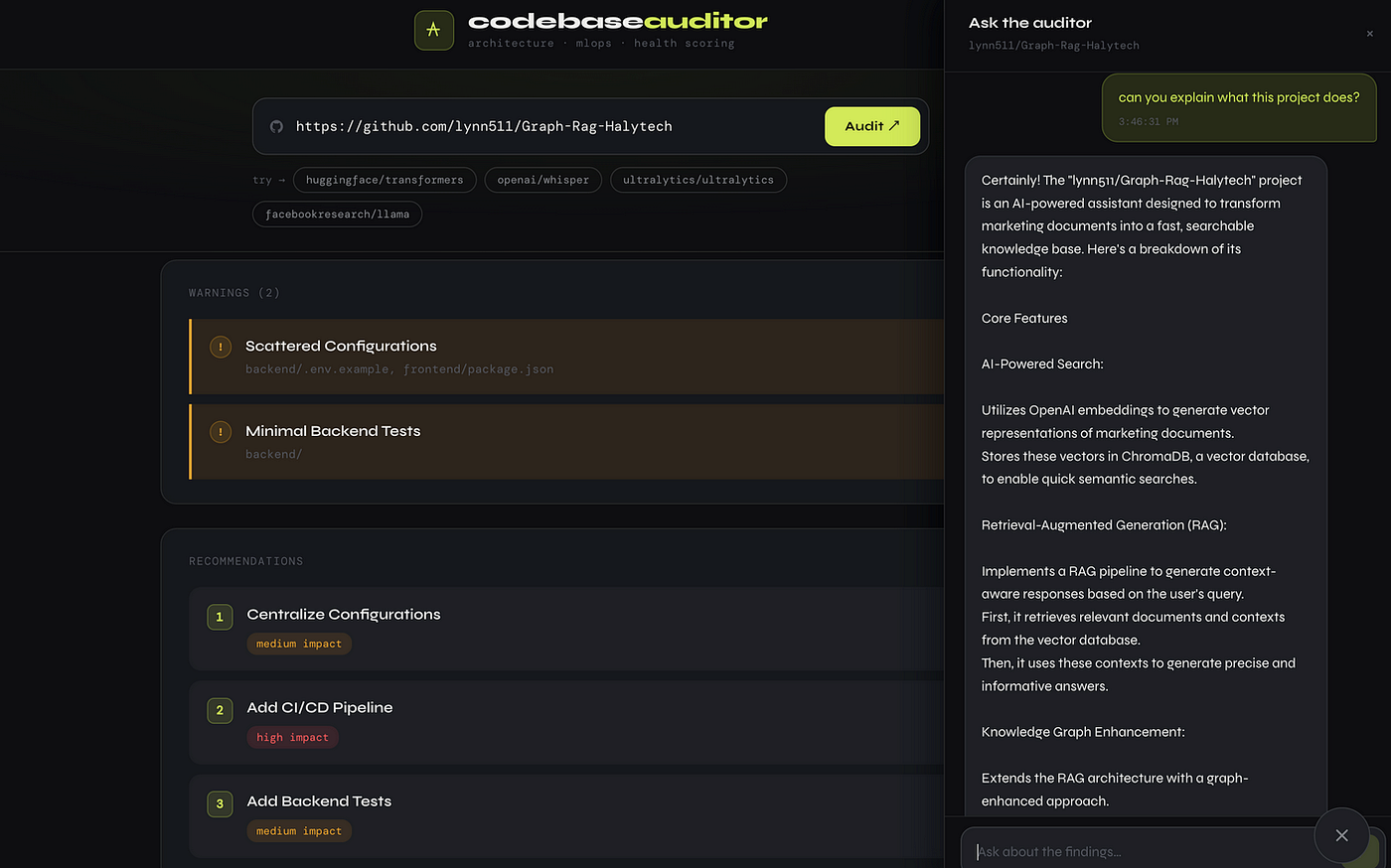
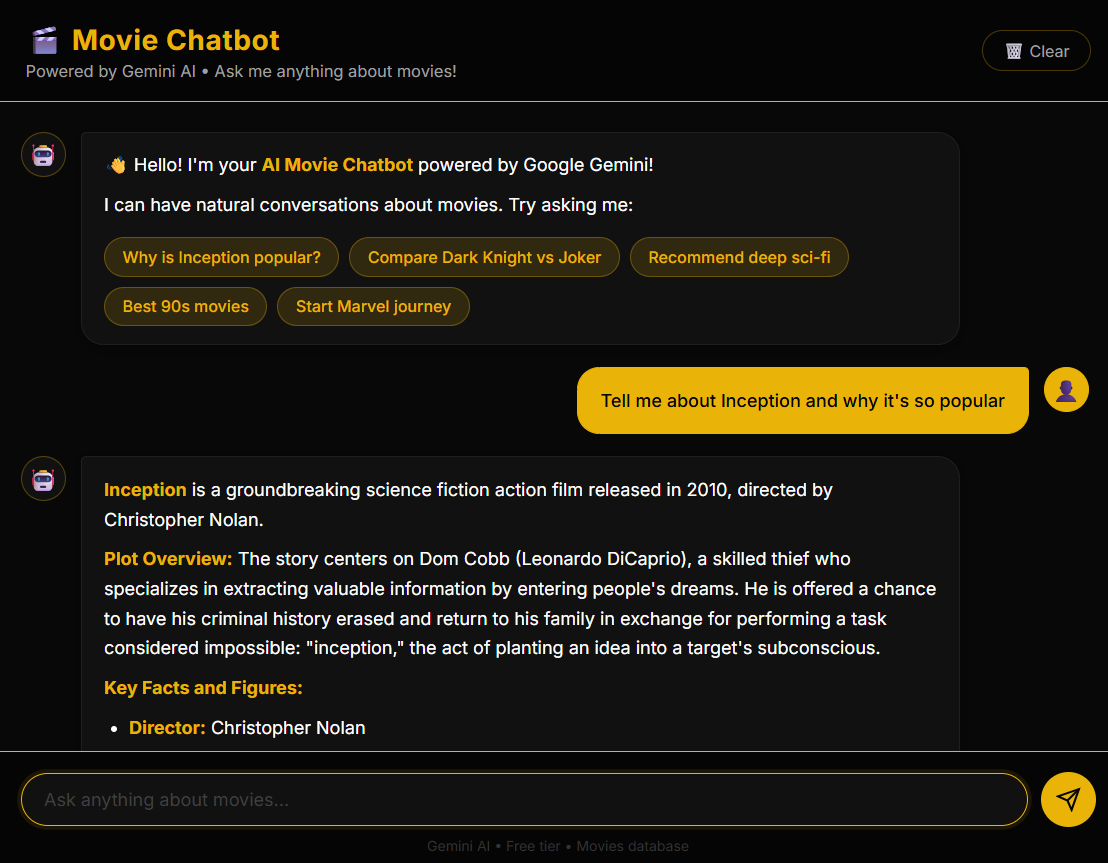
Image of the Chat bot functionality in CodeBase auditor
Just to remind you, this project evaluates repositories from an engineering perspective, taking into consideration structure, reproducibility, testing, and deployment practices. I think it’s a useful way to quickly understand a repo’s health before diving into the code
Conclusion
In this blog, I explained my architectural choices for the simple project CodeBase Auditor. I enjoyed working with a serverless setup without managing infrastructure. I also demonstrated how Lambda, Bedrock, and FastAPI fit together in my project.
We saw how the system connects a Vercel frontend, a Lambda backend, Bedrock for inference, and S3 for memory in a minimal way. I also encountered some errors, such as the pydantic core issue and model invocation errors, which may help you avoid similar pitfalls.
Finally, the main challenge was not the model itself but wiring everything together cleanly and reliably.
메타데이터
- post_id
- fe2cfd752147
- slug
- building-a-serverless-ai-tool-on-aws-fe2cfd752147
- url
- https://medium.com/munchy-bytes/building-a-serverless-ai-tool-on-aws-fe2cfd752147
- canonical_url
- https://medium.com/munchy-bytes/building-a-serverless-ai-tool-on-aws-fe2cfd752147
- author_url
- https://medium.com/@lynnelmoussaoui
- status
- ok
- fetched_at
- 2026-06-11 18:08:35