TC Syslog Viewer: Your Guide to the World of Teamcenter Syslog files
Hi all, Teamcenter has a very advanced logging system, with a well thought out setup for adjusting the logging detail level. In fact, each…
TC Syslog Viewer: Your Guide to the World of Teamcenter Syslog files
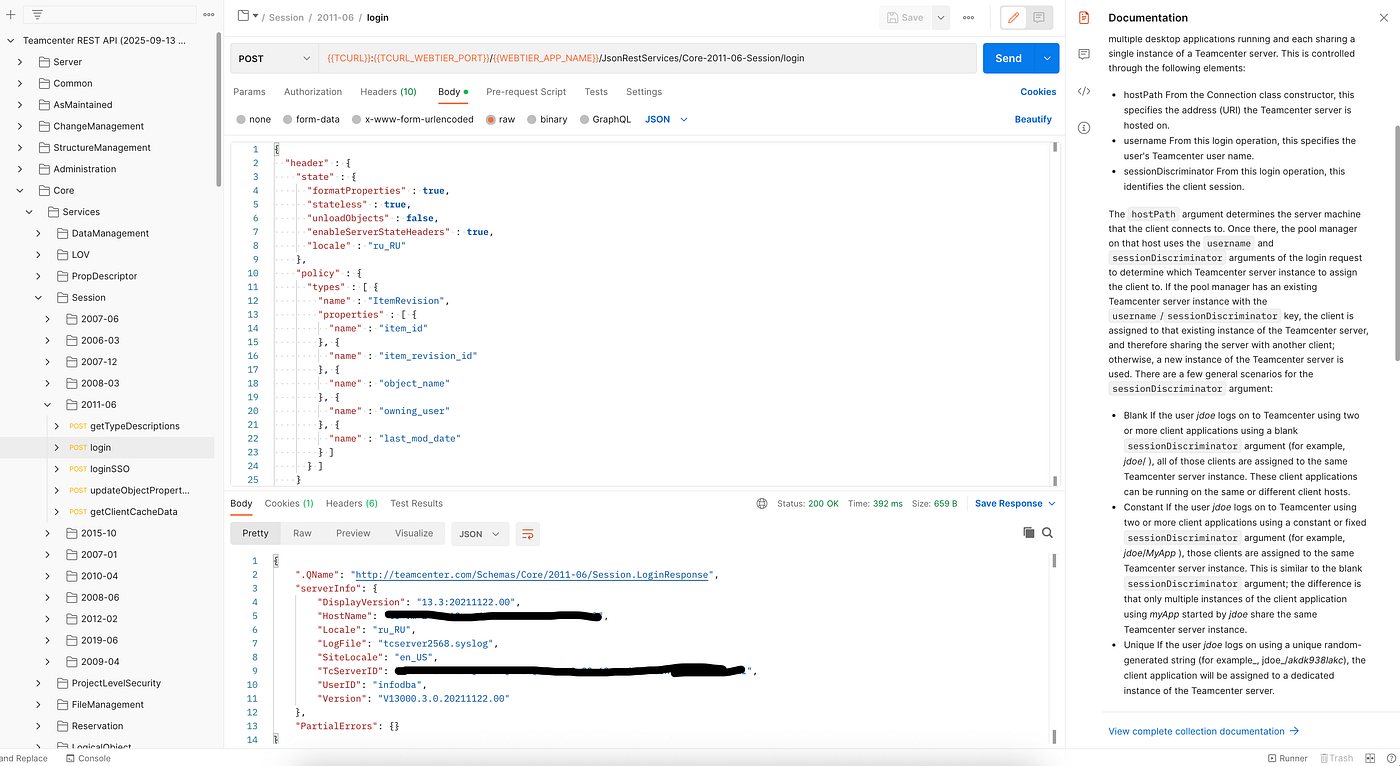
Hi all, **Teamcenter has a very advanced logging system, with a well thought out setup for adjusting the logging detail level. In fact, each component whether it’s the business logic server (tcserver**#### processes), the file subsystem (FSC), Rich Client, and so on keeps its own log files, which together allow for a deep dive into understanding how this lovely monster works or how it’s feeling.
With all the variety of log files, the key ones for diagnosing Teamcenter are the log files generated by the **tcserver*#### processes (the business logic layer), “.syslog”, which, depending on the deployment architecture of Teamcenter, can be located on the business logic servers or directly on client workstations. In any case, with the right configuration, these log files can be saved on a network drive for centralized access (see the variable TC_TMP_DIR**).
By default, Teamcenter keeps syslog files in a sparing mode, recording events at the levels: INFO, WARNING, ERROR. But in some cases, when diagnosing issues, this logging depth might not be enough, or you might want to study Teamcenter’s behavior in more detail, for example, what SQL queries are being formed. To generate more detailed syslog files, it’s worth playing around with the following variables, which are best set in tc_profilevars.bat(sh):
set TC_KEEP_SYSTEM_LOG=ON
set TC_JOURNAL=FULL
set TC_Journalling=ON
set TC_JOURNAL_LINE_LIMIT=0
set TC_SLOW_SQL=3.0
set TC_PERFFORMANCE_MONITOR=0
set TC_COMMUNICATION_LOGGING=ON
set API_JOURNAL=FULL
set TC_TRACEBACK=ON
set TC_POM_JOURNALLING=ON
set TC_JOURNALLING_MODULES=ALL
set TC_Journal_Modules=ALL
set TC_SQL_DEBUG=BJTP
This is not the full list of configuration variables, for the complete list and their descriptions, refer to the official guide supplied with Teamcenter: **Teamcenter Environment Variables guide**.
By enabling detailed journaling, you’ll get not only detailed information about the behavior of a specific Teamcenter session (tcserverSESSION_UID.syslog) but also a large file in terms of size (especially if the session was lengthy with a bunch of manipulations performed), and navigating through it can be tricky and unproductive using the usual (even if advanced) text editors.
What Is TC Syslog Viewer? This extension is designed specifically for parsing those Teamcenter .syslog files. It takes those massive logs, breaks them down into structured, easy to navigate explorer views, and throws in some handy tools to skip straight to the juicy parts, bookmark your favorites, and even spot repeating patterns.
It’s aimed at developers, QA folks, and presales specialists who poke around Teamcenter from the back-end.
I built it because, let’s face it, staring at endless lines of logs in Notepad++ or whatever gets old fast. With this, you get a more visual, organized way to dig in without losing your mind.
No doubt, the wonderful developers at **Siemens Digital Industries Software (**Siemens DIS) have their internal tools to make log file handling a breeze, but your average admin/programmer tied to Teamcenter doesn’t have that luxury.
I tried, as best I could, to make life easier with log files for engineers outside of Siemens Digital Industries Software, and that’s how the **Visual Studio Code extension [TC Syslog Viewer](https://marketplace.visualstudio.com/items?itemName=AlexeySedoykin.tc-syslog-viewer)** was born.
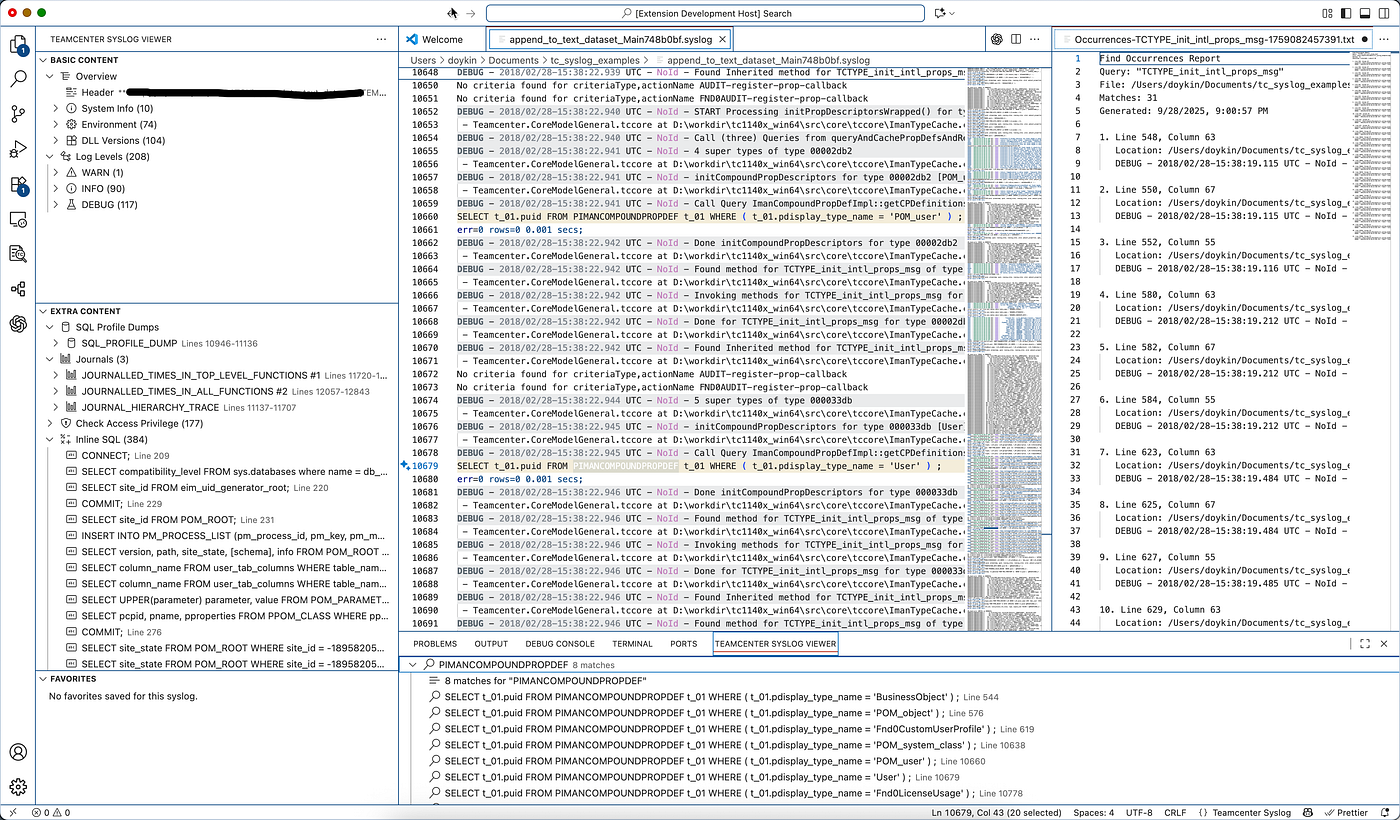
Key Features Here’s what it offers:
- Parsing and Structured Views: It automatically detects “*.syslog” files when you open them in VS Code and builds out tree views in the activity bar. There are three main ones:
- Basic Content: Gives you an overview and a hierarchy of primary categories from the active log like log levels, events, and basics.
- Extra Content: Dives into additional parsed groups, such as SQL dumps, journals, and security checks. (Note: For some Teamcenter server modes, you might need special configs to unlock this fully.)
- Favorites: Lets you save snippets of the log that catch your eye (stored in a ####.syslog.favorite file tied to the original). Handy for quick revisits.
- Occurrences Panel: This is like a “Find All” on steroids. It captures search results across the log without rerunning the query every time, so you can analyze patterns or recurring issues efficiently.
- Dark Mode Support: If you’re on a dark VS Code theme (like most of us), the highlighting for syslog elements is tweaked to look good no more eye strain. You can even customize colors via settings (Extensions > TC Syslog Viewer > Colors…).
- AI-Powered Analysis: This is the cool new bit in recent releases. Send your syslog to an **LLM (like [DeepSeek](https://platform.deepseek.com/), [ChatGPT](https://openai.com/api/), or a local one) for auto-analysis. It can spit out insights, spot problems, and give conclusions. Set it up in Extensions > TC Syslog Viewer > AI….**
- Commands and Shortcuts: A bunch of built-in commands to make things smoother:
- Refresh the syslog parse.
- Open specific categories or entries in a preview editor.
- Add/remove/edit favorites.
- Search for occurrences and open results in tabs.
- Chat with AI using the log context. Plus, context menus pop up in the explorer and editor when a .syslog is active.

Why This Matters Teamcenter is the most open among the existing commercial PLM systems. Siemens DIS has really tried to give their users an insane level of control over the system’s behavior, but the price for that is the heavy saturation of log files with all sorts of diverse entries. I hope my extension will be useful to you, feel free to suggest new ideas for expanding the functionality or point out any issues.
메타데이터
- post_id
- fe3b07b48ceb
- slug
- tc-syslog-viewer-your-guide-to-the-world-of-teamcenter-syslog-files-fe3b07b48ceb
- url
- https://medium.com/@Krusty84/tc-syslog-viewer-your-guide-to-the-world-of-teamcenter-syslog-files-fe3b07b48ceb
- canonical_url
- https://medium.com/@Krusty84/tc-syslog-viewer-your-guide-to-the-world-of-teamcenter-syslog-files-fe3b07b48ceb
- author_url
- https://medium.com/@Krusty84
- status
- ok
- fetched_at
- 2026-07-14 15:30:42