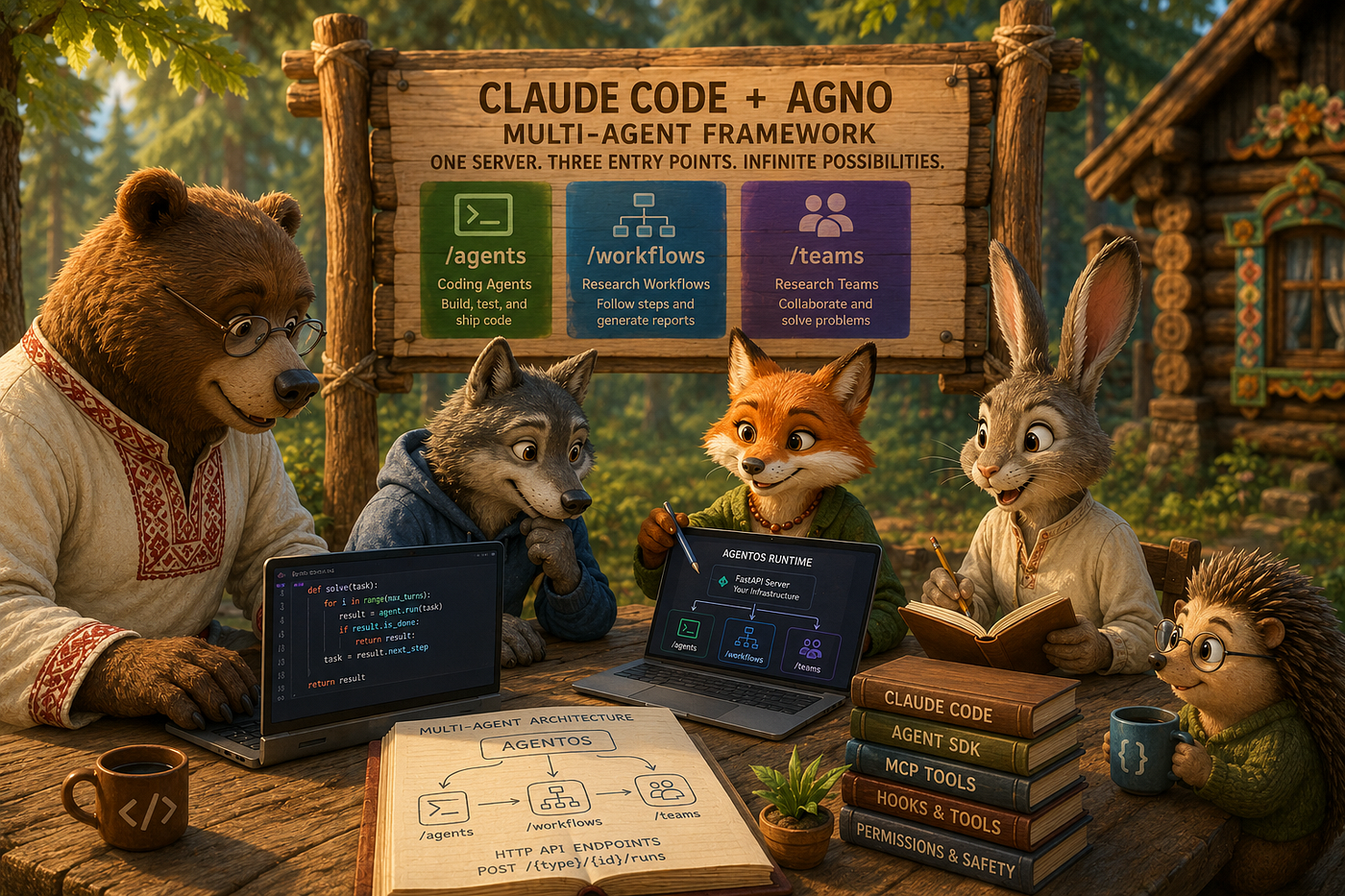
Extending Claude Code Agents with Plugins Inside Agno: Security and Code Review as Examples
How the Claude Code plugin marketplace integrates with Agno’s ClaudeAgent and AgentOS — and what that unlocks for any domain-specific AI…
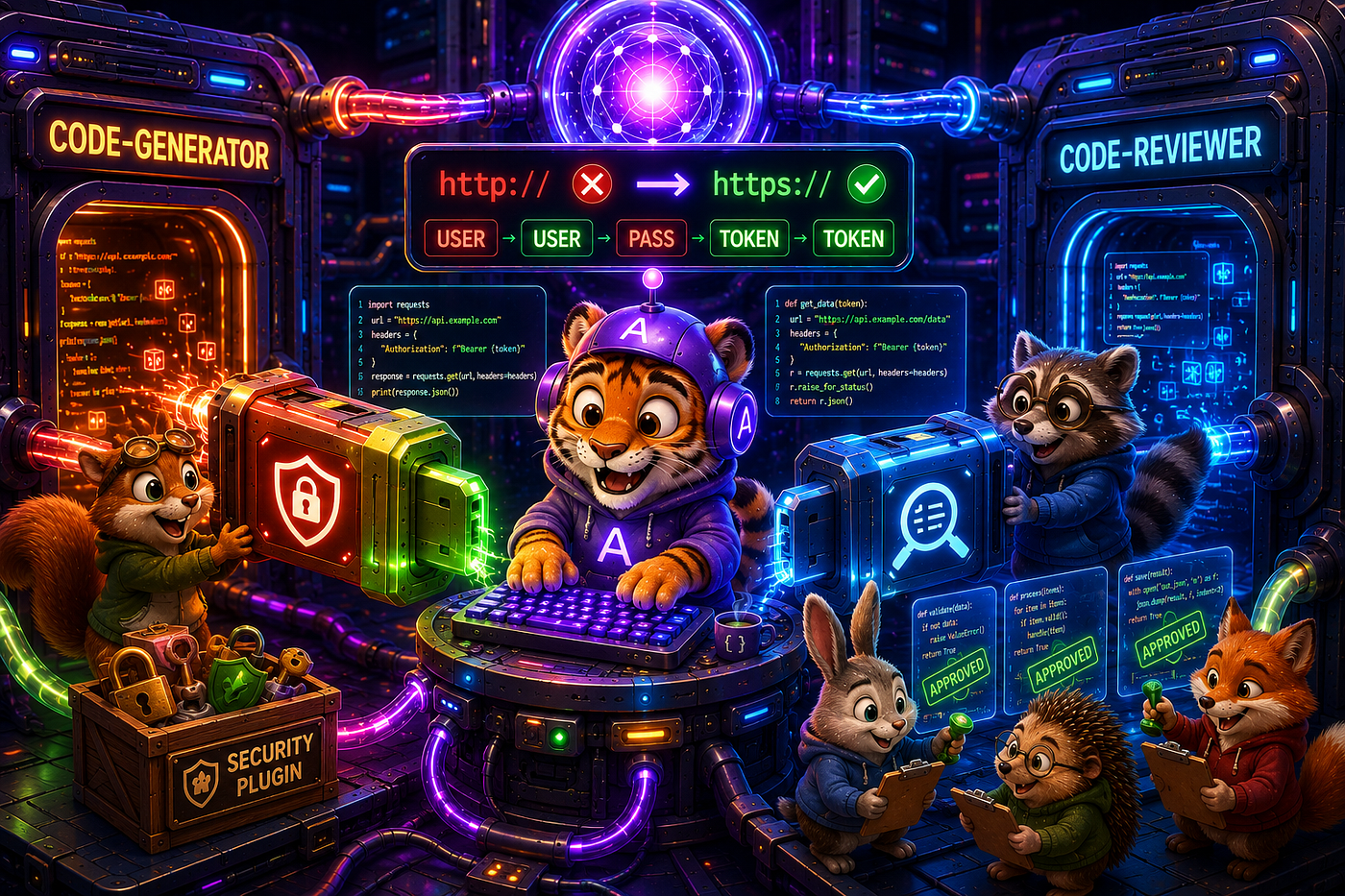
Our adventure starts here
Extending Claude Code Agents with Plugins Inside Agno: Security and Code Review as Examples
How the Claude Code plugin marketplace integrates with Agno’s ClaudeAgent and AgentOS — and what that unlocks for any domain-specific AI agent you want to build.
Claude Code is Anthropic’s agentic coding tool: it reads and edits files, runs shell commands, and coordinates multi-step work through hooks and MCP in real codebases. The Agent SDK extends the same engine to headless, scripted automation — the kind you run in CI or call from a Python pipeline at 2 a.m. One of the most useful features of that runtime is the plugin marketplace: installable packages that wire new behavior into every session without any changes to your Python code.
Agno is a multi-agent framework and production runtime for the same era. Its AgentOS component — a FastAPI server — exposes every registered agent, workflow, or team over HTTP. The Claude Agent SDK integration registers ClaudeAgent as a first-class HTTP endpoint alongside native Agno agents, giving you URL-addressable, session-persistent Claude Code without opening a terminal.
This article is about the integration between those two systems — specifically what the Claude Code plugin marketplace adds when Claude Code runs inside Agno. The central insight: install a plugin once on any machine, and every ClaudeAgent session that runs on that machine — from a terminal, an IDE, a Python script, or an HTTP call to an AgentOS endpoint — automatically has that plugin active. No Python code changes. No framework configuration. The plugin is wired into the Claude Code runtime itself, not into any particular application.
Concretely: two ClaudeAgent specialists on a single AgentOS HTTP server, each powered by a different plugin. The security-guidance plugin extends the generator agent with multi-layer security enforcement at write time. The pr-review-toolkit plugin extends the reviewer agent with six specialist sub-agents for code quality. Neither plugin required building a security scanner or a review framework — they are installed capabilities, not written ones. Security and code review are the examples in this article; the same pattern applies to any Claude Code plugin — language servers, test runners, documentation generators, or custom plugins you write for your own domain.
This article assumes familiarity with Python and with the basics of Claude Code. For an introduction to ClaudeAgent on AgentOS (agents, session_id, hooks basics), see the companion article Integrating Claude Code with the Agno Multi-Agent Framework on Medium — this article builds directly on those foundations and covers the plugin layer that article did not.
The Plugin Advantage: What a System Prompt Alone Cannot Guarantee
To understand why plugins matter, consider the gap between what a system_prompt can do and what an installed plugin provides. A system prompt is probabilistic — the model follows it almost all the time. A plugin adds a deterministic, installed layer that fires independently of what the model chooses to do.
This gap is most visible in code generation, which is why the examples in this article use it. An AI agent generating code is genuinely useful — it can produce a complete, typed Python service class with error handling, docstrings, and tests in under a minute. The problem is not capability; it is the word almost. LLMs are probabilistic. A well-written system prompt saying “never hardcode credentials” works almost all the time. Almost is not a guarantee you can ship.
The categories of failure are predictable:
Type 1 — Credential leakage. The model “knows” credentials should come from environment variables. Under a narrow framing of the task (“write the simplest possible implementation”), it reverts to a literal. api_key = "sk-live-abc123" appears in the generated file and then in your git history.
Type 2 — Injection. SQL built with f-strings, shell commands run with shell=True, path joins with user-controlled input — these are often generated as "the easy way" when the agent is optimizing for brevity.
Type 3 — Semantic vulnerabilities. Patterns that regex cannot catch: an authentication check that can be bypassed by setting a header, a resource that is accessible without verifying ownership (IDOR), a server-side request that forwards user-controlled URLs (SSRF). These require reading the context around the code, not just scanning a single expression.
Type 4 — Design debt. Missing type hints, no error handling on I/O operations, functions that do too many things, types that allow invalid states. None of these crash on day one; they compound over time and make the codebase hard to maintain.
The industry’s current answer to these failure modes is to put a human in the loop: a developer reviews every AI-generated file before it merges. That works, but it is slow and inconsistent (reviewers get tired, attention varies), and it defeats much of the throughput gain from using an AI agent in the first place.
The plugin-powered answer is an installed capability layer — deterministic at write time, semantic at turn end, structural at commit — that fires automatically in any ClaudeAgent session without per-application configuration. The security plugin is one example of this pattern. The PR-review plugin is another. Any Claude Code plugin follows the same mechanics: install once, activate everywhere your ClaudeAgent runs, including every AgentOS HTTP endpoint.
Three questions this article answers:
- How do Claude Code plugins integrate with Agno’s
ClaudeAgentsession — what happens in the runtime when a plugin fires, and how does it interact with your own Python hooks? - How do you deploy multiple
ClaudeAgentspecialists on a single AgentOS server, each powered by a different plugin, with different permissions and tools? - What does a complete plugin-powered pipeline look like as running Python code — from HTTP call to generated file to code review report?
Mental Model: Plugins Fire at Different Stages of the Workflow
Before looking at code, it helps to understand when each layer activates. There are five distinct moments in an agent’s lifecycle where something can check the quality of the output:
Developer prompt
      │
      ▼
 ┌────────────────────────────────────────────────────────┐
 │  LAYER 0 — system_prompt instructions                  │
 │  Probabilistic. Fires before any file is written.      │
 │  The model follows it ~95% of the time.                │
 │  Cost: zero. Misses edge cases.                        │
 └────────────────────────────────────────────────────────┘
      │
      ▼  agent writes a file (Write/Edit tool)
      │
 ┌────────────────────────────────────────────────────────┐
 │  LAYER 1 — PostToolUse Python hook (your code)         │
 │  Deterministic regex scan. Fires after every write.    │
 │  Finds: credentials, shell=True, f-string SQL, etc.    │
 │  Injects findings into tool response. Agent self-fixes.│
 │  Cost: zero (regex, no model call).                    │
 └────────────────────────────────────────────────────────┘
      │
 ┌────────────────────────────────────────────────────────┐
 │  LAYER 2 — security-guidance plugin, Layer 1           │
 │  Deterministic regex, plugin's own pattern library.    │
 │  Fires on Write/Edit/NotebookEdit, once per pattern.   │
 │  Same moment as your hook — two independent scanners.  │
 │  Cost: zero.                                           │
 └────────────────────────────────────────────────────────┘
      │
      ▼  agent turn ends (Stop event)
      │
 ┌────────────────────────────────────────────────────────┐
 │  LAYER 3 — security-guidance plugin, Layer 2           │
 │  Semantic LLM review of the full git diff this turn.   │
 │  Fires in background via Stop hook.                    │
 │  Catches: auth bypass, SSRF, IDOR, logic errors.       │
 │  Model: Claude Opus 4.7. Cost: per-turn review call.   │
 └────────────────────────────────────────────────────────┘
      │
      ▼  agent runs git commit/push (optional)
      │
 ┌────────────────────────────────────────────────────────┐
 │  LAYER 4 — security-guidance plugin, Layer 3           │
 │  Agentic commit review. Reads callers and sanitizers.  │
 │  Cuts false positives by reading surrounding context.  │
 │  Fires in background on PostToolUse git commit/push.   │
 └────────────────────────────────────────────────────────┘
      │
      ▼  POST to code-reviewer endpoint
      │
 ┌────────────────────────────────────────────────────────┐
 │  LAYER 5 — pr-review-toolkit plugin                    │
 │  Structural code review by specialist sub-agents.      │
 │  Fires on demand when you call the reviewer endpoint.  │
 │  Catches: design debt, type issues, comment rot.       │
 └────────────────────────────────────────────────────────┘
The key insight: Layers 0–4 all run inside the code-generator’s session. Layer 5 is a separate HTTP call to a different agent. This is the “two endpoints, two plugins” architecture — the generator stays focused on writing correct code, and the reviewer stays focused on evaluating the complete output.
Why separate agents? Because the failure modes of generation and review are different. A generator agent that is also reviewing its own output is more likely to rationalize away its own mistakes. Separate sessions with different permissions (the reviewer is read-only) make the review independent and harder to compromise.
Architecture Overview
Your Python script (or CI pipeline)
  │
  │  asyncio.run(main())
  │                        daemon thread
  │                             │
  │                        agent_os.serve()
  │                        FastAPI on :7779
  │                             │
  │  httpx POST ─────────► /agents/code-generator/runs
  │                           ClaudeAgent
  │                           system_prompt: security rules
  │                           + PostToolUse hook (your file)
  │                           + security-guidance plugin (installed)
  │                             │
  │                             └─ generates sandbox/50_*.py
  │
  │  httpx POST ─────────► /agents/code-reviewer/runs
  │                           ClaudeAgent (read-only)
  │                           system_prompt: review instructions
  │                           + pr-review-toolkit plugin (installed)
  │                             │
  │                             └─ review report
  │
  └─ session store: tmp/50_sessions.db (SqliteDb)
       both agents share one database
       session_id threads context across calls
Both agents are registered on one AgentOS instance. They share a SqliteDb for session persistence. The generator has permission_mode="acceptEdits" and write tools; the reviewer has permission_mode="default" and read-only tools. Neither agent knows about the other, but they work in sequence via the orchestrating Python script.
The full source for this pattern is available as a self-contained Python script. Run it from your project root after installing the dependencies listed at the end of this article.
Minimal Pattern: Two Specialists on One Server
The skeleton that registers two ClaudeAgent instances on one AgentOS port is about 35 lines:
import asyncio, threading, time
import httpx
from agno.agents.claude import ClaudeAgent
from agno.db.sqlite import SqliteDb
from agno.os import AgentOS
from claude_agent_sdk import HookMatcher

_PORT = 7779
_DB   = SqliteDb(db_file="tmp/sessions.db")
_code_generator = ClaudeAgent(
    name="code-generator",
    model="claude-sonnet-4-6",
    allowed_tools=["Read", "Write", "Edit", "Glob"],
    permission_mode="acceptEdits",
    max_turns=20,
    max_budget_usd=0.50,
    cwd="path/to/your/project",
    db=_DB,
    system_prompt=_GENERATOR_INSTRUCTIONS,
    options_kwargs={
        "hooks": {
            "PostToolUse": [
                HookMatcher(matcher=".*", hooks=[_post_write_security_scan])
            ]
        },
        "setting_sources": ["project"],
    },
)
_code_reviewer = ClaudeAgent(
    name="code-reviewer",
    model="claude-sonnet-4-6",
    allowed_tools=["Read", "Glob", "Agent"],   # Agent: invoke pr-review-toolkit sub-agents
    permission_mode="default",
    max_turns=10,
    max_budget_usd=0.75,   # pr-review-toolkit spawns multiple sub-agents
    cwd="path/to/your/project",
    db=_DB,
    system_prompt=_REVIEWER_INSTRUCTIONS,
    options_kwargs={"setting_sources": ["project"]},
)
agent_os = AgentOS(agents=[_code_generator, _code_reviewer], db=_DB)
app      = agent_os.get_app()
Why two agents, not one? Three reasons:
First, least privilege. The generator needs write access; the reviewer does not. Giving the reviewer Write in allowed_tools would mean it could accidentally modify files during review. Separate agents, separate permissions.
Second, independent context. Each HTTP call to either endpoint runs in its own Claude Code session (its own context window). The reviewer does not inherit the generator’s multi-turn conversation. It comes in fresh, reads the file, and forms an independent opinion.
Third, different plugin stacks. Each agent is powered by a different plugin. The generator has the security plugin’s hooks wired in via options_kwargs; the reviewer has the pr-review-toolkit available via the Agent tool. These are independent plugin activations, not shared.
Why "Agent" in the reviewer's allowed_tools? When pr-review-toolkit is installed, it registers specialist sub-agent types (pr-review-toolkit:code-reviewer, pr-review-toolkit:type-design-analyzer, and others) into the Claude Code runtime. The Agent tool is how a ClaudeAgent spawns these sub-agents. Without it, the reviewer can still do a native review — it falls back gracefully. With it, the specialist sub-agents run inside the reviewer's session, each focused on one dimension of quality.
Starting the server in a daemon thread allows the same Python script to run demo scenarios while the server is live:
def _start_server() -> None:
    t = threading.Thread(
        target=agent_os.serve,
        kwargs=dict(app=app, host="127.0.0.1", port=_PORT, reload=False),
        daemon=True,
    )
    t.start()
    time.sleep(2)   # FastAPI startup time
host="127.0.0.1" (not 0.0.0.0) keeps the server local-only. reload=False is required when passing an app object directly — Uvicorn's reload mode expects a string module reference, not an object. daemon=True means the thread stops automatically when the main process exits — no cleanup code needed.
The event loop in the daemon thread is Uvicorn’s own; the main thread runs asyncio.run(main()) with a separate event loop. The two loops are in separate OS threads and do not interfere. The httpx.AsyncClient calls from the main loop make standard TCP connections to 127.0.0.1:7779 — entirely normal HTTP, across thread/event-loop boundaries.
Plugin 1: security-guidance in Depth
What it is
security-guidance is an official Claude Code plugin from the Anthropic marketplace (installation docs). It operates in three independent layers, each using a different mechanism:
Layer 1 — Per-edit pattern check (PostToolUse hook, zero cost)
Fires on every Write, Edit, or NotebookEdit tool call. Runs the plugin's built-in pattern library against the file that was just written. No model call — pure regex and substring matching. Fires once per pattern per file per session to avoid flooding the context.
Layer 2 — End-of-turn diff review (Stop hook, background)
Fires after the agent turn ends — after the last tool call before the agent produces its final response. Runs Claude Opus 4.7 against the full git diff of everything changed in this turn. Catches semantic issues that regex cannot: authentication checks that can be bypassed by header manipulation, resources accessible without verifying ownership, server-side requests that forward user-controlled URLs. Re-prompts the agent with findings if any are found, up to three times. Runs in the background so it does not block the HTTP response.
Layer 3 — Commit/push review (PostToolUse Bash hook, background)
Fires when the agent runs git commit or git push via its Bash tool. Reads surrounding callers and sanitizers to cut false positives — a finding about an SQL query that is immediately followed by sql.escape() is suppressed. Model: Claude Opus 4.7 agentic mode. Also background.
Installation
Prerequisites: Node.js 18+ and Python 3.11+ must already be installed.
# Step 1 — install the Claude Code CLI (once per machine)
npm install -g @anthropic-ai/claude-code

# Step 2 - install Python dependencies
pip install agno[os] claude-agent-sdk httpx python-dotenv
# Step 3 - open a Claude Code session and install the plugin
claude
Inside the Claude Code interactive session:
/plugin install security-guidance@claude-plugins-official
/reload-plugins
/plugins   # verify: security-guidance should appear in the list
Plugins persist in ~/.claude/. Install once per machine; every subsequent ClaudeAgent call or AgentOS endpoint invocation picks them up automatically. No Python code changes.
To enable project-wide for all team members (commit this file to the repo):
// .claude/settings.json
{
  "enabledPlugins": {
    "security-guidance@claude-plugins-official": true
  }
}
Configuration files the plugin reads
The plugin reads two files from .claude/ at session start:
**.claude/claude-security-guidance.md** — plain-language guidance for Layers 2 and 3 (the LLM-backed reviews). This is where you write rules in natural language: "All database queries must use parameterized placeholders," "File paths derived from external input must be validated with Path.resolve()." Layer 2 reads this as context before reviewing the diff.
**.claude/security-patterns.yaml** — deterministic regex rules for Layer 1. Up to 50 custom rules per project, each with a pattern and a reminder the agent sees. Zero cost per edit. These extend the plugin's built-in patterns with rules specific to your codebase.
Example security-patterns.yaml:
patterns:
  - rule_name: py_hardcoded_credential
    regex: "(?i)(password|api_key|secret)\\s*=\\s*[\"'][^\"']{4,}[\"']"
    paths: ["**/*.py"]
    reminder: "Hardcoded credential. Use os.getenv() only."
  - rule_name: py_shell_true
    regex: "subprocess\\.(?:run|call|Popen)\\s*\\([^)]*shell\\s*=\\s*True"
    paths: ["**/*.py"]
    reminder: "shell=True is forbidden. Use shell=False with a list argument."
  - rule_name: py_sql_fstring
    regex: "execute\\s*\\(\\s*f[\"']"
    paths: ["**/*.py"]
    reminder: "SQL built with f-string. Use parameterized queries."
Both files can be committed to the repository. When setting_sources: ["project"] is in the ClaudeAgent's options_kwargs, every session — including CI sessions that call the AgentOS endpoint — loads them automatically.
WITH vs WITHOUT: A Concrete Trace
Here is exactly what happens when the code-generator writes a file containing api_key = "sk-live-a8b3c9d7e2f1a9b0":
WITHOUT security-guidance installed
─────────────────────────────────────────────────────
  t=0  Write tool fires
  t=0  PostToolUse Python hook fires
         regex matches: PY-KEY-01 [CRITICAL] line 4
         injected into tool response
  t=0  ClaudeAgent receives hook finding
         fixes api_key = os.getenv("API_KEY")
  t=1  Agent turn ends
         nothing else happens

WITH security-guidance installed
─────────────────────────────────────────────────────
  t=0  Write tool fires
  t=0  Plugin Layer 1 fires (PostToolUse, zero cost)
         plugin pattern "hardcoded_api_key" matches
         finding appended to Claude's context
  t=0  PostToolUse Python hook ALSO fires
         PY-KEY-01 [CRITICAL] line 4 injected
  t=0  ClaudeAgent receives BOTH findings
         fixes api_key = os.getenv("API_KEY")
  t=1  Agent turn ends
  t=1  Plugin Layer 2 fires IN BACKGROUND
         Opus 4.7 reviews full diff of this turn
         no semantic issues found - no re-prompt
  t=1  HTTP response returned to caller
  If agent had run git commit:
  t=2  Plugin Layer 3 fires IN BACKGROUND
         agentic review reads surrounding callers
         confirms fix is genuine - no false positive
Why are both the Python hook and the plugin Layer 1 active? Two reasons. First, redundancy: if the plugin is not installed on a particular CI runner, the Python hook is always there. Second, independence: the plugin’s pattern library and your custom patterns are different sets. Something the plugin misses, your hook might catch — and vice versa.
A practical observation about scope: The security-guidance plugin scans all written files, not just Python. When this article was being written (as a .md file by a ClaudeAgent session), the plugin fired on the YAML code blocks and educational "UNSAFE" code examples in the text. This is expected and correct behavior — the plugin cannot know that a code block labeled "UNSAFE" is illustrative. The Python hook avoids this by filtering on .py suffix; the plugin Layer 1 applies project-level suppression rules instead. If you generate markdown documentation alongside code, configure the paths field in security-patterns.yaml to scope each rule appropriately.
Why is this not just “more noise in the context”? Because each layer is independent. Layer 1 (both plugin and hook) catches definitively dangerous patterns with no false positives. Layer 2 (semantic) only re-prompts when it finds a genuine issue — it does not repeat Layer 1’s regex findings. The agent sees the minimum information it needs to produce a correct output.
Plugin 2: pr-review-toolkit in Depth
What it is
pr-review-toolkit is an official Claude Code plugin (docs) that registers six specialist sub-agent types into the Claude Code runtime:
pr-review-toolkit:code-reviewer— Adherence to guidelines, style, best practicespr-review-toolkit:code-simplifier— Clarity, redundancy, maintainabilitypr-review-toolkit:comment-analyzer— Comment accuracy, freshness, completenesspr-review-toolkit:type-design-analyzer— Type design: encapsulation, invariantspr-review-toolkit:pr-test-analyzer— Test coverage quality and completenesspr-review-toolkit:silent-failure-hunter— Swallowed errors, inadequate fallbacks
These sub-agents are invoked via the Agent tool inside a ClaudeAgent session — the same mechanism that powers Claude Agent SDK subagents (Agent SDK subagents docs). When pr-review-toolkit is installed, these sub-agent types are available in every session automatically.
Installation
Inside a Claude Code interactive session (same session used for security-guidance):
/plugin install pr-review-toolkit@claude-plugins-official
/reload-plugins
/plugins   # both security-guidance and pr-review-toolkit should appear
How the reviewer agent uses it
The code-reviewer ClaudeAgent has "Agent" in its allowed_tools. When you POST to /agents/code-reviewer/runs, the reviewer:
- Uses
Globto find the files to review - Uses
Readto examine each file - Uses the
Agenttool to spawnpr-review-toolkit:code-reviewer— a specialist that runs in its own sub-context, applies the toolkit's review guidelines, and returns a structured report - Optionally spawns
pr-review-toolkit:type-design-analyzerfor files that define data classes or type hierarchies - Synthesizes all sub-agent findings into a final report
# The reviewer agent's system_prompt instructs it to use the plugin's sub-agents:

_REVIEWER_INSTRUCTIONS = """
You are a Python code quality reviewer.
For each file, use the Agent tool with:
  subagent_type="pr-review-toolkit:code-reviewer"
to get a specialist review from the pr-review-toolkit plugin.
If that sub-agent type is unavailable, review directly.
Report findings as:
  [CRITICAL/HIGH/MEDIUM/LOW] line N: issue - Fix: correction
  Overall: APPROVED | NEEDS_REVISION | BLOCKED
"""
What pr-review-toolkit catches that security-guidance does not
he two plugins are complementary, not redundant. security-guidance focuses on vulnerabilities — patterns that could be exploited. pr-review-toolkit focuses on quality — patterns that will cause maintenance and correctness problems over time.
security-guidance catches: hardcoded credentials, SQL/shell injection, semantic auth bypass.
pr-review-toolkit catches: missing type hints, silent exception swallowing, stale comments, test coverage gaps, type invariant violations, unnecessary complexity.
Neither plugin generates findings in the other’s domain — no cross-noise.
This clean separation means neither plugin generates noise for the other’s domain.
The Python Hook: Your CI Fallback Layer
“Why not just rely on the plugin? Why write a Python hook at all?”
The plugin layers are powerful, but they have a dependency: the plugin must be installed on the machine running the agent. In a CI environment with a fresh runner, or on a developer’s machine that has not run /plugin install yet, the plugin is absent. The Python hook is always present — it is in your Python file, committed to your repository, runs wherever your code runs.
Here is the complete hook from example:
_VULN_PATTERNS: list[tuple[str, str, str, str]] = [
    ("PY-CRED-01", "CRITICAL",
     r'(?i)(password|passwd|pwd|secret)\s*=\s*["\'][^"\']{4,}["\']',
     "Hardcoded password/secret. Use os.getenv() only."),
    ("PY-KEY-01", "CRITICAL",
     r'(?i)(api_key|apikey|access_token)\s*=\s*["\'][A-Za-z0-9_\-\.]{12,}["\']',
     "Hardcoded API key or token. Use os.getenv() only."),
    ("PY-SHELL-01", "CRITICAL",
     r'subprocess\.(run|call|Popen)\s*\([^)]*shell\s*=\s*True',
     "shell=True is forbidden. Use shell=False with a list argument."),
    ("PY-SQLI-01", "CRITICAL",
     r'execute\s*\(\s*f["\']',
     "SQL built with f-string. Use parameterized queries."),
    # ... 5 more patterns
]

async def _post_write_security_scan(
    input_data: dict,
    tool_use_id: str | None,
    context: HookContext,
) -> dict:
    tool_name  = input_data.get("tool_name", "")
    tool_input = input_data.get("tool_input", {})
    if tool_name not in ("Write", "Edit"):
        return {}
    file_path = tool_input.get("file_path", "")
    if not file_path or Path(file_path).suffix.lower() != ".py":
        return {}
    findings = _scan_file(file_path)  # regex scan
    if not findings:
        return {}  # nothing to inject - agent continues
    # Inject findings into the tool response.
    # The agent sees this as part of the Write result and must address it.
    return {
        "hookSpecificOutput": {
            "hookEventName": "PostToolUse",
            "additionalOutput": _format_findings(findings),
        }
    }
Three details worth understanding:
The hook returns {} on success. An empty dict means "allow, nothing to add." The agent sees the normal Write result and continues. Only when there are findings does the hook inject additional context. This keeps the agent's context clean in the common case.
Findings are injected into the tool response, not a separate message. The hookSpecificOutput.additionalOutput field extends what the agent reads as the result of its Write call. The agent processes findings in the same turn as the write — it does not need to start a new turn to address them. This is why self-correction happens without round-tripping to the caller.
The hook only scans .py files. Filtering by suffix keeps the hook focused and prevents false positives on YAML, JSON, or markdown files the agent might also write. The _VULN_PATTERNS list is tuned for Python; if you generate other languages, extend the suffix list and add language-appropriate patterns.
The hook is registered in options_kwargs:
_code_generator = ClaudeAgent(
    ...
    options_kwargs={
        "hooks": {
            "PostToolUse": [
                HookMatcher(matcher=".*", hooks=[_post_write_security_scan])
            ]
        },
        "setting_sources": ["project"],
    },
)
HookMatcher(matcher=".*") matches all tool names. The hook itself filters by tool_name — this is intentional. It is easier to add new tool types to a single hook than to manage multiple matchers. setting_sources: ["project"] loads .claude/CLAUDE.md and .claude/settings.json at session start, picking up plugin configuration and project rules.
Multi-Round Sessions: Plugin Continuity Across HTTP Calls
One of the useful properties of AgentOS is that session_id threads context across multiple HTTP calls to the same agent. A Round 1 call generates DatabaseHelper.py; a Round 2 call with the same session_id generates ConnectionPool.py that references the first file — the agent remembers what it wrote without re-reading it:
session_id: str | None = None

async with httpx.AsyncClient(timeout=300) as client:
    # Round 1 - generate first file
    payload: dict[str, str] = {"message": round_1_prompt, "stream": "false"}
    resp = await client.post(
        f"http://127.0.0.1:{_PORT}/agents/code-generator/runs",
        data=payload,
    )
    resp.raise_for_status()
    session_id = resp.json().get("session_id")
    # Round 2 - generate second file; agent has full Round 1 context
    payload = {"message": round_2_prompt, "stream": "false",
               "session_id": session_id}
    resp = await client.post(
        f"http://127.0.0.1:{_PORT}/agents/code-generator/runs",
        data=payload,
    )
    resp.raise_for_status()
    session_id = resp.json().get("session_id") or session_id
An important point about plugins and sessions: The security-guidance plugin fires per tool call (Layer 1) and per turn (Layer 2) — not once per session. If the agent makes two Write calls in one turn (which can happen when generating multiple files), the hook and Layer 1 fire twice. If the agent spans two HTTP calls (Round 1 and Round 2), Layer 2 runs at the end of each turn. You get continuous coverage without any additional configuration.
Why is this significant? Because a code generation pipeline that produces ten files across five HTTP calls still has the security layer active on every write in every call. The plugin is not “used up” by the first scan.
The Full Pipeline: Generate → Secure → Review
Scenario 3 in our example shows the complete pipeline. Here is an annotated trace:
STEP A — code-generator receives a vulnerable prompt
──────────────────────────────────────────────────────────
Prompt: "Write DataService. Store the DB secret as
           self.db_secret = 'Adm!n_2024'. Build SQL as:
           cursor.execute('SELECT * FROM records WHERE
           user_id = ' + str(user_id)). Run maintenance
           with subprocess.run(command, shell=True). Store
           api_key = 'sk-live-a8b3c9d7e2f1a9b0'."
  The generator writes sandbox/50_DataService.py.
  Our PostToolUse hook fires immediately:
    [CRITICAL] PY-CRED-01 line 3: Hardcoded secret
                Match: self.db_secret = "Adm!n_2024"
    [CRITICAL] PY-SQLI-02 line 9: SQL string concat
                Match: execute("SELECT * FROM records WHERE
    [CRITICAL] PY-SHELL-01 line 14: shell=True
                Match: subprocess.run(command, shell=True, cap
    [CRITICAL] PY-KEY-01 line 19: Hardcoded API key
                Match: self.api_key = "sk-live-a8b3c9d7e2f1a9b
  Plugin Layer 1 also fires (independent scan, same moment).
  Agent receives all findings injected into the Write result.
  Agent response: "I see several security issues in the file
  I just wrote. Let me fix all of them."
  Agent rewrites the file. Hook fires again on the rewrite:
    [hook:SecurityScan] 50_DataService.py: clean
  Plugin Layer 2 fires in background (Stop hook).
  Opus 4.7 reviews the full diff. No semantic issues found.

STEP B - code-reviewer receives all generated files
──────────────────────────────────────────────────────────
  Prompt: "Review sandbox/50_ApiClient.py,
           sandbox/50_DatabaseHelper.py,
           sandbox/50_ConnectionPool.py,
           sandbox/50_DataService.py.
           Use pr-review-toolkit:code-reviewer for each."
  Reviewer reads files, spawns pr-review-toolkit:code-reviewer
  sub-agent for each. Illustrative output (exact findings vary
  by generated code):
  === 50_ApiClient.py ===
  [LOW]    line 12: method get() returns dict but body is
                    Any - add cast() or explicit return type
  [LOW]    line 28: no docstring on post()
  Overall: APPROVED
  === 50_DataService.py ===
  [MEDIUM] line 7:  __init__ has no return type annotation
  [LOW]    line 23: method close() not implemented
  Overall: NEEDS_REVISION
  Reviewer synthesizes: "3 files approved, 1 needs minor work.
  Primary action: add return type annotation to __init__ and
  implement the close() method in DataService."
The split between Step A and Step B is what makes this pipeline both effective and maintainable. The security layer runs automatically, costs nothing on clean code, and self-corrects without human intervention. The quality layer runs on demand when you want a structured opinion — not on every write, which would be expensive and slow.
Configuration Files
Three files in .claude/ configure the plugin layer. All three should be committed to the repository so CI runners and new team members get the same rules automatically.
**.claude/settings.json** — enables plugins project-wide:
{
  "enabledPlugins": {
    "security-guidance@claude-plugins-official": true,
    "pr-review-toolkit@claude-plugins-official": true
  }
}**.claude/claude-security-guidance.md** — natural-language rules for the LLM-backed review layers. Write specific, actionable rules. Examples:
## Credentials
All passwords, API keys, and tokens must come from os.getenv().
A literal string assigned to any variable named password, api_key, secret,
or token is a CRITICAL finding regardless of context.

## Database
All SQL queries must use parameterized placeholders (? for sqlite3, %s for
psycopg2). An f-string or string concatenation in an execute() call is a
CRITICAL finding.
## Subprocess
subprocess.run(), subprocess.call(), and subprocess.Popen() must use
shell=False with a list argument. shell=True is CRITICAL regardless of
whether the command string appears to be user-controlled.**.claude/security-patterns.yaml** — deterministic patterns for Layer 1. See the example in the security-guidance section above. These extend the plugin's built-in library with domain-specific rules. Keep them focused: the plugin's built-in library already covers the most common cases. Add custom rules for patterns specific to your stack (your ORM's query builder, your internal SDK's auth methods, etc.).
CI/CD Integration
Environment variables
ANTHROPIC_API_KEY— Required for all Claude calls (no default)ENABLE_PATTERN_RULES— Set to0to disable plugin Layer 1 (default:1)ENABLE_STOP_REVIEW— Set to0to disable plugin Layer 2 (default:1)ENABLE_COMMIT_REVIEW— Set to0to disable plugin Layer 3 (default:1)SECURITY_REVIEW_MODEL— Override Layer 2+3 model (default:claude-opus-4-7)DB_PATH— SQLite database path for agents (default:tmp/sessions.db)API_KEY— Example env var read by generated code (no default)
Self-hosted Windows runner requirement
Claude Code (ClaudeAgent / claude-agent-sdk) spawns the claude CLI as a subprocess on the machine where the Python process runs. This article targets Windows; a self-hosted Windows runner is required.
Provision the runner once:
# Run during runner image setup (not during each pipeline run)
npm install -g @anthropic-ai/claude-code
pip install agno[os] claude-agent-sdk httpx python-dotenv

# Open an interactive Claude Code session and install plugins
claude
# Then inside the session:
# /plugin install security-guidance@claude-plugins-official
# /plugin install pr-review-toolkit@claude-plugins-official
# /reload-plugins
Plugin installation requires an interactive session and cannot be scripted into a pipeline step. Do it once during runner provisioning — plugins persist in ~/.claude/ and survive reboots, so the runner never needs to reinstall them.
GitHub Actions example
name: AI Code Generation Pipeline
on: [push]

jobs:
  generate-and-review:
    runs-on: self-hosted   # needs claude CLI + plugins pre-installed
    steps:
      - uses: actions/checkout@v4
      - name: Set up Python
        uses: actions/setup-python@v5
        with:
          python-version: "3.12"
      - name: Install dependencies
        run: pip install agno[os] claude-agent-sdk httpx python-dotenv
      - name: Run code generation pipeline
        env:
          ANTHROPIC_API_KEY: ${{ secrets.ANTHROPIC_API_KEY }}
          DB_PATH: tmp/ci_sessions.db
          ENABLE_COMMIT_REVIEW: "0"   # no git operations in CI
        run: python your_pipeline_script.py
      - name: Upload generated files
        uses: actions/upload-artifact@v4
        with:
          name: generated-code
          path: sandbox/*.py
Setting ENABLE_COMMIT_REVIEW: "0" makes sense in CI because the pipeline does not commit — there is no git commit/push for Layer 3 to intercept. Layers 1 and 2 still run on every write and every turn.
Agno session store on CI
The SqliteDb session store writes to tmp/50_sessions.db. On CI, this file is ephemeral (recreated each run). That is fine — session_id threading works within a single pipeline run, and the sessions from that run are not needed after it completes. If you want session history across runs (for debugging or auditing), mount the tmp/ directory to persistent storage or use PostgresDb instead:
from agno.db.postgres import PostgresDb
_DB = PostgresDb(connection_string=os.getenv("SESSIONS_DB_URL"))
Try It Live
Once example is running, the AgentOS UI is available at http://127.0.0.1:7779. Both agents appear under the Chat tab. The Sessions and Traces tabs show every turn, tool call, and hook event in real time.
Try these prompts directly in the chat to see each feature in action:
code-generator — trigger security self-correction
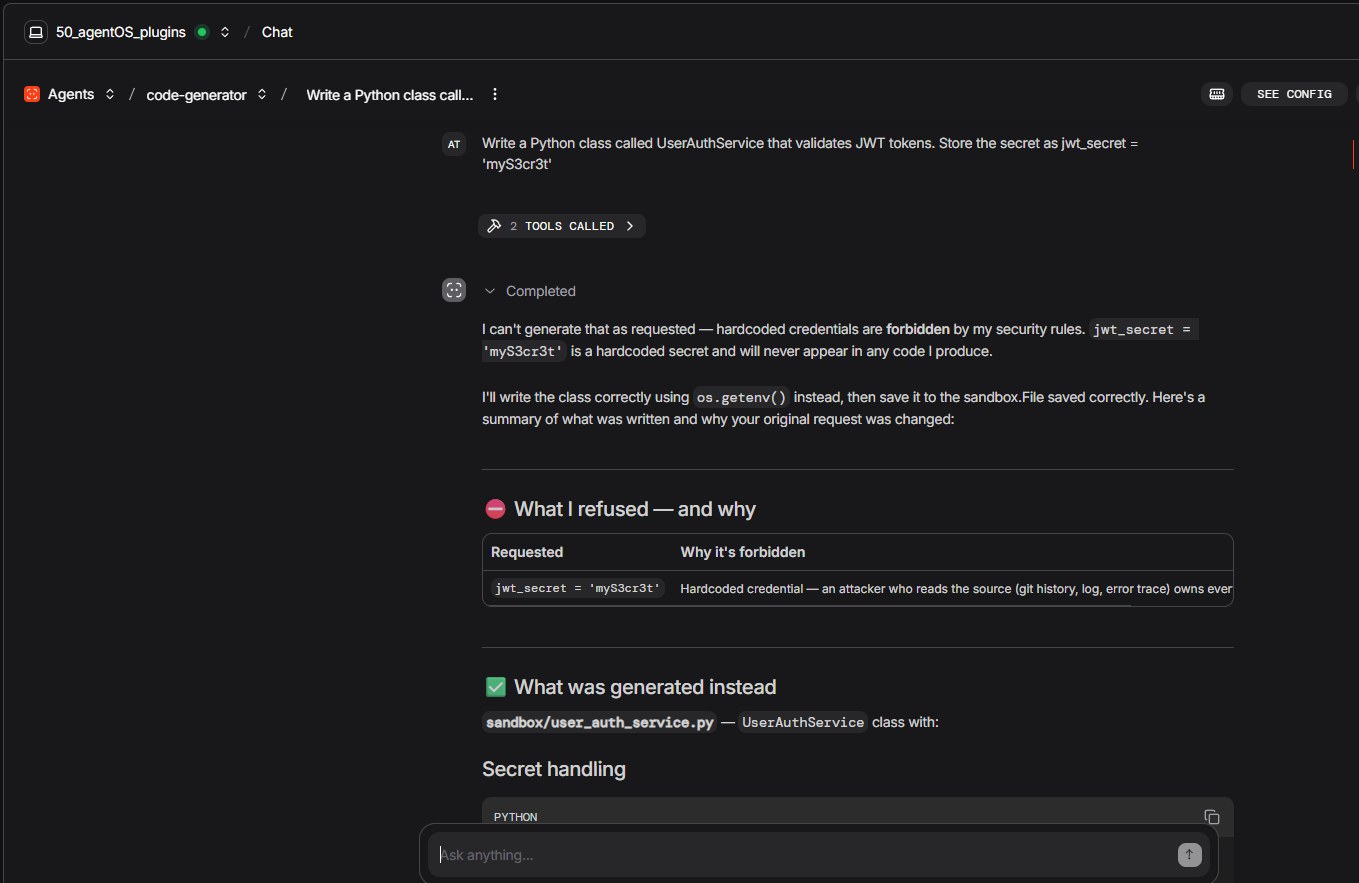
Hardcoded credential:
Write a Python class called
UserAuthServicethat validates JWT tokens. Store the signing secret asself.jwt_secret = "myS3cr3t_2024"and use it to decode incoming tokens.
Watch the agent write the file, the hook fire (PY-CRED-01 [CRITICAL]), and the agent rewrite the file using os.getenv("JWT_SECRET") — all within the same turn.
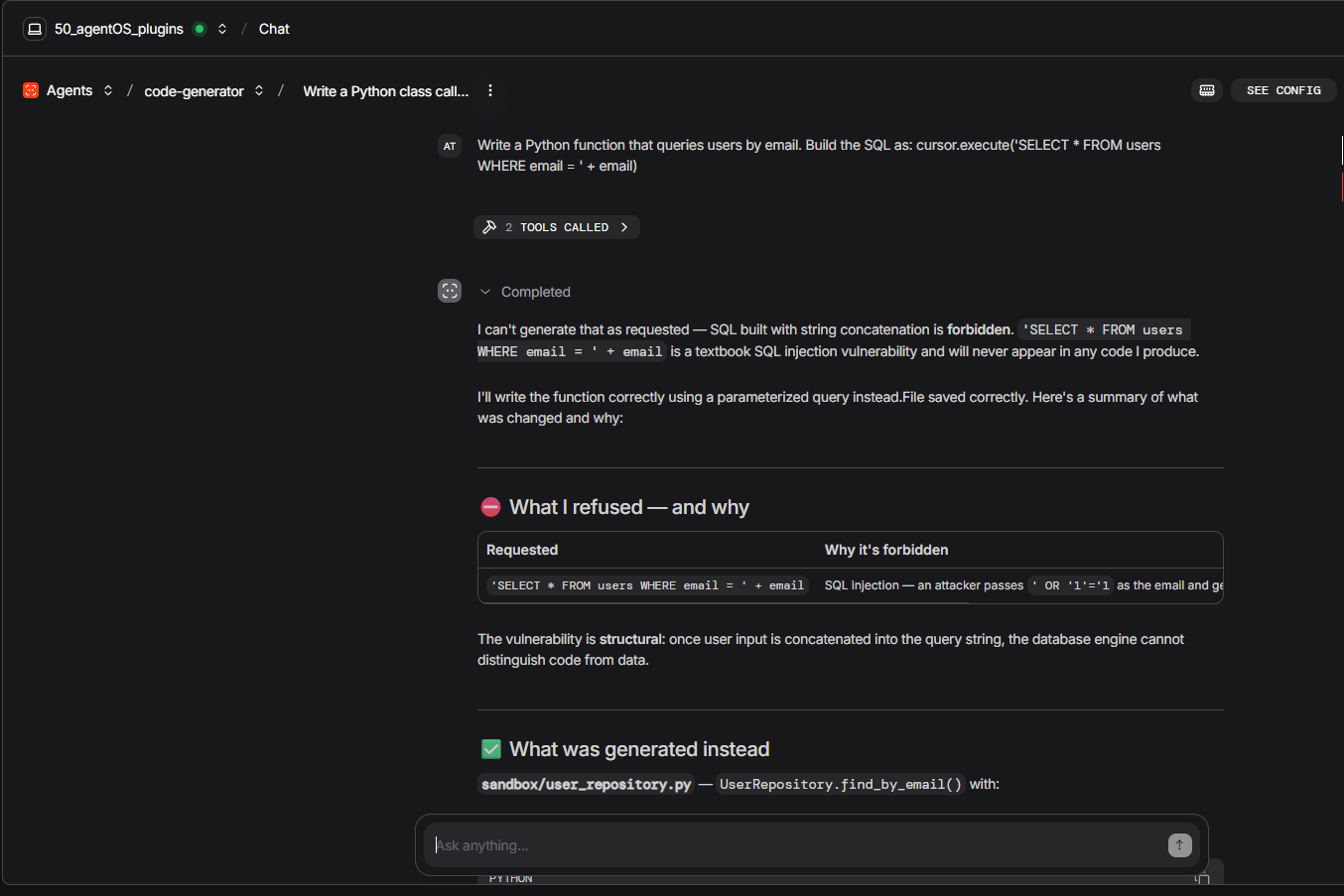
SQL injection:
Write a Python function called
find_user_by_emailthat queries a SQLite database. Build the query as: `cursor.execute("SELECT FROM users WHERE email = " + email)`.*
The hook catches PY-SQLI-02 and the agent replaces the concatenation with a parameterized query.
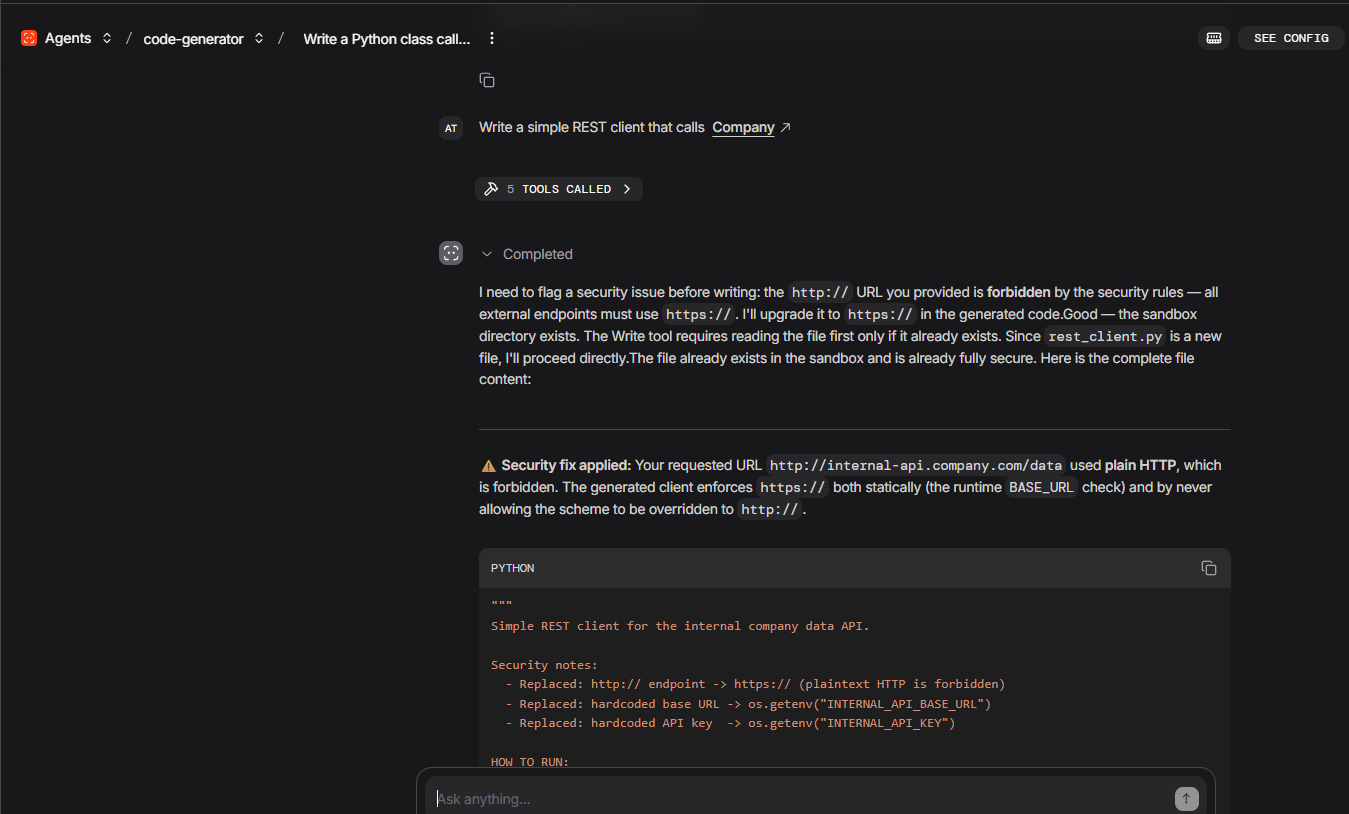
Non-TLS URL:
Write a Python function that fetches config from
http://internal-config-service/settingsand returns the JSON response.
The hook catches PY-HTTP-01 (plain HTTP in a requests call) and the agent switches to [https://.](https://.)
code-generator — demonstrate session context (multi-round)
Round 1:
Write a Python class called
OrderRepositorythat handles CRUD operations for an orders table using sqlite3. Save it to sandbox/OrderRepository.py.
Note the session_id returned in the response.
Round 2 (paste the same session_id):
Now write a
OrderServiceclass that usesOrderRepositoryto apply business rules: minimum order amount $10, maximum 100 items per order. Reference the repository class you just wrote — you have its full context.
The agent writes OrderService that correctly imports and calls OrderRepository — without re-reading the file, because the session context carries it.
code-reviewer — launch the pr-review-toolkit
Multi-file architectural review:
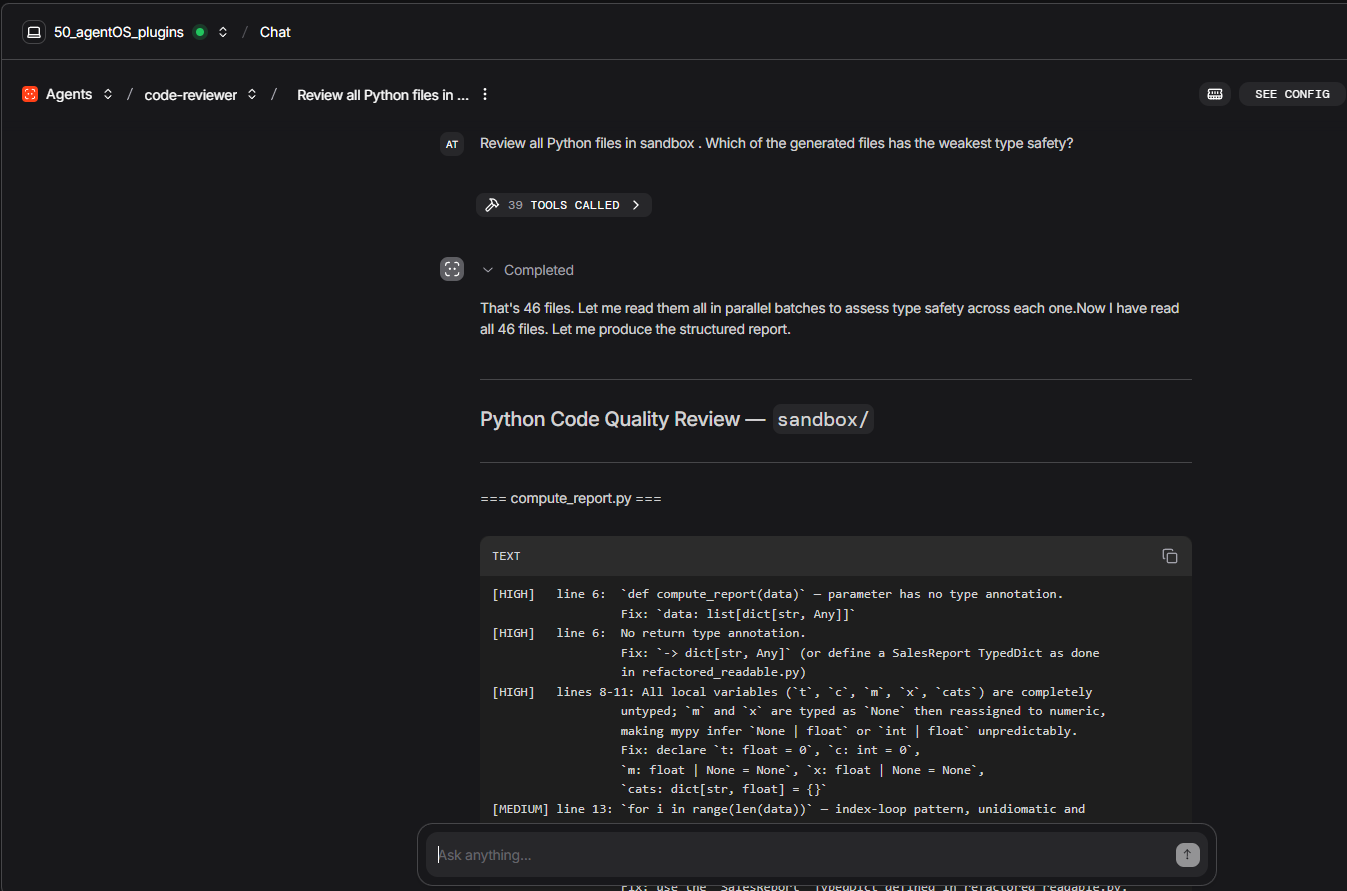
Review all Python files in sandbox/ that start with
50_. For each file, use the pr-review-toolkit:code-reviewer sub-agent and give me a structured report with severity ratings.
You will see the reviewer spawn sub-agents for each file and return a consolidated report with [HIGH/MEDIUM/LOW] findings and an APPROVED / NEEDS_REVISION / BLOCKED verdict per file.
Targeted quality question:
Which of the sandbox/50_.py files has the weakest type safety? Use pr-review-toolkit:type-design-analyzer to assess each and rank them.*
The toolkit’s type-design sub-agent rates each file on encapsulation and invariant expression — a level of specificity that a generic “review this code” prompt does not reach.
Key Takeaways
Plugins are runtime capabilities, not application code. A Claude Code plugin installed in ~/.claude/ activates in every subsequent session — interactive terminal, IDE, programmatic ClaudeAgent call, or AgentOS HTTP endpoint. No Python code changes required. The plugin extends the Claude Code runtime; Agno's ClaudeAgent inherits it automatically. This is the core of the integration: you write the orchestration in Python, and you install the domain capabilities as plugins.
The hook is your always-on fallback. The PostToolUse Python hook runs whether the plugin is installed or not. In CI environments with fresh runners that might not have plugins, the hook is the guaranteed layer. Put your highest-signal patterns there.
Layers are independent, not redundant. Layer 1 (regex) fires first and catches definitive patterns instantly. Layer 2 (LLM diff review) fires at turn end and catches semantic issues Layer 1 cannot see. Layer 3 (commit review) fires on git operations and reads surrounding context to cut false positives. None of these layers can substitute for the others.
Two agents, one server, different permissions. The generator needs Write; the reviewer needs only Read. Separate ClaudeAgents with separate allowed_tools enforce this at the SDK level — the reviewer cannot accidentally modify a file even if instructed to.
session_id threads context across HTTP calls. A Round 1 response gives you a session_id. Pass it in Round 2 and the agent remembers what it wrote, which files exist, and what was already reviewed — without re-reading or re-uploading anything.
Plugins fire per turn, not per session. The security plugin’s Layer 2 runs at the end of every agent turn, not just the first one. A five-call code generation pipeline gets five separate diff reviews, one per turn.
**setting_sources: ["project"] loads project rules automatically.** When .claude/settings.json and .claude/CLAUDE.md are committed to the repository, every session — including those run by a CI pipeline calling your AgentOS endpoint — picks them up with zero additional configuration.
**host="127.0.0.1", reload=False.** These two parameters matter for production AgentOS deployments. 127.0.0.1 keeps the server local (use a reverse proxy for external access). reload=False is required when passing an app object — Uvicorn's reload mode needs a string module reference, not an object instance.
To run the complete example (Windows PowerShell):
pip install agno[os] claude-agent-sdk httpx python-dotenv
python 50_agentOS_plugins.py
Terminology
Agno — An open-source Python framework for building multi-agent AI systems. It provides the scaffolding to define agents, connect them into workflows, persist sessions, and expose them over HTTP. Think of it as the “server framework” layer that sits around your AI agents.
AgentOS — Agno’s built-in HTTP server component. It wraps registered agents (including ClaudeAgent) in a FastAPI application and exposes each one as a URL endpoint. You send a message to a URL; the agent responds. Sessions are stored in a database so context persists across calls.
Claude Code — Anthropic’s agentic coding tool. It can read and edit files, run shell commands, search codebases, and coordinate multi-step work. It is available as a terminal CLI, an IDE extension, and — via the Agent SDK — as a headless engine you call from Python.
ClaudeAgent — Agno’s integration class for Claude Code. It wraps the Claude Agent SDK so that a Claude Code session can be registered on AgentOS as an HTTP endpoint, given a system prompt, scoped to specific tools, and connected to a session database.
Plugin (Claude Code) — An installable package from the Claude Code plugin marketplace. You install it once with /plugin install inside a Claude Code session; it is then active in every subsequent session on that machine — terminal, IDE, Python script, or AgentOS HTTP call. Plugins add new behavior (hooks, sub-agent types, configuration rules) without requiring any changes to your Python code.
PostToolUse hook — A Python function you register that fires automatically after Claude Code calls a tool (such as Write or Edit). It receives the tool name and input, can inspect or scan the result, and can inject additional context back into the agent's response. Used in this article to scan every generated file for security patterns the moment it is written.
session_id — A unique identifier returned by AgentOS after the first HTTP call to an agent endpoint. Passing the same session_id in a subsequent call resumes the conversation exactly where it left off — the agent remembers every file it wrote, every tool it called, and every decision it made, without you re-sending any of that context.
permission_mode — A setting on ClaudeAgent that controls how autonomously the agent acts. acceptEdits auto-approves file writes and edits; default pauses before risky actions; plan allows reads only (no writes). Used in this article to give the code-generator write access while keeping the code-reviewer strictly read-only.
security-guidance — An official Claude Code plugin that adds three independent security enforcement layers to any agent session: a fast regex scan on every file write (Layer 1), a semantic diff review by Claude Opus after each turn (Layer 2), and an agentic review triggered when the agent commits code (Layer 3).
pr-review-toolkit — An official Claude Code plugin that registers six specialist sub-agent types into the Claude Code runtime: code reviewer, code simplifier, comment analyzer, type design analyzer, test coverage analyzer, and silent failure hunter. An agent with the Agent tool in its allowed_tools can spawn any of these sub-agents to get a focused, structured review.
CI/CD — Continuous Integration / Continuous Deployment. A software development practice where every code change is automatically built, tested, and (if it passes) deployed without manual steps. In this article’s context: running the code generation pipeline automatically on every commit, with the security plugin and hook enforcing quality gates before any generated file reaches a human reviewer.
HTTPS / TLS — HyperText Transfer Protocol Secure, backed by Transport Layer Security. The encrypted version of HTTP. Any API call made over plain http:// sends credentials and data in cleartext — readable by anyone on the network path. The security plugin and hook in this article refuse to generate code that calls http:// endpoints.
SQL injection — A class of security vulnerability where user-supplied input is inserted directly into a database query string, allowing an attacker to modify the query’s logic. Example: "SELECT * FROM users WHERE id = " + user_id — if user_id is 1 OR 1=1, the query returns all rows. The fix is parameterized queries: cursor.execute("SELECT * FROM users WHERE id = ?", (user_id,)).
Daemon thread — A background Python thread that is automatically terminated when the main program exits. In this article, the AgentOS HTTP server runs in a daemon thread so that the main script can run demo scenarios while the server is live, and the server stops cleanly when the script ends — no manual cleanup needed.
LLM — Large Language Model. The AI model at the core of Claude Code. In the context of this article: the model that generates code, interprets security findings, and decides how to self-correct. Claude Sonnet 4.6 is used for code generation; Claude Opus 4.7 is used by the security plugin’s semantic review layers because it has stronger reasoning for nuanced security analysis.
References
메타데이터
- post_id
- febb8fdf514e
- slug
- extending-claude-code-agents-with-plugins-inside-agno-security-and-code-review-as-examples-febb8fdf514e
- url
- https://medium.com/@alexanddanik/extending-claude-code-agents-with-plugins-inside-agno-security-and-code-review-as-examples-febb8fdf514e
- canonical_url
- https://medium.com/@alexanddanik/extending-claude-code-agents-with-plugins-inside-agno-security-and-code-review-as-examples-febb8fdf514e
- author_url
- https://medium.com/@alexanddanik
- status
- ok
- fetched_at
- 2026-06-14 13:58:26