Info.plist at Staff Level — The Hidden Architecture of iOS Apps
Learn how senior iOS engineers govern Info.plist: environment modeling, privacy keys, ATS, CI automation, and architectural best practices
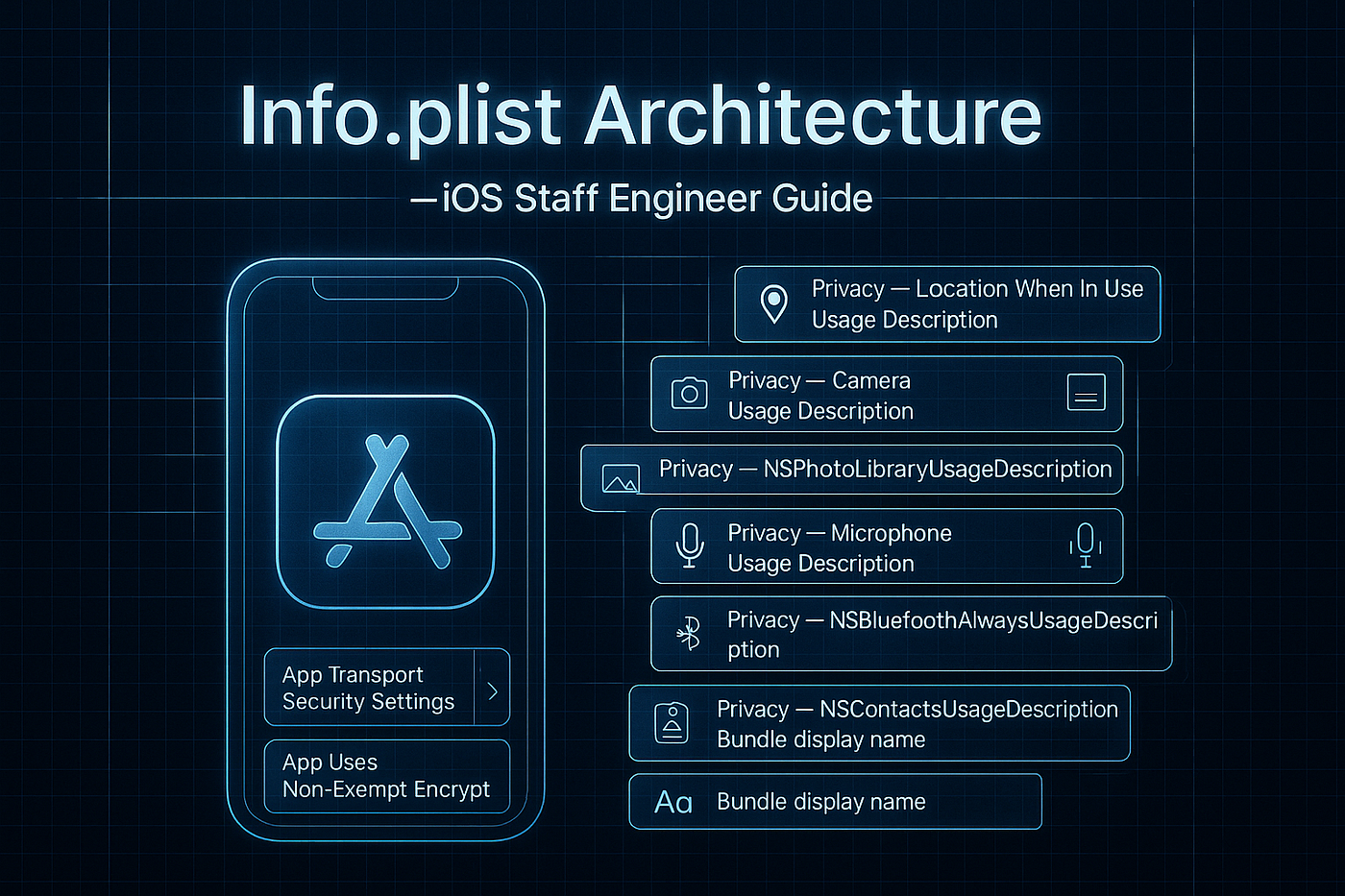
🧭 Mastering Info.plist — Architect-Level Configuration for Modern iOS Apps
Made in Sora
“Your app’s Info.plist isn’t just metadata — it’s your architecture’s single source of truth.”
🎯 Why This Matters
At scale, Info.plist becomes the declarative DNA of your app: identity, permissions, capabilities, scenes, networking, privacy, and environment governance. As a Staff Engineer or Architect, understanding and automating it separates “apps that work” from “apps that scale.”
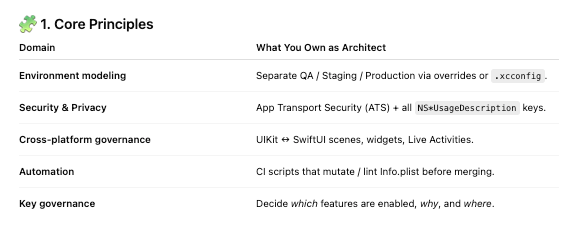
🧱 2. Identity & Versioning
CFBundleIdentifier           → com.company.app
CFBundleDisplayName          → Shown name
CFBundleShortVersionString   → 1.4.2
CFBundleVersion              → 104
Architect tip → increment via CI (plutil or Fastlane increment_build_number).
🧠 3. Lifecycle & Scene Control
UIApplicationSceneManifest defines all window/session behaviors for UIKit and SwiftUI.
UIApplicationSupportsMultipleScenes→ multi-window (iPad / visionOS).UISceneConfigurations→ per-role scene sets.UILaunchStoryboardName→ Launch screen storyboard or asset-based launch.UIViewControllerBasedStatusBarAppearance = true→ unified appearance control.
💡 Keep orientation arrays consistent across iPhone/iPad targets.
🔐 4. Networking & Security (ATS)
<key>NSAppTransportSecurity</key>
<dict>
  <key>NSExceptionDomains</key>
  <dict>
    <key>api.legacy-domain.com</key>
    <dict>
      <key>NSTemporaryExceptionAllowsInsecureHTTPLoads</key><true/>
    </dict>
  </dict>
</dict>
🚫 Never use NSAllowsArbitraryLoads=true in production.
Each exception must be explicit and documented in SECURITY_GUIDE.md.
🌐 5. Links & App Communication
CFBundleURLTypes→ custom schemes (myapp://).Associated Domains→ Universal Links, Password AutoFill, Handoff.LSApplicationQueriesSchemes→ whitelist forcanOpenURL(_:).
Architect tip → define fallback chains (applinks: → myapp://) for offline or legacy deep-links.
🧩 6. Privacy Permissions (UsageDescriptions)
Every capability must have a human-readable reason, or the app will crash or be rejected.
Examples:
NSCameraUsageDescription              → "We use your camera to scan documents."
NSLocationWhenInUseUsageDescription   → "Needed to show nearby content."
NSUserTrackingUsageDescription        → "Used to deliver relevant recommendations."
✅ Localize these in InfoPlist.strings.
✅ Sync with your public Privacy Policy.
⚙️ 7. Automation in CI
Validate / Mutate with PlistBuddy
/usr/libexec/PlistBuddy -c "Set :CFBundleShortVersionString 2.3.0" \
  "$PROJECT_DIR/App/Info.plist"
plutil -lint "$PROJECT_DIR/App/Info.plist"
Increment Build Number
plutil -replace CFBundleVersion -string "$GITHUB_RUN_NUMBER" \
  "$PROJECT_DIR/App/Info.plist"
Run these as pre-build steps to guarantee consistency.
🧱 8. Environment Strategy
- Maintain a shared
Info.base.plist. - Merge environment-specific keys through Build Phases or
xcconfigflags (INFOPLIST_FILE). - Avoid key duplication by localizing or factoring common strings.
🧠 9. Feature Flags from Info.plist
struct FeatureFlags {
    static var useNewOnboarding: Bool {
        (Bundle.main.object(forInfoDictionaryKey: "UseNewOnboarding") as? Bool) ?? false
    }
}
💡 Architectural advantage: toggle UI flows without recompiling.
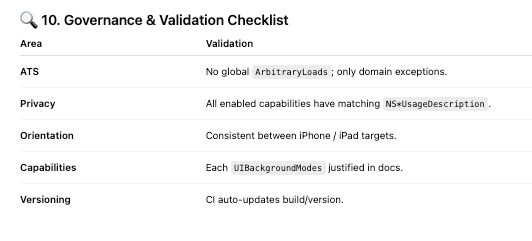
⚡ 11. Common Pitfalls
❌ Missing NS*UsageDescription → Crash / App Store rejection.
❌ HTTP loads enabled globally.
❌ Unlisted URL schemes → canOpenURL fails.
❌ Inconsistent orientation arrays → UI bugs.
❌ Unsecured UIFileSharingEnabled → data exposure.
🧩 12. Sample CI Validation Script
echo "🔍 Validating Info.plist ..."
plutil -lint "$INFO_PLIST_PATH"
if ! grep -q "NSCameraUsageDescription" "$INFO_PLIST_PATH"; then
  echo "❌ Missing NSCameraUsageDescription"; exit 1
fi
Integrate this lint step before any merge to main.
🧱 13. Tools
plutil,PlistBuddy→ mutation / validationxcodebuild -showBuildSettings→ verifyINFOPLIST_FILEFastlane→increment_version_number, automated taggingSwiftGen(optional) → expose Info.plist keys as typed constants
🧭 Takeaway
Mastering Info.plist is not bureaucracy — it’s system design. It defines your app’s identity, permissions, and runtime behavior across every environment.
At Staff level, you don’t just edit keys — you design a governance model that keeps builds reproducible, secure, and review-ready.
“An app’s architecture is only as strong as its metadata.”
메타데이터
- post_id
- fef7de3c4fa8
- slug
- info-plist-at-staff-level-the-hidden-architecture-of-ios-apps-fef7de3c4fa8
- url
- https://medium.com/@mrhotfix/info-plist-at-staff-level-the-hidden-architecture-of-ios-apps-fef7de3c4fa8
- canonical_url
- https://medium.com/@mrhotfix/info-plist-at-staff-level-the-hidden-architecture-of-ios-apps-fef7de3c4fa8
- author_url
- https://medium.com/@mrhotfix
- status
- ok
- fetched_at
- 2026-07-16 15:57:00