Why Advanced Excel for Finance & Payroll Professionals Matters More Than Ever in 2026
For many finance and payroll professionals, Excel has always been part of the daily routine. From payroll calculations and budgeting to…
Why Advanced Excel for Finance & Payroll Professionals Matters More Than Ever in 2026
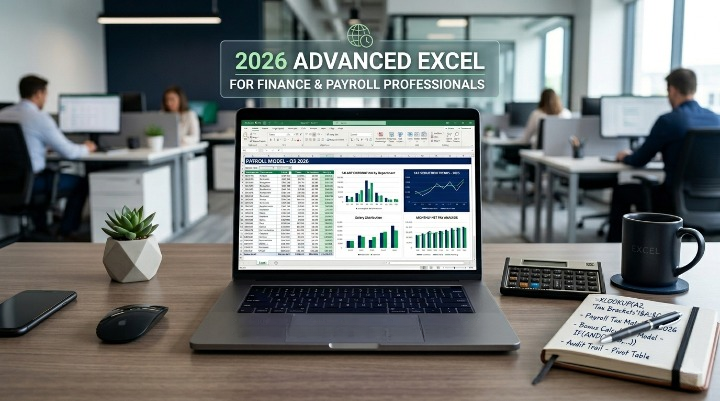
2026 Advanced Excel for Finance & Payroll Professionals
For many finance and payroll professionals, Excel has always been part of the daily routine. From payroll calculations and budgeting to reconciliations and financial reporting, spreadsheets are everywhere. But in 2026, the expectations around Excel skills are changing rapidly.
Today’s workplaces move faster, handle larger volumes of data, and demand greater accuracy than ever before. Employers are no longer looking for professionals who only know basic formulas and formatting. They want people who can analyze data quickly, automate repetitive tasks, and turn complex information into clear, useful insights.
That’s exactly why Advanced Excel for Finance & Payroll Professionals has become such an essential skill set.
The webinar “2026 Advanced Excel Skills for Accountants Finance & Payroll Professional” focuses on helping finance teams work smarter by using advanced Excel tools more effectively. It highlights practical techniques that can save time, reduce manual work, and improve reporting accuracy.
Excel Is Still the Backbone of Finance and Payroll
Despite the growth of cloud accounting platforms and automation software, Excel continues to play a huge role in finance departments across industries.
Why? Because it’s flexible, familiar, and powerful.
Most finance and payroll professionals still rely on Excel for:
- Payroll processing
- Expense tracking
- Budget planning
- Tax reporting
- Data reconciliation
- Audit preparation
- Financial analysis
The difference today is that the amount of data has grown significantly. What once took a few hundred rows now involves thousands of records, multiple reports, and tighter deadlines.
That’s where advanced Excel skills make a major difference.
Working Smarter Instead of Harder
One of the biggest frustrations in finance and payroll is repetitive manual work. Copying data between sheets, fixing formula errors, updating reports, and checking calculations can consume hours every week.
Advanced Excel tools help eliminate much of that stress.
Functions like XLOOKUP, SUMIFS, IFERROR, and dynamic formulas allow professionals to complete tasks faster and with fewer mistakes. Instead of manually searching through spreadsheets, users can instantly pull the information they need.
For example:
- Payroll teams can quickly match employee records
- Finance departments can automate monthly summaries
- Accountants can simplify reconciliations
- HR professionals can organize compensation data more efficiently
These may sound like small improvements, but over time they save enormous amounts of effort.
The webinar also emphasizes how modern Excel features improve productivity without requiring complicated programming knowledge.
Why Pivot Tables Are a Game Changer
Ask almost any experienced finance professional about their favorite Excel feature, and there’s a good chance they’ll mention Pivot Tables.
And for good reason.
Pivot Tables make it possible to turn massive amounts of raw data into organized, easy-to-read reports within minutes. Instead of spending hours building formulas manually, users can summarize payroll, expenses, or financial transactions almost instantly.
Finance and payroll teams commonly use Pivot Tables for:
- Payroll summaries
- Departmental cost analysis
- Budget comparisons
- Overtime reporting
- Audit support
- Employee compensation reviews
In many organizations, Pivot Tables have become one of the fastest ways to prepare management reports before meetings or deadlines.
The webinar also explores tools like slicers and filters that make reports interactive and easier for non-technical teams to understand.
Reducing Errors and Improving Accuracy
In payroll and finance, even a small spreadsheet error can create serious problems. A single incorrect formula can affect employee payments, tax calculations, or financial statements.
That’s why advanced Excel knowledge is so valuable.
Features like IFERROR, data validation, and structured formulas help professionals create cleaner and more reliable spreadsheets. Instead of constantly troubleshooting broken formulas, teams can build systems that are easier to maintain and audit.
Research on spreadsheet engineering has shown that structured spreadsheet practices improve accuracy and reduce risk in financial reporting.
For payroll professionals especially, accuracy is critical. Employees expect to be paid correctly and on time, while organizations must stay compliant with tax and labor regulations.
Advanced Excel skills help create that extra layer of confidence.
Automation Is Becoming Essential
One of the biggest trends in 2026 is automation. Companies want finance and payroll teams to spend less time on repetitive tasks and more time on strategic work.
Excel now offers several automation-friendly features that can dramatically improve efficiency.
Professionals are increasingly using:
- Power Query for data cleanup
- Automated formulas for reporting
- Dynamic dashboards
- Conditional formatting
- Data validation tools
- Report refresh automation
Even small automation improvements can save hours every month.
Many finance professionals discussing Excel training online frequently mention how learning advanced Excel transformed their daily workload and reduced stress during reporting periods.
A Skill That Strengthens Career Growth
Another reason Advanced Excel for Finance & Payroll Professionals is gaining attention is career growth.
Employers now view advanced Excel expertise as a highly valuable business skill. Job postings for payroll managers, accountants, financial analysts, and controllers often list advanced spreadsheet knowledge as a preferred qualification.
Professionals who can confidently analyze data, automate reports, and solve spreadsheet challenges are often seen as more efficient and dependable team members.
In a competitive job market, strong Excel skills can help professionals stand out and open doors to better opportunities.
Final Thoughts
Excel is no longer just a spreadsheet tool — it has become a critical business solution for finance and payroll teams.
As workloads grow and reporting expectations increase, professionals need smarter ways to manage data, reduce errors, and improve efficiency. That’s why **Advanced Excel for Finance & Payroll Professionals** continues to be one of the most practical and valuable skills in 2026.
From Pivot Tables and XLOOKUP to automation and advanced reporting, modern Excel capabilities help finance professionals save time, work more confidently, and deliver better results every day.
FAQs
1. Why are advanced Excel skills important for finance and payroll professionals?
Advanced Excel skills help professionals manage large datasets, automate repetitive tasks, improve reporting accuracy, and save valuable time in daily operations.
2. Which Excel functions are most useful for payroll and finance work?
Functions like XLOOKUP, SUMIFS, Pivot Tables, IFERROR, and Power Query are widely used for payroll processing, financial analysis, and reporting.
3. Can advanced Excel skills help reduce payroll errors?
Yes. Advanced Excel tools improve data accuracy, simplify calculations, and reduce manual mistakes that can impact payroll and compliance reporting.
4. Is Excel still relevant in finance and payroll in 2026?
Absolutely. Even with modern accounting software, Excel remains one of the most essential tools for budgeting, reporting, reconciliations, and data analysis.
메타데이터
- post_id
- ff7a5f56f918
- slug
- why-advanced-excel-for-finance-payroll-professionals-matters-more-than-ever-in-2026-ff7a5f56f918
- url
- https://medium.com/@supremetrainer1/why-advanced-excel-for-finance-payroll-professionals-matters-more-than-ever-in-2026-ff7a5f56f918
- canonical_url
- https://medium.com/@supremetrainer1/why-advanced-excel-for-finance-payroll-professionals-matters-more-than-ever-in-2026-ff7a5f56f918
- author_url
- https://medium.com/@supremetrainer1
- status
- ok
- fetched_at
- 2026-06-27 08:54:08






