The Complete Guide to Day Trading Tools and Platforms in 2025
Honest comparison of Trade Ideas, TradingView, Finviz, and TrendSpider — plus exactly which tools you actually need at each stage of trading
The Complete Guide to Day Trading Tools and Platforms in 2025
Here’s something most traders don’t want to hear: your tools matter.
Not as much as your strategy, risk management, or psychology — we’ve covered those. But they matter more than most beginners think.
We’ve seen traders with brilliant setups miss opportunities because their scanner was too slow. We’ve watched profitable strategies become mediocre because execution platforms had terrible fills. We’ve personally lost money — real money — when charting software froze during volatile moves.
The right tools won’t make you profitable. But the wrong tools will definitely make profitability harder.
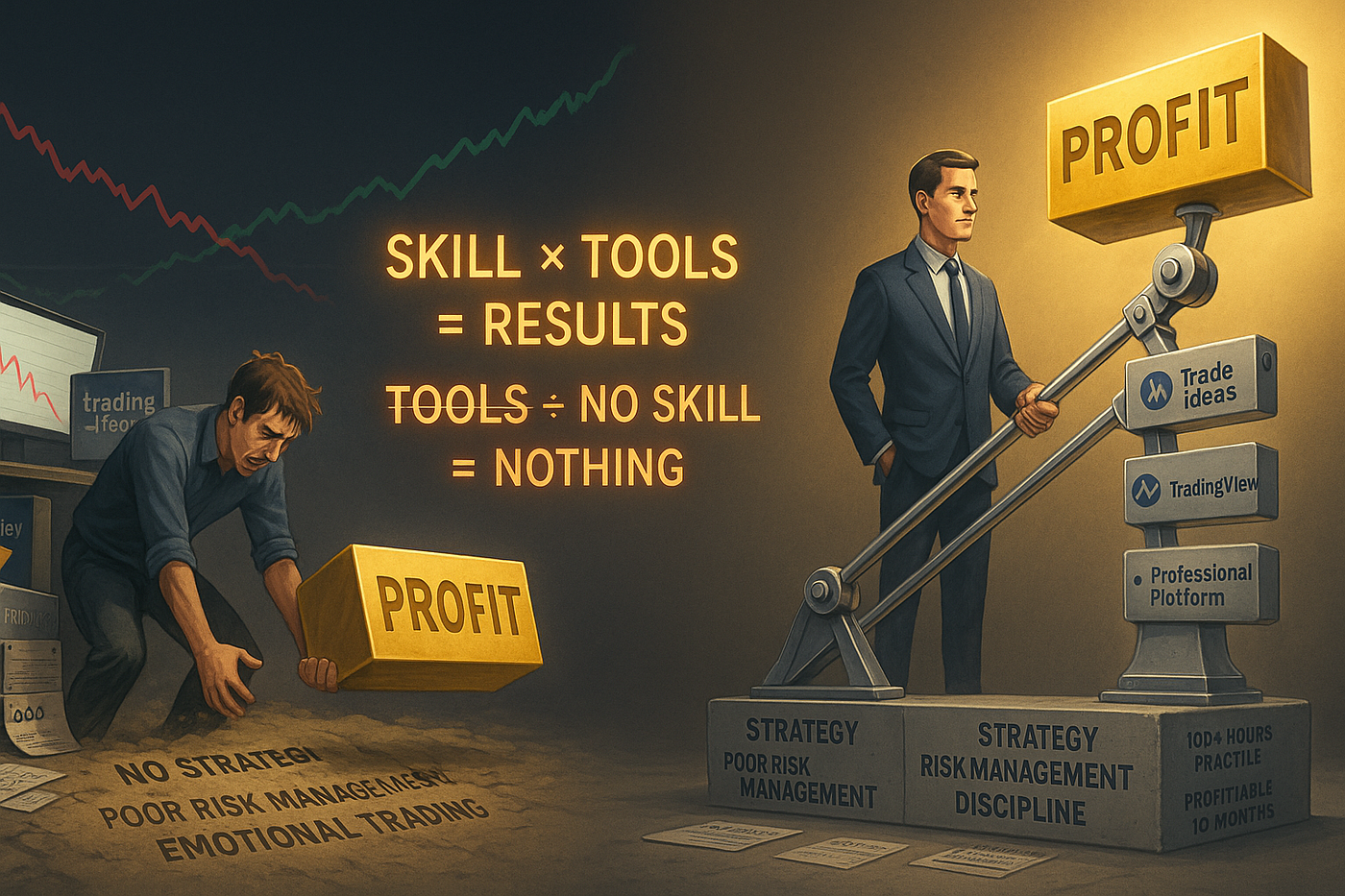
Tools are force multipliers, not magic wands. The skilled trader amplifies their edge with the right platforms. The struggling trader? Expensive tools can’t fix a missing foundation of strategy and discipline.
Our team has tested dozens of platforms, scanners, and charting packages over the years. We’ve spent thousands of dollars on subscriptions, dealt with crashes during critical moments, and learned which features actually matter versus which ones are just marketing fluff.
This isn’t a theoretical comparison. This is what we’ve learned in the trenches, spending real money on real tools while trading real capital.
Let’s talk about building your complete day trading toolkit and which tools are worth your money in 2025.
Why Your Tools Matter (More Than You Think)
Look, we’re not tool obsessed. We know traders who are profitable with basic setups and others who lose money despite having $1,000/month in subscriptions.
But here’s what’s true: tools create leverage.
A good scanner finds opportunities you would never spot manually. Quality charting software shows you patterns the moment they form. Reliable execution platforms get you in and out at the prices you want.
Each tool amplifies your edge — or, if it’s a bad tool, it introduces friction that costs you money.
The Hierarchy of Tool Importance
Not all tools are equally important. Here’s how we rank them:
Tier 1 (Critical):
- Execution platform (broker’s platform)
- Basic charting
- Internet connection
Tier 2 (Very Important):
- Stock scanner
- Advanced charting software
- Real-time data feeds
Tier 3 (Helpful):
- News aggregators
- Social sentiment tools
- Backtesting software
- Advanced analytics
You need Tier 1 immediately. You’ll want Tier 2 within your first few months. Tier 3? Only add these when you have a proven, profitable strategy and specific needs.
Starting out, resist the urge to buy everything. You don’t need a $500/month tool stack when you’re still learning. Build your toolkit as your skills and capital grow.
Trading Platforms: What to Look For
Your trading platform is where you execute, which makes it the most critical tool in your arsenal. Get this wrong and nothing else matters.
Essential Platform Features
1. Execution Speed
This is non-negotiable. Fast markets require fast execution. If your platform takes 2–3 seconds to process orders, you’re going to miss fills or get terrible prices.
Direct market access (DMA) platforms are ideal. They route your orders directly to exchanges without intermediaries, minimizing latency.
2. Order Types
You need access to various order types: market, limit, stop, stop-limit, bracket orders, trailing stops. These aren’t nice-to-haves — they’re essential for proper risk management.
Bracket orders (setting stop-loss and profit target simultaneously) should be easy to execute in one click. If you have to manually set three separate orders every time, you’ll get lazy and skip stops. That’s how accounts blow up.
3. Hotkeys and Customization
Speed matters. When a setup triggers, you don’t have time to point-and-click through menus. Hotkeys for common actions (buy, sell, cancel, flatten position) are crucial for active traders.
The ability to customize your layout — where charts go, where order entry sits, how watchlists display — makes you more efficient.
4. Real-Time Data
Some platforms charge extra for real-time data. Some include it. Some have delays unless you meet minimum activity requirements. Know what you’re getting.
Delayed data is useless for day trading. This should be obvious, but we’ve encountered beginners trying to day trade with 15-minute delayed quotes. It doesn’t work.
5. Reliability
Platform crashes during volatile markets are unfortunately common. But some platforms are worse than others.
Research reviews specifically mentioning uptime and reliability during high-volume periods. A platform that crashes every time the market moves 2% is unusable for day trading.
Popular Platform Choices
Think or Swim (TD Ameritrade): Excellent for beginners, free, sophisticated charting built-in. Downside? It’s heavy and can be slow on older computers. Also, execution speed isn’t the fastest.
Interactive Brokers (IBKR): Professional-grade platform, excellent execution, low costs. Learning curve is steep. Interface isn’t intuitive. But if you’re serious, it’s worth learning.
TradeStation: Powerful platform with excellent backtesting capabilities. Good for systematic traders. Bit pricey for beginners.
Lightspeed: Built for day traders. Fast execution, excellent hotkey support. But you’ll pay for it — not beginner-friendly pricing.
Webull/Robinhood: Free platforms with basic features. Fine for swing trading or learning. Not ideal for serious day trading due to limited features and execution quality concerns.
The platform you choose depends on your broker selection, since most brokers have proprietary platforms. Choose your broker wisely — you’re choosing your platform too.
Stock Scanners: Finding Opportunities
Stock scanners are how you find trading opportunities in a market with thousands of stocks. Without a scanner, you’re randomly checking charts hoping to stumble onto setups. With a scanner, opportunities come to you.
What Scanners Actually Do
Scanners filter thousands of stocks based on criteria you define — volume, price movement, technical patterns, fundamental metrics. They alert you when stocks meet your specifications.
For example: “Show me stocks that just broke above the 20-day moving average with volume 2x the average and are up more than 5% today.”
Within seconds, the scanner returns a list of candidates. You then review the charts and decide which to trade.
Free vs Paid Scanners
Free Options:
- Finviz Screener: Finviz offers a solid free scanner with pre-built filters and custom criteria. Not real-time on the free version, but excellent for finding stocks to watchlist before the market opens.
- TradingView Screener: Basic scanning functionality included with TradingView. Real-time if you have a paid TradingView plan.
- Broker Scanners: Many brokers (Think or Swim, IBKR) include basic scanners with their platforms.
Free scanners work fine when you’re starting. They’re perfectly capable of finding stocks meeting basic criteria.
Paid Premium Options:
This is where things get interesting — and expensive.
Trade Ideas: The Scanner Market Leader
Trade Ideas is the most popular premium scanner among active day traders, and for good reason. But it’s also expensive, so let’s be real about whether you need it.

The three-second advantage: Trade Ideas user catches the breakout at $215.50. Finviz user hesitates at $216.20. Free scanner user sees the alert at $217.50 — two minutes too late. In momentum trading, speed isn’t a luxury; it’s the difference between profit and watching from the sidelines.
What Trade Ideas Does Well
AI-Powered Scanning: Trade Ideas uses artificial intelligence (they call it Holly) to identify patterns and generate trade ideas. This goes beyond simple technical filters — it’s pattern recognition at scale.
Real-Time Alerts: The moment a stock meets your criteria, you get an alert. No refreshing, no delays. For day trading, this speed matters.
Pre-Built Strategies: If you don’t want to build custom scans, Trade Ideas includes dozens of pre-configured strategies for breakouts, momentum plays, gap trading, etc.
Backtesting: You can backtest your scan criteria against historical data to see if they would have generated profitable trades. This is powerful for strategy development.
OddsMaker: Their probability engine analyzes each alert and assigns a confidence score. Take this with a grain of salt — it’s not magic — but it adds context.
The Honest Assessment
Our in-depth Trade Ideas review covers this extensively, but here’s the summary: Trade Ideas is excellent if you’re an active day trader scanning for multiple opportunities per day. The AI features genuinely find setups you’d miss manually.
But it costs $99-$228 per month depending on the plan. For a beginner still learning or a trader only taking 1–2 setups per week, that’s overkill.
Trade Ideas Pricing and Discounts
If you decide Trade Ideas is right for you, don’t pay full price. Getting the maximum Trade Ideas discount can save you hundreds of dollars annually. They frequently offer promotions, especially for annual subscriptions.
Also, try the Trade Ideas test drive before committing. They offer trial periods so you can evaluate whether the features justify the cost for your specific trading style.
Trade Ideas Alternatives
If Trade Ideas is too expensive, there are alternatives worth considering:
Finviz Elite ($39.95/month): Real-time data, premarket scanning, better filters than the free version. Not as sophisticated as Trade Ideas but far cheaper.
Benzinga Pro ($99-$297/month): Real-time newsfeed with scanner functionality. Better for news-based trading than pure technical scanning.
TC2000 ($29.99-$89.99/month): Solid scanning with excellent charting. Not as AI-focused as Trade Ideas but very capable.
The question isn’t “Is Trade Ideas the best scanner?” It probably is. The question is “Is Trade Ideas the right scanner for your current stage and budget?”
TradingView: The Charting Revolution
If we’re being honest, TradingView has revolutionized charting for retail traders. It’s cloud-based, works on any device, has a massive user community, and offers features that previously required expensive institutional software.
What TradingView Offers
1. Superior Charting: The charting engine is smooth, responsive, and beautiful. Drawing tools, indicators, overlays — everything is intuitive and works seamlessly.
2. Pine Script: TradingView’s proprietary programming language lets you create custom indicators and strategies. If you have any coding ability (or can follow tutorials), this opens up enormous possibilities.
3. Multi-Asset Coverage: Stocks, forex, crypto, futures — all on one platform with the same interface. If you trade multiple markets, this is huge.
4. Social Features: Traders can publish ideas, follow other traders, comment on charts. It’s like Twitter for charts. Some find this valuable for sentiment and ideas. Others find it noisy.
5. Alerts: Set custom alerts for price levels, indicator crosses, pattern formations. These work across all your devices.
6. Replay Mode: Practice trading on historical data. You can run through past market days to test your strategy without risking real money.
TradingView Pricing
- Free: Basic features, limited indicators, ads
- Essential ($14.95/month): More indicators, no ads, 2 charts per tab
- Plus ($29.95/month): 4 charts per tab, more indicators, historical data
- Premium ($59.95/month): 8 charts per tab, maximum indicators, priority support
- Ultimate ($99.95/month): Professional features, 16 charts per tab
For most day traders, Plus ($29.95/month) is the sweet spot. Essential works if you’re on a budget, but you’ll want more chart layouts.
TradingView vs Trade Ideas
This is a common comparison, but it’s not really apples-to-apples. Trade Ideas is primarily a scanner. TradingView is primarily a charting platform. They serve different functions.
The ideal setup for many active traders? Both. Use Trade Ideas to find opportunities, then analyze them on TradingView charts.
But if you can only afford one, ask yourself: Do you need help finding stocks (scanner) or analyzing them (charting)? That’s your answer.
TradingView Limitations
TradingView isn’t perfect. Execution is limited — you can paper trade or connect to certain brokers, but execution isn’t its strength. Also, the scanner functionality is basic compared to dedicated scanners like Trade Ideas.
Think of TradingView as your analysis and charting platform, not your all-in-one solution.
TrendSpider: The Automation Specialist
TrendSpider is another premium charting platform that’s gaining traction, particularly among technical analysis enthusiasts.
What Makes TrendSpider Different
Automated Technical Analysis: TrendSpider automatically draws trendlines, identifies chart patterns, marks support and resistance. It does what you’d do manually, but faster and more consistently.
Multi-Timeframe Analysis: View multiple timeframes on the same chart simultaneously. See how the 5-minute, 15-minute, hourly, and daily charts align without switching between them.
Backtesting: Built-in backtesting for your strategies and criteria. More accessible than coding your own backtests.
Raindrop Charts: A unique visualization showing how candlesticks would look across multiple timeframes simultaneously. Either you’ll love it or find it confusing — no middle ground.
TrendSpider vs Competition
Comparing TrendSpider to Trade Ideas highlights their different focuses. Trade Ideas excels at scanning and finding opportunities. TrendSpider excels at analyzing those opportunities with automated technical analysis.
TrendSpider costs $39-$159/month depending on features. It’s positioned between TradingView and Trade Ideas in price and functionality.
Who TrendSpider Is For
If you’re a technical analysis devotee who draws lots of trendlines and analyzes multiple timeframes, TrendSpider might save you significant time. The automation genuinely helps.
But if you’re a newer trader still learning chart reading, the automation might be a crutch. You should learn to draw trendlines manually before having software do it for you. Understanding why a trendline matters is more important than having twenty of them automatically drawn.
Finviz: The Value Play
We mentioned Finviz earlier as a scanner, but it deserves a deeper look because it offers incredible value for the price.
Finviz Features
Free Version:
- Stock screener with dozens of filters
- Heat maps showing market sectors
- Portfolio tracking
- Basic charts
- News aggregation
Elite Version ($39.95/month or $299.95/year):
- Real-time data
- Pre-market and after-hours scanning
- Advanced charting
- Intraday data
- Backtesting
- Correlation analysis
Why Finviz Punches Above Its Weight
At $40/month for Elite, Finviz offers 80% of what you need for a fraction of Trade Ideas’ cost. The interface is dated, and it’s not as sophisticated as AI-powered scanners, but it works.
For swing traders or day traders on a budget, Finviz Elite is often the best value in the market.
Comparing Finviz to Trade Ideas, Trade Ideas wins on features and sophistication. But Finviz wins decisively on value. If you’re not making consistent profits yet, spending $200/month on Trade Ideas is hard to justify when Finviz Elite is $40.
Finviz Limitations
Scanning updates are slower than Trade Ideas — you’re not getting instant alerts the microsecond criteria are met. For ultra-fast scalpers, this might matter. For most day traders, it’s fine.
Charts are functional but basic. You’ll probably use TradingView or your broker’s platform for detailed analysis. Finviz is for filtering and initial screening, not deep chart analysis.
Building Your Complete Setup
Now let’s talk about how to actually combine these tools into a functional setup.

Start with what you need, not what impresses people. The beginner with a laptop and free tools learning properly will outperform the beginner with a $500/month setup they don’t understand. Match your tools to your stage.
The Beginner Setup (Budget: $0-$50/month)
Scanner: Finviz Free + broker’s built-in scanner Charting: TradingView Free or broker’s platform Execution: Broker’s platform News: Free sources (Yahoo Finance, Twitter)
Total Cost: $0-$15/month (if you upgrade to TradingView Essential)
This is perfectly viable for learning. You’re not handicapped at this level. Many profitable traders started here.
The Intermediate Setup (Budget: $100-$200/month)
Scanner: Finviz Elite ($40) OR Trade Ideas Standard ($99) Charting: TradingView Plus ($30) Execution: Broker’s platform News: Free sources + Twitter alerts
Total Cost: $70-$130/month
This is where most active day traders land. You have quality tools without breaking the bank. You can find opportunities (scanner) and analyze them properly (TradingView).
If you choose Trade Ideas over Finviz, you’re getting more sophisticated scanning at the cost of $60/month extra. Make that choice based on how active you are. Trading every day? Trade Ideas might be worth it. Trading a few times per week? Finviz is probably enough.
The Professional Setup (Budget: $300-$500/month)
Scanner: Trade Ideas Premium ($228) Charting: TradingView Premium ($60) OR TrendSpider Elite ($159) Execution: Professional platform (Lightspeed, IBKR Pro) News: Benzinga Pro ($99-$297) OR Bloomberg Terminal (if you’re really professional) Backup: Secondary internet connection
Total Cost: $300-$600/month+
This is overkill unless you’re trading full-time with significant capital. At this level, tools are less than 1% of your trading capital, and every edge matters.
Our Team’s Actual Setup
Since you asked (you didn’t, but we’re telling you anyway):
Scanning: Trade Ideas Premium. We scan continuously for opportunities across multiple strategies. The cost is justified by the volume of trades we take.
Charting: TradingView Premium. We love the interface, and Pine Script lets us build custom indicators.
Execution: Mix of Interactive Brokers (for stocks/options) and futures broker with fast execution. We prioritize speed over pretty interfaces.
News: Twitter with custom lists + Benzinga for real-time squawk. News moves markets, so we pay for fast news.
Backup: Secondary internet connection (mobile hotspot). We’ve been burned before by internet outages during open positions.
Total: ~$400/month in tool costs.
We don’t recommend this setup for beginners. We built up to this over years as our capital and activity level justified the costs.
Budget-Friendly vs Premium: The Value Equation
Here’s how to think about tool costs: What’s the ROI?
If a $100/month scanner finds you one additional profitable trade per month that you would have missed otherwise, and that trade nets you $500, the scanner paid for itself 5x over.
If a $100/month scanner doesn’t find you any additional opportunities beyond what free tools provide, it’s a waste of money.
The equation is personal. More active traders with larger accounts justify premium tools more easily. Less active traders or smaller accounts should be more conservative.
When to Upgrade
Upgrade your tools when:
- You’re consistently profitable with your current setup for at least 3–6 months
- You have specific limitations with current tools (e.g., “I keep missing breakouts because my scanner is too slow”)
- The cost is less than 5% of your monthly trading capital
- You’ve identified exactly which features you need that justify the upgrade
Don’t upgrade because:
- You think better tools will make you profitable (they won’t)
- You’re bored and want new toys
- You saw another trader using it and assume you need it too
- You’re losing money and hoping a tool will fix your strategy
Better tools amplify good trading. They don’t fix bad trading.
Platform Comparisons and Tool Decisions
Let’s address some common comparison questions:
Trade Ideas vs TradingView
We covered this earlier, but let’s be explicit: Trade Ideas vs TradingView is comparing a scanner to a charting platform. They serve different functions.
If forced to choose only one, most day traders should choose TradingView. You can find stocks manually using free scanners, but you need quality charts to analyze them properly.
However, if you’re an active trader taking multiple setups daily, the scanner becomes more valuable. Trade Ideas will find opportunities you’d never spot manually.

Trade Ideas finds the opportunities you’d never spot in 3,000 stocks. TradingView analyzes those opportunities with precision and clarity. They’re not competitors — they’re the left and right hand of your trading system.
Trade Ideas vs Finviz
This comparison is more direct since both are scanners.
Trade Ideas wins on:
- Speed (real-time alerts)
- AI-powered pattern recognition
- Sophistication of filters
- Backtesting capabilities
Finviz wins on:
- Price (1/5th the cost)
- Simplicity (easier learning curve)
- Heat maps and visualization
- Value for casual traders
If you’re trading full-time or taking 5+ trades per day, Trade Ideas is probably worth it. If you’re trading part-time or taking 2–3 setups per week, Finviz Elite offers better value.
Trade Ideas vs TrendSpider
Another interesting comparison between different tool types.
Trade Ideas is for finding opportunities. TrendSpider is for analyzing them. In an ideal world, you’d use both — Trade Ideas to scan, TrendSpider to analyze with automated technical analysis.
But in the real world with budget constraints, Trade Ideas is probably more valuable for most day traders. Finding opportunities is harder than analyzing them.
The Hidden Costs Nobody Talks About
Beyond subscription costs, there are hidden expenses in day trading tools:
Data Fees
Real-time market data isn’t always free. Some platforms charge separately for:
- NYSE/NASDAQ Level 2 data ($10-$30/month)
- Options data ($5-$20/month)
- Futures data ($5-$50/month depending on exchanges)
- International markets data
These add up. Budget for data fees on top of platform costs.
Hardware
Day trading demands decent hardware:
- Fast computer (doesn’t need to be cutting edge, but not a decade-old laptop)
- Multiple monitors (not essential but helpful — two monitors minimum, many pros use 4–6)
- Reliable internet (minimum 25 Mbps, ideally 100+ Mbps with low latency)
- UPS (uninterruptible power supply) for backup power during outages
Hardware is a one-time cost, but it’s $1,000-$3,000 for a proper setup. Don’t cheap out on hardware that could cause you to miss trades or lose money during technical failures.
Learning Curves
The most expensive cost is time. Learning new platforms takes weeks. Every hour spent figuring out how TrendSpider works is an hour not spent trading or improving your strategy.
This is why we recommend starting simple. Master basic tools before adding complexity. The learning curve for advanced platforms can easily consume 20–40 hours of your time. Make sure it’s worth it.
Tool Recommendations by Trading Style
Different strategies benefit from different tools:
For Scalpers
Priority: Execution speed, real-time data Scanner: Trade Ideas (need instant alerts) Charting: Broker’s platform (minimize latency) Key Features: Level 2 data, time and sales, direct market access
For Momentum/Breakout Traders
Priority: Finding opportunities quickly Scanner: Trade Ideas or Finviz Elite Charting: TradingView (excellent for pattern recognition) Key Features: Volume alerts, gap scanners, pre-market scanning
For Technical/Pattern Traders
Priority: Chart analysis and pattern recognition Scanner: Finviz Elite (adequate for finding initial candidates) Charting: TradingView or TrendSpider (automated technical analysis) Key Features: Drawing tools, multiple timeframe analysis, pattern alerts
For News Traders
Priority: Fast news and immediate reaction Scanner: Benzinga Pro or Trade Ideas with news integration Charting: Basic (secondary to news flow) Key Features: Real-time squawk, Twitter integration, economic calendar
For Swing Traders
Priority: Research and analysis, less real-time speed Scanner: Finviz (even free version works) Charting: TradingView Free or Plus Key Features: Fundamental filters, weekly/monthly charts, portfolio tracking
Match your tools to your style, not your ego.
The Setup Evolution Path
Here’s how we recommend building your tool stack over time:
Month 1–3 (Learning Phase):
- Free tools only
- Focus on learning, not tools
- Broker’s platform for everything
Month 4–6 (Early Trading Phase):
- Add TradingView Essential ($15/month)
- Maybe add Finviz Elite if actively trading ($40/month)
- Total budget: $15-$55/month
Month 7–12 (Active Trading Phase):
- Upgrade TradingView to Plus ($30/month)
- Decide between Finviz Elite or Trade Ideas based on activity
- Total budget: $70-$130/month
Year 2+ (Professional Phase):
- Add tools as specific needs arise
- Trade Ideas if scanning multiple opportunities daily
- TrendSpider if automation saves significant time
- Premium news if trading events/catalysts
- Total budget: Scale with profit and capital
This progression ensures you’re not overinvesting before you’re profitable.
Conclusion: The Best Setup for You
So what’s the best tool setup for day trading in 2025?
The frustrating answer: it depends on your strategy, your budget, your activity level, and your current skill.
But here’s the less frustrating answer — our actual recommendations:
If you’re brand new: Start with free tools. TradingView Free, Finviz Free, your broker’s scanner. Learn to trade profitably with basic tools before spending money on fancy ones.
If you’re trading part-time or casually: TradingView Plus ($30) + Finviz Elite ($40). Total: $70/month. This gives you quality charting and scanning without breaking the bank.
If you’re trading actively (5+ trades per day): Trade Ideas ($99-$228 depending on plan) + TradingView Plus ($30). Total: $130-$260/month. The scanner pays for itself by finding opportunities you’d miss.
If you’re trading full-time professionally: Trade Ideas Premium + TradingView Premium or TrendSpider + Professional execution platform. Total: $300-$500/month. At this point, tools are a legitimate business expense.
The key principle: start simple, upgrade deliberately.

Build the pyramid correctly: skills first, tools second. The trader who masters strategy with basic tools, then upgrades, builds an unshakeable career. The trader who buys expensive tools hoping they’ll create skill ends up in the rubble. The sequence matters.
Don’t buy tools hoping they’ll make you profitable. Get profitable with basic tools, then upgrade to amplify your existing edge.
Tools matter, but they’re force multipliers — not magic wands. A mediocre trader with excellent tools is still a mediocre trader. A skilled trader with basic tools will find a way to profit.
Your strategy, risk management, and psychology matter infinitely more than whether you have Trade Ideas or Finviz, TradingView or TrendSpider.
But once you have those fundamentals down, the right tools make the job easier, faster, and more enjoyable. They reduce friction, find opportunities, and execute trades precisely.
That’s when tools transition from unnecessary expense to worthwhile investment.
Build your skills first. Your tools will follow.
Ready to choose your broker and set up your trading platform? The next step is getting your account structure right and understanding the infrastructure that supports your trading career. Tools are only as good as the foundation they sit on.
메타데이터
- post_id
- ffb0ebc6ed60
- slug
- the-complete-guide-to-day-trading-tools-and-platforms-in-2025-ffb0ebc6ed60
- url
- https://medium.com/@daytradingtoolkit/the-complete-guide-to-day-trading-tools-and-platforms-in-2025-ffb0ebc6ed60
- canonical_url
- https://medium.com/@daytradingtoolkit/the-complete-guide-to-day-trading-tools-and-platforms-in-2025-ffb0ebc6ed60
- author_url
- https://medium.com/@daytradingtoolkit
- status
- ok
- fetched_at
- 2026-07-18 09:27:19