Why I Switched to Kimi AI (and Never Looked Back)
The long-context AI assistant that actually reads my Arabic and English documents, without the subscription fatigue.
Why I Switched to Kimi AI (and Never Looked Back)
The long-context AI assistant that actually reads my Arabic and English documents, without the subscription fatigue.
I have tried them all. ChatGPT, Claude, Gemini, Perplexity. I have paid for them, prompt-engineered them, and eventually hit a wall with every single one.
Then I found Kimi.
Generated using AI
At first, I treated it like just another AI tool in an already crowded space. Six months later, it is the only one I keep open all day. Here is why Kimi won me over, and why it might be the AI you have actually been looking for.
It Actually Reads My Documents
Most AI assistants claim they can handle files. You upload a PDF, and they give you a generic summary that misses the nuance you actually needed.
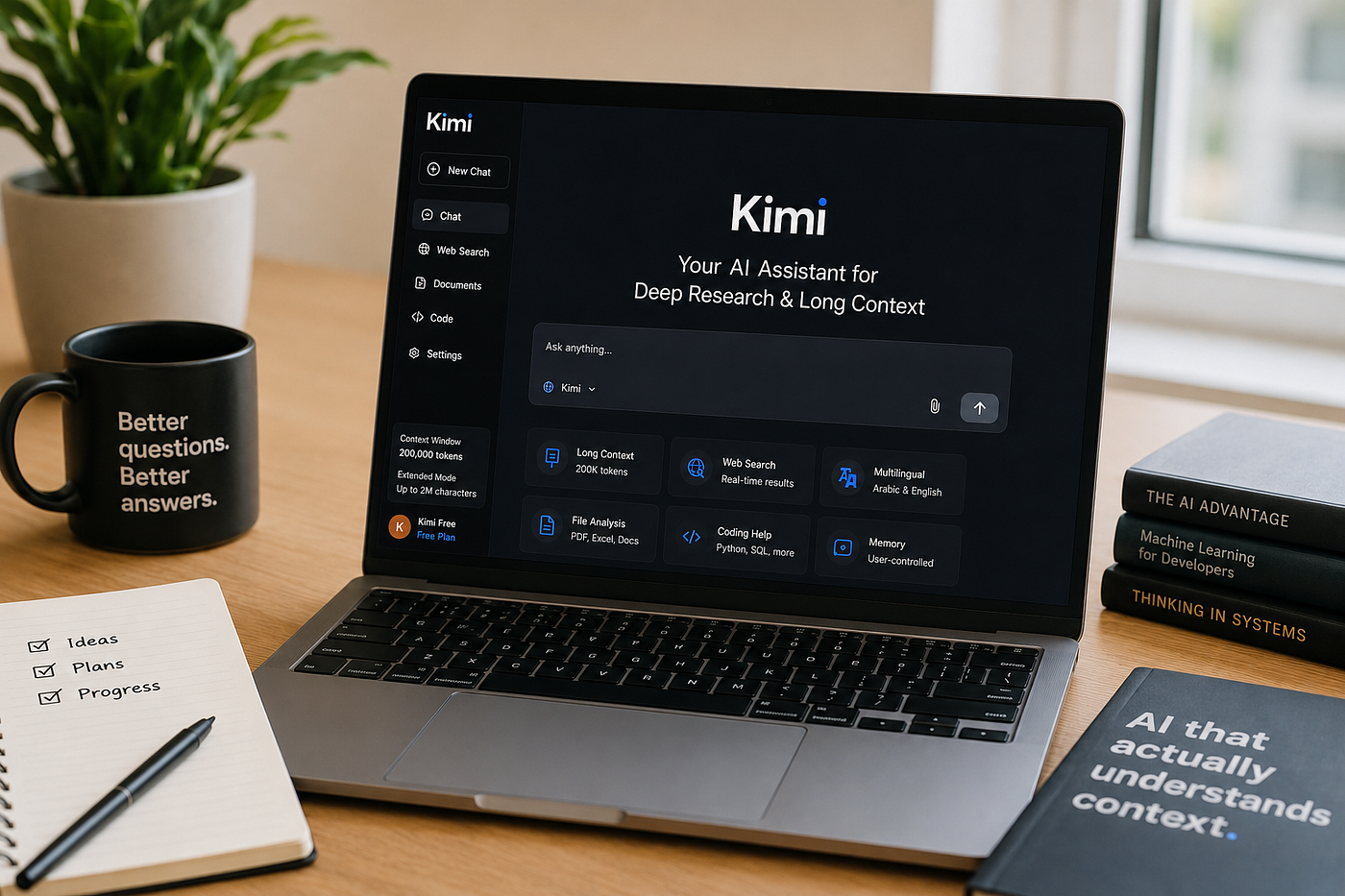
Kimi is different. With a 200,000-token context window and support for up to 2 million characters in extended mode, Kimi does not just skim your document. It reads it. I have uploaded 200-page legal contracts, entire research papers, and multi-sheet Excel files, then asked hyper-specific questions like:
“In Section 4.3, does the liability clause contradict the indemnification terms in Appendix B?”
Kimi finds it. It connects the dots across hundreds of pages. It cites the exact location. For anyone who works with dense, long-form content, lawyers, researchers, analysts, and students, this is not a nice-to-have. It is a game-changer.
The Web Search Feels Like a Research Assistant, Not a Search Engine
Kimi’s built-in web search does not just regurgitate the top three Google results. It synthesizes information from multiple sources, provides inline citations, and actually answers the intent behind your question.
When I am writing articles or doing competitive research, I will ask:
“What are the latest pricing changes for AI coding assistants in 2026, and how do developers actually feel about them?”
Kimi pulls recent data, summarizes community sentiment from Reddit and Hacker News, and gives me a balanced view I can actually use, without me opening forty-seven tabs.
It Handles Arabic and English Seamlessly
I work in English and Arabic. Most AI tools handle one well and stumble through the other, especially with technical, legal, or idiomatic content.
Kimi is genuinely multilingual. I can paste an Arabic legal brief, ask a question in English, and get a precise answer that preserves technical accuracy across languages. I can write half a draft in English, switch to Arabic for a specific section, and Kimi maintains tone and consistency.
For Arabic specifically, it handles right-to-left text properly, understands formal and modern standard Arabic, and translates nuanced passages without losing meaning. If you operate across language barriers, this alone justifies using it.
Coding Help Without the Attitude
I am not a developer, but I write code for data analysis and automation. Kimi does not treat me like I am wasting their time when I ask basic questions.
It explains why the code works, suggests optimizations, and debugs errors without making me feel like I need a computer science degree to understand the answer. I have used it to write Python scripts, fix SQL queries, and troubleshoot API integrations, and the explanations are always calibrated to my actual skill level.
Check this out → 50 Free Tools Every Creator Needs
No Subscription Anxiety
Here is the practical reality: many AI tools have become expensive subscription traps. You start on a free tier, hit a usage cap on day three, and suddenly you are paying twenty dollars a month for something you only needed twice this week.
Kimi offers a generous free tier with real functionality. The paid tier is reasonably priced for what you get, especially considering the long-context capabilities that competitors charge premium rates for or do not offer at all.
I am not saying it is cheap. I am saying the value proposition actually makes sense for sustained, daily use.
It Remembers, If You Want It To
Kimi’s memory feature is opt-in and user-controlled. It stores context across conversations to personalize responses, but you can disable it, edit it, or wipe it entirely in the settings.
I keep mine enabled because it actually helps. Kimi remembers that I prefer concise answers, that I work in project management, and that I hate when AI overuses bullet points. But I appreciate that I control what is remembered. It does not feel invasive. It feels like a preference I set once.
Photo by Juan Marin on Unsplash
What I Actually Use Kimi For
To give you a sense of whether this fits your workflow, here is what I do with it on a typical week:
- Drafting and editing blog posts and client proposals in English and Arabic
- Analyzing long PDF reports and extracting actionable insights
- Researching competitors and industry trends with live web data
- Writing and debugging Python scripts for automation
- Translating technical documents between English and Arabic
- Summarizing meeting transcripts and email threads
- Brainstorming headlines, product names, and content angles
The Bottom Line
I did not switch to Kimi because it is the newest tool or because of hype. I switched because it solved real friction points in my workflow that other AI assistants could not.
Length: It handles documents others choke on.
Depth: It understands context, not just keywords.
Language: It moves seamlessly between English and Arabic.
Price: It respects that not everyone can afford five AI subscriptions.
If you are feeling stuck with your current AI setup, hitting token limits, getting shallow answers, or paying too much for too little, Kimi is worth the experiment.
It was for me.
What is your experience with AI assistants? Have you found one that actually fits your workflow, or are you still searching? Drop a comment. I would love to hear what is working and what is not for you.
Free Resources →
[embed]NocVeil Digital products for people who value their time.nocveil.gumroad.com
메타데이터
- post_id
- ffb25cae14e6
- slug
- why-i-switched-to-kimi-ai-and-never-looked-back-ffb25cae14e6
- url
- https://medium.com/productivityspot/why-i-switched-to-kimi-ai-and-never-looked-back-ffb25cae14e6
- canonical_url
- https://medium.com/productivityspot/why-i-switched-to-kimi-ai-and-never-looked-back-ffb25cae14e6
- author_url
- https://medium.com/@Ywolf
- status
- ok
- fetched_at
- 2026-07-09 01:49:10