NET Core CRUD console app connected to local azure table storage
For this tutorial, I will create a CRUD Console App using .NET Core 3.1 that is connected to local azure table storage. This will help you…
NET Core CRUD console app connected to local azure table storage
For this tutorial, I will create a CRUD Console App using .NET Core 3.1 that is connected to local azure table storage. This will help you with your local development and testing.
You need to install :
- Azure.Data.Tables
- Microsoft Azure Storage Explorer
- Net Core 3.1
Make sure you have already installed Microsoft Azure Storage Explorer. You can download the installer here: https://azure.microsoft.com/en-us/features/storage-explorer/
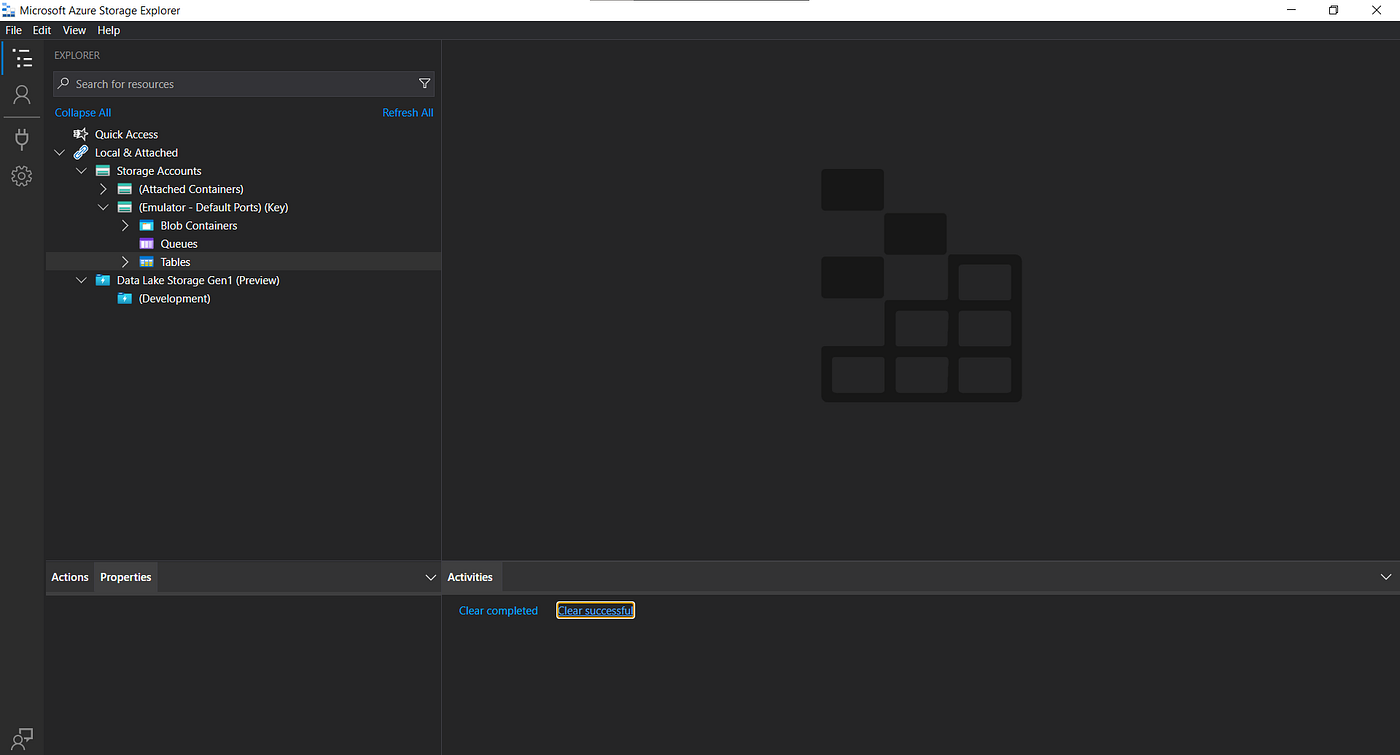
After you install the Azure Storage Explorer, open your visual studio and create a console app and target your framework to .NET Core 3.1
Then on your NuGet package manager, install Azure.Data.Tables
So the first thing you need to do is to set up the connectivity from your console app to your local azure table storage.
[embed]
For the connectionString, we just need to use “UseDevelopmentStorage=true” for the local connection but you can change it when you have an azure connectionString for the online connectivity.
The tableName variable can be anything you want. That table will be created if not yet exists when the client.CreateIfNotExists(); is called.
For this console app, I created a class named as PersonEntity with the interface ITableEntity. ITableEntityis an interface defining the required properties for a table entity model. Custom entity model types must implement this interface.
[embed]
So let’s start the CRUD Functions.
For adding the entity it is a straightforward method. Just use the AddEntity from the TableClient and call this method on your Main method after the client.CreateIfNotExists(); call.
[embed]
For updating the entity, You should select your desired record using the GetEntity method with the filter of partitionKey and rowKey, and then after that use the UpdateEntity method to update your record.
[embed]
For retrieving records, I provide 3 ways how you can format your response. For sure there are many ways to retrieve records on the azure table, but for this tutorial, I provide three ways.
[embed]
Lastly, for deleting records. It is just one line of code.
[embed]
For the full solution. Check out my GitHub repo: https://github.com/ralpholazo24/AzureTable
Hope it helps!
메타데이터
- post_id
- ffddefa05d5a
- slug
- net-core-crud-console-app-connected-to-local-azure-table-storage-ffddefa05d5a
- url
- https://medium.com/@ralpholazo/net-core-crud-console-app-connected-to-local-azure-table-storage-ffddefa05d5a
- canonical_url
- https://medium.com/@ralpholazo/net-core-crud-console-app-connected-to-local-azure-table-storage-ffddefa05d5a
- author_url
- https://medium.com/@ralpholazo
- status
- ok
- fetched_at
- 2026-08-18 09:18:49


