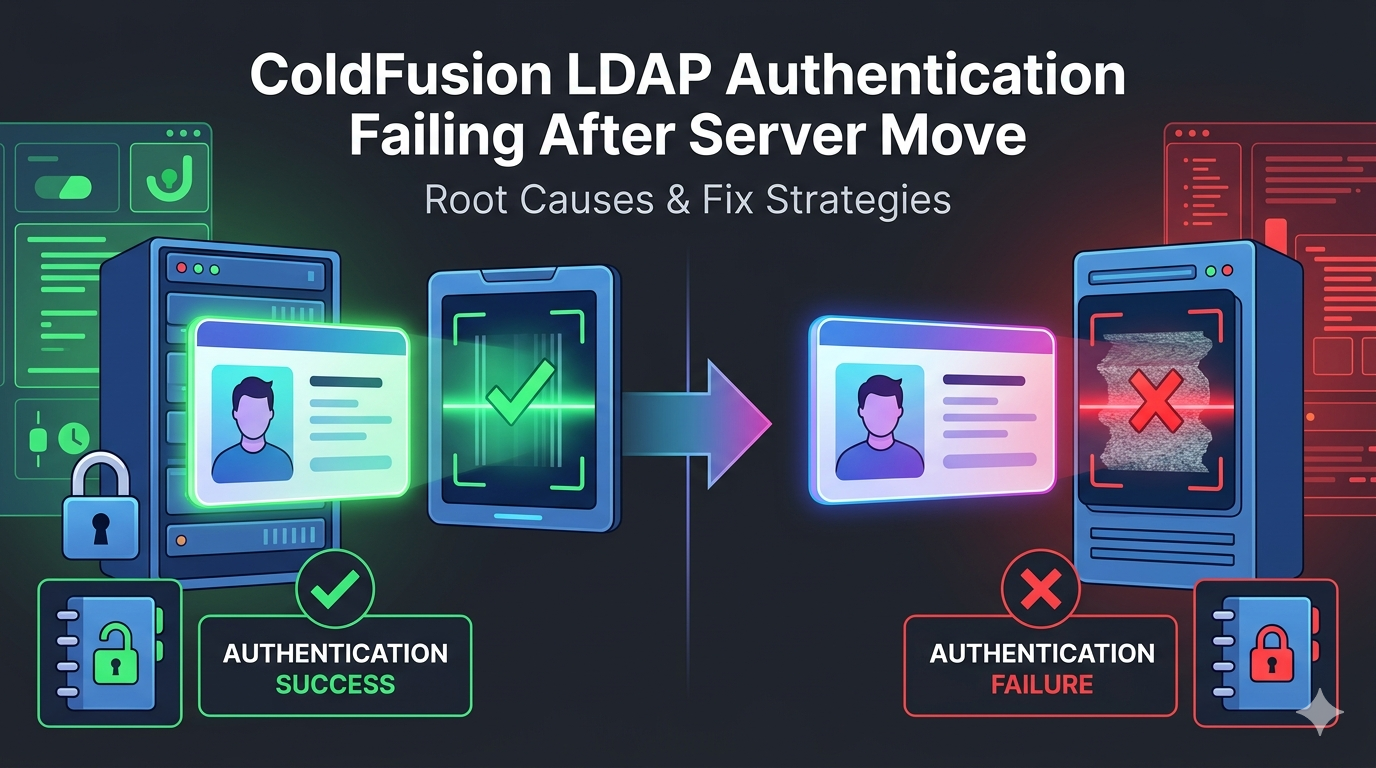
ColdFusion LDAP Authentication Failing Intermittently: Causes & Fixes
Why Your ColdFusion LDAP Authentication Fails at Random — And How to Fix It
ColdFusion LDAP Authentication Failing Intermittently: Causes & Fixes
Why Your ColdFusion LDAP Authentication Fails at Random — And How to Fix It
ColdFusion LDAP Authentication Failing Intermittently: Causes & Fixes
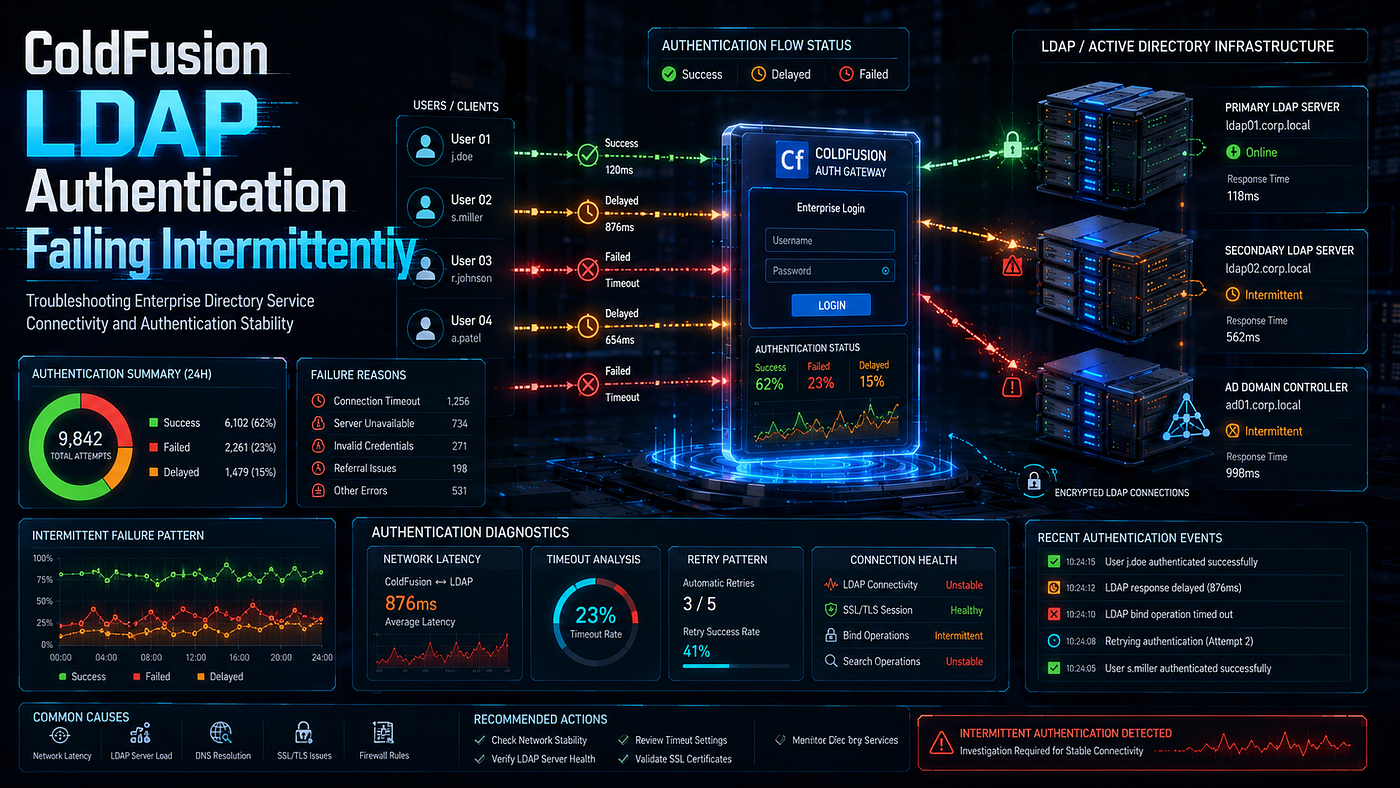
Your ColdFusion application authenticates users against Active Directory. Most of the time, it works perfectly. Then, without warning, logins start failing. Minutes later, they work again, as if nothing happened.
Intermittent LDAP failures are among the hardest problems to diagnose. The error never reproduces on demand. The same credentials succeed and fail across consecutive attempts. Consequently, developers chase ghosts while users lose access at random.
The cause rarely lives in the credentials or the core logic. Instead, it lives in the connection layer between ColdFusion and the directory. Port exhaustion, referral chasing, load-balanced domain controllers, and ineffective timeouts all produce random failures. Therefore, the fix requires understanding the connection mechanics, not just the cfldap syntax.
This guide explains every cause behind intermittent LDAP authentication failures in ColdFusion. Moreover, it provides verified CFML patterns, infrastructure fixes, and debugging methods. We will move from cfldap fundamentals to resilient, failover-aware authentication. **Lucid Outsourcing Solutions** has stabilized LDAP authentication across many enterprise ColdFusion deployments. Therefore, this article reflects real production experience, not theory.
How Does ColdFusion LDAP Authentication Work?
ColdFusion authenticates against a directory through the cfldap tag. The tag opens a connection to the LDAP server. Then it attempts to bind using the supplied credentials. A successful bind confirms the user's identity.
Active Directory is the most common LDAP target in enterprise environments. ColdFusion connects to it over port 389 for plain LDAP or 636 for LDAPS. Therefore, the connection itself becomes a critical dependency. Any instability in that connection produces authentication failures.
A typical authentication flow runs as follows:
- The user submits a username and password.
- ColdFusion opens an LDAP connection to the directory server.
- ColdFusion binds using the credentials or a service account.
- The directory validates the bind and returns a result.
- ColdFusion reads the result and grants or denies access.
A failure at any connection stage produces an authentication error. Therefore, intermittent failures usually trace to stages two and three. Each represents a point where the connection can fail randomly.
What Does a Basic cfldap Authentication Look Like?
The cfldap tag with the query action authenticates a user. It binds with the user's credentials and searches for their record. A returned record confirms valid credentials. Therefore, the query both authenticates and retrieves user attributes.
<cftry>
    <cfldap
        action="query"
        name="userAuth"
        server="#ldapServer#"
        port="389"
        username="#form.username#@company.com"
        password="#form.password#"
        start="#ldapBaseDN#"
        scope="subtree"
        filter="sAMAccountName=#form.username#"
        attributes="cn,mail,department">
<cfif userAuth.recordCount gt 0>
        <cfset authenticated = true>
    </cfif>
    <cfcatch type="ldap">
        <cflog file="ldap_errors" text="LDAP error: #cfcatch.message#">
        <cfset authenticated = false>
    </cfcatch>
</cftry>
This pattern binds with the user’s own credentials. Therefore, an invalid password causes the bind to fail. The cfcatch type="ldap" block captures LDAP-specific errors. As a result, you can handle directory failures gracefully.
Why Does ColdFusion LDAP Authentication Fail Intermittently?
Intermittent failures share a common trait. They depend on conditions that change between requests. Therefore, the same code succeeds or fails based on transient connection state.
The most common causes include:
- Ephemeral TCP port exhaustion under high authentication load.
- Referral chasing against the Active Directory domain base DN.
- Load-balanced domain controllers behaving inconsistently.
- The
cfldaptimeout attribute failing to limit slow connections. - LDAPS certificate and SSL handshake instability on port 636.
- A single unhealthy domain controller in a server pool.
- Network latency spikes between ColdFusion and the directory.
- Connection state not being cleaned up between requests.
Let us examine each cause carefully. Additionally, we will pair every cause with a verified fix.
Why Does TCP Port Exhaustion Cause Random LDAP Failures?
Every LDAP connection consumes an ephemeral TCP port. The operating system allocates these ports from a limited range. Under high authentication load, that range can fill completely. Therefore, no port remains free for a new connection request.
Adobe’s own cfldap documentation confirms this behavior explicitly. When load is high and cfldap produces errors, all ephemeral TCP ports are likely in use. Consequently, ColdFusion cannot allocate a port to a new client connection. The authentication then fails until ports free up.
This explains the intermittent pattern perfectly. Logins fail during traffic peaks and succeed during quiet periods. Therefore, the failure correlates with load, not with credentials. The pattern misleads developers who focus on the authentication logic.
The documented fix adjusts the Windows registry. Specifically, you widen the ephemeral port range and shorten the connection cleanup time:
HKEY_LOCAL_MACHINE\SYSTEM\CurrentControlSet\Services\Tcpip\Parameters

MaxUserPort       = 65534   (widens the ephemeral port range)
TcpTimedWaitDelay = 30      (frees closed ports faster, in seconds)
These changes increase the available port pool. Therefore, the server sustains more concurrent connections. Always coordinate registry changes with your system administrator. As a result, port exhaustion stops causing random failures under load.
Why Does Referral Chasing Break Authentication Intermittently?
Referral chasing is the most subtle cause of intermittent LDAP failures. Active Directory partitions its directory tree across multiple servers. When a server cannot fully answer a query, it returns a referral. The referral points the client to another server.
Consider what happens when you query the domain base DN. For example, you set start="DC=company,DC=com" for the search. Active Directory may return referrals to other domain controllers. Therefore, ColdFusion attempts to follow those referrals to complete the query.
This referral following causes intermittent hangs and timeouts. A documented enterprise case shows login attempts hanging and timing out at the domain base DN. Meanwhile, the same query succeeds when scoped to a specific organizational unit. The reason is clear: querying a specific OU returns no referrals.
The failure becomes intermittent for a specific reason. The referred-to server may or may not respond promptly. Therefore, the outcome depends on the state of multiple servers. Consequently, the same login succeeds or fails based on referral targets.
Microsoft’s own guidance recommends a clear solution. When possible, use the Global Catalog instead of chasing referrals. The Global Catalog holds a partial replica of the entire forest. Therefore, it answers directory queries without referrals.
How Do You Query the Global Catalog to Avoid Referrals?
The Global Catalog listens on dedicated ports. Port 3268 serves plain Global Catalog queries. Port 3269 serves Global Catalog queries over SSL. Therefore, pointing cfldap at these ports avoids referral chasing entirely.
<cfldap
    action="query"
    name="userAuth"
    server="#globalCatalogServer#"
    port="3268"
    username="#serviceAccount#"
    password="#servicePassword#"
    start="DC=company,DC=com"
    scope="subtree"
    filter="sAMAccountName=#form.username#"
    attributes="cn,mail,department,memberOf">
The Global Catalog resolves forest-wide queries without referrals. Therefore, the intermittent referral hangs disappear. It also performs better for broad directory searches. As a result, authentication becomes both faster and more reliable.
One caveat applies to the Global Catalog. It holds a partial attribute set, not every attribute. Therefore, confirm the attributes you need are replicated to it. Consequently, you avoid missing-attribute surprises after switching.
How Do Load-Balanced Domain Controllers Cause Intermittent Failures?
Enterprise directories run multiple domain controllers for high availability. A load balancer or DNS round-robin distributes connections across them. Therefore, consecutive LDAP requests may hit different servers. Each server may behave slightly differently.
This architecture causes intermittent failures in several ways. One domain controller in the pool may be unhealthy. Another may have replication lag. A third may have a different certificate or configuration. Consequently, authentication succeeds or fails based on which server answers.
The intermittent pattern follows the load balancer’s routing. A user retries and lands on a healthy server, so the login succeeds. Therefore, the failure appears random from the application’s perspective. In reality, it tracks the health of individual backend servers.
Why Does a Single Unhealthy Domain Controller Cause Random Failures?
A pool of domain controllers shares the authentication load. The application connects to a virtual address, not a specific server. Therefore, one unhealthy server affects only a fraction of requests. Consequently, the failure rate matches that server’s share of traffic.
For example, consider a pool of four domain controllers. One server has a certificate or replication problem. Therefore, roughly one in four authentication attempts may fail. The other three servers handle their requests normally.
This fractional failure rate is a strong diagnostic signal. Watch for these indicators of a backend server problem:
- A consistent percentage of logins fail, not a random scatter.
- Retrying the same login often succeeds immediately.
- Failures cluster around specific times or specific servers.
- Direct connection to one server reproduces the failure reliably.
Therefore, test each domain controller individually to isolate the culprit. Connect directly to each server’s IP, bypassing the load balancer. Then run the same authentication against each one. As a result, you identify the unhealthy server quickly.
How Do You Implement Domain Controller Failover in ColdFusion?
Application-level failover adds resilience against unhealthy servers. The application tries one server, then falls back to another on failure. Therefore, a single bad server no longer breaks authentication. This pattern complements infrastructure load balancing.
<cfscript>
function authenticateWithFailover(username, password) {
    var ldapServers = ["dc1.company.com", "dc2.company.com", "dc3.company.com"];
for (var server in ldapServers) {
        try {
            ldapQuery = queryExecute("", {}, {});  // placeholder
            cfldap(
                action      = "query",
                name        = "authResult",
                server      = server,
                port        = 3268,
                username    = arguments.username & "@company.com",
                password    = arguments.password,
                start       = "DC=company,DC=com",
                scope       = "subtree",
                filter      = "sAMAccountName=" & arguments.username,
                attributes  = "cn,mail",
                timeout     = 5
            );
            // A successful bind means we can stop trying servers
            return { success = true, server = server };
        } catch (any e) {
            // Log and try the next server in the list
            writeLog(
                file = "ldap_failover",
                text = "Server #server# failed: #e.message#"
            );
            continue;
        }
    }
    return { success = false, server = "" };
}
</cfscript>
This function tries each server in turn. Therefore, a failure on one server triggers a fallback to the next. The loop stops at the first successful authentication. As a result, the application tolerates individual server failures gracefully.
Why Does the cfldap Timeout Attribute Fail to Help?
Developers expect the timeout attribute to limit slow connections. However, the attribute is frequently ineffective in practice. Practitioner experience confirms that cfldap and cfhttp timeouts are frustratingly unreliable. Therefore, a slow or unresponsive server can still hang the request.
When a domain controller responds slowly, the request waits. The timeout attribute often fails to abort the connection. Consequently, the request holds a thread until a lower-level timeout fires. This produces long, intermittent hangs during directory slowdowns.
How Do You Test Server Availability Before Authenticating?
A pre-flight availability check avoids hanging on a dead server. Therefore, confirm the server responds before attempting the bind. A quick socket connection test reveals an unresponsive server fast. Then you skip it and try another.
<cfscript>
function isLDAPServerAvailable(server, port, timeoutMs = 3000) {
    try {
        var socket = createObject("java", "java.net.Socket");
        var address = createObject("java", "java.net.InetSocketAddress")
            .init(arguments.server, arguments.port);
        socket.connect(address, arguments.timeoutMs);
        var connected = socket.isConnected();
        socket.close();
        return connected;
    } catch (any e) {
        writeLog(file="ldap_errors", text="Server unreachable: #arguments.server#");
        return false;
    }
}
</cfscript>
This function uses a Java socket with a real connection timeout. Therefore, it reliably detects an unresponsive server within the timeout. The socket timeout works where the cfldap timeout fails. As a result, you avoid hanging on a dead domain controller.
Use this check before authenticating against each server:
<cfif isLDAPServerAvailable(ldapServer, 3268)>
    <!--- Proceed with cfldap authentication --->
<cfelse>
    <!--- Skip to the next server in the failover list --->
</cfif>
This guard prevents wasted time on unreachable servers. Consequently, authentication fails fast and recovers quickly. The user experiences a brief delay, not a long hang. As a result, the application stays responsive during partial outages.
How Do LDAPS Certificate Issues Cause Intermittent Failures?
LDAPS encrypts the connection over port 636. This requires a valid SSL certificate trust chain. ColdFusion validates the server certificate against its JRE keystore. Therefore, any certificate problem breaks the secure connection.
The security="CFSSL_BASIC" option triggers certificate validation. ColdFusion compares the server certificate against the cacerts keystore. This keystore lives in the JRE that ColdFusion uses. Consequently, a missing or expired certificate causes the connection to fail.
A documented Adobe community case shows this exact intermittency. Authentication on port 636 with CFSSL_BASIC fails, while port 389 works every time. Therefore, the failure isolates to the SSL layer, not the credentials. The certificate trust chain is the likely culprit.
How Do You Import the LDAP Server Certificate Into the Keystore?
ColdFusion trusts a certificate only if it lives in the keystore. Therefore, import the LDAP server certificate into the JRE cacerts file. The Java keytool utility performs this import. After import, ColdFusion trusts the LDAPS connection.
keytool -import -alias ldapserver -keystore cacerts -file ldapserver.cerThe cacerts file lives in the jre/lib/security folder of ColdFusion's JRE. Always back up the keystore before importing. Then restart ColdFusion to load the updated keystore. Consequently, the LDAPS handshake succeeds consistently.
When multiple domain controllers serve LDAPS, import each certificate. A load-balanced pool may present different certificates per server. Therefore, a missing certificate on one server causes fractional failures. As a result, import every server’s certificate to ensure consistent trust.
How Do You Debug Intermittent LDAP Authentication Failures?
Effective debugging captures the failure when it occurs. Intermittent problems demand detailed, persistent logging. Therefore, log every authentication attempt with full context. Then analyze the pattern across many attempts.
Follow this structured debugging sequence:
- Log every attempt with timestamp, server, and outcome.
- Capture the specific LDAP error code on each failure.
- Test each domain controller individually, bypassing the load balancer.
- Compare failure rates against authentication load.
- Check whether failures correlate with specific servers.
- Verify certificate validity on every LDAPS endpoint.
How Do You Interpret Active Directory LDAP Error Codes?
Active Directory returns specific error codes for failures. Therefore, the error code reveals the precise cause. The most common code is 49, which signals invalid credentials. However, a data sub-code adds critical detail.
The error format looks like this:
LDAP: error code 49 - 80090308: LdapErr: DSID-XXXXXXXX,
comment: AcceptSecurityContext error, data 52e, v1db0
The data value distinguishes between credential problems:
data 52e— Invalid credentials; the password is wrong.data 525— The user does not exist in the directory.data 530— Login is not permitted at this time.data 532— The password has expired.data 533— The account is disabled.data 701— The account has expired.data 775— The account is locked out.
Therefore, parse the data value to understand the real cause. A data 52e during intermittent failure suggests a different problem. Specifically, it may indicate a server that cannot validate the bind. Consequently, the error code guides you to the right layer.
How Do You Build Comprehensive LDAP Error Logging?
Detailed logging captures the intermittent failure in context. Therefore, record the server, timing, and error for every attempt. Then the logs reveal patterns invisible in real time.
<cftry>
    <cfset startTime = getTickCount()>
    <cfldap
        action="query"
        name="authResult"
        server="#ldapServer#"
        port="3268"
        username="#form.username#@company.com"
        password="#form.password#"
        start="#ldapBaseDN#"
        scope="subtree"
        filter="sAMAccountName=#form.username#"
        attributes="cn,mail">
    <cfset duration = getTickCount() - startTime>
    <cflog file="ldap_audit"
           text="SUCCESS user=#form.username# server=#ldapServer# ms=#duration#">

<cfcatch type="any">
        <cfset duration = getTickCount() - startTime>
        <cflog file="ldap_audit"
               text="FAIL user=#form.username# server=#ldapServer# ms=#duration# error=#cfcatch.message#">
    </cfcatch>
</cftry>
This logging records the server and the response time. Therefore, slow responses and specific servers become visible. The duration field reveals timeout-related failures. As a result, the logs expose the intermittent pattern clearly.
What Tools Help Diagnose LDAP Connection Problems?
The right tools expose each layer of the connection. Moreover, they confirm where the intermittent failure occurs.
- ColdFusion application logs — Capture per-attempt outcomes and timing.
- Network connectivity tools — Test reachability to each domain controller.
- SSL inspection tools — Verify certificate validity on LDAPS endpoints.
- Directory browsing tools — Confirm queries work independently of ColdFusion.
- netstat — Reveal ephemeral port exhaustion under load.
What Are the Best Practices for Reliable LDAP Authentication?
Prevention requires resilient connection handling. Therefore, build failover, validation, and monitoring from the start.
- Query the Global Catalog — Use ports 3268 and 3269 to avoid referrals.
- Implement server failover — Try multiple domain controllers in sequence.
- Test availability first — Use a Java socket check before binding.
- Widen the ephemeral port range — Prevent exhaustion under load.
- Import all server certificates — Ensure consistent LDAPS trust.
- Log every attempt — Capture server, timing, and error codes.
- Parse the data sub-code — Distinguish credential causes precisely.
- Scope queries narrowly — Use specific OUs when referrals cause hangs.
How Should You Architect a Resilient LDAP Authentication Service?
A dedicated authentication component centralizes resilient logic. Therefore, every login benefits from failover and validation. Encapsulate server selection, availability checks, and error handling in one place.
component output="false" {
variables.servers = ["dc1.company.com", "dc2.company.com", "dc3.company.com"];
    variables.gcPort = 3268;
    variables.baseDN = "DC=company,DC=com";
    public struct function authenticate(required string username, required string password) {
        for (var server in variables.servers) {
            if (!isServerAvailable(server, variables.gcPort)) {
                continue;
            }
            try {
                cfldap(
                    action = "query", name = "result", server = server,
                    port = variables.gcPort,
                    username = arguments.username & "@company.com",
                    password = arguments.password,
                    start = variables.baseDN, scope = "subtree",
                    filter = "sAMAccountName=" & arguments.username,
                    attributes = "cn,mail,memberOf", timeout = 5
                );
                return { success = (result.recordCount gt 0), server = server };
            } catch (any e) {
                writeLog(file="ldap_audit", text="FAIL #server#: #e.message#");
                continue;
            }
        }
        return { success = false, server = "" };
    }
    private boolean function isServerAvailable(required string server, required numeric port) {
        try {
            var socket = createObject("java", "java.net.Socket");
            var addr = createObject("java", "java.net.InetSocketAddress")
                .init(arguments.server, arguments.port);
            socket.connect(addr, 3000);
            var ok = socket.isConnected();
            socket.close();
            return ok;
        } catch (any e) {
            return false;
        }
    }
}
This component combines every resilience technique. Therefore, it tolerates server failures, avoids referrals, and validates availability. The logic stays in one tested, maintainable location. As a result, LDAP authentication becomes reliable across the entire application.
**Lucid Outsourcing Solutions** designs authentication components exactly like this for enterprise clients. Consequently, clients gain LDAP authentication that withstands real-world directory instability.
Bringing It All Together for Stable LDAP Authentication
ColdFusion LDAP authentication fails intermittently when the connection layer is unstable. Port exhaustion strikes under load. Referral chasing hangs against the domain base DN. Load-balanced controllers behave inconsistently. The cfldap timeout fails to limit slow servers.
Work through the causes systematically. First, query the Global Catalog to eliminate referral hangs. Next, implement server failover with availability checks. Then widen the ephemeral port range to survive load. Finally, log every attempt to expose the failure pattern. This disciplined approach makes authentication reliable under real conditions.
Enterprise applications cannot tolerate random login failures. Intermittent authentication frustrates users and erodes trust in the platform. Consequently, resilient LDAP integration is a business requirement, not an optional refinement.
Partner With ColdFusion Experts Who Stabilize Authentication
Stop chasing intermittent LDAP failures alone. **Lucid Outsourcing Solutions** delivers deep ColdFusion expertise and enterprise-grade engineering. We diagnose authentication and connection issues fast, then we fix them at the root. Moreover, we harden your entire directory integration for security, scale, and reliability.
Connect with Lucid Outsourcing Solutions today to:
- Resolve ColdFusion LDAP and performance issues completely
- Improve application scalability across load-balanced directory infrastructure
- Enhance long-term maintainability with clean, resilient, modern CFML
Reach out to **Lucid Outsourcing Solutions** and turn random authentication failures into rock-solid, dependable access. Your users, your team, and your business will feel the difference immediately.
메타데이터
- post_id
- 05301aaea24b
- slug
- coldfusion-ldap-authentication-failing-intermittently-causes-fixes-05301aaea24b
- url
- https://medium.com/@Deepak-Sir/coldfusion-ldap-authentication-failing-intermittently-causes-fixes-05301aaea24b
- canonical_url
- https://medium.com/@Deepak-Sir/coldfusion-ldap-authentication-failing-intermittently-causes-fixes-05301aaea24b
- author_url
- https://medium.com/@Deepak-Sir
- status
- ok
- fetched_at
- 2026-06-18 07:02:39