React’s Best-Kept Secret: How useSyncExternalStore Fixes State You Don’t Control
Tired of React state going out of sync? Meet the hook built to bridge your UI with external data — safely and smoothly.
When your React UI goes out of sync with external data, it’s not a bug — it’s a sign you’re missing the right hook.
React’s Best-Kept Secret: How useSyncExternalStore Fixes State You Don’t Control
Tired of React state going out of sync? Meet the hook built to bridge your UI with external data — safely and smoothly.
🎉 Not a Medium member? No worries! Enjoy the full article for free using my **Friend Link →**
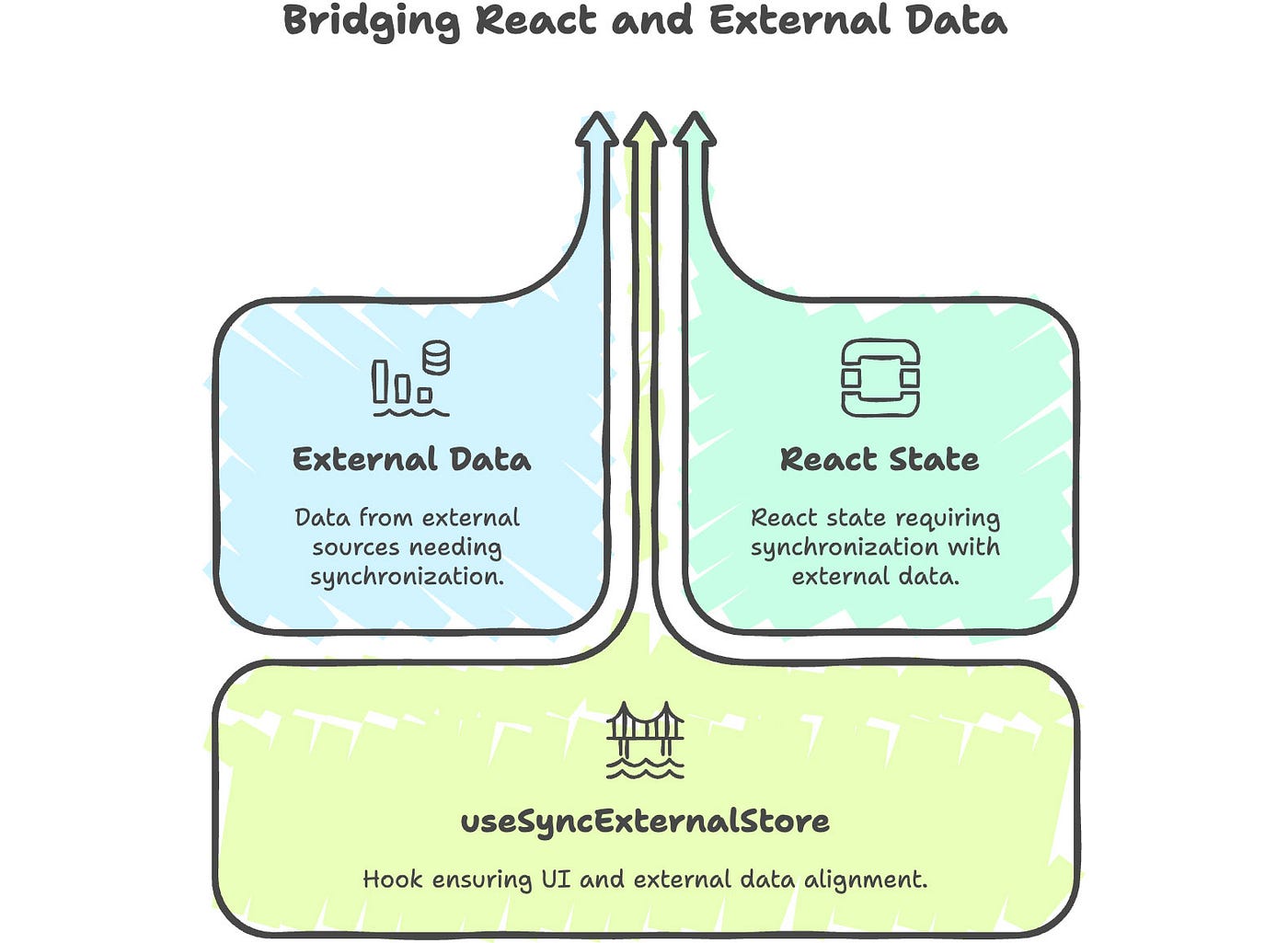
Made with Napkin.ai
🚗 Picture This: The React Radio Analogy
Imagine you’re cruising through the countryside, listening to FM radio. As you drive into new zones, the signal cracks and fades unless your car’s radio stays tuned to the strongest tower.
React apps work the same way. If your UI depends on data from outside React — say a global store or browser API — you need a reliable way to keep your component tuned in. That’s what [useSyncExternalStore](https://react.dev/reference/react/useSyncExternalStore) is all about.
🧠 Why React Introduced This Hook
Starting in **React 18, the library introduced Concurrent Mode**, allowing rendering to be more flexible and interruptible.
But with that flexibility came a new challenge — how do you safely read from state that React doesn’t own?
useSyncExternalStore is React’s answer for syncing components with non-React state, such as:
It helps prevent UI tearing, a situation where your UI displays mismatched data due to timing.
🪄 What It Looks Like
const value = useSyncExternalStore(subscribe, getSnapshot, getServerSnapshot?)subscribe: Registers a callback to run when the store changesgetSnapshot: Returns the current value from the storegetServerSnapshot(optional): For SSR compatibility
🔢 Beginner’s Playground: Building a Tiny Global Store
Let’s create a basic counter store outside of React and use useSyncExternalStore to keep a component in sync.
💁 Step 1: The store
// store.ts
let count = 0;
const listeners = new Set<() => void>();

export function increment() {
  count++;
  // Notify all subscribers (components) to re-render
  listeners.forEach((listener) => listener());
}
export function subscribe(listener: () => void) {
  listeners.add(listener);
  return () => listeners.delete(listener);
}
export function getCount() {
  return count; // Return current count value
}
💁 Step 2: The React component
// Counter.tsx
import { useSyncExternalStore } from 'react';
import { getCount, subscribe, increment } from './store';

export function Counter() {
  // This keeps our component in sync with the store's count value
  const count = useSyncExternalStore(subscribe, getCount);
  return (
    <div>
      <h2>Count: {count}</h2>
      <button onClick={increment}>+1</button>
    </div>
  );
}
🧠 What’s Happening:
- We read from a custom store, not React state
- The component re-renders only when
countchanges - This setup avoids stale reads, even during concurrent rendering
🌓 Real-World Hook: Detecting Dark Mode with Media Query
Let’s create a custom hook that tells us if the user prefers dark mode using window.matchMedia.
function usePrefersDarkMode() {
  return useSyncExternalStore(
    // Subscribes to changes in media query preference
    (callback) => {
      const mql = window.matchMedia('(prefers-color-scheme: dark)');
      mql.addEventListener('change', callback);
      return () => mql.removeEventListener('change', callback);
    },
    // Snapshot returns true if system is in dark mode
    () => window.matchMedia('(prefers-color-scheme: dark)').matches
  );
}

// How to use
function App() {
  const isDark = usePrefersDarkMode();
  return <div>{isDark ? '🌙 Dark Mode' : '☀️ Light Mode'}</div>;
}
🧠 What’s Happening:
- We subscribe to system-level dark mode changes
- React re-renders automatically when preference changes
- Completely decoupled from React state
💡 Pro Pattern: Global Store with Selectors (Redux-like)
Now let’s make a reusable hook to access any slice of a global store.
💁 Step 1: Build the store
// advancedStore.ts
const state = { count: 0, theme: 'light' };
const listeners = new Set<() => void>();

export function setState(partial) {
  // Update only the provided keys
  Object.assign(state, partial);
  // Notify all components
  listeners.forEach((listener) => listener());
}
export function subscribe(listener) {
  listeners.add(listener);
  return () => listeners.delete(listener);
}
export function createSnapshot() {
  return { ...state }; // Immutable snapshot to prevent mutation
}
💁 Step 2: Create a selector-based hook
// useGlobalStore.ts
import { useSyncExternalStore } from 'react';
import { subscribe, createSnapshot } from './advancedStore';

export function useGlobalStore(selector) {
  return useSyncExternalStore(
    subscribe,
    () => selector(createSnapshot())
  );
}
💁 Step 3: Use it in your app
// App.tsx
import { useGlobalStore } from './useGlobalStore';
import { setState } from './advancedStore';

function CountDisplay() {
  const count = useGlobalStore((s) => s.count);
  return <div>🧮 Count: {count}</div>;
}
function ThemeToggle() {
  const theme = useGlobalStore((s) => s.theme);
  return (
    <button onClick={() => setState({ theme: theme === 'light' ? 'dark' : 'light' })}>
      Toggle Theme ({theme})
    </button>
  );
}
🧠 What’s Happening:
- You can extract only the parts of state you need
- Reduces unnecessary re-renders
- Enables scalable state management without a full library
🧯 Gotchas to Avoid
Mistake Consequence Defining subscribe or getSnapshot inline Causes constant re-subscriptions Returning new objects in getSnapshot Triggers unnecessary re-renders Skipping getServerSnapshot in SSR Breaks hydration
Always memoize or define your store and access functions outside the component.
🎯 When Should You Reach for useSyncExternalStore?
✅ Use this hook if:
- You’re syncing with external, non-React state
- You care about concurrent rendering
- You want to avoid stale UI bugs
❌ Avoid if:
- All your state is local and inside React
- You don’t need concurrency safety
📚 Learn More
🧭 Final Thoughts: Sync Like a Pro
[useSyncExternalStore](https://react.dev/reference/react/useSyncExternalStore) might seem advanced at first, but it solves a fundamental issue in modern React: staying in sync with state you don’t directly own.
Once your app grows or embraces concurrent features, this hook becomes your safest bet for consistent, flicker-free UIs.
React now gives you the tools to listen beyond itself — and if you listen carefully, your UI will always stay tuned.
👋 Thanks for reading all the way through!
📌 Was this helpful?
- Clap 👏 if it sparked a thought or challenged your workflow
- Share 📣 it with your developer network
- Follow 📬 me for deep dives on frontend architecture, React, performance, and AI in dev life

✨ I publish regularly — clean code, real-world architecture, and modern web practices.
📬 Want updates? *Subscribe for email alerts on Medium*
Let’s keep growing together. Happy coding! 💻🚀
메타데이터
- post_id
- 3c7e1011b18a
- slug
- reacts-best-kept-secret-how-usesyncexternalstore-fixes-state-you-don-t-control-3c7e1011b18a
- url
- https://medium.com/web-tech-journals/reacts-best-kept-secret-how-usesyncexternalstore-fixes-state-you-don-t-control-3c7e1011b18a
- canonical_url
- https://medium.com/web-tech-journals/reacts-best-kept-secret-how-usesyncexternalstore-fixes-state-you-don-t-control-3c7e1011b18a
- author_url
- https://medium.com/@rakeshkumar-42819
- status
- ok
- fetched_at
- 2026-06-14 11:28:49