Discover the art of alleviating server stress by seamlessly migrating assets from AEM DAM to…
Today, I am thrilled to unveil a strategy that promises to gracefully reduce the load on your AEM publish server. By orchestrating a…
Discover the art of alleviating server stress by seamlessly migrating assets from AEM DAM to third-party sources.
Today, I am thrilled to unveil a strategy that promises to gracefully reduce the load on your AEM publish server. By orchestrating a harmonious migration of assets to distinguished third-party management services like Bynder, Cloudinary, and more, we open doors to a realm of optimized operations.
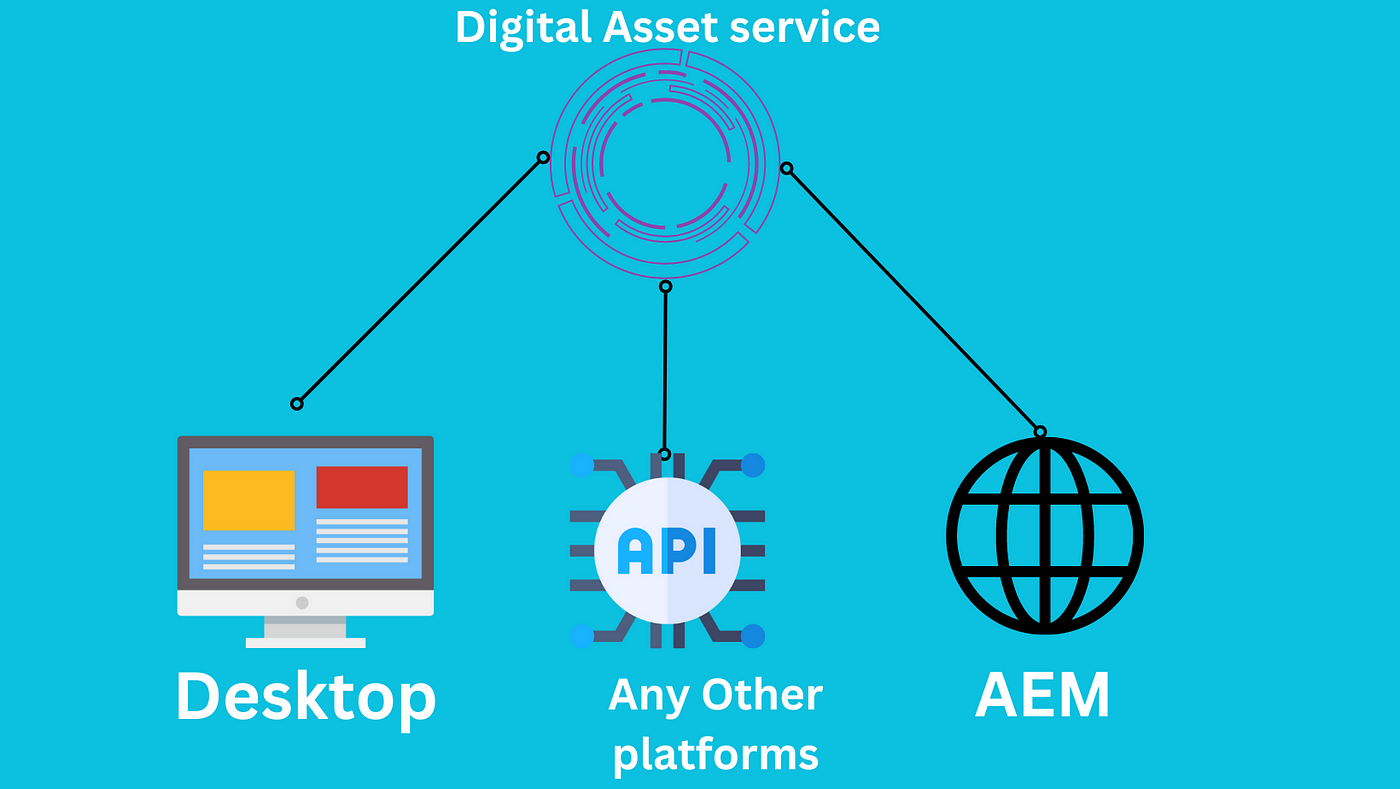
Advantage of using third-party asset manager
If your digital platform experiences high levels of traffic or if multiple applications share common assets, this article holds invaluable insights for both you and your organization. It serves as a guide to optimizing your asset management strategy for enhanced efficiency. However, if your application is currently small in scale with limited traffic, it might be advisable to defer the implementation of this solution until a more opportune time.
In the digital landscape, we’re dealing with busy websites that draw a lot of visitors, and more websites are joining the party as we speak. Despite using a cache system to help out, our computer and resource usage is still running a bit high. This is causing some speed bumps — the whole website is slowing down, which is not what we want.
To fix this, we put on our thinking caps and came up with a plan. We want to lighten the load on our main AEM server, which is like the conductor of this digital orchestra. Part of this plan involves moving our precious files to a trusted outside source. This source has some cool tools for images — like cutting them to size, filling in colors, and making sure the important parts are front and center.
Now our assets (images, videos, pdf, pptx, xlsx, doc) has been moved to cloudinary. Cloudinary is a cloud-based media management platform that offers a comprehensive suite of tools and services for storing, optimizing, transforming, and delivering images and videos for websites and applications. We developed a small aem bundle which syncs assets from cloudinary to aem. Now we had nothing on aem dam. Our bundle will sync assets from cloudinary to aem dam for the purpose of authoring.
Now cloudinary assets has been synced and aem content authors has done their authoring. If we publish this page now the image will be still served from aem core image component. Because we synced images from coudinary to aem and now its like the local asset before. So we need to make to mechanism to fetch cloudinary images from different source on publish and view as published.
So we modified the image component that we were using and it was inherited from aem core image.
<?xml version="1.0" encoding="UTF-8"?>
<jcr:root xmlns:sling="http://sling.apache.org/jcr/sling/1.0" xmlns:cq="http://www.day.com/jcr/cq/1.0" xmlns:jcr="http://www.jcp.org/jcr/1.0"
    jcr:primaryType="cq:Component"
    jcr:title="Image"
    sling:resourceSuperType="core/wcm/components/image/v2/image"
    componentGroup="Media"/>
Then modified the image.html like following. One thing is needed to pention here that the image we synced from cloudinary have some unique attrubutes in it. So we are using those attributes to determine that if its a cloudinary image or normal aem dam image.
<sly data-sly-use.imagePicker="com.example.aem.models.ImageSourcePicker"></sly>

<sly data-sly-test="${imagePicker.cloudinaryImage}">
    <sly data-sly-include="cloudinary-image.html"></sly>
</sly>

<sly data-sly-test="${!imagePicker.cloudinaryImage}">
    <sly data-sly-include="core-image.html"></sly>
</sly>
The ImageSourcePicker model checks if the image is cloudinary image or normal aem dam image. Now if its a cloudinary image then the following markup is rendered
<sly data-sly-use.model="com.example.aem.models.ImageSrcSetGenerator"></sly>

<div id="${component.id}"
  data-sly-use.image="com.adobe.cq.wcm.core.components.models.Image"
     class="cmp-image${!wcmmode.disabled ? ' cq-dd-image' : ''}">
    <a data-sly-unwrap="${!image.link}"
       class="cmp-image__link" href="${image.link}">
        <img
            data-expand="${image.lazyThreshold}"
            src="${model.src}" data-srcset="${model.srcSet}"
            data-sly-attribute.rel="preload" data-sly-attribute.fetchpriority="high"
            class="cmp-image__image lazyload" itemprop="contentUrl" data-cmp-hook-image="image"
            alt="${image.alt || true}" title="${image.displayPopupTitle && image.title}"/>
    </a>
    <span class="cmp-image__title" itemprop="caption" data-sly-test="${!image.displayPopupTitle && image.title}">${image.title}</span>
    <meta itemprop="caption" content="${image.title}" data-sly-test="${image.displayPopupTitle && image.title}">
</div>
Here what ImageSrcSetGenerator does is read the policy of image component and create src set (a list of sources) for lazy loading. Cloudinary have the ability to pass any cropped, filled version of your image with the width, height you provide in image url. Like this sample url [https://res.cloudinary.com/demo/image/upload/c_fill,h_250,w_250/docs/models.jpg](https://res.cloudinary.com/demo/image/upload/c_fill,h_250,w_250/docs/models.jpg)
This is how we have distributed the asset loading responsibility to cloudinary. Other asset services like bynder also can be used here.
메타데이터
- post_id
- 4956ae81ab33
- slug
- discover-the-art-of-alleviating-server-stress-by-seamlessly-migrating-assets-from-aem-dam-to-4956ae81ab33
- url
- https://medium.com/@kaikubad/discover-the-art-of-alleviating-server-stress-by-seamlessly-migrating-assets-from-aem-dam-to-4956ae81ab33
- canonical_url
- https://medium.com/@kaikubad/discover-the-art-of-alleviating-server-stress-by-seamlessly-migrating-assets-from-aem-dam-to-4956ae81ab33
- author_url
- https://medium.com/@kaikubad
- status
- ok
- fetched_at
- 2026-07-25 07:36:07