I Finally Bought in to the Mechanical Keyboard Craze
There’s NO going back now
I Finally Bought in to the Mechanical Keyboard Craze
There’s NO going back now
Photo by JL Cabrera on Unsplash
I said I wouldn’t do it. I said they’re a gimmick. I said they’re overpriced. And maybe all that’s still true.
My coworkers, of course, swear by them. I’ve heard for yers how much more comfortable they are to type on.
But after buying one and using it for a bit, wow. I have some thoughts. Especially as someone who types all day everyday.
For most of my life, I’ve used your standard, typical scissor switch style keyboard. Most recently, the Logitech MX Keys Mini. The MX Keys is nice, but this?
I didn’t expect this.
Picking out my first keyboard
Every time I go to Micro Center, I’m always drawn toward the keyboards. I’ve always loved all the cool options. You have huge, brightly colored keyboards, and you have tiny, simple, plastic keyboards. Something for just about everyone and his brother.
Just about every time, I’d walk past that section, I’d have to stop and try out a couple of keyboards just to see what I could see. Never actually buying one. I mean, they’re cool, but they’re very expensive. Many well over $100. Ouch.
But on a whim, I decided to try out the Corsair K65 Plus Wireless keyboard. It’s a 75% size keyboard with MLX Red switches and RGB capabilities.
That last bit makes no difference at all to performance, but it’s just fun. Can’t argue with that.
Now, to be fair, I have no idea how this keyboard compares with other mechanical keyboards out there in the grand scheme of things. I know there are some that are way more expensive. And some that are cheaper. I know there are some that have silent switches. And some that are louder.
I just went with what looked cool to me and felt decent to type on in the store.
So far, I don’t regret that decision.
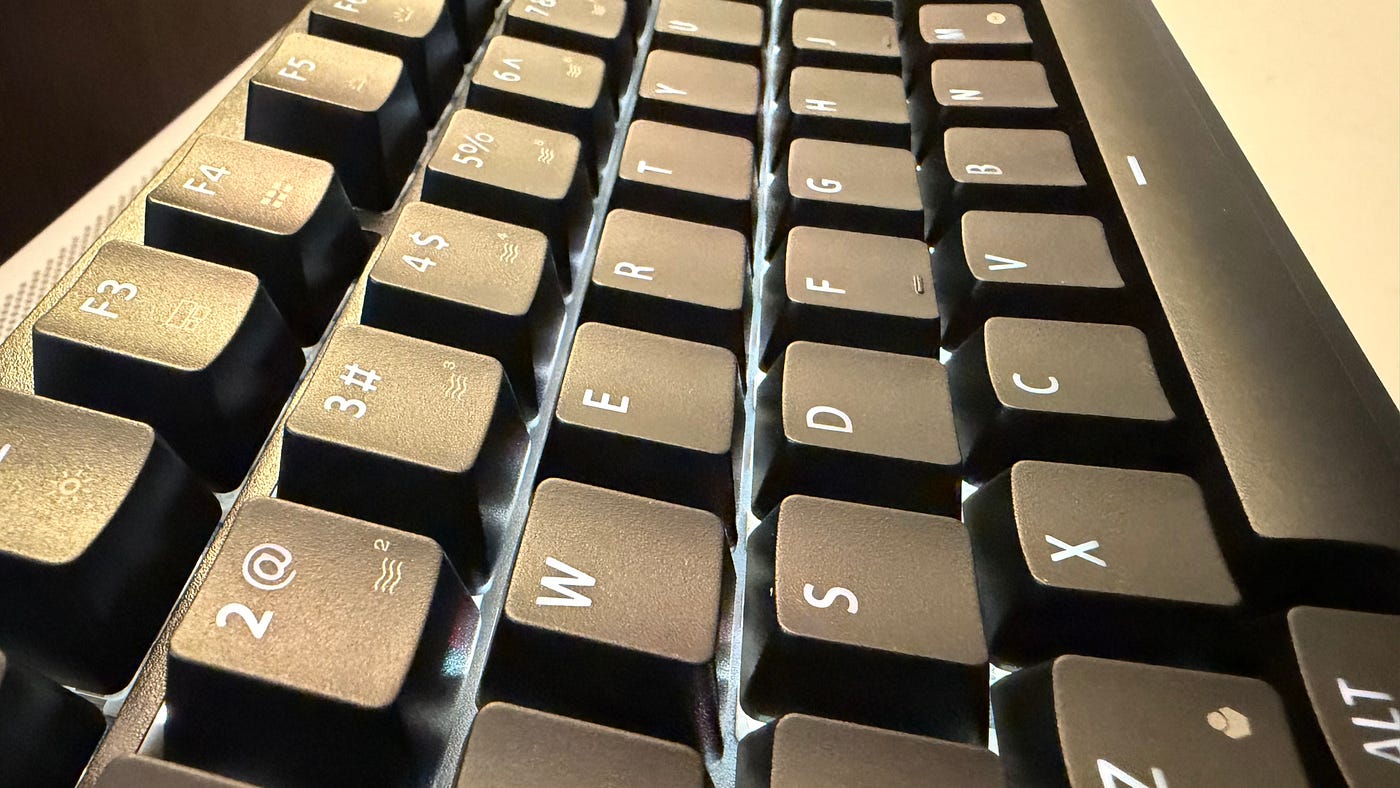
Photo provided by the author.
It’s loud. Very loud.
Back in college is when I first started using silent mice. Not because I was afraid of annoying other people with my constant clicks. But because I couldn’t stand to hear myself click constantly.
To this day, I still prefer silent mice.
In the store, it’s kinda hard to hear just how loud a keyboard is. Some, sure. But with all the noise of the environment, store music, other customers, and a loud echoey room, it’s not exactly the best place to test just how loud a keyboard is or isn’t.
As soon as I’d brought my new keyboard home and unboxed it, I was immediately struck by just how loud it is. In my office, which is a converted bedroom, the clicks and clacks echo off the walls like claps.
Though, to be fair, that’s probably more of a testament to the fact that I need better sound treatment on the walls than anything else. Maybe one day.
I’ll admit, at first the loudness was a bit off putting. I wasn’t sure if I could get used to it. But, I figured, I’d already spent a good amount of money on this keyboard and I might as well give it a shot.
I’ve now used the keyboard to write most of an article and have used it for part of a workday, and while it’s still very loud and I’m still getting used to that fact, I don’t think it’ll be a problem.
I do know that there are quieter switches I can get also, and there are even some mods that might help make the keyboard a bit less clacky, but I haven’t even started to dive into that scene just yet. Soon.

Typing much faster
I will say though, coming from the MX Keys Mini, I feel like I can type so much faster with a mechanical keyboard. I love the long key travel and the tactile feedback of each keypress.
The MX Keys Mini is a great keyboard. Don’t get me wrong. But in comparison, it feels mushy and lifeless. Yes, it’s quieter, but I don’t feel like I’m actually typing if that makes sense.
Maybe it’s psychological, but I feel like I’m typing much faster with the mechanical keyboard than I ever did with my old keyboards. That’s something I didn’t expect.
A more comfortable typing experience? Yes. Typing faster? No.
I mean, I guess it makes sense. Let’s be real. But it’s been a nice surprise for me. I feel like I can get through my backlog of articles to write much faster than I was previously.
Woohoo. Or I’m sorry. Or both.
Probably both.
The iCUE software is a bit finicky
The K65 Plus uses Corsair’s iCUE software for controlling its RGB lighting and some other features, very much like Logitech’s Logi Options Plus software.
This is my first experience with the iCUE software. Having not used it before, it took me a bit to understand what was going on and get used to it. Eventually, I figured out how to change the colors of my keyboard.

Screenshot provided by the author
I had a design I liked all set up and then switched over to wireless mode. Up to that point, I’d been plugged in with a USB-C cable. But, so I was about to learn, a bunch of the cool lighting effects (especially those that use lighting layers) don’t work when the keyboard is not plugged in via USB-C.
That’s a bummer.
To be clear, I didn’t buy the keyboard for its RGB effects. I’m a nearly 38 year old IT guy, not a constant gamer, so RGB effects don’t have the same value to me as they once did. Let’s be real.
But still, I was kinda looking forward to using those effects.
Loving the hardware longevity
One thing that really draws me to mechanical keyboards is the fact that they’re designed to be disassembled. Unlike something like a Logitech MX Keys Mini (which is also a nice keyboard) a mechanical keyboard can be taken apart. Keycaps can be replaced. Switches can be swapped.
I love that.
If and when I type so much on this keyboard that I start wearing out switches or keycaps, I can replace those parts without having to buy a whole new keyboard. That’s cool.
I love my MX Keys Mini keyboard, but it’s not my first MX Keys Mini. I’ve had several, and I’ve caused significant wear to each of them. Over time, they just don’t feel the same to type on anymore. That’s just the nature of their design. But unfortunately, they’re not designed to be repairable.
A mechanical keyboard typically is. And that matters to me.
The older and more cranky I get, the more tired I become of this culture of “just buy a new one” that we’ve built. Sure, sometimes it’s best to just “buy a new one.” You run out of dish soap? Go buy more. A key wears out on your keyboard? You should be able to fix that.
With a mechanical keyboard with replaceable switches and keycaps, that’s exactly what I can do. And I think that’s beautiful.
Corsair even has a page on their site detailing how to disassemble the keyboard for those who are so inclined.
Should have tried this sooner
The only thing that annoys me is the fact that I didn’t try a mechanical keyboard sooner. This is just my first keyboard, to be clear. I know there are lots more out there with a huge variety of key switches and features, and now that my interest in mechanical keyboards has been fully sparked I plan to explore the scene quite a bit more.
Are they a gimmick? Maybe. Are they overpriced? Yeah, they’re not cheap. But would I buy one again? Absolutely.
For now, I enjoy knowing that I can keep this keyboard in service for a long time, and it’ll be part of my ongoing writing setup for a long time to come.
If you’ve been considering trying a mechanical keyboard, do it. Stop thinking. Just go do it. It’s so much better.
It’s not for everyone of course. As few things are. But if you’ve not tried one before, you might be surprised by how much you love it.
I definitely was.
메타데이터
- post_id
- 591bbb92673f
- slug
- i-finally-bought-in-to-the-mechanical-keyboard-craze-591bbb92673f
- url
- https://medium.com/@michaelswengel/i-finally-bought-in-to-the-mechanical-keyboard-craze-591bbb92673f
- canonical_url
- https://medium.com/@michaelswengel/i-finally-bought-in-to-the-mechanical-keyboard-craze-591bbb92673f
- author_url
- https://medium.com/@michaelswengel
- status
- ok
- fetched_at
- 2026-07-25 15:54:22