Beyond the E-Signature: 5 Essential Document Conversion Tools Every Professional Needs.
Productivity | May 2026 | 6 min read | Endorse Team
Beyond the E-Signature: 5 Essential Document Conversion Tools Every Professional Needs.
Productivity | May 2026 | 6 min read | Endorse Team
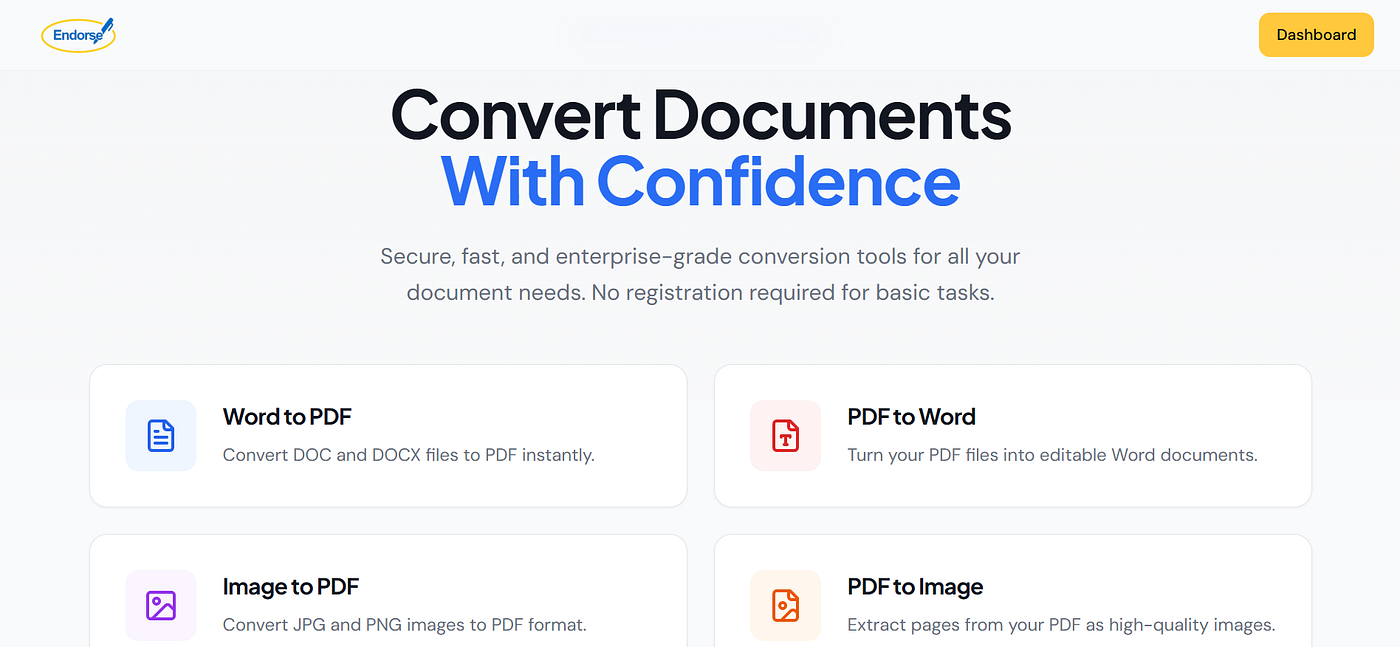
Most professionals think of Endorse as an eSignature tool. And yes,, we make signing documents fast, secure, and effortless. But there’s a whole side of Endorse that doesn’t get enough attention: a complete document toolkit built for the way modern professionals actually work.
Because the truth is, before a document ever gets signed, it usually needs to be converted, merged, compressed, or secured. And doing that shouldn’t require three different apps, a subscription you’ll forget to cancel, or uploading sensitive files to a sketchy free website.
Everything you need is already inside your Endorse dashboard. Here are the five tools that will change how you handle documents every single day.
- Word to PDF, The One Conversion You’ll Use Every Day

You’ve written the proposal in Word. The contract is a DOCX. The report is done. Now what? You send it as-is and hope the recipient’s formatting doesn’t fall apart on their end, or you convert it to PDF first, like a professional.
PDF is the universal format of business. It looks identical on every device, it can’t be accidentally edited, and it signals that what you’re sending is final and intentional. With Endorse, you drag in your DOC or DOCX file and get a perfectly formatted PDF in seconds. No layout shifts, no missing fonts, no formatting surprises.
Use it for: proposals, invoices, reports, contracts, presentations, and anything you want to look polished when it lands in someone’s inbox.
- PDF to Word , Because Editable Documents Shouldn’t Require Starting From Scratch

You’ve received a PDF , a contract, a template, a form , and you need to make changes. Without the right tool, your options are grim: retype the whole thing, try to annotate around the existing text, or go back to the sender and ask for the original file.
Endorse PDF to Word conversion solves this cleanly. Upload your PDF and get back a fully editable Word document with your formatting, layout, and content preserved. It’s the tool that saves you an hour every time a client sends you a document that “just needs a few tweaks.”
Use it for: editing received contracts, updating templates, extracting and repurposing content from existing documents.
- Image to PDF , Turn Anything Into a Professional Document
Not every important document starts as a typed file. Sometimes it’s a photo of a signed form. Sometimes it’s a scanned receipt. Sometimes it’s a JPG of a whiteboard diagram from a meeting that somehow needs to go into a formal report.
Endorse converts JPG and PNG images into clean, properly formatted PDFs instantly. No quality loss, no awkward resizing, no unprofessional-looking attachments. Just a proper document that belongs in a professional context.
Use it for: scanned documents, photographed receipts or invoices, image-based forms, visual assets that need to be embedded in document workflows.
- Merge PDF , One Document Instead of Many

Sending five separate PDF attachments for a single project is the document equivalent of handing someone a pile of loose papers and saying “good luck.” It creates confusion, risks things getting missed, and makes you look disorganized even when you’re not.
Merge PDF lets you combine multiple PDF files into one clean, single document. You control the order. You decide what goes where. The result is one professional file that’s easy to share, easy to navigate, and impossible to lose a page from.
Use it for: combining proposal sections, assembling multi-part contracts, packaging reports with appendices, bundling invoices with supporting documents.
- Protect PDF , Because Not Every Document Is Meant for Everyone

Some documents are sensitive. Financial statements. Employment contracts. Legal agreements. Internal reports. These files should not be floating around unprotected on email threads or shared drives where anyone with a link can open them.
Protect PDF lets you add password protection to any PDF before you send it. The recipient needs the password to open it , simple, effective, and a meaningful signal to clients and partners that you take document security seriously.
Use it for: confidential contracts, financial documents, HR files, any document containing personal or proprietary information.
Bonus: PDF to Image , When You Need the Page, Not the File
Sometimes you don’t need the whole document. You need a single page , a chart, a signature block, a specific section , as a clean image you can drop into a presentation, a report, or a message. PDF to Image extracts pages from your PDF as high-quality images, so you always have what you need in the format you need it.
Why Endorse for Document Conversion?
There are plenty of free conversion tools scattered around the internet. But there are good reasons why professionals choose to keep this work inside Endorse.
Speed: our cloud servers process your documents in seconds, not minutes. You’re not waiting around watching a progress bar while a tab freezes.
Quality: formatting, images, and layout are preserved precisely. What goes in is what comes out , just in the format you asked for.
Security: when you’re working with contracts, financial documents, or anything sensitive, you should care deeply about where those files are going. Endorse is built with enterprise-grade security from the ground up. No registration required for basic tasks, and no doubt about who has access to your files.
Everything in one place: instead of bouncing between half a dozen tools with half a dozen accounts, your entire document workflow , from conversion to signing to storage , lives in a single dashboard.
Your documents deserve better than workarounds. Open the Endorse dashboard and try any of these tools today. Convert, merge, protect, and sign , all without leaving the platform you already trust.
Document Conversion, PDF Tools, Productivity, Professional Tools, Document Management
메타데이터
- post_id
- 665dd8adf574
- slug
- beyond-the-e-signature-5-essential-document-conversion-tools-every-professional-needs-665dd8adf574
- url
- https://medium.com/@bankoleebenezer111/beyond-the-e-signature-5-essential-document-conversion-tools-every-professional-needs-665dd8adf574
- canonical_url
- https://medium.com/@bankoleebenezer111/beyond-the-e-signature-5-essential-document-conversion-tools-every-professional-needs-665dd8adf574
- author_url
- https://medium.com/@bankoleebenezer111
- status
- ok
- fetched_at
- 2026-06-27 07:40:21



