Snowflake Bring Your Own AI Model to AI_COMPLETE: Choose the Right Model for Every AI Workload
How to use Bring you Own AI Model from Huggingface and use it in Snowflake services. A Step by step instructions
Snowflake Bring Your Own AI Model to AI_COMPLETE: Choose the Right Model for Every AI Workload
Generative AI is becoming part of every data platform. From summarizing customer feedback to generating SQL, classifying documents, extracting entities, and powering AI agents, companies are making millions of LLM inference calls every day.
Snowflake makes this simple through the AI_COMPLETE function. The value proposition of AI_COMPLETE isn't just that it calls an LLM—it's that it brings AI inference directly to where your company data already lives. Instead of moving data to an external AI service, developers can invoke AI using familiar SQL, Snowpark APIs, or the Cortex REST API, while leveraging Snowflake's governance, security, and scalability. Hence, it has a significant advantage:
- Developers can invoke powerful language models directly from SQL, Python, or applications without managing infrastructure.
- Enterprise data often contains sensitive information. With AI_COMPLETE, organizations can perform inference close to their governed data instead of building ETL pipelines to external AI services. Furthermore, organizations can apply the same governance principles used for their data, including RBAC, and Auditing.
- Faster AI Application Development: Developers do not need to write REST clients, handle authentication, retry fail requests, build routing logic, etc.
- Consistent Inference across models, whether the underlying model is Snowflake-managed, an open-source model, or a custom fine-tuned model. The application code changes little or not at all. This abstraction makes it easier to switch models as requirements evolve.
AI_COMPLETE provides a consistent interface for AI inference, but the underlying model should not be a one-size-fits-all decision. Different use cases often require different models based on accuracy, latency, domain expertise, context length, or governance requirements. For example:
- A healthcare organization may choose a medical LLM trained on clinical terminology.
- A financial institution may deploy a model optimized for regulatory documents and risk analysis.
- A software company may use a code-generation model for developer productivity.
- A global enterprise may select multilingual models that perform better for specific languages.
- A customer support team may fine-tune a smaller model using its own knowledge base to improve response quality and consistency.
Snowflake now offers Bring Your Own Model (BYOM), which extends this flexibility by allowing organizations to integrate their preferred models while continuing to use the familiar AI_COMPLETE interface and REST API. Rather than rewriting applications for every model provider, developers can build once while platform teams retain the freedom to evolve the underlying models as new capabilities emerge. From the application’s perspective, the interface remains nearly identical, but the inference engine is now fully under the organization’s control, keeping AI close to your data.
Open-source models have improved dramatically. Models such as Llama, Mistral, Gemma, etc., are capable of handling many enterprise workloads. An additional advantage is that organizations hosting their own models can optimize infrastructure utilization and inference costs by paying for compute resources instead of token-based pricing. While cost optimization is an important consideration, the primary benefit of BYOM is the ability to choose the model that best fits the business problem, whether that means better domain expertise, lower latency, improved governance, or support for specialized workloads.

Let me walk you through how you can do so easily in Snowflake.
Important: At the time of writing this article, this feature is in Private Preview, so please contact your Snowflake Account Team to enable it in your Snowflake account.
Step 1: Create an account in https://huggingface.co/ and create a token there. (Click on Settings/Access Token)
Step 2: Create a secret in your database schema.
CREATE OR REPLACE SECRET my_secret
 TYPE = GENERIC_STRING
 SECRET_STRING = 'hf_my_own_huggingface_secret';
Step 3: Download the model and create a service. Log into Snowflake UI (Snowsight), (I used the ACCOUNTADMIN role, but you can use any role that has the privilege to do this function), move your cursor over AI&ML, click on Models (under the Machine Learning section)

You can see various models and services available to your account.

On the top right corner, click on the Create button, and you will see “Import Model”, click on it to import a model from Hugging Face.
- Click on the drop-down and select your model. I chose the OpenAI OSS 20b Model. Please note that a larger model requires larger compute; if the compute is not enough, it may give an error.
- Select the secret from your database schema that you created in step 2.
- Select the database schema where you want to create a model and service.

Click on the “Continue to deployment” button to create a service from the model.
- Give the service name “GPT_OSS_20B_SERVICE”
- Select the compute, you can create your own GPU compute using this https://docs.snowflake.com/en/sql-reference/sql/create-compute-pool
- Click on Deploy
Wait for a few minutes, once the Model will be downloaded and create a service for you. You can monitor this job in Snowflake UI by clicking “Monitoring”, and then “Services & Jobs”.

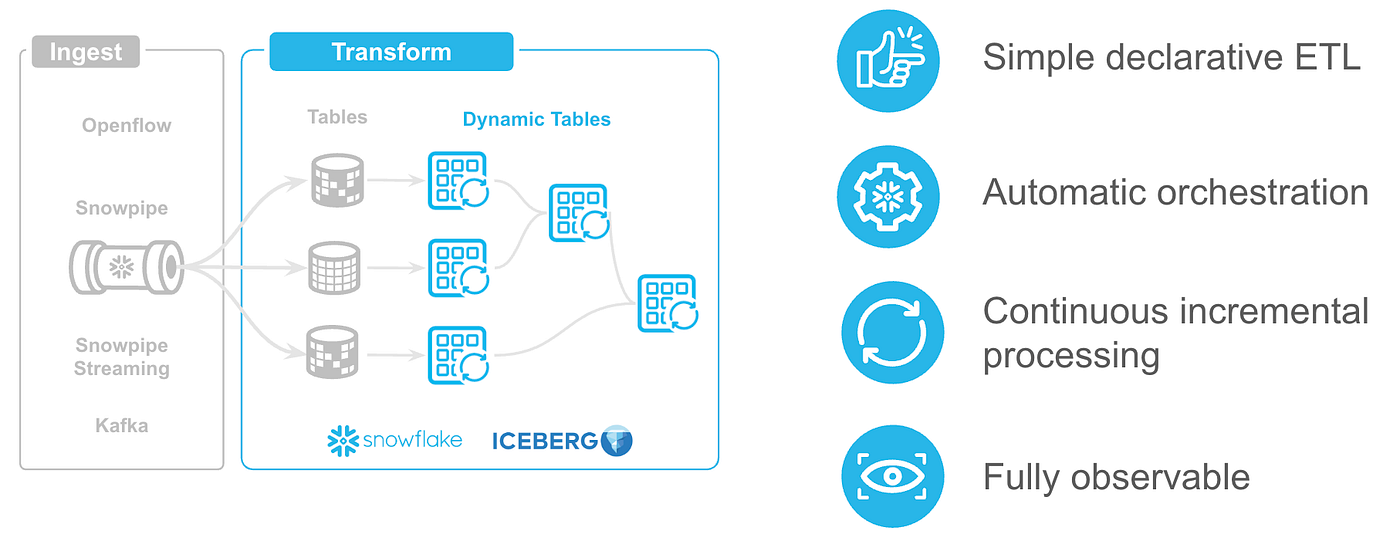
Step 4: Test inference and use AI_COMPLETE in your data engineering pipeline, such as a dynamic table. Please note that, if your GPU compute autosuspends, it takes 3–5 minutes to resume that compute and service.
use role accountadmin;
SET service_name = 'MODELS.PUBLIC.GPT_OSS_20B_SERVICE';
SELECT AI_COMPLETE($service_name, 'why should I  snowflake for AI');
SELECT
    TRANSCRIPT,
    ai_Complete('MODELS.PUBLIC.GPT_OSS_20B_SERVICE',
   CONCAT('Categorize the reason the Customer called into a 3 word phrase.
           Only respond with the 3 word phrase, no intro: <transcript>'
, transcript, '</transcript>')) as CATEGORY
FROM llmdb.cortex.call_transcripts
WHERE language = 'English';
Another use case is analyzing website content, which can require processing large volumes of text and, therefore, a high number of tokens. Using this approach can make these workloads more cost-efficient at scale.
-- main table that has url, locaiton of file in s3, etc
-- also cloumn to update the IAB category
CREATE OR REPLACE TABLE DEMODB.DEMO.URL_CLASSIFICATION_DATA (
    URL VARCHAR,  -- url that need to idenfity category
    FILENAME VARCHAR, -- name of the file exists in s3
    TITLE VARCHAR,
    DOMAIN VARCHAR, -- domain of the url
    SCRAPED_AT TIMESTAMP_NTZ DEFAULT CURRENT_TIMESTAMP(),
    FILE_SIZE_BYTES INTEGER,
    CONTENT_PREVIEW VARCHAR,
    -- Classification results from BYOM
    IAB_CATEGORY VARCHAR, -- AI_COMPLETE with MODELS.PUBLIC.GPT_OSS_20B_SERVICE
    CLASSIFIED_AT TIMESTAMP_NTZ
);

-- this table has IAB categories data  from
-- https://github.com/InteractiveAdvertisingBureau/Taxonomies/blob/main/Content%20Taxonomies/Content%20Taxonomy%203.1.tsv
CREATE OR REPLACE TABLE DEMODB.DEMO.IAB_CATEGORIES (
    UNIQUE_ID VARCHAR,
    PARENT_ID VARCHAR,
    NAME VARCHAR
);

-- this is where my scrapped content from website is located
CREATE OR REPLACE STAGE DEMODB.DEMO.S3_URL_FILES
  URL = 's3://mys3bucket/files/url/'
  STORAGE_INTEGRATION = S3_STORAGE_INT
  FILE_FORMAT = (TYPE = 'CSV' FIELD_DELIMITER = NONE RECORD_DELIMITER = NONE);

-- update IAB categories of the url content using this statement

UPDATE DEMODB.DEMO.URL_CLASSIFICATION_DATA t
SET
    IAB_CATEGORY = TRY_PARSE_JSON(REGEXP_SUBSTR(src.cat_gpt_raw, '\\{[^}]+\\}')):category::VARCHAR,
    CLASSIFIED_AT = CURRENT_TIMESTAMP()
FROM (
    WITH categories AS (
        SELECT
            ARRAY_AGG(NAME) AS cat_array,
            ARRAY_TO_STRING(ARRAY_AGG(NAME), ', ') AS cat_list
        FROM DEMODB.DEMO.IAB_CATEGORIES
        WHERE PARENT_ID IS NULL
    ),
    file_content AS (
        SELECT
            u.URL,
            u.FILENAME,
            LEFT(SNOWFLAKE.CORTEX.PARSE_DOCUMENT(
                @DEMODB.DEMO.S3_URL_FILES, u.FILENAME, {'mode': 'LAYOUT'}
            ):content::VARCHAR, 3000) AS content
        FROM DEMODB.DEMO.URL_CLASSIFICATION_DATA u
    )
    SELECT
        f.URL,
        AI_COMPLETE(
            'MODELS.PUBLIC.GPT_OSS_20B_SERVICE',
            CONCAT(
                'Classify this web content into one IAB Content Taxonomy 3.1 category. Return ONLY JSON: {"category": "<name>"}',
                CHAR(10), 'Categories: ', c.cat_list,
                CHAR(10), 'Content: ', LEFT(f.content, 2000)
            )
        ) AS cat_gpt_raw
    FROM file_content f
    CROSS JOIN categories c
) src
WHERE t.URL = src.URL;

-- check out the result:
-- Category distribution
SELECT IAB_CATEGORY AS category, COUNT(*) AS cnt
FROM DEMODB.DEMO.URL_CLASSIFICATION_DATA
GROUP BY 1 ORDER BY 2 DESC;
Using REST API
You can also call this service using REST API, I have an example of python using streamlit here. Create “.streamlit/secret.toml” file with your credentials and install the required packages in your environment: streamlit, snowflake-snowpark-python, request, snowflake-connector-python. Sample python program below:
"""
Cortex REST API Demo
Multi-turn chat demo using the Snowflake Cortex Inference REST API.
BYOM models (registered in MODELS.PUBLIC) are called directly via their
SPCS ingress endpoint using the dataframe_split format.
"""
import json
import os
import requests
import streamlit as st
# ---------------------------------------------------------------------------
# Page config
# ---------------------------------------------------------------------------
st.set_page_config(
page_title="Cortex REST API Demo",
page_icon="❄️",
layout="wide",
)
# ---------------------------------------------------------------------------
# Built-in Cortex models samples
# ---------------------------------------------------------------------------
CORTEX_MODELS = [
"mistral-large2",
"llama3.1-70b",
"llama3.1-8b",
"llama3.3-70b",
"mixtral-8x7b",
"claude-3-5-sonnet",
]
# ---------------------------------------------------------------------------
# Snowflake connection helpers
# ---------------------------------------------------------------------------
@st.cache_resource
def get_session():
"""Return a Snowpark session — works locally and inside SiS."""
try:
from snowflake.snowpark.context import get_active_session # noqa: PLC0415
return get_active_session()
except Exception:
conn = st.connection("snowflake")
return conn.session()
def get_rest_token(session) -> str:
try:
return session._conn._conn._rest._token
except AttributeError:
return session._conn._rest._token
def get_account_host(session) -> str:
try:
return session._conn._conn._rest._host
except AttributeError:
return session._conn._rest._host
def get_pat() -> str | None:
"""
Return a Programmatic Access Token for BYOM SPCS endpoint calls.
SPCS public endpoints require PAT auth; session tokens are rejected.
Configure in .streamlit/secrets.toml:
[snowflake]
pat = "<your PAT>"
Or set env var SNOWFLAKE_PAT.
"""
# Check env var first
pat = os.getenv("SNOWFLAKE_PAT", "")
if pat:
return pat
# Then check secrets.toml
try:
return st.secrets["snowflake"]["pat"]
except Exception:
return None
# ---------------------------------------------------------------------------
# BYOM model discovery
# ---------------------------------------------------------------------------
@st.cache_data(ttl=60)
def fetch_byom_models() -> list[dict]:
"""
Return model-backed SPCS services from MODELS.PUBLIC with their ingress URLs.
Each entry:
label — display string
value — unique key used as selectbox value (service name)
service — bare service name, e.g. GEMMA_3_4B_IT_V_2026_06_18__10_53_22_SERVICE
status — RUNNING / SUSPENDED / etc.
ingress — public ingress hostname, e.g. xyz-account.snowflakecomputing.app
"""
session = get_session()
try:
svc_rows = session.sql("SHOW SERVICES IN SCHEMA MODELS.PUBLIC").collect()
except Exception:
return []
results = []
for row in svc_rows:
row_dict = {k.lower(): v for k, v in row.as_dict().items()}
if row_dict.get("managing_object_domain") != "Model" or str(row_dict.get("is_job", "")) == "true":
continue
svc_name = row_dict["name"]
status = row_dict.get("status", "UNKNOWN")
# Discover the ingress URL for this service
ingress = None
try:
ep_rows = session.sql(
f"SHOW ENDPOINTS IN SERVICE MODELS.PUBLIC.{svc_name}"
).collect()
for ep in ep_rows:
ep_dict = {k.lower(): v for k, v in ep.as_dict().items()}
if str(ep_dict.get("is_public", "")).lower() == "true" and ep_dict.get("ingress_url"):
ingress = ep_dict["ingress_url"]
break
except Exception:
pass
results.append(
{
"label": f"{svc_name} [{status}]",
"value": svc_name, # used as selectbox key
"service": svc_name,
"status": status,
"ingress": ingress, # may be None if ingress not enabled
# Fully-qualified uppercase name for AI_COMPLETE
"ai_model": f"MODELS.PUBLIC.{svc_name}",
}
)
return results
def is_byom(selected_value: str) -> bool:
return selected_value not in CORTEX_MODELS and selected_value != "__separator__"
def build_model_options(byom_models: list[dict]) -> tuple[list[str], list[str]]:
labels: list[str] = []
values: list[str] = []
if byom_models:
for m in byom_models:
labels.append(m["label"])
values.append(m["value"])
labels.append("──── Cortex built-in models ────")
values.append("__separator__")
labels.extend(CORTEX_MODELS)
values.extend(CORTEX_MODELS)
return labels, values
# ---------------------------------------------------------------------------
# API call — Cortex /complete (built-in models)
# ---------------------------------------------------------------------------
def cortex_complete(
host: str,
token: str,
model: str,
messages: list[dict],
temperature: float = 0.7,
max_tokens: int = 1024,
) -> tuple[requests.Response, dict, dict]:
url = f"https://{host}/api/v2/cortex/inference:complete"
headers = {
"Authorization": f'Snowflake Token="{token}"',
"Content-Type": "application/json",
"Accept": "application/json",
}
body = {
"model": model,
"messages": messages,
"temperature": temperature,
"max_tokens": max_tokens,
"stream": False,
}
safe_headers = {**headers, "Authorization": 'Snowflake Token="<redacted>"'}
resp = requests.post(url, headers=headers, json=body, timeout=120)
return resp, body, safe_headers
def parse_cortex_response(resp_json: dict) -> tuple[str, dict]:
"""Return (answer_text, usage_dict)."""
answer = resp_json["choices"][0]["message"]["content"]
usage = resp_json.get("usage", {})
return answer, usage
# ---------------------------------------------------------------------------
# API call — BYOM SPCS service (direct ingress)
# ---------------------------------------------------------------------------
def byom_call(
ingress: str,
token: str, # must be a PAT; session tokens don't work for SPCS ingress
messages: list[dict],
temperature: float = 0.7,
max_tokens: int = 1024,
) -> tuple[requests.Response, dict, dict]:
"""
Call a BYOM model's SPCS ingress endpoint using the data array format.
Format: {"data": [[row_index, arg1, arg2, ...]]}
__CALL__ args: MESSAGES, TEMPERATURE, MAX_COMPLETION_TOKENS, STOP, N,
STREAM, TOP_P, FREQUENCY_PENALTY, PRESENCE_PENALTY
URL path: underscores replaced by dashes → /--call--
"""
url = f"https://{ingress}/--call--"
headers = {
"Authorization": f'Snowflake Token="{token}"',
"Content-Type": "application/json",
"Accept": "application/json",
}
body = {
"data": [[
0, # row index
messages, # MESSAGES ARRAY
temperature, # TEMPERATURE FLOAT
max_tokens, # MAX_COMPLETION_TOKENS NUMBER
None, # STOP ARRAY (null = no stop sequences)
1, # N NUMBER
False, # STREAM BOOLEAN
1.0, # TOP_P FLOAT
0.0, # FREQUENCY_PENALTY FLOAT
0.0, # PRESENCE_PENALTY FLOAT
]]
}
safe_headers = {**headers, "Authorization": 'Snowflake Token="<PAT_redacted>"'}
resp = requests.post(url, headers=headers, json=body, timeout=120)
return resp, body, safe_headers
def parse_byom_response(resp_json: dict) -> tuple[str, dict]:
"""
Parse the data-array response from the SPCS endpoint.
Format: {"data": [[row_index, result_object], ...]}
The result_object is OpenAI-compatible with 'choices' and 'usage'.
"""
if "dataframe_split" in resp_json:
obj = resp_json["dataframe_split"]["data"][0][0]
# data array format: [[row_index, result_object], ...]
elif "data" in resp_json:
obj = resp_json["data"][0][1]
else:
obj = resp_json # unexpected — return as-is
if isinstance(obj, dict) and "choices" in obj:
answer = obj["choices"][0]["message"]["content"]
usage = obj.get("usage", {})
else:
answer = str(obj)
usage = {}
return answer, usage
# ---------------------------------------------------------------------------
# SQL: AI_COMPLETE call path
# ---------------------------------------------------------------------------
def ai_complete_sql(
session,
model: str,
messages: list[dict],
temperature: float = 0.7,
max_tokens: int = 1024,
) -> tuple[str, dict, str]:
"""
Call AI_COMPLETE via Snowpark SQL using bind parameters (?).
Works for both built-in Cortex models and BYOM service names.
Returns (answer_text, usage_dict, sql_shown).
"""
messages_json = json.dumps(messages)
options_json = json.dumps({"temperature": temperature, "max_tokens": max_tokens})
sql = "SELECT AI_COMPLETE(?, PARSE_JSON(?), PARSE_JSON(?)) AS response"
# Display-friendly version shown in the inspector (not executed)
sql_shown = (
f"SELECT AI_COMPLETE(\n"
f" '{model}',\n"
f" PARSE_JSON('{messages_json}'),\n"
f" PARSE_JSON('{options_json}')\n"
f") AS response"
)
rows = session.sql(sql, params=[model, messages_json, options_json]).collect()
raw = rows[0]["RESPONSE"]
if isinstance(raw, str):
raw = json.loads(raw)
if isinstance(raw, dict) and "choices" in raw:
answer = raw["choices"][0]["message"]["content"]
usage = raw.get("usage", {})
else:
answer = str(raw)
usage = {}
return answer, usage, sql_shown
# ---------------------------------------------------------------------------
# Session state init
# ---------------------------------------------------------------------------
for key, default in [
("messages", []),
("last_req", None),
("last_resp", None),
("last_model", None),
]:
if key not in st.session_state:
st.session_state[key] = default
# ---------------------------------------------------------------------------
# Boot the Snowflake session
# ---------------------------------------------------------------------------
try:
session = get_session()
host = get_account_host(session)
current_user = session.get_current_user().strip('"')
current_account = session.get_current_account().strip('"')
except Exception as exc:
st.error(f"Could not connect to Snowflake: {exc}")
st.stop()
pat = get_pat() # PAT required for BYOM SPCS calls
# ---------------------------------------------------------------------------
# Sidebar
# ---------------------------------------------------------------------------
byom_models = fetch_byom_models()
byom_by_value = {m["value"]: m for m in byom_models}
model_labels, model_values = build_model_options(byom_models)
with st.sidebar:
st.title("Settings")
st.caption(f"**User:** {current_user} \n**Account:** {current_account}")
st.divider()
raw_idx = st.selectbox(
"Model",
options=range(len(model_labels)),
format_func=lambda i: model_labels[i],
index=0,
help="Built-in Cortex models + BYOM services from MODELS.PUBLIC",
)
selected_model = model_values[raw_idx]
if selected_model == "__separator__":
st.warning("Select a model above or below the separator.")
selected_model = CORTEX_MODELS[0]
call_method = st.radio(
"Call method",
options=["SQL: AI_COMPLETE", "REST API"],
index=0,
help=(
"**SQL: AI_COMPLETE** — runs `AI_COMPLETE(model, messages)` "
"via Snowpark; no PAT needed. \n"
"**REST API** — calls the Cortex /complete endpoint (built-in models) "
"or SPCS ingress directly (BYOM; PAT required)."
),
)
st.divider()
temperature = st.slider("Temperature", 0.0, 1.0, 0.7, 0.05)
max_tokens = st.number_input("Max tokens", 64, 4096, 512, 64)
st.divider()
system_prompt = st.text_area(
"System prompt",
value="You are a helpful assistant.",
height=100,
)
st.divider()
# Show which API endpoint will be used
if is_byom(selected_model):
meta = byom_by_value.get(selected_model, {})
ingress = meta.get("ingress", "")
ep_display = f"POST https://{ingress}/--call--" if ingress else "ingress URL not available"
else:
ep_display = f"POST https://{host}\n/api/v2/cortex/inference:complete"
st.markdown("**Active endpoint**")
if call_method == "SQL: AI_COMPLETE":
st.code(f"AI_COMPLETE('{selected_model}', messages)", language="sql")
else:
st.code(ep_display, language="text")
# PAT status for BYOM
if byom_models:
st.divider()
if pat:
st.success("PAT configured ✓ (BYOM calls ready)")
else:
st.warning(
"**PAT required for BYOM models.** \n"
"Add to `.streamlit/secrets.toml`:\n"
"```toml\n[snowflake]\npat = \"<your_PAT>\"\n```\n"
"Create one in Snowsight: **Admin → Users → your user → "
"Programmatic Access Tokens → Generate new token**"
)
show_api_panel = st.toggle("Show API inspector", value=True)
if st.button("Clear conversation", use_container_width=True):
st.session_state.messages = []
st.session_state.last_req = None
st.session_state.last_resp = None
st.session_state.last_model = None
st.rerun()
# ---------------------------------------------------------------------------
# Main layout
# ---------------------------------------------------------------------------
chat_col, api_col = st.columns([3, 2] if show_api_panel else [1, 0])
# ── Chat column ──────────────────────────────────────────────────────────────
with chat_col:
st.title("❄️ Cortex REST API Demo")
model_type = "BYOM (SPCS)" if is_byom(selected_model) else "Cortex Inference"
st.caption(f"Model: **{selected_model}** • Type: {model_type}")
for msg in st.session_state.messages:
with st.chat_message(msg["role"]):
st.markdown(msg["content"])
if user_input := st.chat_input("Ask anything…"):
st.session_state.messages.append({"role": "user", "content": user_input})
with st.chat_message("user"):
st.markdown(user_input)
api_messages: list[dict] = []
if system_prompt.strip():
api_messages.append({"role": "system", "content": system_prompt.strip()})
api_messages.extend(st.session_state.messages)
with st.chat_message("assistant"):
with st.spinner(f"Calling {selected_model}…"):
try:
# ── SQL: AI_COMPLETE path ─────────────────────────────
if call_method == "SQL: AI_COMPLETE":
# BYOM: use fully-qualified uppercase service name
# Built-in: use model name as-is
if is_byom(selected_model):
ai_model = byom_by_value[selected_model].get(
"ai_model", f"MODELS.PUBLIC.{selected_model}"
)
else:
ai_model = selected_model
answer, usage, sql_shown = ai_complete_sql(
session, ai_model, api_messages,
temperature, max_tokens,
)
st.session_state.last_req = {
"type": "sql",
"sql": sql_shown,
}
st.session_state.last_resp = {
"status_code": 200,
"body": {"answer": answer, "usage": usage},
}
# ── REST API path ─────────────────────────────────────
else:
token = get_rest_token(session)
if is_byom(selected_model):
meta = byom_by_value[selected_model]
ingress = meta.get("ingress")
if not ingress:
st.error("No public ingress URL found for this service.")
st.stop()
if not pat:
st.error(
"BYOM REST calls require a PAT. \n"
"Add `pat = \"...\"` under `[snowflake]` in "
"`.streamlit/secrets.toml`. \n"
"Or switch to **SQL: AI_COMPLETE** which uses "
"the session token."
)
st.stop()
resp, req_body, safe_headers = byom_call(
ingress, pat, api_messages, temperature, max_tokens
)
req_url = f"https://{ingress}/--call--"
else:
resp, req_body, safe_headers = cortex_complete(
host, token, selected_model, api_messages,
temperature, max_tokens,
)
req_url = f"https://{host}/api/v2/cortex/inference:complete"
st.session_state.last_req = {
"type": "rest",
"url": req_url,
"method": "POST",
"headers": safe_headers,
"body": req_body,
}
try:
resp_body = resp.json()
except Exception:
resp_body = resp.text
st.session_state.last_resp = {
"status_code": resp.status_code,
"body": resp_body,
}
if resp.status_code != 200:
st.error(f"HTTP {resp.status_code}: {resp.text[:600]}")
st.stop()
if is_byom(selected_model):
answer, usage = parse_byom_response(resp.json())
else:
answer, usage = parse_cortex_response(resp.json())
# ── Render answer (shared) ────────────────────────────
st.session_state.last_model = selected_model
st.markdown(answer)
st.session_state.messages.append(
{"role": "assistant", "content": answer}
)
if usage:
st.caption(
f"Tokens — prompt: {usage.get('prompt_tokens', '?')} "
f"completion: {usage.get('completion_tokens', '?')} "
f"total: {usage.get('total_tokens', '?')}"
)
except Exception as exc:
st.error(f"Request failed: {exc}")
# ── API inspector column ──────────────────────────────────────────────────────
if show_api_panel:
with api_col:
st.subheader("API Inspector")
if not st.session_state.last_req:
st.info("Send a message to see the request and response here.")
else:
req = st.session_state.last_req
resp_data = st.session_state.last_resp
if req.get("type") == "sql":
# ── SQL mode ──────────────────────────────────────────────
with st.expander("▶ SQL executed", expanded=True):
st.code(req["sql"], language="sql")
with st.expander("◀ Response", expanded=True):
body = resp_data["body"]
if isinstance(body, dict):
st.json(body)
else:
st.code(body, language="text")
else:
# ── REST mode ─────────────────────────────────────────────
with st.expander("▶ Request", expanded=True):
st.code(f"POST {req['url']}", language="text")
st.markdown("**Headers**")
st.json(req["headers"])
st.markdown("**Body**")
st.json(req["body"])
with st.expander("◀ Response", expanded=True):
status = resp_data["status_code"]
colour = "green" if status == 200 else "red"
st.markdown(f"**Status:** :{colour}[{status}]")
body = resp_data["body"]
if isinstance(body, dict):
st.json(body)
else:
st.code(body, language="text")
with st.expander("📋 cURL equivalent", expanded=False):
curl = (
f"curl -X POST \\\n"
f' "{req["url"]}" \\\n'
f" -H 'Authorization: Snowflake Token=\"<your_token>\"' \\\n"
f" -H 'Content-Type: application/json' \\\n"
f" -d '{json.dumps(req['body'], indent=2)}'"
)
st.code(curl, language="bash")
Advantages of this approach:
1. Choose the Best Model for the Use Case
Not every task requires a large, general-purpose frontier model. Different workloads may benefit from different models. This lets you optimize for quality, not just cost. Many enterprises fine-tune models on proprietary data or use models trained for a specific domain.
2. Preserve a Consistent Developer Experience
Developers continue using the same AI_COMPLETE interface regardless of which model is serving requests. i.e., no application rewrites, simplified model upgrades, provide full control, easier experimentation with new models, and reduced vendor lock-in. These models often deliver more accurate and consistent results than general-purpose models.
Your SQL and Snowpark code remain largely unchanged while the inference backend can evolve.
3. Adopt New Models Faster
The AI ecosystem moves rapidly. New open-source models are released frequently and often outperform previous generations on specific tasks.BYOM allows organizations to adopt these innovations without waiting for them to become available as managed services.
4. Meet Governance and Compliance Requirements
Some organizations need tighter control over, models, versions, deployment environments, data residency, security policies and auditability. Hosting your own model can help satisfy these operational and regulatory requirements while continuing to use Snowflake for data access and orchestration.
5. Optimize Infrastructure Utilization
If you host your own models, you can tune GPU utilization, batch requests, and scale infrastructure according to demand. For high-volume workloads, this can improve efficiency and provide more predictable infrastructure costs compared to paying per token. Compute resources have fixed hourly pricing. Whether processing 10 million or 100 million tokens, organizations can estimate costs based on GPU utilization rather than individual API calls. SPCS is Snowflake’s fully managed container platform, so you can run model inference without managing the underlying infrastructure.
Please see below for Steps, limitations, and comparison with Snowflake provided models.

Conclusion
Snowflake’s AI_COMPLETE function provides a consistent developer experience for building AI applications. Bring Your Own Model decouples application development from model selection. Developers build once usingAI_COMPLETE, while platform teams retain the flexibility to choose the most appropriate model for each workload based on accuracy, domain expertise, latency, governance, or infrastructure requirements. As models evolve, organizations can adopt innovations without changing application code. Bring Your Own Model is not simply about using open-source models — it’s about gaining greater control over cost, flexibility, and deployment strategy without changing how developers build AI-powered applications.
All the best!
Disclaimer: The opinions expressed in this post are my own and not necessarily those of my employer (Snowflake).
메타데이터
- post_id
- 6cab944e8c2e
- slug
- snowflake-bring-your-own-ai-model-to-ai-complete-choose-the-right-model-for-every-ai-workload-6cab944e8c2e
- url
- https://medium.com/snowflake/snowflake-bring-your-own-ai-model-to-ai-complete-choose-the-right-model-for-every-ai-workload-6cab944e8c2e
- canonical_url
- https://medium.com/snowflake/snowflake-bring-your-own-ai-model-to-ai-complete-choose-the-right-model-for-every-ai-workload-6cab944e8c2e
- author_url
- https://medium.com/@umeshpatel_us
- status
- ok
- fetched_at
- 2026-07-08 16:17:31