Fantacode Demo — Systems Page
The basic pattern for the systems page will be to have the system name at the top, buttons at the bottom for the demo scenes, and then the…
Fantacode Demo — Systems Page
The basic pattern for the systems page will be to have the system name at the top, buttons at the bottom for the demo scenes, and then the middle part filled with a ScrollView containing the controls. We built that middle bit a few days ago.
I feel like we prototyped the systems page… but I can’t find it right now. We’ll set up a basic script for loading the system page.
public class SystemPageScript : MonoBehaviour
{
    [SerializeField] TMP_Text _titleText;
    [SerializeField] InputControlTable _controlTable;
    [SerializeField] Transform _buttonContainer;

    [SerializeField] DemoButtonScript _buttonPrefab;

    public void LoadSystem(FantacodeSystemSO system)
    {
        _titleText.text = system._systemName;
        _controlTable.GenerateTable(system._controls);

        // Clear the existing buttons
        foreach (Transform child in _buttonContainer)
        {
            Destroy(child.gameObject);
        }

        foreach (string demoName in system._demoLevelNames)
        {
            string buttonText = demoName.Substring(demoName.LastIndexOf("/") + 1);
            if (buttonText.EndsWith(".unity"))
            {
                buttonText = buttonText.Substring(0, buttonText.Length - ".unity".Length);
            }

            DemoButtonScript button = Instantiate(_buttonPrefab, _buttonContainer);
            button.SetupButton(buttonText, demoName);
        }
    }
}
And for the demo buttons, so that they can load their assigned scene:
public class DemoButtonScript : MonoBehaviour
{
    [SerializeField] TMP_Text _buttonText;

    string _demoPath;

    public void SetupButton(string buttonText, string demoPath)
    {
        _buttonText.text = buttonText;
        _demoPath = demoPath;
    }

    public void LoadDemoScene()
    {
        SceneChangeManager.Instance.LoadNewScene(_demoPath);
    }
}
And… it basically works although there are some weird bugs when loading the inputs for a system, and I still don’t have the loading screen working properly.
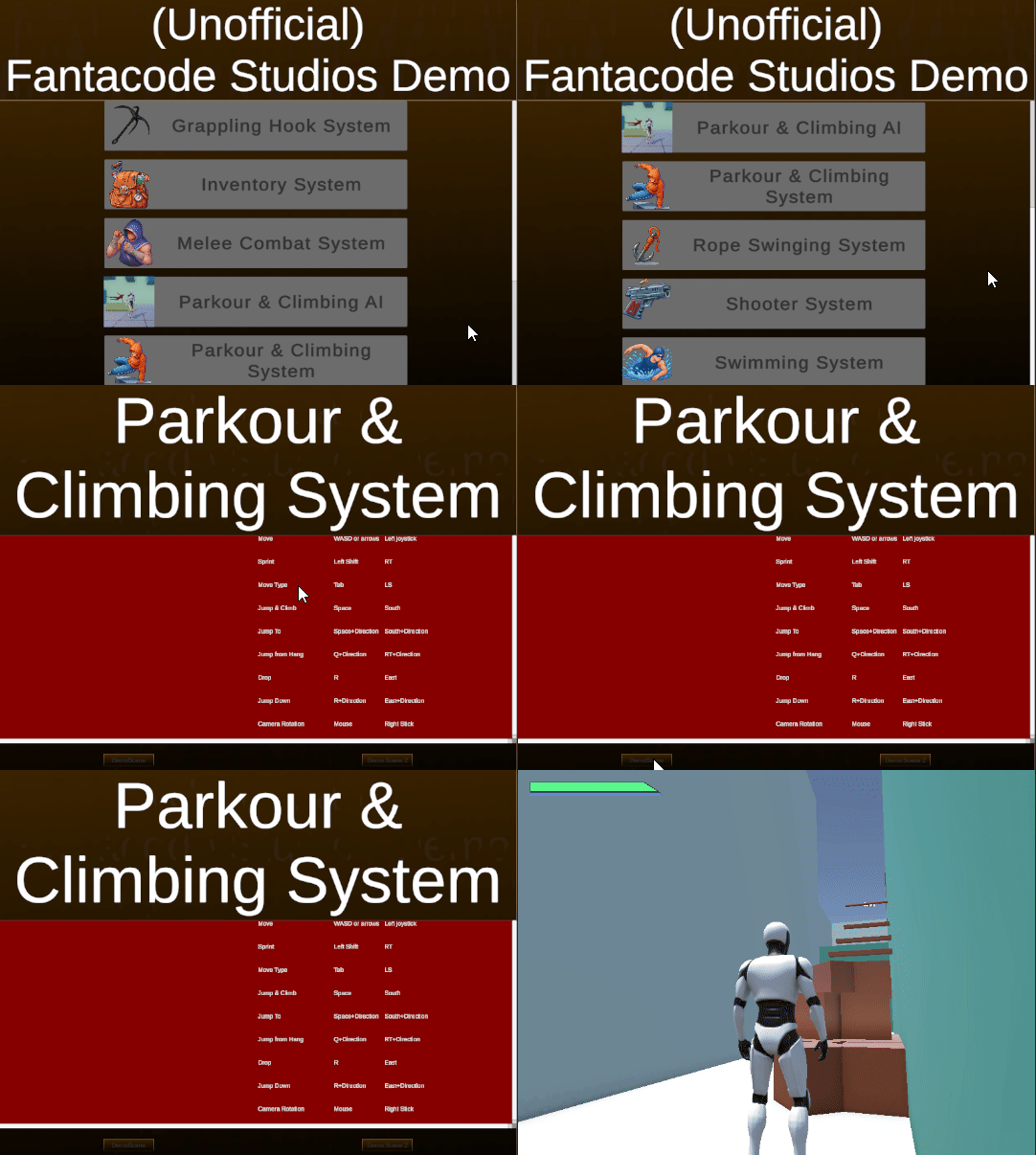

I need to fix the issue with loading that input screen (I think they’re just not spaced properly), write up the input files for the other systems (right now, I only have Parkour set up), and then I can release this.
메타데이터
- post_id
- 831808f17be4
- slug
- fantacode-demo-systems-page-831808f17be4
- url
- https://medium.com/@sean.duggan/fantacode-demo-systems-page-831808f17be4
- canonical_url
- https://medium.com/@sean.duggan/fantacode-demo-systems-page-831808f17be4
- author_url
- https://medium.com/@sean.duggan
- status
- ok
- fetched_at
- 2026-08-19 00:06:08