Flash Drive Boots: I Stopped Reformatting USB Drives; Now One Flash Drive Boots Every Operating…
For years, I treated USB flash drives as disposable tools. Whenever I needed to install Windows, test a Linux distribution, recover a…
Flash Drive Boots: I Stopped Reformatting USB Drives; Now One Flash Drive Boots Every Operating System I Need
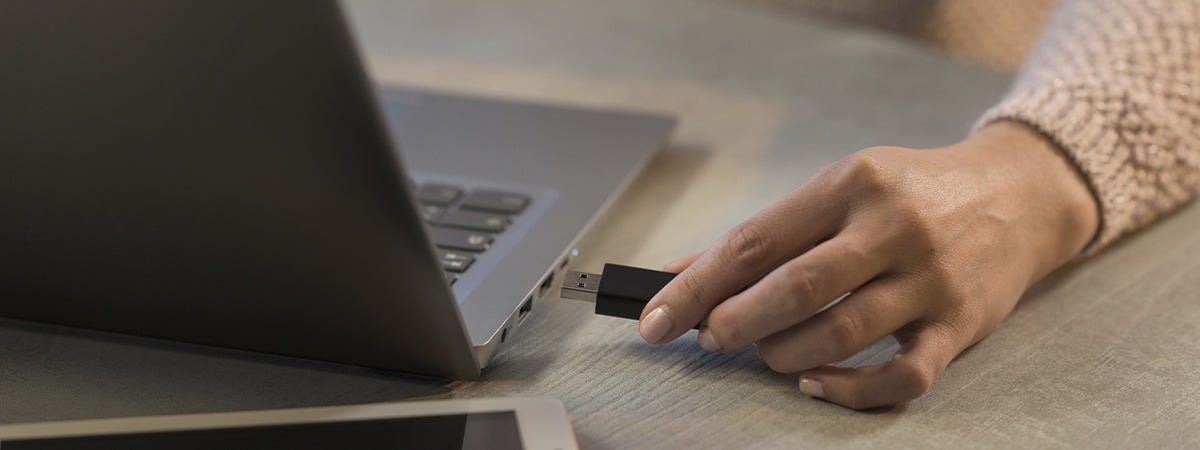
For years, I treated USB flash drives as disposable tools. Whenever I needed to install Windows, test a Linux distribution, recover a friend’s computer, or troubleshoot a system, the routine was always the same: format the drive, create new bootable media, use it once or twice, then erase it again for the next operating system.
It was a cycle I accepted without question.
If I needed Windows 11, I formatted the USB. A week later, if I wanted Ubuntu, I repeated the process.
Then came Kali Linux, Linux Mint, Fedora, rescue tools, antivirus disks, and hardware diagnostic utilities. Every new task meant deleting the previous one.
Eventually, I realized I was wasting more time preparing USB drives than actually solving problems.
That changed the day I discovered that a single USB drive could boot multiple operating systems without constantly being reformatted.
It completely changed how I manage installations and system recovery.
The Hidden Cost of Reformatting

Reformatting isn’t difficult. Modern tools make creating bootable media relatively simple.
The real issue is repetition.
Downloading ISO files, waiting for them to write to the USB, verifying everything works, then repeating the same process days later quickly becomes frustrating.
The inconvenience grows when you work with different operating systems.
A typical toolkit might include:
- Windows 10
- Windows 11
- Ubuntu
- Linux Mint
- Fedora
- Kali Linux
- Rescue environments
- Antivirus recovery disks
- Hardware diagnostic tools
With a traditional setup, only one of those exists on your flash drive at any given time.
That means every new project begins with deleting the previous one.
It’s inefficient, especially if you regularly repair computers, experiment with operating systems, or support friends and family.
Discovering Multi-Boot USBs
The idea sounded almost too good to be true.
Instead of creating a separate USB for every operating system, one drive could store multiple ISO files and let you choose which one to boot during startup.
No more formatting.
No more rewriting.
No more searching for the correct installer every time.
Instead, the USB becomes a portable operating system library.
Once I experienced this workflow, going back to the old method felt almost impossible.
Why It Makes Sense
Modern USB drives are surprisingly spacious.
A 128 GB flash drive can comfortably hold several Windows installers alongside multiple Linux distributions and recovery tools.
Rather than dedicating an entire drive to a single installer, that storage can be used much more efficiently.
For example, one USB might contain:
- Windows 10
- Windows 11
- Ubuntu LTS
- Linux Mint
- Fedora
- Kali Linux
- GParted Live
- Clonezilla
- MemTest86
- Rescue utilities
Everything is available from one boot menu.
Whether you’re installing Windows on a new PC or recovering files from a failing laptop, the tools are already there.
Less Waiting, More Productivity
One benefit I didn’t expect was the amount of time saved.
Creating bootable media isn’t instant.
Large ISO images often require several minutes to write, and even longer on slower flash drives.
Multiply that across dozens of installations every year, and the wasted time becomes significant.
Now, I simply copy a new ISO onto the USB when I want to add another operating system.
There’s no need to erase everything else.
It’s more like managing files than rebuilding a boot drive from scratch.
Great for Learning
If you’re learning Linux, virtualization, or computer repair, a multi-boot USB becomes incredibly valuable.
Instead of committing to one operating system at a time, you can explore several distributions from the same device.
Curious about Ubuntu?
Boot it.
Want to compare Fedora?
Restart and choose another option.
Interested in Kali?
It’s already there.
The ability to switch quickly encourages experimentation, and experimentation is one of the fastest ways to learn.
An Essential Recovery Toolkit
One lesson I’ve learned is that computers rarely fail when it’s convenient.
Sometimes Windows won’t boot.
Sometimes a drive becomes corrupted.
Sometimes malware prevents normal startup.
Having multiple recovery environments available on one USB can make troubleshooting far less stressful.
Instead of searching online for another installer or creating emergency media while a system is already broken, everything is already prepared.
It’s like carrying a digital toolbox in your pocket.
Storage Is Cheap, Time Isn’t
USB storage has become remarkably affordable.
The price difference between a small flash drive and a larger-capacity model is often far less than the value of the hours spent repeatedly rebuilding installers.
Choosing a larger drive provides flexibility for future operating systems, recovery environments, and utilities without needing additional hardware.
Sometimes investing slightly more upfront saves countless hours later.
Choosing the Right Tool
Several applications make multi-boot USB creation possible.
Some focus on simplicity, while others provide advanced customization.
The right choice depends on your experience level and the operating systems you intend to use.
Whichever solution you choose, the concept remains the same: create the boot environment once, then add or remove ISO files as your collection evolves.
Instead of rebuilding everything, you simply maintain it.
That small shift makes a surprisingly large difference.
Final Thoughts
Replacing the “one USB, one operating system” mindset with a multi-boot setup is a small adjustment that delivers outsized benefits in convenience, flexibility, and efficiency.
Once you experience the convenience of having every essential operating system and recovery utility in one place, you’ll likely wonder why you spent so many years reformatting in the first place.
메타데이터
- post_id
- 8ce129d6fd03
- slug
- flash-drive-boots-i-stopped-reformatting-usb-drives-now-one-flash-drive-boots-every-operating-8ce129d6fd03
- url
- https://medium.com/@mike.william/flash-drive-boots-i-stopped-reformatting-usb-drives-now-one-flash-drive-boots-every-operating-8ce129d6fd03
- canonical_url
- https://medium.com/@mike.william/flash-drive-boots-i-stopped-reformatting-usb-drives-now-one-flash-drive-boots-every-operating-8ce129d6fd03
- author_url
- https://medium.com/@mike.william
- status
- ok
- fetched_at
- 2026-07-31 06:51:58


