🧩 Mastering the Adapter and Strategy Design Patterns → Bridging the Gaps and Swapping Algorithms
Low Level Design → Part 7
🧩 Mastering the Adapter and Strategy Design Patterns → Bridging the Gaps and Swapping Algorithms
Low Level Design → Part 7
Software development often involves connecting incompatible parts and providing flexible ways to handle changing requirements. That’s where the Adapter and Strategy design patterns come in!
These two patterns — one Structural Design Pattern and one Behavioral Design Pattern— are essential tools for writing clean, modular, and maintainable code. Let’s dive in and see how they work.
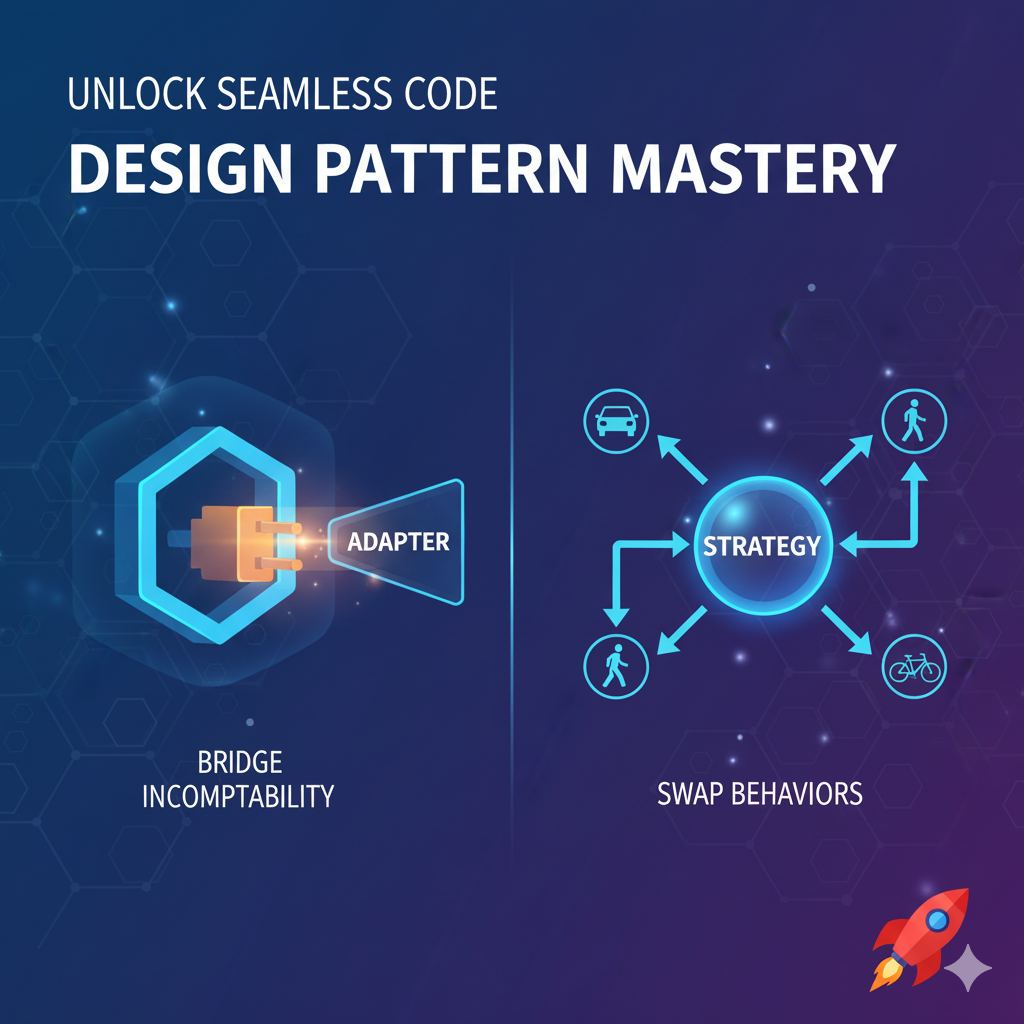
Adaptor Design Pattern
🔌 1. The Adapter Pattern: Making Incompatible Classes Work Together
The Adapter pattern is a Structural design pattern focused on compatibility.
The Adapter pattern is all about making two incompatible interfaces work together without changing their existing code. Think of it as a universal travel plug or phone adaptor : it doesn’t change your phone or the wall socket, it just converts the connection so they can communicate.
💡 The Core Concept: The Universal Charger Analogy
Imagine you have a phone that uses a modern USB-C port (your Target Interface). You have an old box of different charger plugs — some from older phones, some from other devices (your Adaptees).
You don’t want to throw away the old chargers, and you certainly can’t modify your phone’s port. What do you use? A Universal Adapter!
- Target Interface (Your Phone): Expects a USB-C plug.
- Adaptee (Old Charger): Has a micro-USB plug.
- Adapter (The Physical Converter): Plugs into the micro-USB end and provides a USB-C connection to your phone, allowing them to work together.
🏦 Real-World Example: Banking APIs
Problem Statement:
The problem was PhonePe’s complete dependency on a single bank, Yes Bank, for its UPI payment infrastructure.
- PhonePe relied only on Yes Bank’s API to process payments.
- When the RBI put a moratorium (freeze) on Yes Bank’s operations, the API failed.
- Since PhonePe had no backup or easy way to switch partners, its entire payment service went down for over 24 hours.
- PhonePe want’s to switch the partner bank as soon as possible, to resume it’s business.
How PhonePe Solve this Issue? The Answer is using Adaptor Design Pattern.
Think about a payment app like PhonePe integrating with various banks, such as Yes, HDFC, ICICI etc.
- Target Interface:
IBankAPI—This is the standard interface the PhonePe application is designed to talk to (e.g.,Debit(amount),CheckBalance()). - Adaptee:
HDFCBank—The actual, existing bank class with its own specific methods (e.g.,ExecuteTransaction(value, type)). - Adapter:
HDFCBankAdapter—This class implements theIBankAPI(the target) and contains an instance ofHDFCBank(the adaptee). When the client callsDebit(amount), the Adapter translates that into a call toHDFCBank.ExecuteTransaction(amount, 'DEBIT').
The Adapter acts as a translator, allowing the new system (the client) to talk to the old system (the adaptee) without changing either one.
C# Implementation: Adding the HDFC Bank Adapter
This example shows how the Adapter Pattern allows PhonePe to seamlessly switch from the old YesBank to a new HDFCBank by defining a standard contract (IBankAPI) and creating a new adapter (HDFCAdapter) to bridge the gap.
1. The Standard and Original Adaptee
We reuse the IBankAPI (the Target) and the original YesBank (the first Adaptee).
// Target Interface: The standard contract the client (PhonePe) uses.
public interface IBankAPI
{
    string SendMoney(decimal amount, string toAccount);
    decimal GetBalance(string accountNumber);
}
// Adaptee A: The existing, incompatible YesBank class (Original Partner)
public class YesBank
{
    // YesBank uses one generic method for all operations
    public string ExecuteTransaction(decimal value, string destinationId, string operation)
    {
        if (operation == "TRANSFER")
            return $"YESB_TXN: Successfully transferred {value:C} to {destinationId}.";

        // Mocking balance retrieval
        return $"YESB: Current Balance: {5000.00m:C}";
    }
}
2. The New Incompatible System (HDFC Adaptee)
This is the new bank partner with a totally different set of methods.
// New Adaptee B: The HDFC Bank system with unique methods (New Partner)
public class HDFCBank
{
    // Different method name and return type than the Target
    public string InitiateFundTransfer(string senderId, string beneficiaryId, double funds)
    {
        Console.WriteLine($"HDFC Bank: Executing transfer of {funds:C}...");
        return $"HDFC_SUCCESS_ID:{Guid.NewGuid().ToString().Substring(0, 4)}";
    }

    // Different method name for balance
    public double QueryAccountBalance(string account)
    {
        return 12500.00; // Mock balance as a double
    }
}
3. The New Adapter (HDFC Adapter)
This is the Adapter that implements the standard IBankAPI and translates calls to the new HDFCBank system, handling any necessary data type conversions.
// Old Adapter: Implements IBankAPI and wraps the YESBANK
public class YesBankAdapter : IBankAPI
{
    private readonly YesBank _yesBank = new YesBank();

    public string SendMoney(decimal amount, string toAccount)
    {
        // Translation/Adaptation Logic:
        // Client calls SendMoney, Adapter translates it to ExecuteTransaction
        Console.WriteLine("Adapter: Translating SendMoney to YesBank's ExecuteTransaction...");
        string result = _yesBank.ExecuteTransaction(amount, toAccount, "TRANSFER");
        return result;
    }

    public decimal GetBalance(string accountNumber)
    {
        // Translation/Adaptation Logic:
        // Client calls GetBalance, Adapter translates it to ExecuteTransaction (with QUERY)
        string mockResult = _yesBank.ExecuteTransaction(0, accountNumber, "QUERY");

        // Simple parsing (real-world parsing would be complex)
        string balanceString = mockResult.Split(':')[1].Trim().Replace("Current Balance: ", "").Replace("₹", "").Replace("$", "");
        return decimal.Parse(balanceString);
    }
}
// New Adapter: Implements IBankAPI and wraps the HDFCBank
public class HDFCAdapter : IBankAPI
{
private readonly HDFCBank _hdfcBank = new HDFCBank();
public string SendMoney(decimal amount, string toAccount)
{
Console.WriteLine("Adapter: Translating generic SendMoney to HDFC's InitiateFundTransfer...");
// Translation: PhonePe's decimal amount is converted to HDFC's double requirement
return _hdfcBank.InitiateFundTransfer("PhonePe", toAccount, (double)amount);
}
public decimal GetBalance(string accountNumber)
{
Console.WriteLine("Adapter: Translating generic GetBalance to HDFC's QueryAccountBalance...");
// Translation: HDFC's double balance is converted back to the decimal standard
return (decimal)_hdfcBank.QueryAccountBalance(accountNumber);
}
}4. Client Usage (The Switch)
The client only interacts with the generic IBankAPI, allowing a seamless switch when the original partner fails.
public class PhonePeClient
{
    public static void InitiateTransfer(IBankAPI bank, decimal amount, string toAccount)
    {
        Console.WriteLine($"\nPhonePe Client: Requesting transfer of {amount:C}...");
        string transactionId = bank.SendMoney(amount, toAccount);
        Console.WriteLine($"PhonePe Client: Transaction Result: {transactionId}");

        decimal balance = bank.GetBalance("987654");
        Console.WriteLine($"PhonePe Client: Current Balance Check: {balance:C}");
    }
}

// Example Usage in the main program:

/*
// 1. Initially using the Yes Bank Adapter
IBankAPI partner = new YesBankAdapter();
PhonePeClient.InitiateTransfer(partner, 100.00m, "A-1");

// 2. The crisis forces a rapid switch!
Console.WriteLine("\n=======================================================");
Console.WriteLine("    CRISIS! Yes Bank API Down. Switching Partner...");
Console.WriteLine("=======================================================");

// 3. Switch to the new HDFC Adapter (The Fix)
partner = new HDFCAdapter();
PhonePeClient.InitiateTransfer(partner, 200.50m, "B-2");
*/
🧭 2. The Strategy Pattern: Swapping Out Behaviors
The Strategy pattern is a Behavioral design pattern that lets you define a family of algorithms, encapsulate each one, and make them interchangeable. This pattern allows the client code to select a specific algorithm at runtime without changing its core structure.
The Strategy pattern, lets you swap different algorithms (strategies) at runtime. You define a family of algorithms, put each one in a separate class, and make them interchangeable. This keeps the core client code flexible and closed for modification (the Open-Closed Principle).
💡 The Core Concept: Navigation Modes
Problem Statement
The navigation app problem is that trying to calculate routes for a Car, Bike, and Walker all in one class makes the code too complex and fragile. Every time you add a new travel mode, you must risk breaking the existing code because all the logic is tangled together in a giant set of if/else checks. The Strategy Pattern solves this by separating each mode of travel into its own interchangeable class.
Consider Google Maps. When you ask for directions, the core app logic remains the same: it takes a start and end point and draws a path. However, the algorithm used to calculate that path changes completely based on your chosen mode of transport.
- Strategy Interface:
IPathFinder(Defines a common method:CalculateRoute(start, end)).
Concrete Strategies:
CarStrategy: Calculates the route using highways and avoiding pedestrian paths.BikeStrategy: Calculates the route using bike lanes and avoiding main roads.WalkStrategy: Calculates the shortest route, ignoring roads entirely.- Context (The Google Maps App): Holds a reference to one of the strategies and delegates the route calculation to it.
🚀 Key Principles in Action
The Strategy pattern is a perfect embodiment of two major design principles:
- Open-Closed Principle: The main application logic (the Context) is closed for modification, but the system is open for extension. If you want to add a new
ScooterStrategy, you just create a new class without touching the existing core code. - Single Responsibility Principle: Each strategy class (
CarStrategy,WalkStrategy, etc.) has only one job: calculating the route for that specific mode.
This separation of concerns makes your codebase flexible and easy to maintain when new behaviors (algorithms) are introduced.
C# Implementation: Navigation App
This implementation separates the routing logic for Car, Bike, and Walk into distinct, interchangeable classes.
1. Strategy Interface (The Contract)
This interface defines the method that all routing algorithms must implement.
// Strategy Interface: Defines the common contract for all algorithms
public interface IRouteStrategy
{
    string CalculateRoute(string start, string end);
}
2. Concrete Strategies (The Algorithms)
These are the actual, separate classes that implement the specific logic for each travel mode.
// Concrete Strategy A: Algorithm for Car travel
public class CarRouteStrategy : IRouteStrategy
{
    public string CalculateRoute(string start, string end)
    {
        return $"Route calculated for CAR 🚗: Fastest path, prioritizing highways. ({start} to {end})";
    }
}

// Concrete Strategy B: Algorithm for Walking travel
public class WalkRouteStrategy : IRouteStrategy
{
    public string CalculateRoute(string start, string end)
    {
        return $"Route calculated for WALK 🚶: Shortest path, using pedestrian shortcuts and parks. ({start} to {end})";
    }
}

// Concrete Strategy C: Algorithm for Bike travel (Easily added without modifying core code!)
public class BikeRouteStrategy : IRouteStrategy
{
    public string CalculateRoute(string start, string end)
    {
        return $"Route calculated for BIKE 🚲: Using dedicated bike lanes and trails. ({start} to {end})";
    }
}
3. Context (The Navigation App)
The NavigationApp holds a reference to an IRouteStrategy and delegates the route calculation to it. It doesn't contain the routing logic itself.
public class NavigationApp
{
    // The Context holds a reference to the Strategy Interface
    private IRouteStrategy _strategy;

    // Strategy can be injected during creation (Dependency Injection)
    public NavigationApp(IRouteStrategy initialStrategy)
    {
        _strategy = initialStrategy;
    }

    // Crucially, the system can change behavior at runtime
    public void SetStrategy(IRouteStrategy newStrategy)
    {
        Console.WriteLine($"\nNavigationApp: Switching routing mode to {newStrategy.GetType().Name}...");
        _strategy = newStrategy;
    }

    // The core method delegates the execution to the current strategy
    public void DisplayRoute(string start, string end)
    {
        // Executes the CalculateRoute method on whichever Strategy is currently set
        string route = _strategy.CalculateRoute(start, end);
        Console.WriteLine($"NavigationApp: Route Result -> {route}");
    }
}
Client Usage: Seamless Runtime Switching
The client demonstrates how the application can switch routing behavior without ever modifying the NavigationApp's core logic.
public class Client
{
    public static void RunExample()
    {
        // Start with the Car Strategy
        var navApp = new NavigationApp(new CarRouteStrategy());
        navApp.DisplayRoute("Home", "Downtown Office");

        // The user changes the mode—the Strategy is swapped at runtime
        navApp.SetStrategy(new WalkRouteStrategy());
        navApp.DisplayRoute("Home", "Local Coffee Shop");

        // Adding a completely new strategy (Bike) requires zero changes to the NavigationApp class
        navApp.SetStrategy(new BikeRouteStrategy());
        navApp.DisplayRoute("Office", "Gym");
    }
}
This successfully decouples the routing algorithms from the navigation logic, satisfying the Single Responsibility and Open-Closed principles. If a “Bus Route” mode is needed later, you just add one new class that implements IRouteStrategy.
🤝 Conclusion
- Adapter → Structural Design Pattern. Incompatible interfaces between classes. Translating one interface to another. Example : The universal mobile charger.
- Strategy → Behavioral Design Pattern. Needing to switch between different algorithms/behaviors. Encapsulating and swapping logic. Example : Different travel modes in a navigation app.
By incorporating the Adapter pattern, you ensure that new and old components can coexist peacefully. By using the Strategy pattern, you build systems that are easily adaptable to new features and changing business logic. Together, they are powerful tools for achieving modularity and extensibility in modern software design.
If you found this guide helpful, don’t forget to follow and subscribe to [MpCodes ](https://medium.com/@mpcodes)for more content on AI, Cloud, and Software Design Insights.
Happy coding! 🎉
A message from our Founder
Hey, Sunil here. I wanted to take a moment to thank you for reading until the end and for being a part of this community.
Did you know that our team run these publications as a volunteer effort to over 3.5m monthly readers? We don’t receive any funding, we do this to support the community. ❤️
If you want to show some love, please take a moment to follow me on LinkedIn, TikTok, **Instagram. You can also subscribe to our [weekly newsletter](https://newsletter.plainenglish.io/)**.
And before you go, don’t forget to clap and follow the writer️!
메타데이터
- post_id
- b43605853fc4
- slug
- mastering-the-adapter-and-strategy-design-patterns-bridging-the-gaps-and-swapping-algorithms-b43605853fc4
- url
- https://blog.stackademic.com/mastering-the-adapter-and-strategy-design-patterns-bridging-the-gaps-and-swapping-algorithms-b43605853fc4
- canonical_url
- https://blog.stackademic.com/mastering-the-adapter-and-strategy-design-patterns-bridging-the-gaps-and-swapping-algorithms-b43605853fc4
- author_url
- https://medium.com/@mpcodes
- status
- ok
- fetched_at
- 2026-06-15 20:49:13