NgRx: State transition Log for bug reproduction 👀 Useful Trick to hide DevTools State in…
How to get the state transition from the Store DevTools? How to hide architectural structure from Store DevTools without disabling the…
NgRx: State transition Log for bug reproduction 👀 Useful Trick to hide DevTools State in production

Introduction
Bug reproduction with the only help of the backend’s logs can be very tricky, especially if our application is more than a presentation layer, with some complex logic.
Nevertheless it is possible to accelerate the bug reproduction timeline with the help of a good generated frontend report, probably smarter than a backend log.
StoreDevtools is a powerful tool that enables the communication between NgRx-Store and the Redux DevTools (Chrome plugin monitor). With the help of this Tool it is really easy to debug a Redux application, because it allows the user to observe the actions dispatched and the state mutation. One of the basic advantages, in fact, is the ability to browse the application state timeline with some clicks.
If we instrument the StoreDevtools in production, it is possible to take a copy of the LiftedState, but this approach implies the exposure of the structure of our architecture with the Store DevTools (which can be extrapolated, in any case, from the application bundle with some extra effort).
Don’t worry if you prefer not to expose the state with Redux DevTools, it is really easy to get the job done with some useful tricks that I will show you in this article.
The main purpose of this article is to answer the following questions:
- How to get the state transition from the Store DevTools?
- How to hide architectural structure from Store DevTools without disabling the Tool?
In the gif below is shown how to download LiftedState as .txt and import it to rehydrate the state and action history.
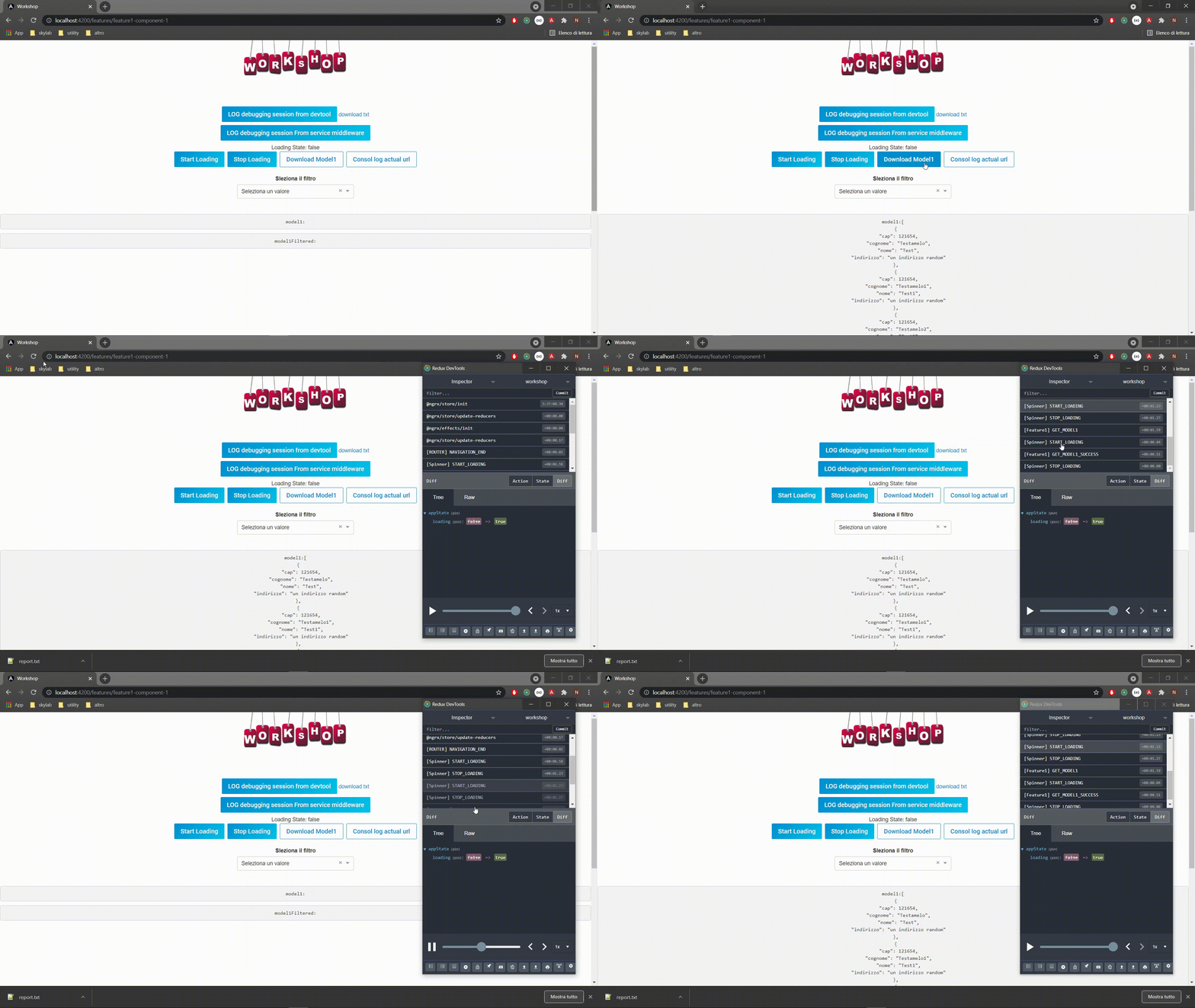
Example of state transition reproduction with Redux DevTool
1. Get the state transition from the Store DevTools
NgRx-StoreDevTools is a middleware between NgRx-Store and the Redux DevTools, which reduces the state transition into an Object of type LiftedState to be in compliance with the Redux DevTools API.
For this simple approach we need to instrument StoreDevtools in app-module:
[embed]
A.O.T.: It is possible to add some action blocklists for Redux DevTools (typically useful for repetitive actions like Spinner or Scrolling Bar), the code above hides from DevTools all actions that start with [NATIVE_ACTION]. LogOnly mode is really useful in production mode because it disables some Redux DevTools features like file import and actions dispatcher.
The code below illustrate how to inject storeDevTools and extrapolate the LiftedState:
[embed]
The LiftedState contains the timeline of the last X actions dispatched from the application and the state transition (X is equivalent to maxAge setted during storeDevTools instrument). The LiftedState obtained have the below structure:
[embed]
2. Hide architectural structure from Store DevTools without disabling it
To get the state-transition-logs we absolutely need to enable the Store DevTools or we must rewrite the factory to create the LiftedState (but is not worth it). Deactivating the Store DevTools can be an option but the action tracking can be very useful in production mode just for figuring out what actions are dispatched.
StoreDevTools is a middleware and gives the possibility to override the state and the actions before they reach the Redux DevTools.
[embed]
StateSanitizer and actionSanitizer can be used to mutate or hide the actions and the state only for the Redux DevTool (log Monitor), in fact, we are still able to get the original LiftedState from the Store DevTools.

State and action sanitizer example
Working example can be found here:
Conclusion
In reactive applications with good usage of the NgRx-Store, the development tool can be useful in production without exposing our application structure. This approach is suitable for every kind of project and can give you a hand during bug reproduction.
I hope you found this article helpful and become aware of how to use the store DevTools for getting logs.
Please support this article with your 👏 👏 👏 to spread these tips to a wider audience and follow me on 🕊️ **Twitter**
메타데이터
- post_id
- c073bc5181c2
- slug
- ngrx-storedevtools-state-transition-log-for-bug-reproduction-useful-trick-to-hide-c073bc5181c2
- url
- https://medium.com/@nunziozappulla/ngrx-storedevtools-state-transition-log-for-bug-reproduction-useful-trick-to-hide-c073bc5181c2
- canonical_url
- https://medium.com/@nunziozappulla/ngrx-storedevtools-state-transition-log-for-bug-reproduction-useful-trick-to-hide-c073bc5181c2
- author_url
- https://medium.com/@nunziozappulla
- status
- ok
- fetched_at
- 2026-08-30 00:14:53




