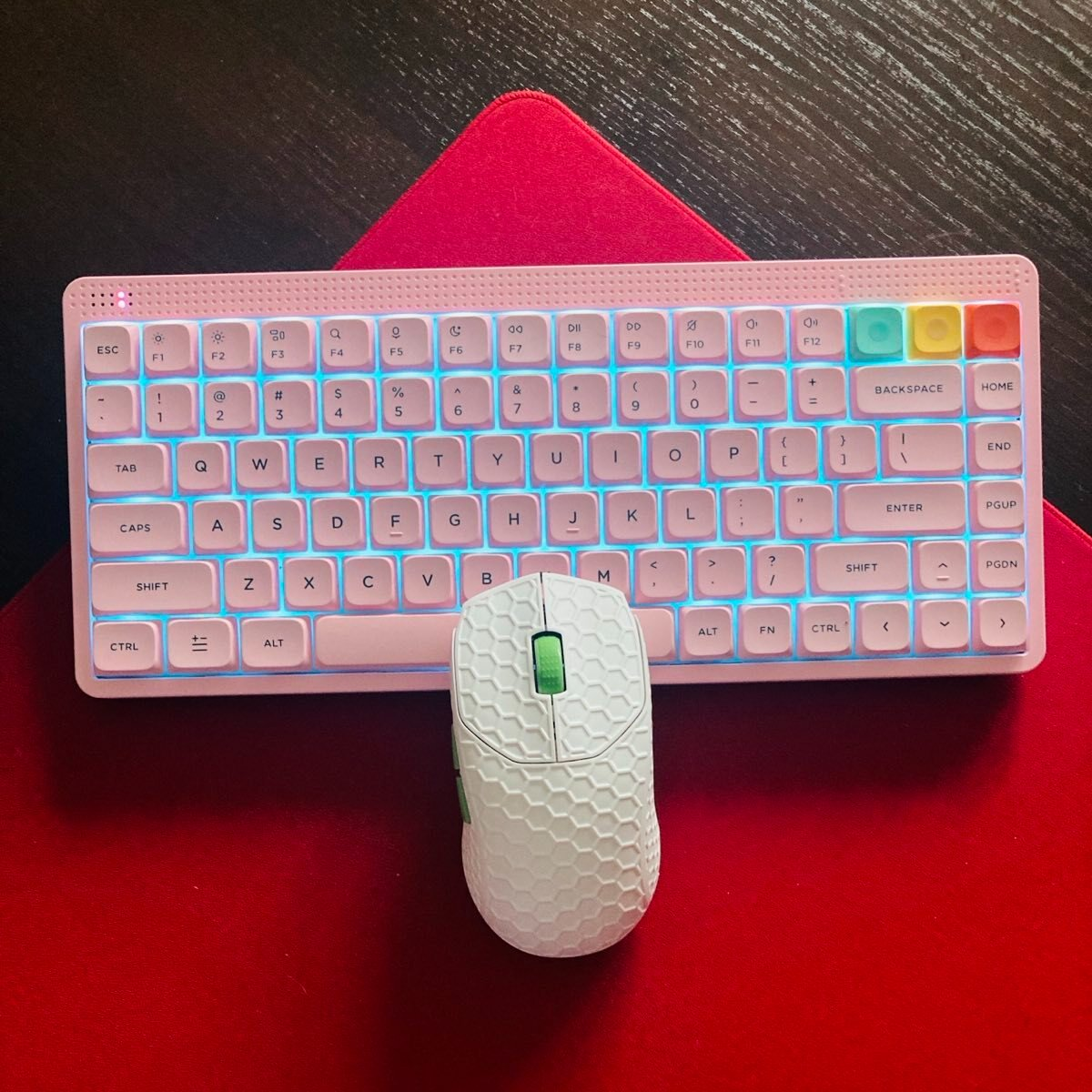
Fantech Yari Pro Review — way more than a DEX clone
Clones are everywhere. Few, though, understand what they’re cloning.
Fantech Yari Pro Review — way more than a DEX clone
Fantech Yari Pro and its dongle/charging dock
Clones are everywhere. Few, though, understand what they’re cloning.
Fantech took the shape of the Logitech Superlight DEX and built an entire product around that idea. I mean: the almost identical form-factor, quality hardware components, and a charging dock that ALSO acts as an 8K dongle.
For about 1/3 of the price. Sounds like a budget slop on paper. In reality…. not quite so much.
How I tested it
- Hand size: 21 x 12 cm
- Grip: relaxed claw/fingertip hybrid
- Games: QuakeWorld, Battlefield, Insurgency: Sandstorm
- Mousepads: Artisan Hien XSoft, Oriharu AimPad 1.5 (glass)
- Usage: 3 weeks, heavy daily sessions
- Environment: mixed humidity
Specs and Features
- Sensor: PixArt PAW3950 “STRIKE”
- Max DPI: 42,000
- Polling rate: up to 8000 Hz (8K)
- Tracking speed: 750 IPS
- Acceleration: 50G
- LOD: 0.7–2 mm
- Weight: ~58g
- Shape: right-handed ergonomic (DEX-style clone vibe)
- Dimensions: 125 × 68 × 43 mm
- Recommended hand size: 17–20 cm
- Grip styles: claw/palm (best for medium/large hands)
- Main switches: Huano Green Shell White Dots (100M clicks)
- Scroll encoder: F-Switch encoder
- Battery: 300 mAh
- Battery life: up to 75h (advertised)
- Connectivity: 2.4 GHz (StrikeSpeed wireless), Bluetooth (5.4), Wired USB-C
- Charging dock + dongle combo
- Web-based software (but the IoT driver has to be installed)
- RGB charging dock
In the box
Box contents
- Yari Pro
- Quick Start Guide
- Warranty Card
- Mouse Grips
- Spare exact skates
- USB-A to C braided cable
- Charging dock (8k dongle inside)
Unboxing, Sound Test, and Impressions
Design & Build Quality
The mouse unit (white) has a very clean, almost elegant design — no excessive gaming vibe, rather a minimalistic look with a bit of spice. The black/red scroll wheel stands out; the skate design reminds me of the GPX Superlight’s (fortunately, they are way better in performance). There’s one LED above the scroll wheel, the Fantech logo at the back, and some charging connectors underneath, close to the tri-mode switch and DPI switch. Standard.
Some display shot
But when you pick up the Yari Pro, the first impression you get is that this doesn’t feel like a cheap product. The shell itself is built from a fairly dense, nicely finished ABS plastic that values structural integrity over obsessing over marginal weight savings. The mouse feels solid in the hand and very sturdy, with zero flex when you’re using it. Crank down on it pretty hard, and you’ll get a very faint creak out of the bottom shell panel, but that’s about it in terms of flex in the real world.
Shape and Grip
When it comes to shape, the Yari Pro fully leans into what makes the Superlight DEX work and crafts an identity around that. Fully asymmetrical, right-handed shape that dials into modern ergonomic principles while retaining the playful agility you’d expect from a featherweight.

DEX vs Yari Pro
Viewing from the top, there’s a slight roll to the right, and the rear of the mouse is just barely wider than the front for a controlled taper towards the tip. The overall effect is much more of a “controlled wedge” as opposed to the completely neutral, oval-esque profile you get from more ambidextrous designs like the GPX. Your hand is more “guided” into place by the shape, with your fingers resting in certain spots rather than just floating around. Observing from the side, there’s a noticeable mid-to-rear hump that gently slopes down towards the rear end. It’s not as tall as G703, but it’s also far from flat like our beloved Viper. There’s just enough of a hump to rest your palm while retaining that ability to flatten out for claw applicators. If I had to compare it to any existing design, it’d be a smooshed hybrid of a G703 and DeathAdder V3 at about 75%, stuffed into a smaller form factor.
Finally, on the left-hand side, you get a clearly defined thumb groove that flares out ever so slightly towards the rear, creating a nice little anchor point for your thumb and drastically improving upon grip security vs more neutral shapes. On the right-hand side, the shaping is much more subtle but provides just enough support for your ring and pinky without mandating full ergonomic citizenship. It’s this sweet spot of supporting your palm and fingers without getting too crazy that really lets the mouse shine for claw and relaxed claw users.
This charging dock is almost like a mouse stand
Taken as a whole, I would describe the shape of this mouse as a lite ergonomic wedge with a controlled rear hump. Think of it as your familiar and safe-looking Superlight design, but with just enough EC-style guidance to keep your fingers where they need to be.
Pro tip: Despite looking large in photos, it actually feels smaller than the Superlight DEX on hand. Like maybe 1mm makes a noticeable difference.
Clicks and Buttons
The places you start to see the budget shine through just a bit are in the clicks and buttons. While the main buttons use mechanical switches with a respectable implementation that offer smooth and consistent actuation with just a little bit of pre- and post-travel, they feel noticeably looser than you’d expect from a premium mouse. Same thing with the scroll wheel — while it offers well-defined steps with nice tactile response, it errs on the softer, quieter side, and your middle click is going to need more force than you probably like to admit. Side buttons feel a bit mushy with some pre-travel as well. Again, nothing wrong with any of these things; they just clearly didn’t spend as much time or money refining these aspects of the product, but at this price point, it’s more than enough.
Battery Life and Charging Dock/Dongle/Stand
Dongle or charging dock? How about both?
The standout aspect of the Yari Pro has to be its dock, and that’s because it actually does what it says. It’s a dock. It charges the mouse. It holds the 8K wireless receiver. It’s a stand for your mouse. It’s all of those things at once, and it changes your daily interaction with the mouse in ways you immediately notice. There’s just no messing with a charging cable when your battery gets low. You pop the mouse back on the dock, and you’re done. Start doing this enough, and it just cuts out friction from your workflow. Keep it docked when you’re not using it or just toss it there now and then. It’s always ready to go. This change is admittedly minor, but it does help the whole experience feel more cohesive and plugged into the modern world.
Speaking of which, battery life is pretty good too. With around 3 days of intense usage out of a single charge at max settings with minimal use of the dock, the 300 mAh battery does its job well enough. At lower polling rates (2K), you can get significantly more miles, too. However, I wish I knew when the mouse is fully charged — I can see the dock is pulsing even if the mouse is fully charged.
Front
A couple of more limitations here. The dock does nothing to strengthen your signal. This works purely as a charging dock and passes through your receiver, whereas something like Zowie’s solutions actually doubles as a transmitter. Your mileage may vary on how important that is as an upgrade. Secondly, RGB gets reset anytime you plug the dongle back in or reboot your PC (the dock has no onboard memory). It’s a tiny quality-of-life annoyance that you’ll likely notice every time, but it’s far from game-breaking.
Weight and Balance
Weird place to land at 58 grams on my scale. It’s definitely not an ultralight by today’s standards, and you will immediately notice if you come from that kind of mouse. But the thing is, once you take into account the full package, it totally makes sense why this mouse is this weight. Large shape. Solid shell that favors rigidity over shaving every last ounce you can.
The weight distribution definitely could use some tuning as well. This mouse is rear-heavy as heck, likely due to battery placement, but that actually translates really well to how it handles. Feels incredibly stable and controlled when flicking out moves or tracking in slower, Tac FPS games. Users who find it “too heavy” will probably be the smaller-fingered folks who are coming from sub-50-gram mice. I used this primarily on my glasspad, and I really had no issues with it being at 58 grams. This mouse simply isn’t designed with fingertip purists in mind — it’s designed to feel controlled and consistent.
Coating and Skates
The coating is by now a familiar story — slightly dry right out of the box, but opens up quickly once it heats up to your hands. It becomes progressively stickier and more predictable the longer you use it. Predictability > feeling impressively grippy right off the bat every time, anyway. It’s not a premium coating by any means, but it’s consistent, and it doesn’t betray your expectations, which fits the character of this mouse.
The skates are good but can pick up hair
Skates are similarly treated sensibly, with rounded edges and about dead center in terms of glide between fast and sticky. Zero scratchiness up front, and equally zero feeling like you need to replace them after 5 minutes either. Nothing here stands out as amazing, but nothing is holding you back either. They worked well on both glass and hybrid pads.
Software
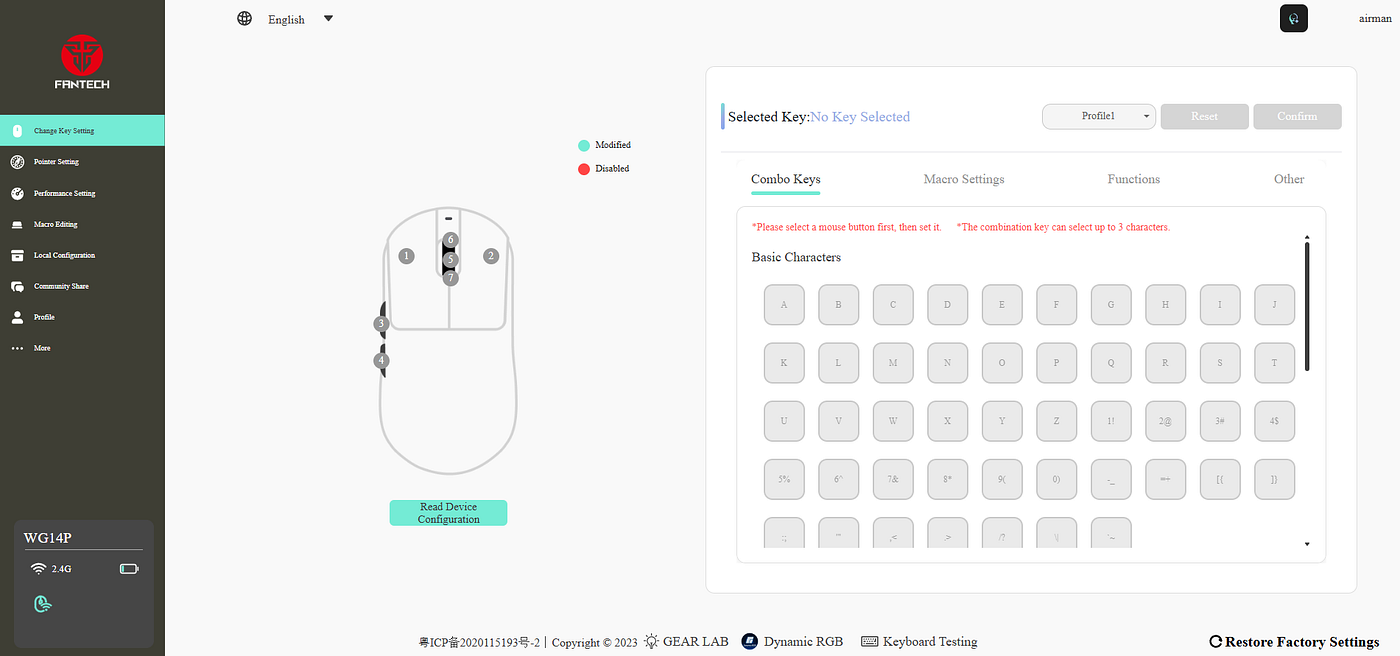
qmk.top is Fantech’s answer to web software
If there’s one place where Fantech really dropped the ball with the Yari Pro, it’s with the software. Fantech opted for a web-based driver experience through qmk.top — it sounds great in theory, but in execution, it’s by far the weakest link.
Everything from reliability to bloat results in a driver experience that’s frustrating at best. Graphical glitches depending on your browser of choice, UI elements blinking and popping randomly make for an experience that simply feels cheap. Doesn’t look good, but also doesn’t inspire much confidence when diving into options that alter the device's on-board performance.
Then there’s just how the thing gets installed. Web-based software doesn’t require downloads… but you still need to download IoT.exe for it to work properly. A single contradiction that really kills the whole “driverless experience” motif and creates an entirely avoidable point of friction. Installing drivers these days should be seamless — being forced to download and execute an .exe file just to configure your mouse feels borderline archaic, let alone sketchy for inexperienced users.
As far as functionality goes, the software doesn’t disappoint. Fantech includes access to the full suite of sensor options available on the PixArt 3950, from DPI settings to polling changes, all the way down to finely tuned performance metrics you can alter to your liking. Where it falls short is in going beyond that foundation. And even then, reliability can be hit or miss.
For example, Fantech’s take on high polling burst — “Hunting Shark Killing Mode”. Essentially, a buffer for extra responsiveness should you need it for quick polling-heavy maneuvers. Doesn’t sound too bad on paper, but in execution, it feels gimmicky at best — and also fails to hold your selected settings sometimes, despite the software allowing profile creation. Failure like that alone makes you question if your changes even took.
Experienced users will likely burn past that initial curb and have everything set up how they like it eventually. Options are there, and once you have it configured, you likely won’t need to touch the software too much going forward. But for beginners, it’s yet another annoying step in an already headache-inducing process of simply installing additional files on your PC.
If I had to be honest, I’d say the software works, but it doesn’t feel finished. Core functions are there, but execution is terrible — and it’s sad, because software is one of the only departments where the Yari Pro actually holds itself back from being actually great.
Performance and Latency
On paper, the performance of the Yari Pro is exactly what you’d expect from any modern wireless gaming mouse. Tracking is smooth and predictable, wireless reception is rock solid, and there aren’t any obvious drawbacks while playing. No wildly exaggerated marketing claims here — just solid, reliable performance.
Where the Yari Pro really shines is how it all fits together when you use it day in and day out. The dock. The shape. The consistent handling. Everything about this mouse just works together to give you a product that’s easy to live with.
Overview
But how are the numbers? Let’s dive in. All tests run at 2k polling rate, 3200 DPI, because the mouse rate was inconsistent above 2000 Hz.
- Average click latency 0.4 ms
- Average jitter — 1%
- Click Speed: 7.4 clicks per second
- Sensor lag: 0.5 ms
- Recommended polling rate: 2000 Hz
Very solid results, as expected, the mouse was a bit inconsistent at the highest polling rates.
Final Thoughts
Even with the few flaws I’ve mentioned, I think Fantech really knocked this one out of the park. Instead of trying to innovate for the sake of innovating, they doubled down on improving the core usage of an idea they knew would work. They took a great shape, executed it well, and strapped on a meaningful upgrade that no other company in this price range dared to touch. Sure, they cut some corners on button refinement and missed a few quality-of-life features here and there, but those are fair concessions at this price.
The box looks like this
What you end up with is far more than just a cheaper Superlight DEX. You end up with a more accessible and, honestly, far more convenient version of the same concept. The Yari Pro doesn’t try to punch above its weight and sit at the literal pinnacle of mouse technology. It simply aims to give you a well-rounded experience that makes sense for daily usage in the real world, and do you know what? They succeed if you ask me.
For that reason alone, it’s not just a great budget pick; it’s the budget pick. What could Fantech develop better? I wish they made this charging dock also an enhanced receiver, just like Zowie. That could propel them way up in the industry, but would it still be the budget pick?
Bullet Points
Yari Pro being charged
- a very capable budget clone of Superlight DEX
- slightly smaller (1mm) than the original
- The 8k dongle also acts as a charging dock…
- … and can also work as a mouse stand
- decent coating
- good quality skates
- Good build quality in this budget
- Clicks could be better (some slight pre-travel on main ones)
- Battery life is decent if you don’t like using the dock
- Sensor implementation is good, performance is solid
- The mouse performs best at a 2000 Hz polling rate
- Software is buggy and glitchy
- The mouse is a bit back-heavy
- The 58 grams could be problematic for some people
- …but at this price, it’s a steal
My current setup
Get Yari Pro from Fantech
Disclaimer
This review is not a paid endorsement. I want to ensure transparency and let you know that I am not receiving any monetary or other compensation for evaluating or discussing this tech product. Certain images might have undergone digital enhancement to improve visual clarity. These adjustments do not alter the product’s true appearance, shape, or physical characteristics.
메타데이터
- post_id
- c5706076dd41
- slug
- fantech-yari-pro-review-way-more-than-a-dex-clone-c5706076dd41
- url
- https://medium.com/@damiancooper/fantech-yari-pro-review-way-more-than-a-dex-clone-c5706076dd41
- canonical_url
- https://medium.com/@damiancooper/fantech-yari-pro-review-way-more-than-a-dex-clone-c5706076dd41
- author_url
- https://medium.com/@damiancooper
- status
- ok
- fetched_at
- 2026-06-09 15:37:30