I Ran a 428-Billion Parameter AI Model on My Desk — Here’s What It Took
Building a 4x RTX 3090 rig to run MiniMax-M3, one of the most capable open-weight models ever released, fully offline.
I Ran a 428-Billion Parameter AI Model on My Desk — Here’s What It Took
Building a 4x RTX 3090 rig to run MiniMax-M3, one of the most capable open-weight models ever released, fully offline.
There’s a particular kind of satisfaction in watching tokens stream out of a model that isn’t calling home to anyone’s API. No usage dashboard. No per-token invoice. Just a machine you built, running a model you downloaded, answering a question you asked, entirely on your own terms.
[embed]
That’s what pulled me into this project: taking MiniMax-M3, a frontier-class open-weight model, off the cloud entirely and running it on consumer hardware sitting in my apartment. This is the story of that build — the hardware, the software stack, the compromises, and what it’s actually like to talk to a 428-billion-parameter model without an internet connection.

What Is MiniMax-M3, Actually?
MiniMax-M3 comes from MiniMax, a Shanghai-based AI lab, and it’s a genuinely significant release in the open-weight space. A few things make it stand out:
- Scale, with a catch. It’s a Mixture-of-Experts (MoE) model with roughly 428 billion total parameters, but only about 23 billion are “active” for any given token. That distinction matters enormously for anyone trying to run this at home — you’re not paying the full 428B compute cost per token, even though you still have to store all 428B worth of weights somewhere.
- A genuinely huge context window. MiniMax-M3 supports up to 1 million tokens of context, made computationally feasible by a new architecture the team calls MiniMax Sparse Attention (MSA). Full attention at that context length would be prohibitively expensive; MSA is what makes it a real number instead of a marketing spec.
- Native multimodality. The model was trained to understand text, images, and video from the ground up, rather than having vision bolted on afterward.
- Frontier-level benchmarks, at open-weight prices. MiniMax-M3 posts strong results on tests like SWE-Bench Pro (real-world coding fixes), Terminal-Bench 2.1 (command-line agent tasks), and MCP Atlas (tool use) — numbers that put it in the same conversation as closed models like GPT-5.5 and Gemini 3.1 Pro on several benchmarks, while being released with open weights.

MiniMax is explicit that this is the first open-weight release to combine frontier coding ability, million-token context, and native multimodal understanding in a single model — three capabilities that, until recently, you could really only get bundled together from closed, proprietary APIs.
The catch, of course, is size. The full unquantized weights land around 855GB. That’s not a home-lab problem, that’s a data-center problem. Which is where quantization enters the picture.
The Quantization That Makes This Possible
The team at Unsloth publishes dynamic GGUF quantizations of MiniMax-M3, and this is the piece of the puzzle that turns “theoretically open” into “actually runnable.” Their smallest quant shrinks the model to around 128GB. For this build, I used UD-IQ4_XS, a 4-bit quantization that comes in around 208GB — a reasonable middle ground between file size and how much of the original model’s quality survives compression.
Unsloth’s own guidance is straightforward: your total available memory — VRAM plus system RAM combined — should comfortably exceed the size of whichever quant you pick. That single sentence basically dictated the entire hardware build.
The Build: Four RTX 3090s
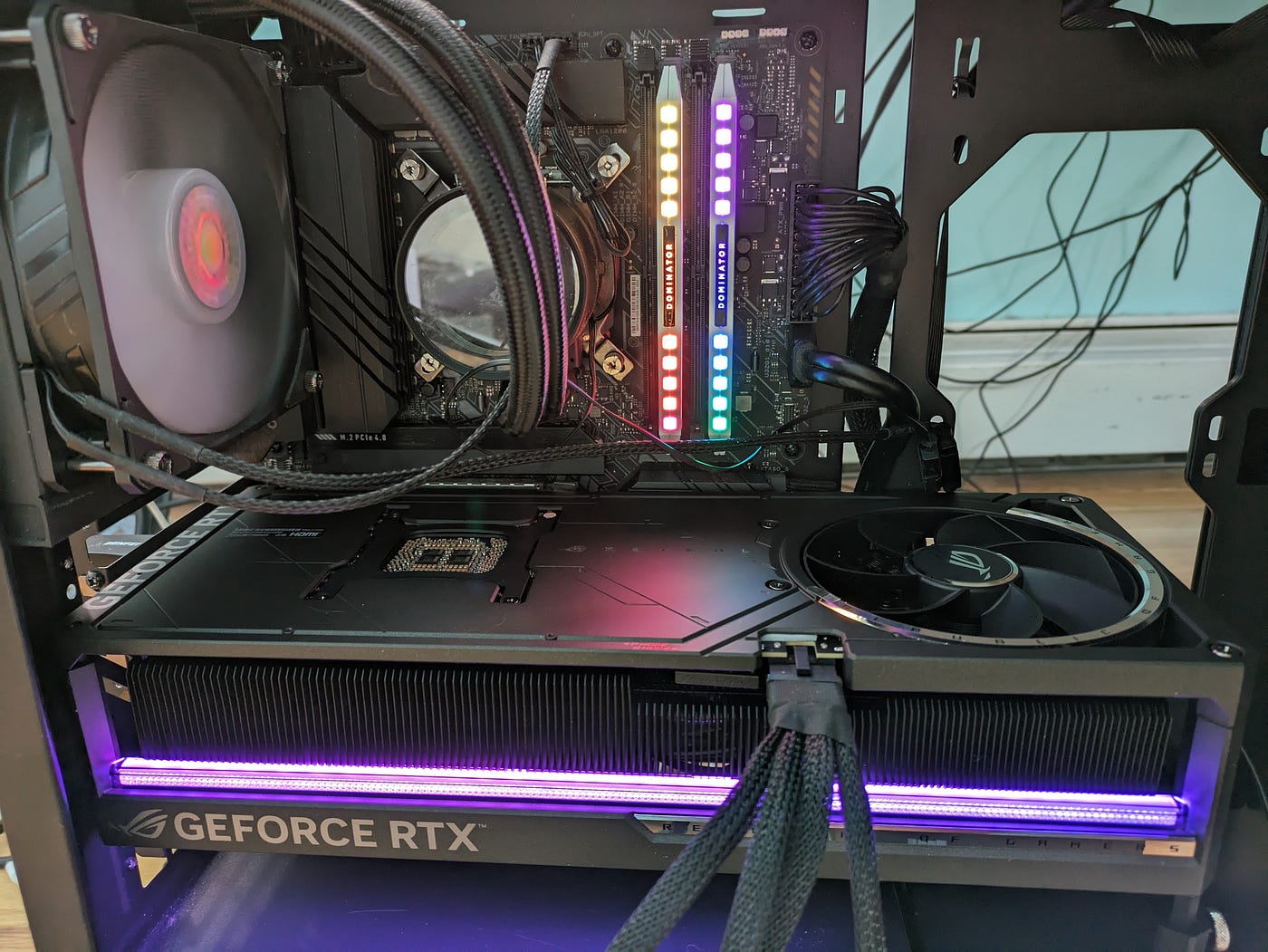
To get anywhere close to running a 208GB model with reasonable performance, I needed serious VRAM. The answer: four NVIDIA RTX 3090s, each with 24GB, for 96GB of VRAM total. The 3090 remains one of the best value picks on the used market for exactly this kind of project — you get a lot of VRAM per dollar, and llama.cpp has excellent CUDA support for it.
The rest of the spec sheet was built around that decision:
- System RAM sized generously, since 96GB of VRAM alone doesn’t cover a 208GB model — the rest gets offloaded to CPU memory.
- Fast NVMe storage, because a 208GB model file (plus KV cache overhead) needs real breathing room.
- A PSU sized for four power-hungry GPUs running simultaneously, with headroom to spare.
- Serious airflow — four 3090s under sustained inference load generate a lot of heat, and thermal throttling would undercut the whole point of the build.
Assembling it was the fun, familiar part of any PC build: mounting GPUs, routing power cables, first boot, and the small thrill of nvidia-smi reporting all four cards detected and healthy.
The Software Stack: Ubuntu + llama.cpp
With the hardware sorted, the software side was more deliberate. The OS choice was Ubuntu, and the inference engine was llama.cpp — but not the mainline branch. Support for MiniMax-M3 currently lives in an open pull request that hasn’t been merged yet, so the build starts by fetching that specific branch:
git clone https://github.com/ggml-org/llama.cpp
cd llama.cpp
git fetch origin pull/24523/head:minimax-m3
git checkout minimax-m3
cmake -B build -DGGML_CUDA=ON
cmake --build build --config Release -j --target llama-cli llama-server
-DGGML_CUDA=ON is the key flag — it's what tells the build to compile with GPU acceleration for the 3090s rather than falling back to CPU-only inference.
From there, downloading the model itself:
pip install huggingface_hubhf download unsloth/MiniMax-M3-GGUF \
--local-dir unsloth/MiniMax-M3-GGUF \
--include "*UD-IQ4_XS*"That’s a 208GB download, which is exactly as slow as it sounds — worth starting before you go do literally anything else with your day.
Then, launch:
./build/bin/llama-cli \
    --model unsloth/MiniMax-M3-GGUF/UD-IQ4_XS/MiniMax-M3-UD-IQ4_XS-00001-of-0000X.gguf \
    --temp 1.0 \
    --top-p 0.95 \
    --top-k 40 \
    --threads 32 \
    --ctx-size 32768 \
    --n-gpu-layers [X]
The sampling parameters (temp, top-p, top-k) are MiniMax's own recommended defaults. The more interesting flags are --n-gpu-layers, which controls how many layers get offloaded onto the GPUs versus left on CPU/RAM — this is the main dial for tuning around VRAM limits, and it took some trial and error to land on a value that didn't immediately throw an out-of-memory error — and --ctx-size, which I deliberately kept modest rather than reaching for anything close to the theoretical 1M-token maximum.
That last point deserves its own callout.
The Honest Caveats
This isn’t a “just works, buy the parts and it’s flawless” story, and I don’t want to pretend otherwise:
- MiniMax Sparse Attention isn’t supported in llama.cpp yet. Inference currently falls back to dense attention, which means the efficiency gains that make the 1M-token context window practical on MiniMax’s own infrastructure don’t apply here. Push the context window too far locally and you’ll pay for it heavily in memory and speed.
- The GGUF is explicitly experimental, and currently text-only — the model’s native image and video understanding isn’t available in this llama.cpp build yet, even though the underlying model supports it.
- Token generation is noticeably slower than hitting a hosted API. That’s the tradeoff for privacy and zero marginal cost per token.
None of that makes the project not worth doing. It makes it an accurate snapshot of where local support for a model like this actually stands today — a snapshot that will keep shifting as llama.cpp support matures.
So, Was It Worth It?
Watching a 428-billion-parameter model generate a working script, reason through a multi-step problem, or answer a question buried deep in a long pasted document — entirely offline, on hardware sitting a few feet away — is a genuinely different experience than doing the same thing through a chat window pointed at someone else’s servers.
If you care about data privacy, want to avoid per-token billing entirely, or simply want to see what a frontier-class open model can do without any restrictions on how you use it, this is a very reasonable weekend project in 2026 — something that flatly wasn’t true even a year earlier.
I’ve linked the full setup guide from Unsloth and the exact commands I used in the video description. If you build your own version of this rig, I’d genuinely like to hear what quant size you landed on and how it performed.
메타데이터
- post_id
- cb0b51f71c79
- slug
- i-ran-a-428-billion-parameter-ai-model-on-my-desk-heres-what-it-took-cb0b51f71c79
- url
- https://medium.com/@ttio2tech_28094/i-ran-a-428-billion-parameter-ai-model-on-my-desk-heres-what-it-took-cb0b51f71c79
- canonical_url
- https://medium.com/@ttio2tech_28094/i-ran-a-428-billion-parameter-ai-model-on-my-desk-heres-what-it-took-cb0b51f71c79
- author_url
- https://medium.com/@ttio2tech_28094
- status
- ok
- fetched_at
- 2026-07-29 22:20:06