How Beginners Can Learn CapCut Fast (Without Feeling Overwhelmed)
The fastest way to go from complete beginner to creating videos that actually look professional. If you’ve opened CapCut for the first…
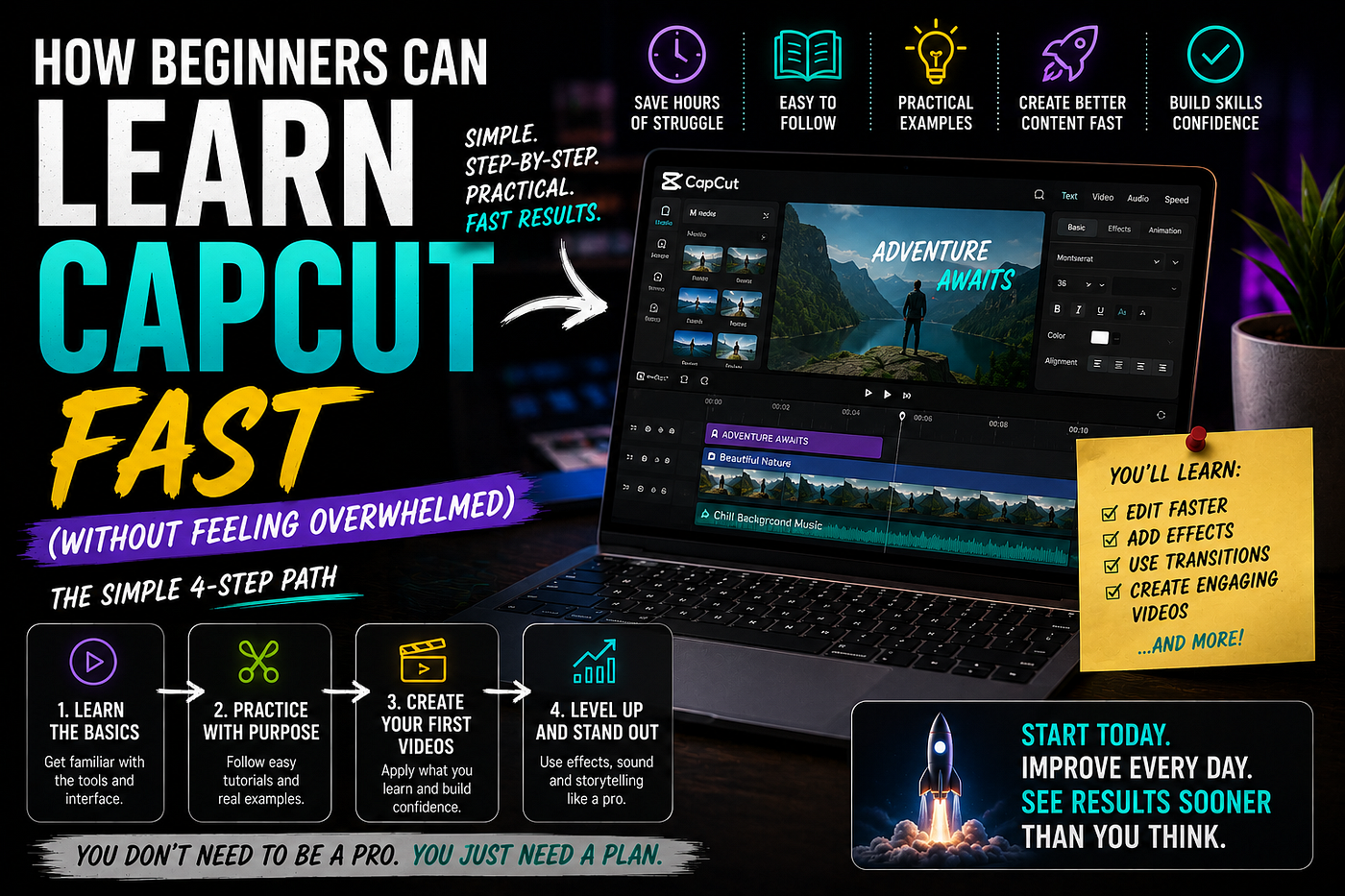
This image was generated with ChatGPT
How Beginners Can Learn CapCut Fast (Without Feeling Overwhelmed)
The fastest way to go from complete beginner to creating videos that actually look professional. If you’ve opened CapCut for the first time, you’ve probably had the same reaction as thousands of other beginners: "Where do I even start?" The timeline looks confusing. There are dozens of buttons. Animations, masks, keyframes, effects, adjustment layers... It feels like you need weeks just to understand the interface. Here’s the good news. You don’t. The biggest mistake beginners make is trying to learn everything at once. Professional creators don’t use every feature in CapCut. Most successful videos are built using only a handful of tools—used exceptionally well. Once I realized this, learning became dramatically faster. Here’s the roadmap I wish someone had given me from day one.
Stop Watching Random Tutorials
One of the biggest reasons people stay beginners isn’t because CapCut is difficult. It’s because they learn randomly. One day they watch a tutorial about cinematic transitions. The next day it’s AI subtitles. Then color grading. Then 3D zoom. Then green screen. A week later they’ve watched ten hours of YouTube... ...and still can’t edit one complete video. Learning works much better when each skill builds on the previous one.
Step 1: Learn the Timeline First
Everything in CapCut happens on the timeline. Before adding fancy effects, become comfortable with: Importing clips, Moving clips, Cutting clips, Deleting mistakes, Zooming in and out, Rearranging footage, That’s it. If you master the timeline, everything else becomes much easier. Spend your first editing session doing nothing except trimming clips. It sounds boring—but it’s the foundation of every professional edit.
Step 2: Learn Keyboard Shortcuts
This is the point where editing suddenly becomes fun. Instead of clicking menus every few seconds, you’ll work much faster. Some of the most useful shortcuts include: Split clip, Undo, Redo, Delete, Copy, Paste, Zoom timeline, Play/Pause. These tiny improvements save hundreds of clicks every project. Professionals aren’t necessarily faster because they’re better. They’re faster because they know the shortcuts.
Step 3: Master Audio Before Effects
Here’s something beginners often overlook: People will forgive average video quality. They won’t forgive bad audio. Spend time learning how to: Reduce background noise, Adjust volume, Fade music in and out, Balance voice and music, Add sound effects naturally. Good audio instantly makes your content feel more professional.
Step 4: Learn Text Properly
Text is everywhere. YouTube. TikTok. Instagram Reels. Shorts. But many beginners make the same mistake. They use too many fonts. Too many colors. Too many animations. Professional creators usually keep things simple: One or two fonts, High contrast, Large readable text, Clean animations, Consistent style. Simple almost always looks more expensive.
Step 5: Understand Keyframes
If there’s one feature that separates beginners from experienced editors... It’s keyframes. Keyframes let you animate almost anything: Position, Scale, Rotation, Opacity. Instead of static videos, you create movement that keeps viewers engaged. Even subtle motion can dramatically increase watch time. The best part? Learning keyframes takes less than an hour. Mastering them can improve every future project.
Step 6: Learn Masks
Masks look intimidating. They’re actually much simpler than they appear. Masks allow you to: Blend overlays, Create transitions, Hide unwanted areas, Combine multiple clips, Make effects look natural. Many "advanced" edits are simply clever uses of masks. Once you understand them, you’ll start noticing them everywhere.
Step 7: Practice With Small Projects
Don’t try making a 20-minute documentary on your first day. Instead create: A 15-second Short, A 30-second TikTok, A one-minute montage, A simple travel edit, A motivational video. Small projects help you finish more edits. Finished projects teach more than unfinished ones.
Step 8: Copy Great Editors
Not to steal. To study. Watch creators whose editing you admire. Pause every few seconds. Ask yourself: Why did they cut here? Why is the music changing now? Why is this text so readable? Why does this transition feel smooth? Reverse engineering is one of the fastest ways to improve. Professional editors have already solved many problems. Learn from them.
Step 9: Learn Color Adjustment Last
Many beginners start by applying dramatic LUTs and cinematic filters. That’s backwards. Great videos don’t succeed because of color grading. They succeed because: The pacing is good. The storytelling is engaging. The audio is clean. The cuts are smooth. Color grading is the icing on the cake—not the cake itself.
Step 10: Edit Every Day
You don’t need four-hour editing sessions. Twenty minutes every day beats four hours once a week. Editing is a practical skill. The more you edit, the faster your brain begins recognizing patterns automatically. After a few weeks you’ll stop thinking about where buttons are. You’ll focus on telling better stories instead.
The Biggest Beginner Mistakes
Avoid these common traps: Using too many transitions, Overusing effects, Choosing unreadable fonts, Ignoring audio quality, Adding unnecessary animations, Copying trends without understanding them, Spending hours on one tiny detail. Professional editing often looks simple because every element has a purpose. Less is usually more.
A Simple 30-Day CapCut Learning Plan
If I had to start over today, here’s exactly what I’d do: Week 1 Learn the interface, Cut clips, Organize projects, Export videos. Week 2 Add text, Improve audio, Use transitions carefully. Week 3 Learn keyframes, Experiment with masks, Practice overlays. Week 4 Study successful creators, Recreate edits, Finish several complete videos. By the end of the month, you’ll likely be editing faster—and with more confidence—than many people who’ve been "learning" CapCut for much longer.
Final Thoughts
CapCut has become one of the most accessible video editing tools available today. It’s powerful enough for professional-looking content, yet approachable enough for complete beginners. The secret isn’t learning every feature. It’s mastering the fundamentals first. Once you can cut cleanly, balance audio, add readable text, use keyframes, and keep your edits simple, you’ll already be ahead of many creators who rely on flashy effects without strong editing basics. Consistency beats complexity. Edit regularly, finish projects, learn from each one, and your skills will improve faster than you expect. Enjoyed this article? Follow me on Medium for practical guides on AI tools, CapCut, YouTube growth, TikTok strategies, and building online income with content creation.
메타데이터
- post_id
- d5873abac209
- slug
- how-beginners-can-learn-capcut-fast-without-feeling-overwhelmed-d5873abac209
- url
- https://medium.com/@msimoliunas/how-beginners-can-learn-capcut-fast-without-feeling-overwhelmed-d5873abac209
- canonical_url
- https://medium.com/@msimoliunas/how-beginners-can-learn-capcut-fast-without-feeling-overwhelmed-d5873abac209
- author_url
- https://medium.com/@msimoliunas
- status
- ok
- fetched_at
- 2026-07-09 03:40:04