How I Built an Automation Platform That Produced 360 Short Videos, 4.5M
From GPT to Whisper to browser automation: engineering a fully autonomous content pipeline
How I Built an Automation Platform That Produced 360 Short Videos, 4.5M Views, and 20K+ Followers in One Year
From GPT to Whisper to browser automation: engineering a fully autonomous content pipeline
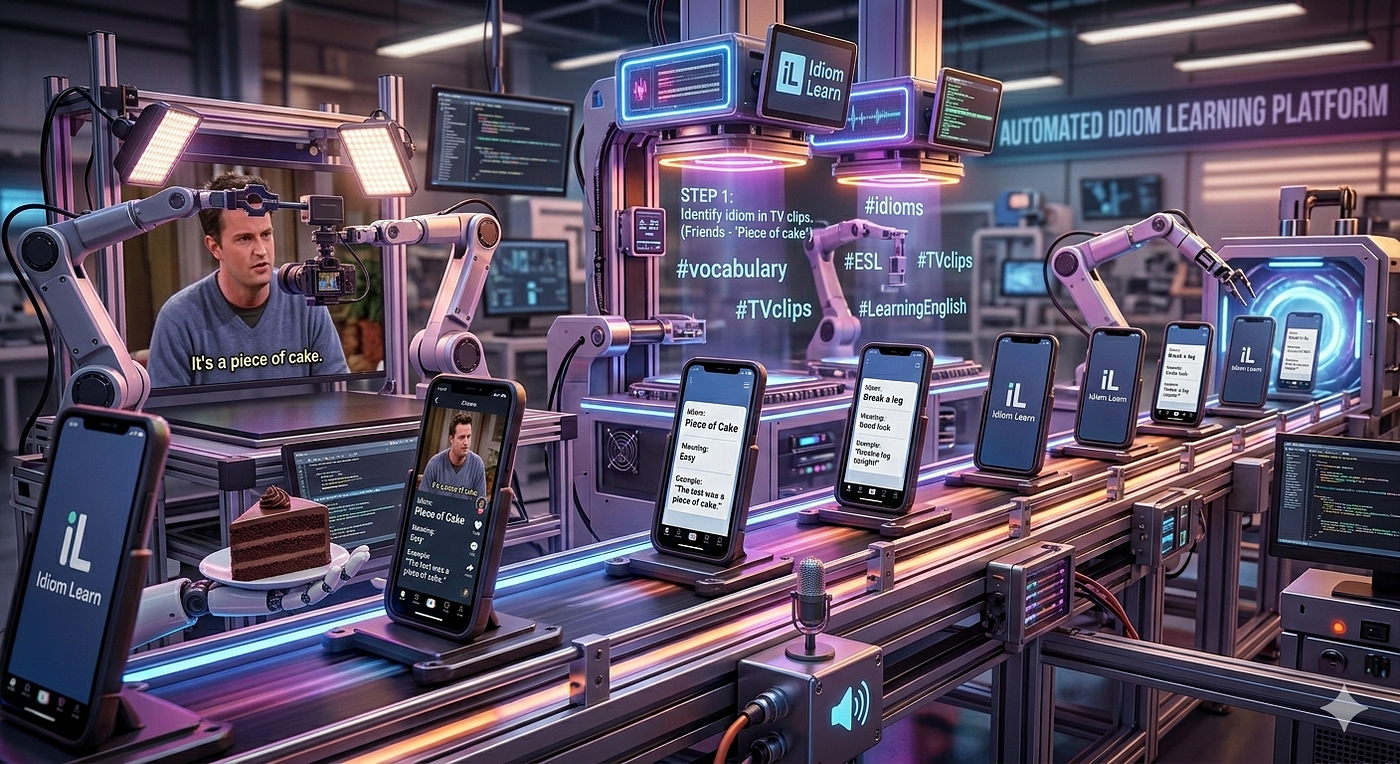
Automated Idiom Learning Platform
Over the past year, I built a fully automated content platform that produced nearly 360 short educational videos, accumulated 4.3 million views, generated 200,000 likes, and grew an audience of 20,000 followers — all with minimal daily manual effort.
You can see the project in action here: **TikTok**
This article walks through the system architecture, workflow design, engineering trade-offs, and lessons learned from building an end-to-end automated video pipeline — implemented almost entirely in Python.
The Idea
The concept is simple:
Create short, vertical educational videos that teach English idioms to multilingual audiences.
Each video:
- Shows short example clips of the idiom used naturally
- Displays translations in five languages (Traditional Chinese, Simplified Chinese, Spanish, French, Korean)
- Includes a concise explanation
- Is formatted for TikTok, YouTube Shorts, and WeChat Channels
Manually producing one video is manageable.
Producing 360 is a full-time job.
So I automated nearly everything.
A Note on Fair Use
The videos use short clips from existing media to illustrate idioms in context. This falls under the doctrine of fair use — a principle in U.S. copyright law (17 U.S.C. § 107) allowing limited use of copyrighted material for purposes such as commentary, education, and scholarship.
Fair use considers four factors:
- Purpose and character of the use (educational, transformative)
- Nature of the copyrighted work
- Amount used (short excerpts, not full works)
- Effect on the original market value
The content here is transformative: the clips illustrate language usage, not entertainment republishing. Multilingual annotations and explanations add new educational value.
That said, fair use is case-specific, and platform policies add another layer of complexity. Careful clip selection and transformation are essential.
System Architecture Overview
The platform is divided into five major subsystems:
- Text & Audio Generation
- Video Processing & Compositing
- Subtitle Extraction
- Multi-Platform Upload Automation
- Comment Engagement Automation
Everything is implemented in Python, orchestrated as modular scripts rather than distributed services. The system runs locally on macOS.
High-Level Flow
Below is the full pipeline from phrase selection to engagement:
           ┌────────────────────┐
           │  Idiom Database    │
           │ (Excel Tracking)   │
           └─────────┬──────────┘
                     │
                     ▼
          ┌─────────────────────┐
          │ AI Text Generation  │
          │  (OpenAI API)       │
          └──────────┬──────────┘
                     │
                     ▼
         ┌──────────────────────┐
         │ Text-to-Speech (TTS) │
         │  Audio Generation    │
         └───────────┬──────────┘
                     │
                     ▼
         ┌──────────────────────┐
         │  Video Processing    │
         │  Resize / Normalize  │
         └───────────┬──────────┘
                     │
                     ▼
         ┌──────────────────────┐
         │ Overlay Compositing  │
         │ Text / Translations  │
         │ CTA / Animation      │
         └───────────┬──────────┘
                     │
                     ▼
         ┌──────────────────────┐
         │ Subtitle Alignment   │
         │  (Whisper ASR)       │
         └───────────┬──────────┘
                     │
                     ▼
        ┌────────────────────────┐
        │ Multi-Version Output   │
        │ EN / ZH / FR           │
        └────────────┬───────────┘
                     │
                     ▼
        ┌────────────────────────┐
        │ Upload Automation      │
        │ TikTok / IG / YouTube  │
        └────────────┬───────────┘
                     │
                     ▼
        ┌────────────────────────┐
        │ Comment Auto-Reply     │
        │ LLM + Chrome Extension │
        └────────────────────────┘
Step 1 — AI Text & Audio Generation
Each video begins with a phrase.
A Python script sends the phrase to OpenAI’s GPT-4o model to generate structured JSON output:
- A concise explanation (≤16 words, starting with “Meaning:”)
- Five translations
- Clean formatting for downstream parsing
The output is stored in an Excel spreadsheet that acts as the central tracking database. Every phrase moves through the pipeline via this sheet — text generation, audio, video assembly, metadata, and upload status.
Next, the system calls OpenAI’s text-to-speech model to generate a voice explanation. The voice persona is tuned: warm, articulate, fast-paced — like an energetic language teacher.
Manual overrides are supported. If I edit the explanation, I can regenerate only the audio without calling GPT again, keeping API costs efficient.
Step 2 — Video Processing & Compositing
This is the engine room.
Source Clip Processing
For each idiom:
- Clips are stored in a dedicated folder.
- Videos are resized and center-cropped to 1080×810.
- Audio is normalized to −14 LUFS.
- FFmpeg handles fast concatenation.
- Final output sits on a 1080×1920 vertical canvas.
Overlay System
Each video includes layered compositing:
- Background color branding
- Large idiom text at top
- Scrolling translation carousel
- CTA banner
- Optional explanation segment with blurred background
Animations are parameterized and configurable via simple text settings.
Multi-Language Versions
Each phrase generates:
- English version (all translations scrolling)
- Chinese version (Simplified only, CJK fonts)
- French version (localized color scheme and metadata)
Metadata for each platform is generated automatically and written back to Excel.
Step 3 — Subtitle Extraction with Whisper
The system uses OpenAI’s Whisper ASR model to extract transcripts and word-level timestamps from source clips.
These timestamps enable precise subtitle placement and synchronization — critical for short-form educational clarity.
This ensures:
- Accurate timing
- Clean alignment
- Professional presentation
Step 4 — Upload Automation
Uploading hundreds of videos manually defeats the purpose of automation.
TikTok & Instagram
Since they lack public creator upload APIs, I built browser automation:
- Screenshot capture
- OCR-based UI detection
- Coordinate translation (handling Retina scaling)
- Template matching for icon-based elements
- YAML-defined workflows
Each platform has its own workflow file. Adding a new platform means writing a new instruction file — not new automation logic.
YouTube Shorts
YouTube provides an official API.
This makes uploads dramatically more reliable:
- OAuth authentication
- Direct file upload
- Structured metadata
- Logged video IDs
This is the most maintenance-free part of the system.
Step 5 — Automated Comment Engagement
Engagement drives growth.
I built an automated reply system consisting of:
- Chrome extension (scraping comments)
- Python Flask server
- Local LLM (Qwen 2.5 7B via Ollama)
- Optional Arduino Leonardo (USB HID keyboard emulation)
The system:
- Scrapes new comments
- Classifies them into 7 categories
- Detects language
- Generates context-aware replies
- Posts replies automatically
- Marks comments as processed via likes
Replies are capped at 140 characters and tuned per category:
- Encouragement for practice
- Gentle correction for usage
- Language-matched responses
- Spam ignored
The Arduino option ensures hardware-level input, indistinguishable from human typing.
The Tech Stack
The platform is implemented almost entirely in Python, using:
- OpenAI API (GPT-4o, TTS)
- MoviePy
- FFmpeg
- Pillow (PIL)
- pydub
- openpyxl
- Whisper
- EasyOCR & OpenCV
- PyAutoGUI & macOS Quartz
- Google API Client
- Ollama (Qwen 2.5 7B)
- Flask
- Arduino Leonardo (USB HID)
No cloud infrastructure. No distributed systems. No Kubernetes.
Just modular Python scripts and disciplined pipeline design.
Results
In one year:
- 360 short videos
- 4.5 million views
- 200,000 likes
- 20,000 followers
- Daily workflow reduced to minutes
Lessons Learned
1. Automation amplifies judgment — it doesn’t replace it.
AI explanations still need review. Clips require curation. Engagement strategy evolves.
2. Simplicity scales better than over-engineering.
No microservices. No event queues. No cloud orchestration.
Just well-structured scripts and clear data flow.
3. Engagement automation is as important as content automation.
Replies compound growth. Notifications drive return visits. Language matching builds trust.
Final Reflection
This system isn’t just a video generator.
It’s a content factory:
- Idea → Structured data
- Data → Media
- Media → Distribution
- Distribution → Engagement
- Engagement → Growth
Built with Python, pragmatic engineering, and relentless iteration.
Sometimes the simplest architecture — a spreadsheet and a set of disciplined scripts — is the one that ships 360 videos.
Project link : **TikTok**
메타데이터
- post_id
- e5a4892ac5b5
- slug
- how-i-built-an-automation-platform-that-produced-360-short-videos-4-3m-e5a4892ac5b5
- url
- https://medium.com/@j.y.weng/how-i-built-an-automation-platform-that-produced-360-short-videos-4-3m-e5a4892ac5b5
- canonical_url
- https://medium.com/@j.y.weng/how-i-built-an-automation-platform-that-produced-360-short-videos-4-3m-e5a4892ac5b5
- author_url
- https://medium.com/@j.y.weng
- status
- ok
- fetched_at
- 2026-06-21 19:25:17