What is Technical Documentation? A Complete Beginner’s Guide (2026)
Imagine buying a complex piece of furniture or downloading a brand-new software application, only to open it and find zero instructions…
What is Technical Documentation? A Complete Beginner’s Guide (2026)
technical documentation
Imagine buying a complex piece of furniture or downloading a brand-new software application, only to open it and find zero instructions. Frustrating, right? You would likely give up, ask for a refund, or find an alternative immediately.
This is where technical documentation saves the day.
In today’s digital world — where software, tools, and digital products update almost daily — having clear, easy-to-read documentation is no longer just “nice to have.” It is a core part of product success.
In this ultimate guide, we will break down what technical documentation is, why it matters, the main types you should know, and how to write it like a pro.
What is Technical Documentation?
At its core, technical documentation refers to any written content, diagram, or guide that explains how a product works, how it was built, or how people should use it.
It acts as a bridge between complex engineering and the end user. Whether it is written for software developers, internal product teams, or everyday customers, the goal remains the same: to make technical information simple and useful.
Why is it so important in 2026?
With AI tools and modern software advancing rapidly, products are becoming more powerful yet complex. Good documentation ensures that:
- Users can solve problems on their own without calling customer support.
- New team members can onboard quickly without endless training meetings.
- Developers can integrate software seamlessly using APIs and code libraries.
The 2 Main Categories of Technical Documentation
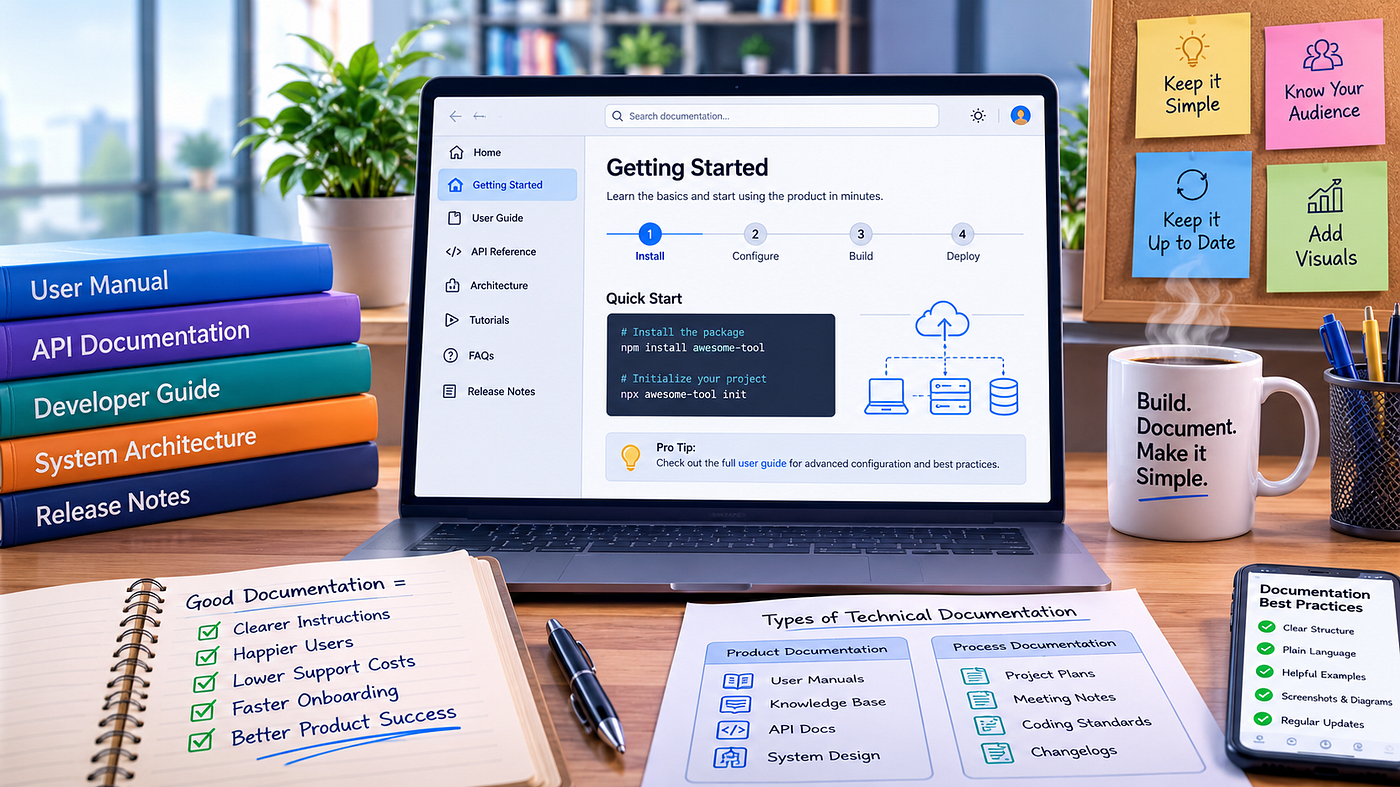
To keep things simple, technical documentation generally falls into two main buckets: Product Documentation and Process Documentation.
1. Product Documentation
This category covers everything that describes the product itself — both inside and out. It includes:
- User Documentation: Written for customers and end-users. Examples include user manuals, troubleshooting guides, quick-start setup guides, and knowledge bases.
- System Documentation: Written for developers and engineers. Examples include API documentation, source code comments, and system architecture design files.
2. Process Documentation
This category covers how the product was built and maintained over time. It is meant for internal teams.
- Project roadmaps and plans
- Meeting notes and technical requirements
- Coding standards and testing reports
- Release notes and changelogs
Key Benefits of Great Technical Documentation
Why should businesses invest time and effort into creating solid documentation? Here are a few major reasons:
1. Drastically Reduces Support Costs
When users can quickly search a knowledge base and find an answer, they don’t open support tickets. This saves companies thousands of dollars in customer service expenses.
2. Improves User Retention and Satisfaction
If a customer gets confused by your product, they will leave. Clear onboarding guides help users get value from your tool instantly, making them stay longer.
3. Saves Time During Team Onboarding
When new developers or team members join a project, high-quality process documentation helps them get up to speed in days instead of weeks.
How to Write Clear Technical Documentation in 5 Simple Steps
Writing technical content doesn’t mean using big, complicated words. In fact, the best technical writers do the exact opposite — they explain hard concepts using simple language.
Step 1: Know Your Target Audience
Before typing a single word, ask yourself: Who is reading this? A guide written for a senior software engineer will look completely different from a user manual meant for a non-technical beginner.
Step 2: Use a Logical Structure
Break your content down into bite-sized pieces. Use headings (H1, H2, H3), bullet points, and short paragraphs. Readers rarely read technical docs line-by-line; they skim until they find what they need.
Step 3: Keep the Language Simple and Direct
Avoid overly formal jargon. Use active voice, plain English, and short sentences.
- Instead of: “The activation procedure must be executed prior to software utilization.”
- Say: “Activate your license before using the software.”
Step 4: Include Visuals
A single screenshot, flow chart, or quick video clip can replace pages of text. Visual assets make instructions much easier to follow.
Step 5: Keep Content Up to Date
Outdated documentation is almost worse than having no documentation at all. Make it a habit to update your docs whenever a product feature changes.
Popular Tools for Creating Technical Documentation
Depending on your team’s size and needs, here are some popular platforms used today:
- Confluence / Notion: Excellent for internal team documentation and project notes.
- GitBook / Readme: Great for public API docs, developer guides, and user manuals.
- MadCap Flare: Ideal for enterprise-level documentation management.
- Canva / Loom: Perfect for adding quick diagrams, visual charts, and screen recordings.
Frequently Asked Questions (FAQ)
What is the primary purpose of technical documentation?
The primary purpose is to explain product functionality, architecture, or usage in a way that helps readers solve problems, learn features, or build software efficiently.
Who writes technical documentation?
It is often written by professional technical writers, software engineers, product managers, or support team leads depending on the project scope.
What is the difference between user documentation and technical documentation?
User documentation is a subset of technical documentation created specifically for end-users (like user manuals). Technical documentation is the broader term that also covers developer guides, APIs, and internal system specs.
Conclusion
At the end of the day, technical documentation is all about clarity, accessibility, and communication. By focusing on simple language, logical structure, and helpful visuals, you can transform complex technical knowledge into an empowering tool for both your team and your users.
메타데이터
- post_id
- fdee8825c9d3
- slug
- what-is-technical-documentation-a-complete-beginners-guide-2026-fdee8825c9d3
- url
- https://medium.com/@saimaliguestpost/what-is-technical-documentation-a-complete-beginners-guide-2026-fdee8825c9d3
- canonical_url
- https://medium.com/@saimaliguestpost/what-is-technical-documentation-a-complete-beginners-guide-2026-fdee8825c9d3
- author_url
- https://medium.com/@saimaliguestpost
- status
- ok
- fetched_at
- 2026-07-29 15:44:36