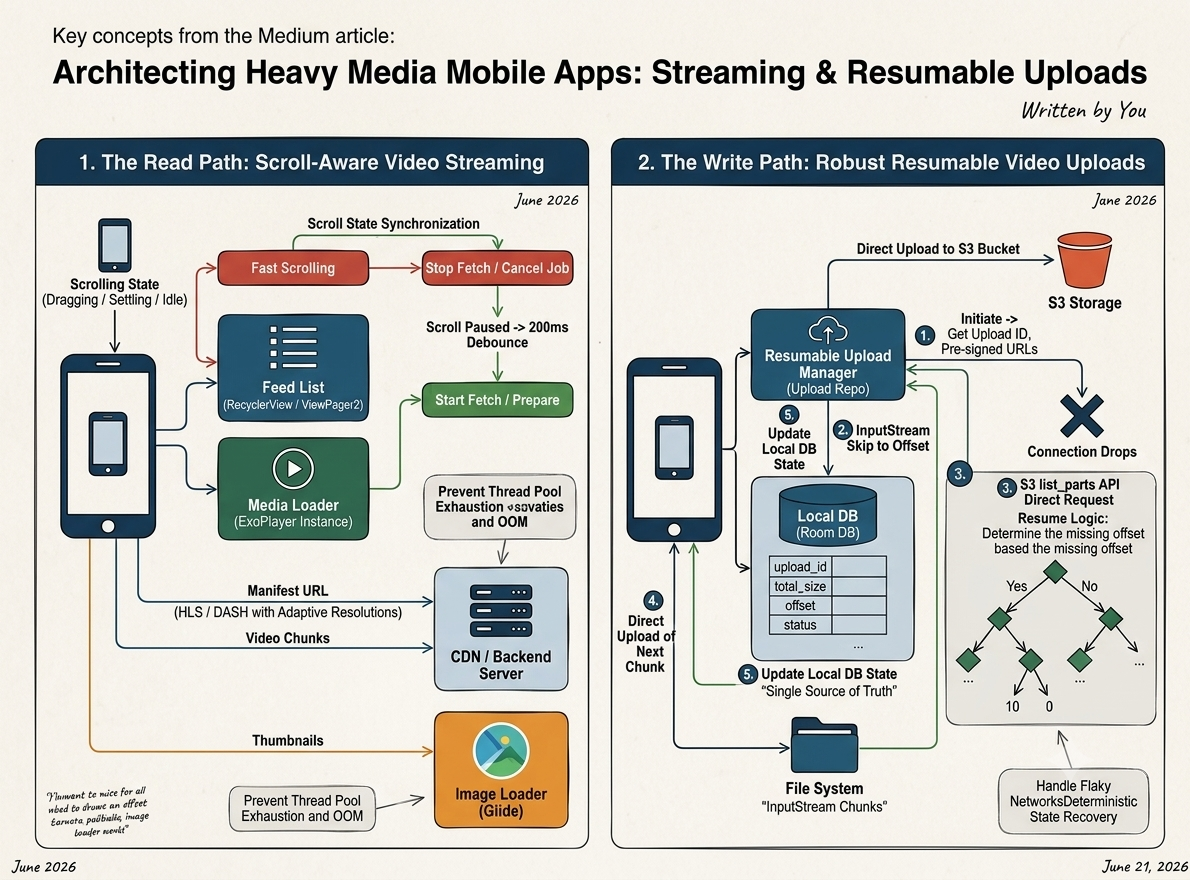
How to Handle Large File Uploads in Android Using WorkManager & Foreground Services
What is WorkManager: WorkManager is the recommended solution for persistent work. It doesn’t magically prevent the OS from killing your…
How to Handle Large File Uploads in Android Using WorkManager & Foreground Services
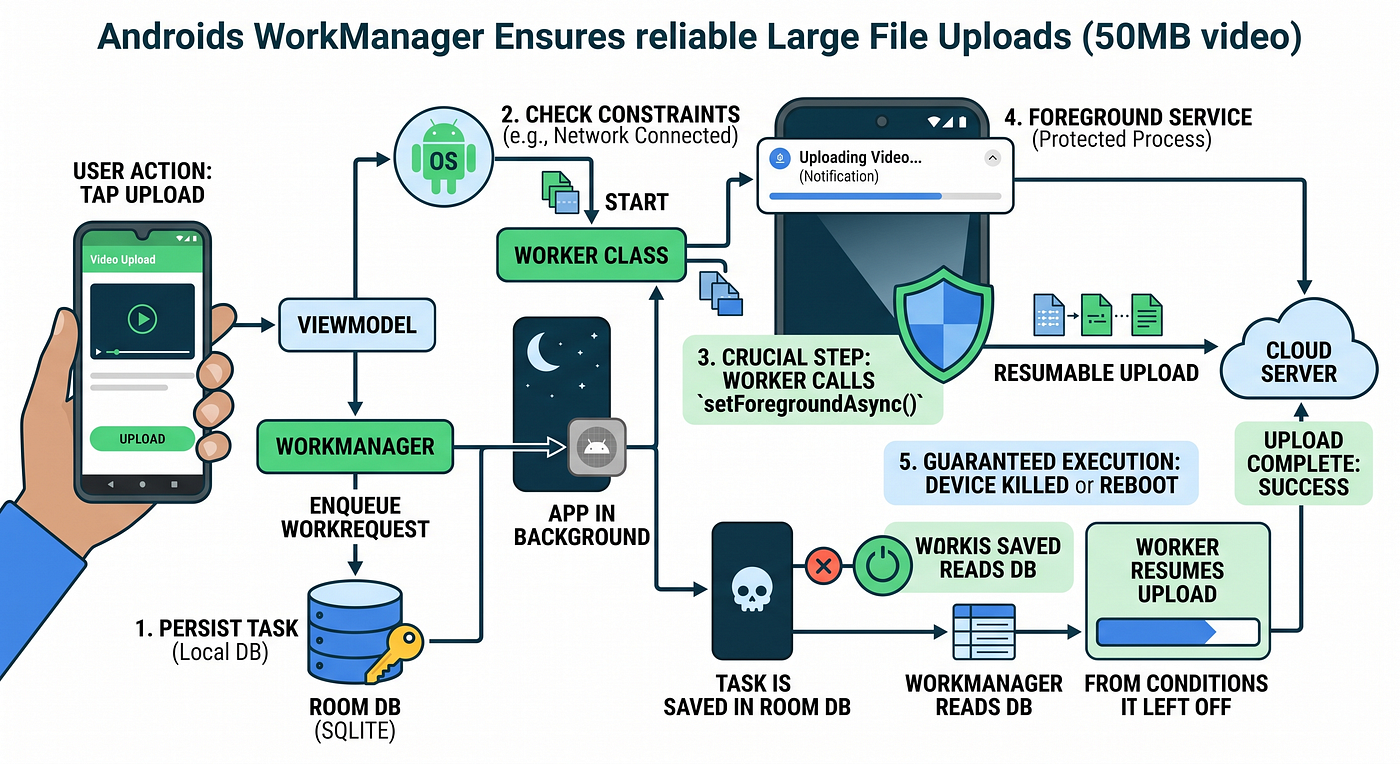
What is WorkManager: WorkManager is the recommended solution for persistent work. It doesn’t magically prevent the OS from killing your app. Instead, it guarantees Reliable Execution. Even if your app is killed or the device reboots, WorkManager remembers your task (saved in its local SQLite DB) and executes it when the required constraints are met.
Usecase: App uploads a large movie file (50MB) (※ Assume we already implemented a resumable upload mechanism)
- User taps the upload button.
- App creates a
WorkRequestwith specific Constraints (e.g.,NetworkType.CONNECTED) and enqueues it to WorkManager. - Once the constraints are met, the WorkManager spawns a background thread and starts the Worker.
- [Crucial Step] Inside the Worker, we call
setForegroundAsync()to bind the task to a Foreground Service. This displays a sticky notification to the user. - The user puts the app into the background.
- Because of the Foreground Service, the OS recognizes this as a high-priority active task and heavily reduces the chance of killing the process.
- The upload process safely continues in the background.
- The user brings the app back to the foreground.
- The UI observes the
WorkInfo(viaLiveDataorFlow) and seamlessly updates the progress bar based on the Worker's state.
Key Takeaways (Points):
- The 10-Minute Limit: Standard background Workers are subject to OS restrictions and can be killed after roughly 10 minutes. By explicitly using a Foreground Service (
Long-running workers), we bypass this limit for large file uploads. - Deferrable Execution: For standard tasks, the OS (via
JobSchedulerunder the hood) intelligently decides the exact timing to execute the work to optimize battery life. - Powerful Constraints: You can set preconditions like
setRequiresCharging(true)orsetRequiredNetworkType(NetworkType.UNMETERED)so the upload only happens on Wi-Fi, saving user data. - Built-in Resiliency: WorkManager handles failures gracefully. It has a built-in Exponential Backoff mechanism (
setBackoffCriteria), eliminating the need to write complex retry loops manually.
메타데이터
- post_id
- 10fe5f27f4dd
- slug
- how-to-handle-large-file-uploads-in-android-using-workmanager-foreground-services-10fe5f27f4dd
- url
- https://medium.com/@aaja2252/how-to-handle-large-file-uploads-in-android-using-workmanager-foreground-services-10fe5f27f4dd
- canonical_url
- https://medium.com/@aaja2252/how-to-handle-large-file-uploads-in-android-using-workmanager-foreground-services-10fe5f27f4dd
- author_url
- https://medium.com/@aaja2252
- status
- ok
- fetched_at
- 2026-06-22 17:31:34