Building A Manual Digital Zettelkasten With SharePoint Online
This document outlines a unique methodology for building a manual digital Zettelkasten by leveraging the specific database capabilities and…
Building A Manual Digital Zettelkasten With SharePoint Online
This document outlines a unique methodology for building a manual digital Zettelkasten by leveraging the specific database capabilities and Gallery/Card View of SharePoint Online.
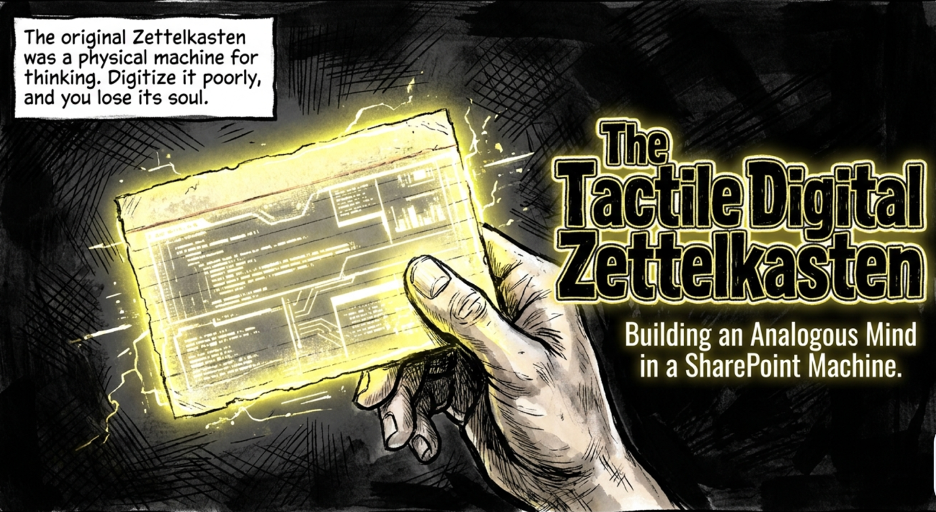
Drawing inspiration from Apple HyperCard, modern software can successfully emulate the tactile feel and deliberate pacing of analog note-taking systems. To achieve this, the document details how to configure SharePoint Lists using Gallery views to represent physical index cards. The framework requires setting up four distinct lists: Note Cards for permanent content, an Index for navigation, Categories for classification, and Literature Cards for citations. By establishing these specific data columns and relationships, users can recreate a traditional knowledge management system that prioritizes human-machine integration and thoughtful reflection. This approach intentionally avoids over-automation to preserve the mental benefits associated with manual information organization.
The Ghost in the Machine: Why SharePoint is the Unexpected Hero of Manual Note-Taking
Introduction: The Digital Content Paradox

We are currently drowning in a sea of digital gluttony. Modern productivity has devolved into a race to see who can hoard the most bookmarks, clips, and unread tabs, yet actual knowledge retention has never felt more elusive. We treat information like a commodity to be collected rather than a landscape to be explored, losing our intellectual footing in the process.
This systemic failure has fueled a resurgence of the Zettelkasten method, a framework designed for the slow, deliberate cultivation of thought. However, a fierce tension exists between the “fast” nature of modern software and the philosophical friction required by the original analog system. The cult of the analog argues that by moving to digital, we inevitably strip away the cognitive weight required for true learning.
There is, however, a sophisticated middle ground for the modern architect of thought. SharePoint Online — traditionally maligned as a stale corporate filing cabinet — can be re-engineered into a tactile, “analogous” digital database. By transforming this platform into a SharePoint Online Zettelkasten (SPOZK), we can bridge the gap between digital efficiency and the deep, manual contemplation of the past.

The HyperCard Resurgence: SharePoint as a Low-Code Canvas
Long before “low-code” became a marketing buzzword, Apple’s HyperCard allowed users to construct bespoke digital ecosystems with a sense of craftsmanship. It wasn’t just a tool; it was a digitalization framework that used the “Stack” and the “Card” to teach users the foundational concepts of database architecture. I approach this through the lens of “Opinionated SharePoint Development,” a method that prioritizes functional digitalization over mere “paper emulation.”

The SharePoint Lists Gallery view serves as the perfect modern successor to the HyperCard stack. While critics might find it counter-intuitive to use a corporate collaboration suite to emulate 1980s software, they miss the architectural point. We aren’t just making digital cards; we are building a relational database with a tactile front end that treats information as a modular, navigable unit.
“HyperCard is already a digitalization tool and its use cases are not at all link to emulating paper. HyperCard and stack are just convenient terms adapted to facilitate users in learning the digitalization concept of database and data presentation.”
The Philosophical Friction: Why “Slowing Down” is a Feature, Not a Bug
The most vocal proponents of the analog Zettelkasten claim that digital tools are too “easy,” thereby eliminating the “analogous motion and emotion” of the system. They argue that when an app automates the linking process, it bypasses the brain’s internal search engine. This automation effectively kills the cognitive struggle, leaving the user with a library of connections they didn’t actually build themselves.

The real danger of modern productivity software is the loss of “neuro-muscle memory.” When a computer handles the organization, your brain stops forming the neural pathways required to truly own an idea. An SPOZK solves this by reintroducing “manual” digital entry, forcing you to engage in the deliberate act of classification. It preserves the essential friction of thought while providing the structural integrity of a cloud-based environment.
The Jony Ive Principle: Tactile Inputs in a Screen-Based World
The design of a functional SPOZK mirrors Sir Jony Ive’s provocative work on the Ferrari Luce EV. In an industry obsessed with flat, lifeless touchscreens, Ive made the bold decision to reintegrate physical buttons into the driver’s interface. This was not a nostalgic retreat, but a sophisticated design choice aimed at improving human-machine integration through tactile feedback and “analogous input devices.”

In the world of knowledge management, manual entry is our “physical button.” Moving our thoughts to a screen is a necessary evolution, but we must retain the muscle memory of “driving” our own ideas. By using SharePoint’s interface to manually categorize and link data, we bring the “fun” and the focus back to the cognitive process. It transforms note-taking from a passive chore into a high-performance intellectual activity.
The SPOZK Blueprint: A Four-Pillar Architecture
To construct a SharePoint Online Zettelkasten (SPOZK), you must establish a dedicated SharePoint site with a rigid, four-list architecture. The “architectural secret” here is the extensive use of Lookup fields, which transform a simple list into a powerful relational engine. Use the following specifications to build your database:
The Note Card (Permanent Notes): The primary repository for atomic ideas.
- Fields: Title, Note, Category (Lookup), Category:Title (Lookup), Keyterm (Lookup), Keyterm:Title (Lookup), Reference, Links, Literature Source (Lookup), and Literature Source:Source (Lookup).
The Index (Index Card): The high-level map used to navigate the system.
- Fields: Title, Keyterm, and Scope.
The Category (Classification): A subject-based numbering system for broad organization.
- Fields: Title (Numerical ID) and Subject.
- Standard Entries: 1000 Philosophy & Psychology, 2000 Religion, 3000 Social Science, 4000 Language, 5000 Science, 6000 Technology, 7000 Arts & Recreations, 8000 Literature, 9000 History & Geography.
The Literature Card (Bibliography): A detailed log of external sources.
- Fields: Title, Source, Citation, Page, Notes, and Card(s) (for linking back to permanent notes).

Conclusion: The Future of Thoughtful Digitalization
**Opinionated SharePoint Development** allows us to transcend the “paper emulation” trap and build tools that actually respect the human cognitive load. We do not need software that promises to think for us; we need robust digital environments that demand we think for ourselves. The SPOZK framework ensures that the “muscle memory” of intellectual discovery is never sacrificed at the altar of automation.

As we continue to outsource our memory to the cloud, we must be careful not to outsource our judgment. We have spent a decade trying to make technology as frictionless as possible, but perhaps we were solving the wrong problem. In our rush to automate everything, have we accidentally automated away the very friction required to actually think?

Look out for further writings on this powerful SPOZK blueprint to develop a high-fidelity analog zettelkasten personal knowledge management system with SharePoint Online!
메타데이터
- post_id
- 2d65358dbb52
- slug
- building-a-manual-digital-zettelkasten-with-sharepoint-online-2d65358dbb52
- url
- https://medium.com/@gescoach/building-a-manual-digital-zettelkasten-with-sharepoint-online-2d65358dbb52
- canonical_url
- https://medium.com/@gescoach/building-a-manual-digital-zettelkasten-with-sharepoint-online-2d65358dbb52
- author_url
- https://medium.com/@gescoach
- status
- ok
- fetched_at
- 2026-06-09 15:37:30






