Meet Object Pooling — Say Goodbye to Lag!
Helloooo.. Anyoneeee??? Okay, lemme begin with a story.
Meet Object Pooling — Say Goodbye to Lag!
Helloooo.. Anyoneeee??? Okay, lemme begin with a story.
So, one day I created a simple game (by watching a You Tube video as always 🤣) — a shooting game actually, where the player shoots at the aim and levels go by. And after playing few minutes… BOOM! there were like 100 bullets per second everywhere!
The game started to lag, frame dropped and I rage- quit. Literally😒
So I went to my teacher asking what was going on — and that’s where I learned about Object Pooling! It’s like recycling but for game objects!
What is Object Pooling?
In simple words, instead of creating and destroying games objects again and again, we reuse them. ✅ Faster ✅ Less memory usage ✅ Smoother game ✅ No lag = Happy players 😌
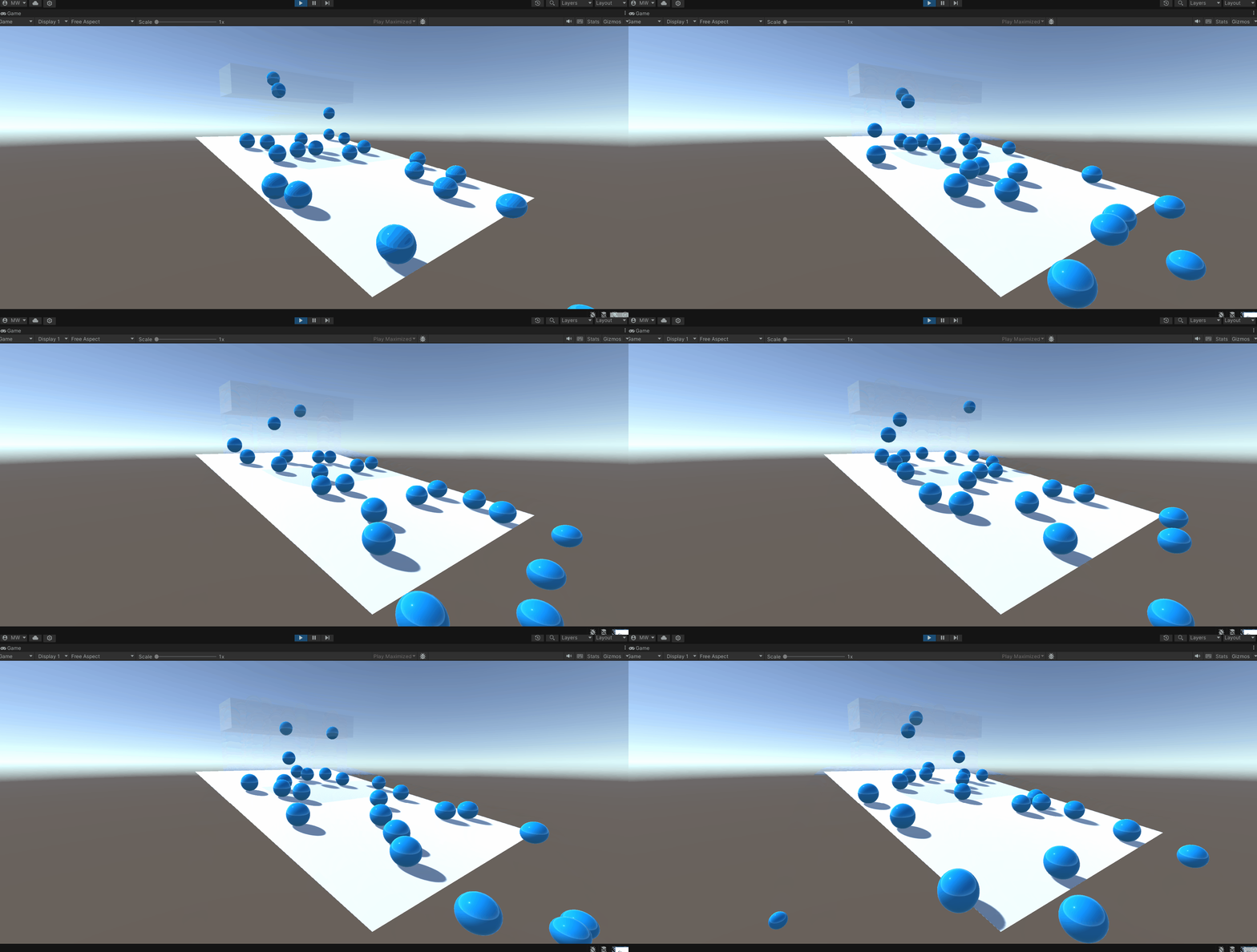
So, if I explain it bit more using a real-life example, it’s like this!
Let’s say you’re throwing a party (🎉 yay!), and 50 guests keep asking for juice. Option 1: You buy a new plastic cup every single time someone wants juice (expensive and messy). Option 2: You get 20 reusable cups. After each use, you wash and reuse.
Obviously, Option 2 is smarter.

That’s Object Pooling. You reuse things instead of making new ones again and again.
Unity Code Example: Bullet Pooling
Lemme give you a simple example to implement object pooling.
Step 1 : Create a Bullet Prefab ▪ In Unity, create a bullet GameObject (eg. a sphere) ▪ Add any script or Rigidbody 2D/3D if needed ▪ Drag it into the Project window to make it a prefab.
We’ll use this prefab to spawn bullets.
Step 2 : Create the Pool Manager Script
Let’s create a script called ObjectPool.cs

Step 3: Fill the pool

Step 4: Create and add to pool

Step 5: Get an object when needed

Step 6: Return object back to the pool

Step 7: Create your bullet pool in unity ▪ Create a new empty GameObject and name it BulletPoolManager ▪ Attach the ObjectPool script to it. ▪ Drag your bullet prefab to the PreFab field in the Inspector. ▪ Set the Initial Size to however many bullets you want to ready at start )like 10 or 20). Now your pool is ready!
Step 8: Shoot bullets from the pool
Make a PlayerShooting.cs script and add follow:

➡️ Drag the BulletPoolManager into the bulletPool slot
➡️ Drag the FirePoint (empty transform where bullet comes from)
Step 9: Deactivating Bullets After Use On your bullet prefab, add a script to return it to the pool after some time or when it hits something:

Done! Now You Have a Working Object Pool in Unity!
- Bullet appears from the pool when player presses space.
- Bullet auto-hides after 2 seconds.
- It goes back into the pool, ready to shoot again.
Real Game Examples: Where to Use Object Pooling
- Appearing of bullets, rocks, balls or obstacles repeativley 🔫 Eg: Players fire 5 bullets per second. That’s 300 bullets per minute! If you keep creating new ones → lag With pooling → You just reuse 20–30 bullets from the pool, super smooth!
- Enemy spawns 👾 Eg: Enemies appear, get destroyed, reappear again. No need to constantly destroy and recreate — just reuse from the pool!
- Particle effects 💨 Eg: Smoke, explosions, fire, sparkles — these are short-lived and repetitive. Pooling makes them feel seamless.
- Collectibles 💰 Eg: Think coins, stars, gems that disappear and come back. Pool them instead of remaking.
Where NOT to Use It?
Don’t use pooling for: ❌ Unique Boss Characters ❌ Rare cutscene objects ❌ One-time things that won’t repeat often
So… Why Use Object Pooling?
✅ Speeds up your game ✅ Reduces memory usage ✅ Avoids random freezing and lagging during gameplay ✅ Makes your code cleaner (no messy destroy-create chaos)
It’s like game dev recycling ♻️
So, I think Object Pooling is your new best friend now! If your game has objects that come and go often use Object Pooling and let she do her magic! ✨
Happy coding devs! Byeee…see ya’ll in the next level
메타데이터
- post_id
- b6d5d027b1d1
- slug
- meet-object-pooling-say-goodbye-to-lag-b6d5d027b1d1
- url
- https://medium.com/@buthmamenali/meet-object-pooling-say-goodbye-to-lag-b6d5d027b1d1
- canonical_url
- https://medium.com/@buthmamenali/meet-object-pooling-say-goodbye-to-lag-b6d5d027b1d1
- author_url
- https://medium.com/@buthmamenali
- status
- ok
- fetched_at
- 2026-08-10 11:41:09





