Essential Data Pre-processing for Deep Learning: From Single-Modality to Multimodal AI
Deep learning models have become extraordinarily powerful, but they still rely on one fundamental principle:
Essential Data Pre-processing for Deep Learning: From Single-Modality to Multimodal AI
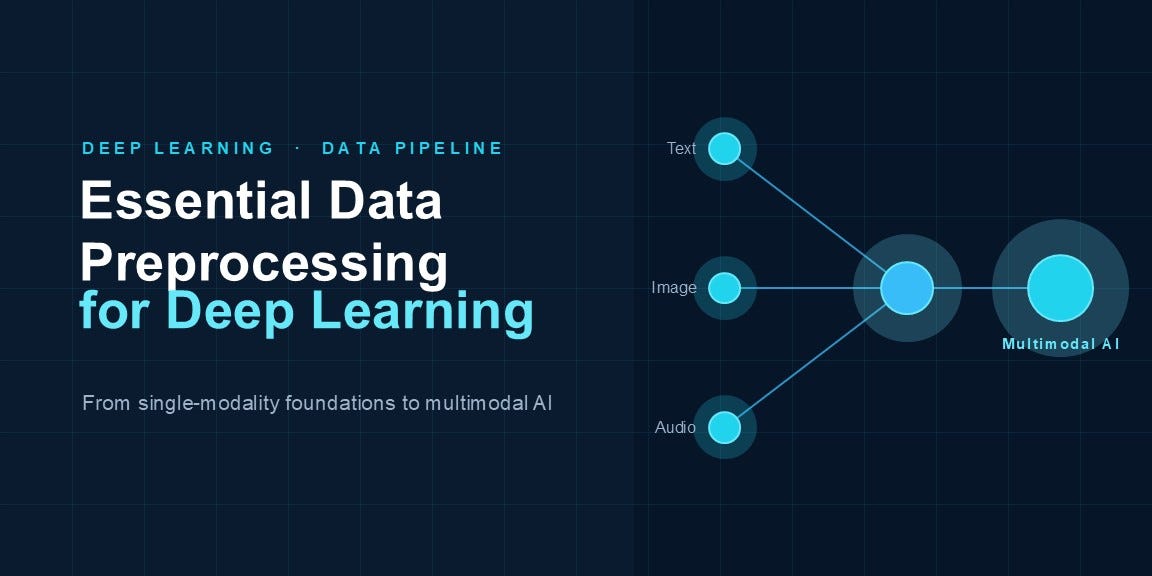
Image created by author using Copilot
Deep learning models have become extraordinarily powerful, but they still rely on one fundamental principle:
Garbage in, garbage out.
Even the most sophisticated neural network cannot compensate for poorly prepared data. In real-world projects, data preprocessing often consumes more time than model development itself.
The challenge becomes even greater when working with modern AI systems that process multiple data types simultaneously. A self-driving car may analyse images, LiDAR signals, GPS coordinates, and text instructions at the same time. A medical AI system may combine ultrasound images, laboratory measurements, and clinical notes.
This article explores data pre-processing from a deep learning perspective, covering images, text, tabular data, time-series signals, audio, and multimodal systems.
Why Preprocessing Matters
Neural networks assume that inputs are:
- Consistent
- Numerical
- Properly scaled
- Representative of real-world data
Raw data rarely satisfies these requirements.
Common problems include:
- Missing values
- Different feature scales
- Variable image sizes
- Noisy signals
- Class imbalance
- Inconsistent text formats
Pre-processing transforms raw data into a form suitable for learning.
Understanding Data Modalities
Different data types require different pre-processing strategies.

There is no universal pre-processing pipeline.
Instead, pre-processing must be tailored to the modality.
Part 1: Image Preprocessing
Computer vision models require fixed-size numerical tensors.
Step 1: Image Resizing
Images may have different resolutions:
640×480
1024×768
1920×1080
CNNs require uniform dimensions.
import tensorflow as tf

# Resize the image to 224×224 pixels so that all images have a
# consistent size before being fed into the neural network.
image = tf.image.resize(
    image,
    (224, 224)
)
Step 2: Pixel Normalization
Images are usually stored as:
0 – 255Convert them to range:
0 – 1image = image / 255.0This improves gradient stability.
Step 3: Model-Specific Preprocessing
Transfer learning models expect pre-processing identical to training.
from tensorflow.keras.applications.vgg19 import preprocess_input

# Apply the same preprocessing used during VGG19's original training.
# This adjusts pixel values to match the format expected by the pretrained model,
# helping improve transfer learning performance.
image = preprocess_input(image)
Examples:
- VGG19
- ResNet50
- EfficientNet
- MobileNet
Step 4: Data Augmentation
Augmentation increases dataset diversity.
# Create a data augmentation pipeline that randomly flips, rotates,
# and zooms images during training to increase dataset diversity
# and help reduce overfitting.

data_aug = tf.keras.Sequential([
    tf.keras.layers.RandomFlip(),
    tf.keras.layers.RandomRotation(0.2),
    tf.keras.layers.RandomZoom(0.2)
])
# Apply random image transformations during training:
# - RandomFlip: flips images horizontally
# - RandomRotation: rotates images by up to ±20%
# - RandomZoom: zooms in or out by up to 20%
# These augmentations help the model generalize better to unseen data.
Benefits:
- Less overfitting
- Better generalization
- Improved robustness
Part 2: Text Pre-processing
Neural networks cannot process raw text directly.
2.1 Lowercasing
# Convert all characters to lowercase to ensure that words like
# "AI", "Ai", and "ai" are treated as the same token.
text = text.lower()
2.2 Cleaning
import re  # Regular Expression library

# Remove punctuation and special characters from the text.
# r"[^\w\s]" means:
#   r      : Raw string (prevents Python from interpreting backslashes)
#   [ ]    : Character class
#   ^      : NOT
#   \w     : Word characters (a-z, A-Z, 0-9, _)
#   \s     : Whitespace characters (space, tab, newline)
#   ""     : Replace matched characters with an empty string
text = re.sub(
    r"[^\w\s]",
    "",
    text
)
Example
Input:
text = "Hello, World! How are you?"Pattern:
[^\w\s]Matches:
,
!
?
Replace with:
"" # empty stringResult:
Hello World How are youWhy Use This in NLP?
Before tokenization, punctuation often adds noise.
Deep Learning Perspective
For modern Transformer models such as:
- BERT
- RoBERTa
- GPT
you often do not remove punctuation manually because their pretrained tokenizers were trained on raw text including punctuation.
For classical NLP approaches:
- Bag of Words
- TF-IDF
- Word2Vec
this cleaning step is much more common.
So whether you use:
re.sub(r"[^\w\s]", "", text)depends on the model architecture and pre-processing pipeline you’re using.
2.3 Tokenization
Convert words into tokens.
# Import Tokenizer utility from Keras for converting text into numeric form
from tensorflow.keras.preprocessing.text import Tokenizer

# Create a Tokenizer instance (builds vocabulary from text data)
tokenizer = Tokenizer()

# Learn the vocabulary (assigns an integer index to each unique word in texts)
tokenizer.fit_on_texts(texts)

# Convert each text sentence into a sequence of integers based on learned vocabulary
sequences = tokenizer.texts_to_sequences(texts)
2.4 Padding
Neural networks require equal-length inputs.
# Import pad_sequences to ensure all sequences have the same length
from tensorflow.keras.preprocessing.sequence import pad_sequences

# Pad (or truncate) sequences so each one has exactly 128 tokens
# Short sequences are padded with zeros, long ones are truncated
X = pad_sequences(sequences, maxlen=128)
2.5 Transformer Tokenization
Modern models use pretrained tokenizers.
from transformers import AutoTokenizer

tokenizer = AutoTokenizer.from_pretrained( "bert-base-uncased" )

tokens = tokenizer( text, padding=True, truncation=True )
Part 3: Tabular Data Pre-processing
Many business and healthcare applications use structured data.
Example:

Missing Value Handling
# Calculate the median of the Income column and use it to fill all missing (NaN) values.
# Median is often preferred over mean because it is less affected by outliers.

df["Income"].fillna( df["Income"].median(), inplace=True )
Categorical Encoding
# Convert the categorical 'Gender' column into numerical binary columns
# (e.g., Gender_Male and Gender_Female) using one-hot encoding.

df = pd.get_dummies( df, columns=["Gender"] )
Feature Scaling
Neural networks train better with normalized inputs.
Standardization:
from sklearn.preprocessing import StandardScaler

# Create a StandardScaler object and standardize the features by
# subtracting the mean and dividing by the standard deviation.
# This transforms each feature to have mean 0 and standard deviation 1.

scaler = StandardScaler()

X = scaler.fit_transform(X)
Part 4: Time-Series Pre-processing
Examples:
- ECG
- EEG
- Stock prices
- IoT sensors
Window Creation
Instead of individual observations:
1,2,3,4,5,6Create sequences:
[1,2,3]
[2,3,4]
[3,4,5]
# Create overlapping sequences (sliding windows) of length 'window'
# from the time-series data. Each sequence will be used as an input
# sample for the deep learning model.
def create_windows(data, window=30):
X = []
for i in range(len(data)-window):
X.append(data[i:i+window])
return np.array(X)Signal Normalization
# Standardize the signal by subtracting its mean and dividing by its
# standard deviation so that it has mean 0 and standard deviation 1.

signal = ( signal - signal.mean() ) / signal.std()
Part 5: Audio Pre-processing
Speech and sound models rarely use raw waveforms directly.
Load Audio
import librosa

# Load the audio file and resample it to 16 kHz.
# 'audio' contains the waveform samples and 'sr' stores the sampling rate.

audio, sr = librosa.load( "speech.wav", sr=16000 )
Spectrogram Generation
# Convert the audio waveform into a Mel spectrogram, a time-frequency
# representation that highlights how sound energy is distributed across
# frequencies over time.

mel_spec = librosa.feature.melspectrogram( y=audio, sr=sr )
The spectrogram becomes the neural network input.
Part 6: Multimodal Pre-processing
Modern AI increasingly combines multiple modalities.
Examples:
Medical AI
- Ultrasound image
- Patient demographics
- Clinical notes
Autonomous Vehicles
- Camera images
- Radar
- GPS
Vision-Language Models
- Images
- Text
Each modality must be pre-processed separately.
Example
Image branch:
# Prepare the image using the same preprocessing applied during the model's original training.
image = preprocess_input(image)
Text branch:
# Tokenize the text by converting words and subwords into numerical IDs.
# These token IDs serve as the input to the Transformer model.
tokens = tokenizer(text)
Tabular branch:
# Apply the previously fitted scaler to transform the input features.
# This ensures that the features are scaled in the same way as the training data.
features = scaler.transform(features)
The outputs are then combined inside the neural network.

This pre-processing strategy is called modality-specific pre-processing.
Advanced Deep Learning Pipelines
Production systems use streaming pipelines.
# Create a TensorFlow dataset from image and label arrays.
# Shuffle the data to improve training randomness, group samples into
# batches of 32, and prefetch future batches to keep the GPU busy and
# improve training performance.

dataset = tf.data.Dataset.from_tensor_slices( (images, labels) )

dataset = ( dataset .shuffle(1000) .batch(32) .prefetch( tf.data.AUTOTUNE ) )
Benefits:
- Faster training
- Better GPU utilization
- Reduced memory usage
Common Pre-processing Mistakes
Data Leakage
Using information from the test set during training.
Wrong Scaling
Fitting scalers separately on train and test data.
Excessive Augmentation
Generating unrealistic samples.
Ignoring Class Imbalance
Producing misleading accuracy scores.
Wrong Transfer-Learning Pre-processing
Using generic normalization instead of model-specific pre-processing.
A Quick Reference Guide

Image created by author using AI guidance
Final Thoughts
Data pre-processing is not a single algorithm or a single pipeline. It is a collection of techniques designed for specific data modalities.
A modern deep learning engineer should understand pre-processing for:
- Images
- Text
- Tabular data
- Time-series signals
- Audio
- Multimodal systems
As AI systems increasingly combine multiple forms of data, multimodal pre-processing is becoming one of the most important skills in deep learning. In many real-world applications, the pre-processing pipeline contributes more to model success than the choice of neural network architecture itself.
References
- Deep Learning (Goodfellow, Bengio, Courville) https://www.deeplearningbook.org
- Hands-On Machine Learning with Scikit-Learn, Keras & TensorFlow (Aurélien Géron) https://www.oreilly.com/library/view/hands-on-machine-learning/9781098125967/
- TensorFlow Data Loading & Preprocessing Guide https://www.tensorflow.org/guide/data
- Scikit-Learn Preprocessing Documentation https://scikit-learn.org/stable/modules/preprocessing.html
- Hugging Face Transformers Documentation https://huggingface.co/docs/transformers
- Attention Is All You Need (Transformer Paper) https://arxiv.org/abs/1706.03762
메타데이터
- post_id
- c6b1bef2ad6d
- slug
- essential-data-pre-processing-for-deep-learning-from-single-modality-to-multimodal-ai-c6b1bef2ad6d
- url
- https://medium.com/data-and-beyond/essential-data-pre-processing-for-deep-learning-from-single-modality-to-multimodal-ai-c6b1bef2ad6d
- canonical_url
- https://medium.com/data-and-beyond/essential-data-pre-processing-for-deep-learning-from-single-modality-to-multimodal-ai-c6b1bef2ad6d
- author_url
- https://medium.com/@sabitha.manoj0891
- status
- ok
- fetched_at
- 2026-06-20 20:29:01