Is the Apple Watch Ultra Worth It for Runners? My 2-Year Review After 700KM
After Running 700K With My Ultra, It Feels Less “Ultra” — And That’s A Compliment!
Is the Apple Watch Ultra Worth It for Runners? My 2-Year Review After 700KM
After Running 700K With My Ultra, It Feels Less “Ultra” — And That’s A Compliment!
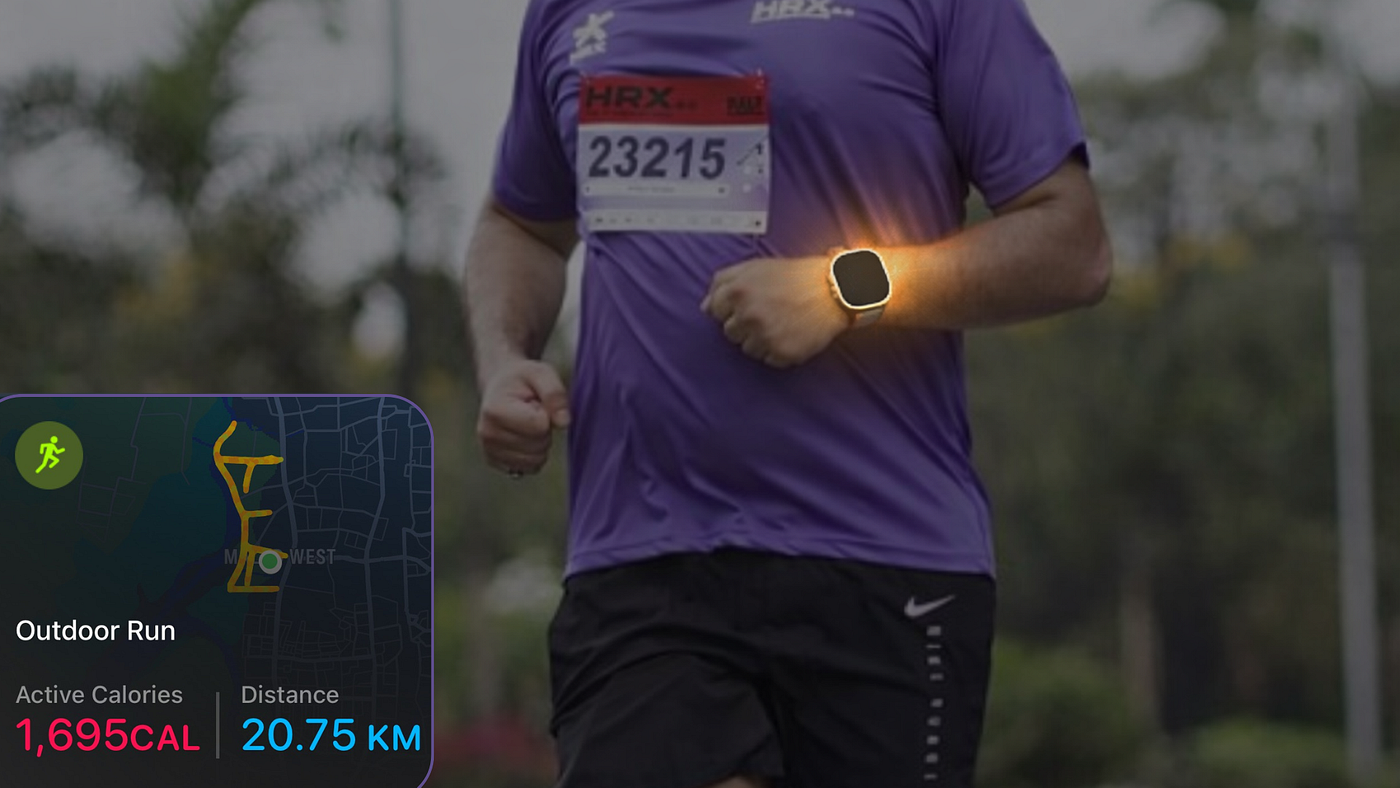
Source: Author | Apple Watch Ultra 2 — Story Cover Art
My honeymoon phase with my Apple Watch Ultra 2 ended just six months after I bought it.
That’s when I ran my first half-marathon — both with the watch and also, like, ever. During the twenty-one-kilometre marathon (which took me a little over three hours), I felt like I had reached the zenith of my human potential. I only had my Apple Watch on me as the witness to this great feat. Through all the uphills, downhills, and steep turns of the marathon route, as well as the unpredictable weather forecast of Mumbai that brought us rain in the early days of October, my watch witnessed it all as it braved through with me for those three hours.
Crossing the finish line, I felt like a champion — until I checked my Watch Ultra.
Battery Level: 85%
And suddenly I didn’t feel like the only champion there. It was as if my Watch was telling me that it could course through six more such torturous feats if I was still up for it. I was in no mood to run anymore that day (and the next few days). But that’s when it actually struck me — I can’t go this soft on the Ultra.
That drive to push harder shaped my next 18 months. In that time, I ran 700K with the Ultra, experimented with new workouts both in the gym and outdoors, and put its unique features to the test. So, how did the Ultra measure up?
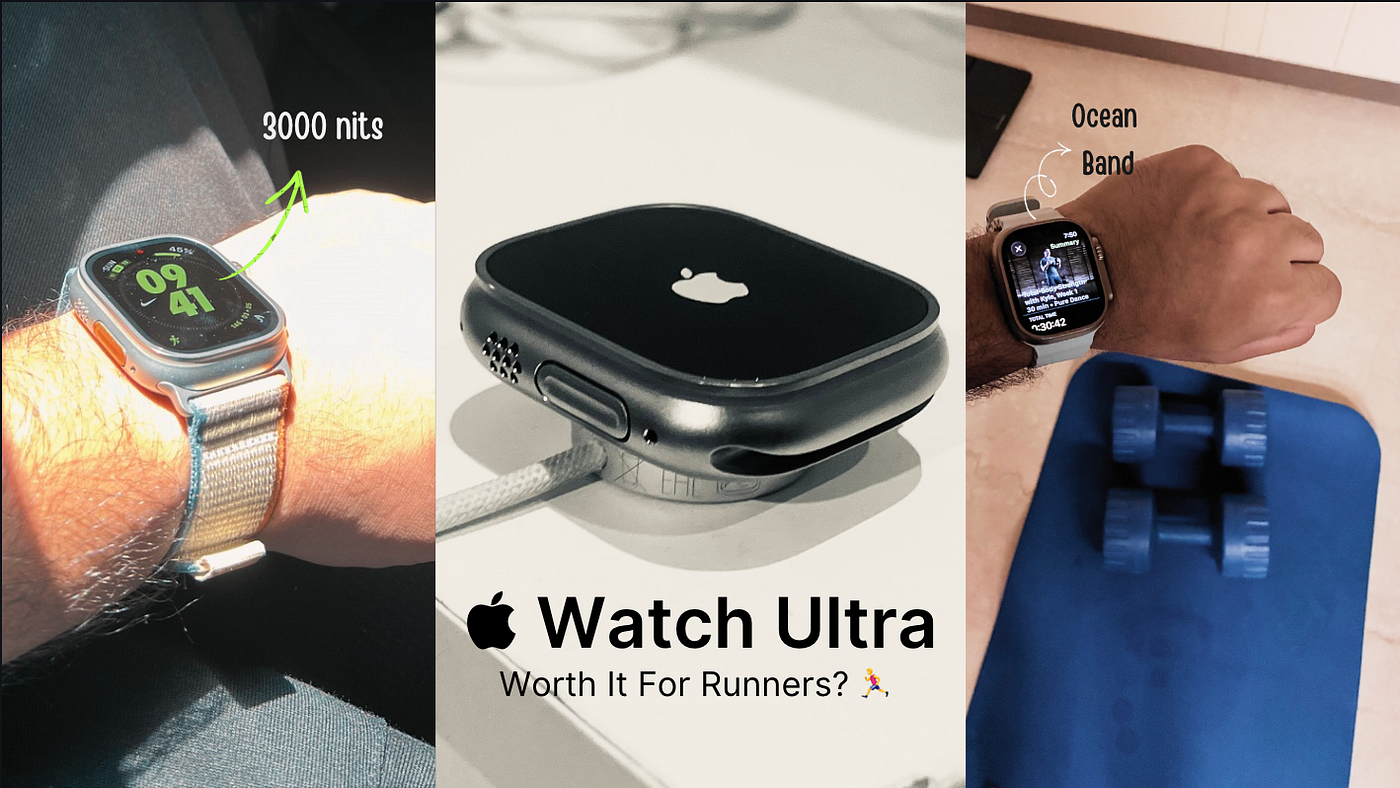
Source: Author | Is the Apple Watch Ultra worth it for runners?
Let me walk you through my two-year Apple Watch Ultra 2 experience. Runner or aspiring runner, Series watch owner or Ultra-curious — this story is for you. Up next, I’ll share how two years with this watch have made me a better, more consistent runner.
WHAT'S IN THIS REVIEW?
Why I Prefer An Ultra Over The Series Watch As A Runner 😎
My Current Setup: Watch Face, Complications, Workout Views (The Stuff That Sticks) ⌚️
How The Apple Watch Made Me A Consistent Runner - And Not Just A Faster One 🏃♂️💨
The Three Features That Kept Me Running When Motivation Didn't 📊
Apple Fitness+ and AirPods Pro 3: The Extra Gear That Helped My Training 🏋🏼♂️🎧
Three Things I Wish Apple Would Fix ⚙️👨🔧
Second Anniversary Verdict: If I Lost It Tomorrow, Would I Buy It Again? 🤔Why I Prefer An Ultra Over The Series Watch As A Runner 😎
Remember me saying how the Ultra doesn’t feel “Ultra” anymore?
That was actually meant to be a compliment. The best tech is the one that slowly disappears — blending into your lifestyle and being seemingly one with you. The Apple Watch was born with an advantage because it didn’t have to change or shape human behaviour in any way to make you wear a dial on your wrist — humans have been wearing wristwatches for over two centuries now.
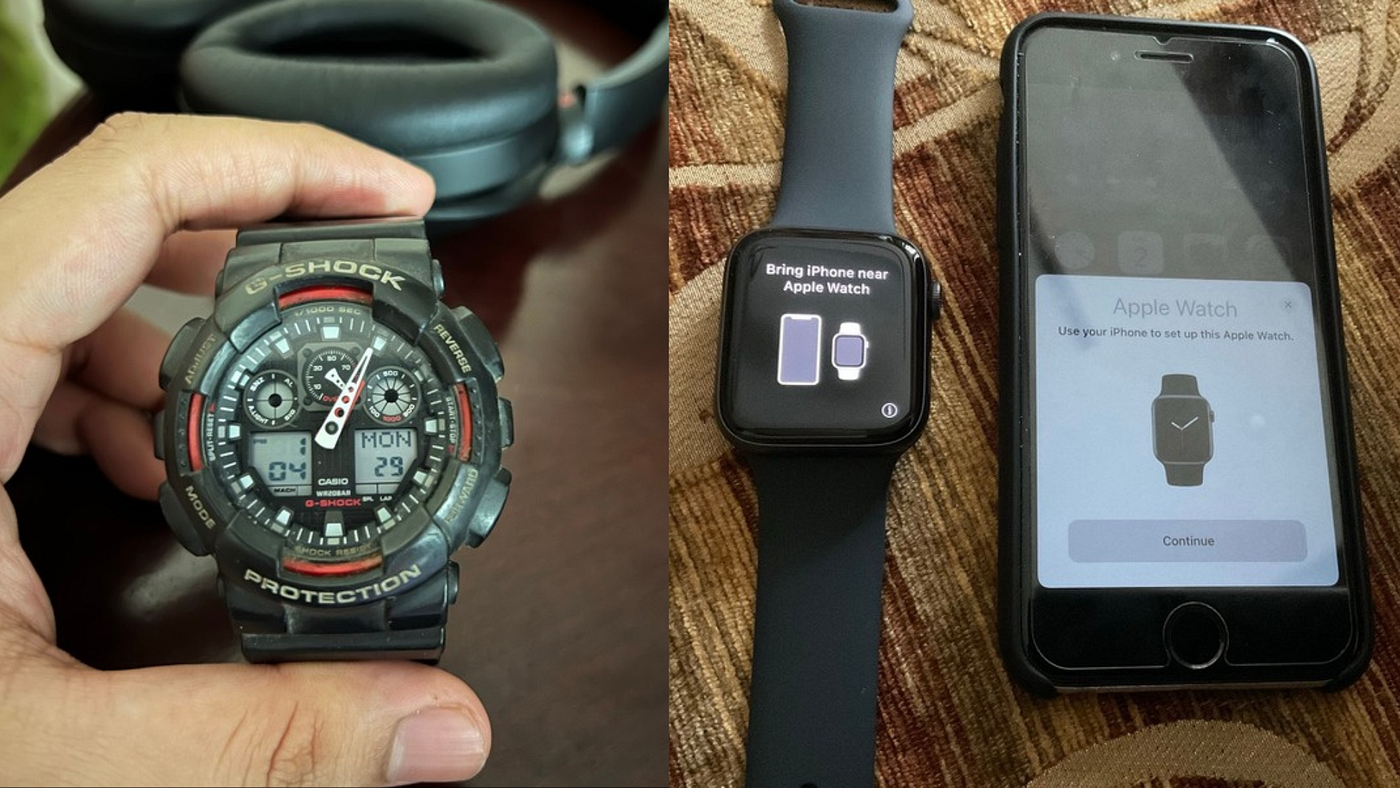
Source: Author | My Childhood Non-Smart G-Shock Watch Vs Current Apple Watch Ultra 2
The Apple Watch didn’t need to change human behaviour, but it did, making users more health-conscious by tracking calories, workout duration, movement, sleep, and overnight vitals.
You didn’t have to learn how to wear a watch, but the watch did end up teaching us how to live more healthily.
The Apple Watch Ultra takes that one step further.
[embed]Apple Watch Ultra 2: A 3-Month Runner’s Review medium.com
Just like a Pro-model iPhone has all the features of the base model but with a little more zing, the Watch Ultra adds that extra zing that makes your favourite endurance sport or training plan a little more exciting. I am mainly talking about three main features — the Battery, the Display, and the Watch Bands. Here’s how these three matter to me as a runner:
- Bigger Battery: Every night, my iPhone and iPad mini need to be plugged in to charge so I can use them in the morning. There was a time my Apple Watch SE would join this entourage, too. And it bothered me a lot. It surprised me how a single workout and just normal HR tracking throughout the day brought the battery down to single digits by the end.
The Watch Ultra solves that issue for me. I could plan my training routine the way I wanted — morning workouts on some days, night workouts on others, and the watch never complained with its four-day battery life. It gave me the mental flexibility to plan workouts around my free time rather than around the watch’s charging schedule. Even if I woke up with a 40% charge on a fine morning, I would still be confident the watch would make it through the day and track my runs and gym workouts, too.
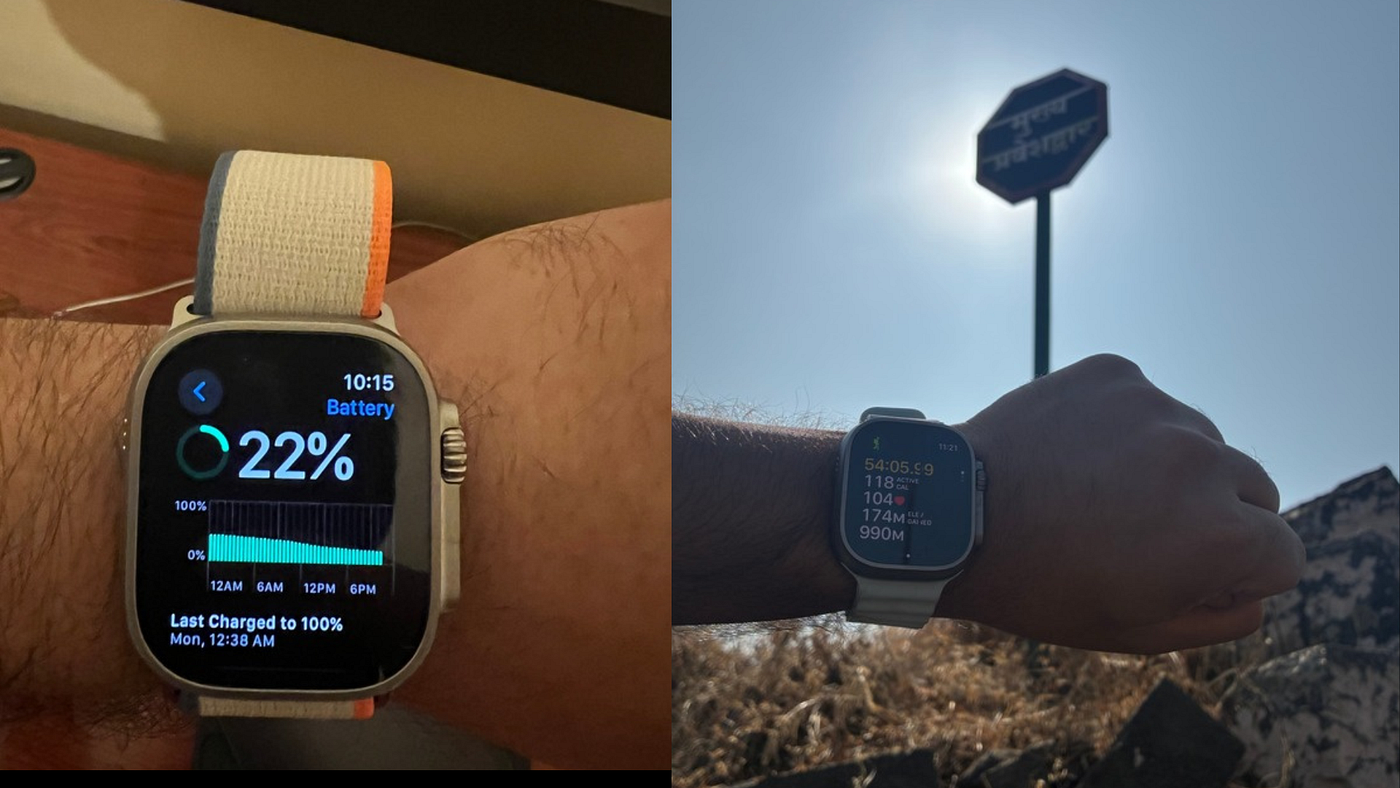
Source: Author | Multi-Day Battery Life (left) and Brighter Display on the Apple Watch Ultra 2
2. Bigger & Brighter Display: I didn’t realise how much this mattered until I got the Ultra myself.
Seeing more health and fitness metrics on the watch face and workout screens is helpful. I can track active calories, live HR, average and current split pace, and distance during runs. With six to seven complications on the Modular Ultra face, I save time by not having to search through menus.
And then there is the display brightness on the Ultra, which goes all the way up to 3000 nits. It’s something I appreciated most during summer runs, when I could see the hill ahead in vapours but my watch display was in absolute clarity. Not to mention, using the 3000-nits bright display as flashlight at night to find my way to the washroom, without turning on the room lights, is just a great quality-of-life upgrade.
3. Better Watch Band Option: If there’s one thing more important than wearing a 49mm Apple Watch, that weighs almost double of a Series model, it would be the watch band that secures it on your wrist. The Ultra has some great watch band options — all three that I own and absolutely love, according to the workout I am doing or the event I am attending.
The Ocean Band is my favourite, ideal for swimming or sweaty workouts since it’s easy to clean, fits well, and lets skin breathe. The Alpine and Trail Loop bands are also good, but harder to clean and can develop odours from heavy use.
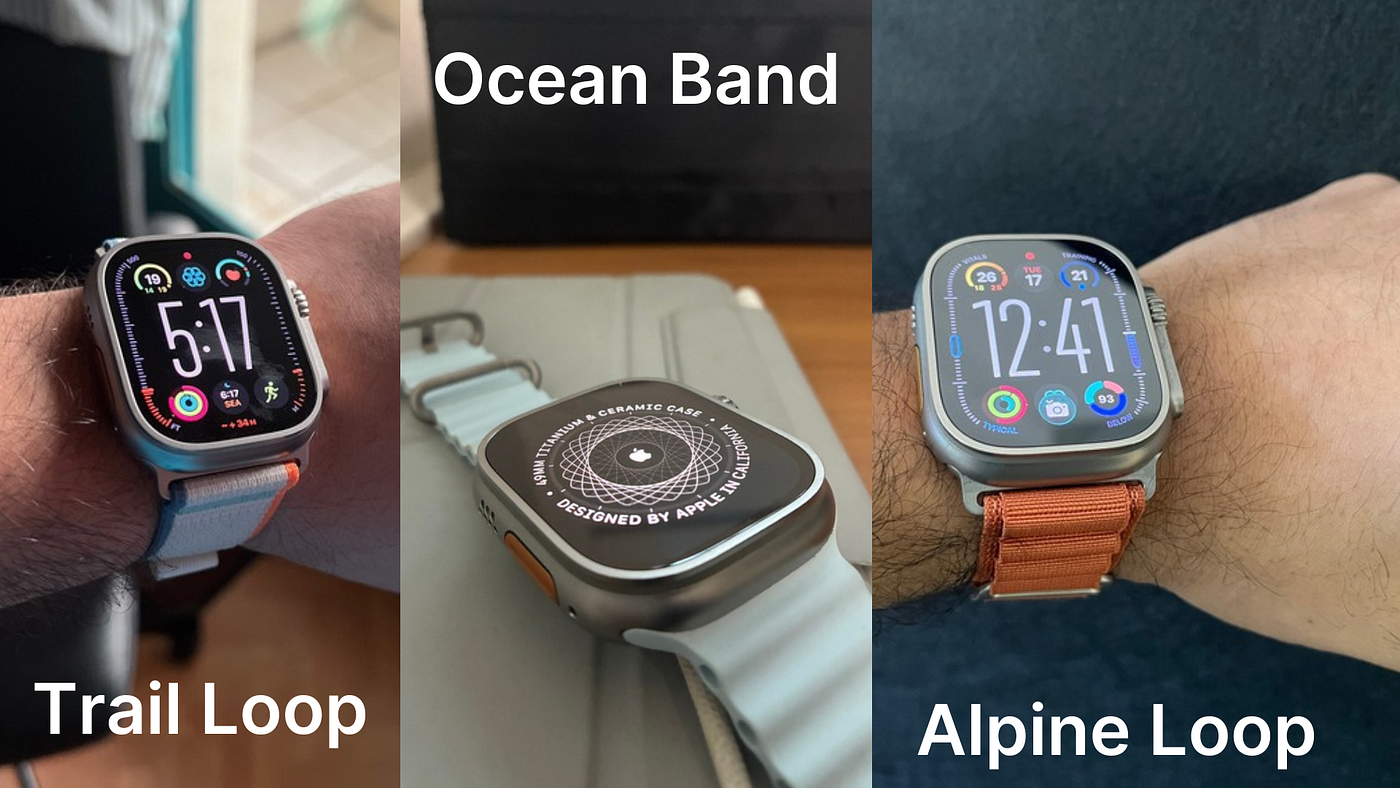
Source: Author | All the Apple Watch Ultra band options
Looks-wise, I prefer the Alpine Loop. For ease of wear, the Trail Loop’s Velcro strap is unmatched. For workouts, the Ocean Band is my top choice.
One truly unique feature that differentiates the Ultra from the Series model is the orange Action Button on the left side of the watch. For a long time, I didn’t find any purpose for this button. I was okay with scrolling through the app library to get to the Workout app. But once on a cold winter morning when I was out on a hike, I realized the importance of this button when my gloves wouldn’t register any touch on the display. Since then, I have set the Action button to open the Workout app.
You could even go a step further and trigger the Action Button to not just open the Workout app but even start a preferred workout. To do this, use the Watch app on your iPhone to set the preferred action.
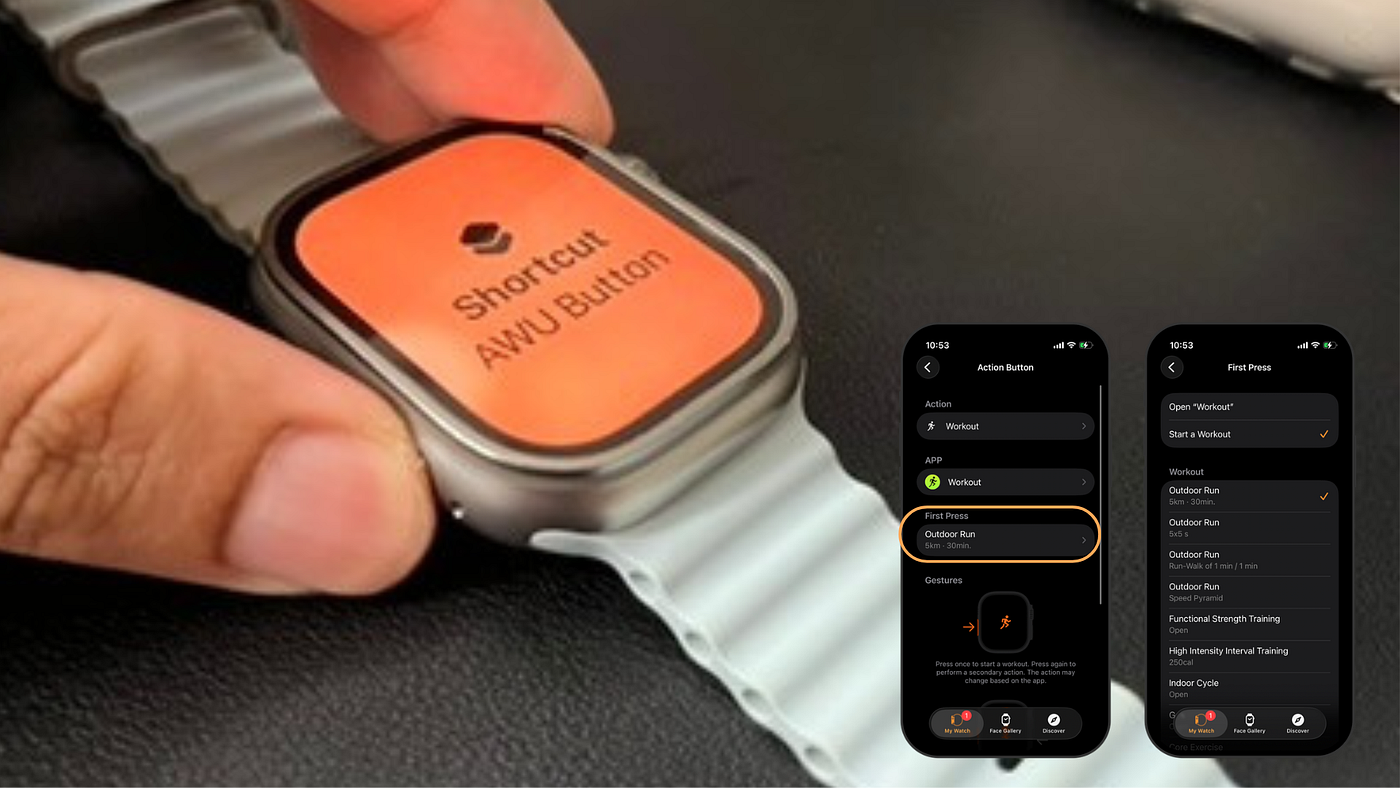
Source: Author | Using Action Button on the Apple Watch Ultra 2
But then I went a step further — I set the action button to trigger a shortcut that would start a workout during the day (that’s when I usually do my workouts) and turn on the watch’s flashlight/torch at night. This way, I get two functions from a single button. Of course, if you are an enthusiast, you could trigger multiple actions according to the time of day, location, and the app you are using.
In case you want to create your own multi-logic shortcut for the Apple Watch Ultra’s action button, feel free to use this shortcut as a template to edit it for your own use case:
[embed]Apple Watch Ultra Action Button Shortcut www.icloud.com
And then there’s the build of the Apple Watch Ultra — back when I bought it, it was the only Apple Watch model to feature a Titanium body with raised edges around the display. When Apple spoke about the durability of this watch, they were serious: it’s been two years, and I have had my fair share of bumps and hits on walls and doors, but haven’t seen a single scratch or nick on the natural titanium body. I remember my previous SE, which had an aluminium body, attracted way more scratches and fingerprints.
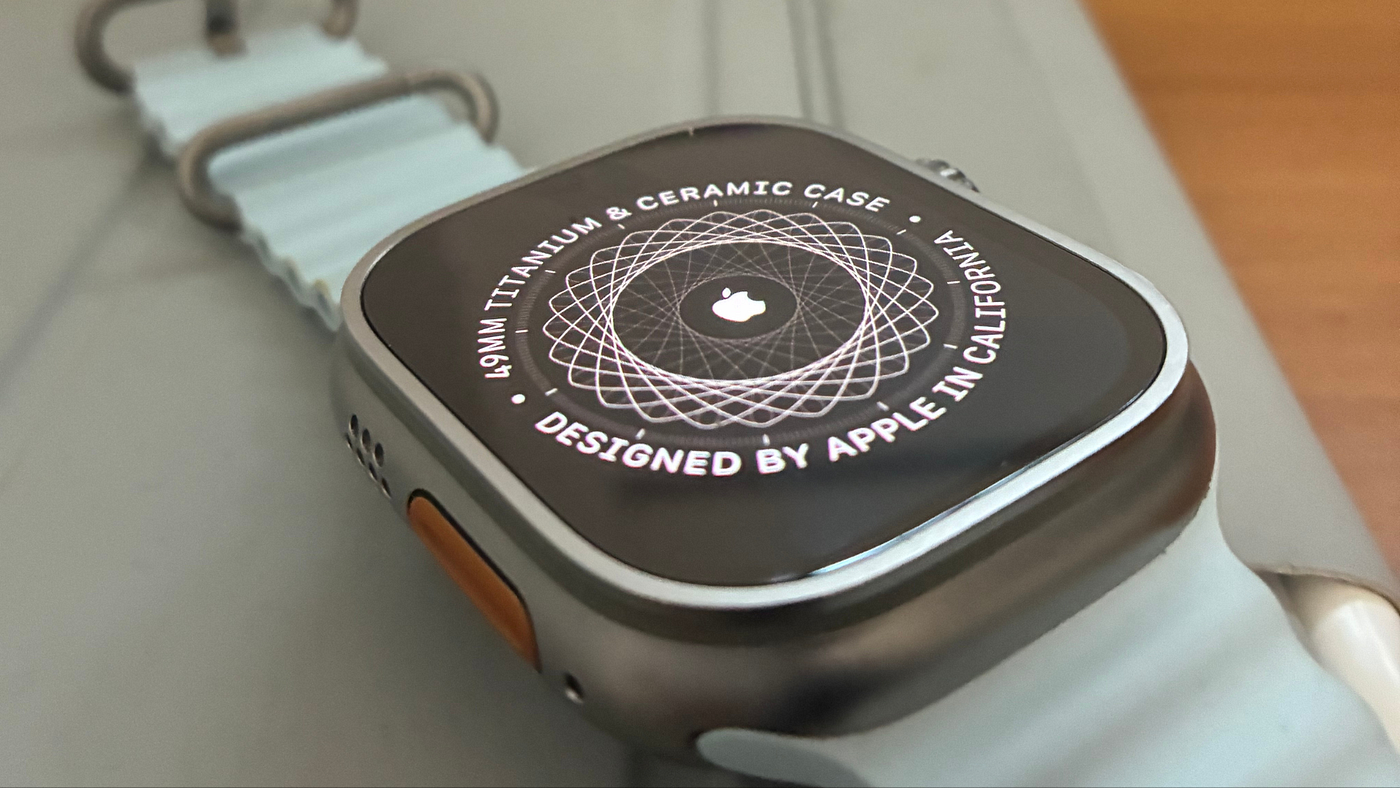
Source: Author | Titanium Build on the Apple Watch Ultra 2
Having said all of that, I don’t expect every beginner runner to go out and spend $799 on the Ultra. Yours truly here, too, started with an Apple Watch SE back in 2021. It made me aware of my running pace, get out of my house and go for the run, sign up for running events, and just get started. If anything, I would recommend the latest SE to any beginner runner. But having found your groove, I believe the Ultra would make a great upgrade.
Next up, I am going to tell you how I set up my Ultra for my perfect workout routine.
Hey Readers, Aditya here 🙋🏽♂️
This story comes after two years of living with the Apple Watch Ultra 2 — through runs, routine changes, small frustrations, and the kind of moments that only show up in a real long-term review. As you read, do consider highlighting 🖍️ the parts that resonate with you and leaving a few claps 👏 if you enjoy this style of honest, real-world tech storytelling.
My Current Setup: Watch Face, Complications, Workout Views (The Stuff That Sticks) ⌚️
I like to make the most of my Watch Ultra. So my preferred watch face is the Modular Ultra, which lets you have up to nine complications on the screen, in addition to the time — six on a three-layer row at the bottom and top, one right below the clock, and two on the very sides.

Source: Author | Modular Ultra watch face
As a matter of principle, I like my watch to only show me health and fitness-related notifications — everything else can reach me through my iPhone. So even my watch face complications are, by the same guiding principle, related to my fitness routine — temperature conditions to tell me if it’s good weather to run outside in, date to remind me how fast time is ticking, a WaterMinder widget to help track my hydration level, my activity rings to keep me on track, mindfulness to help me relax and sleep score to tell me how I slept last night. Apart from these, the complications on the bezels include the Vitals and Training Load — with a single glance at these, I know if my body is ready to go for the workout or needs to recover.
The Modular Ultra watch face has stuck for a really long time now. Previously, when I owned an SE, I used to have the Nike Hybrid watch face, which allowed four complications around the clock dial. Until I learned about the Modular Ultra face, I used this on my Ultra, too. Both are great watch faces.
When it comes to the smart stack, I like to keep it heavy. This is where all the alarms, cumulative workout metrics, larger weather widgets, watch stats like battery level, and some third-party app data go. Since I don’t pull them up all the time, I am okay with letting them do the heavy lifting, since they don’t drain the battery all the time.
And then comes the Workout Views.
I tried simplifying them for a long time after I got the Ultra. But honestly, having fewer metrics and more blank space on a 49mm watch feels like a sin. So I actually decided to go through the list of workout metrics and decide upon the top five I would like to see on Metrics screen 1 & 2 (Yes! I use both). Here are the ones that have stuck:
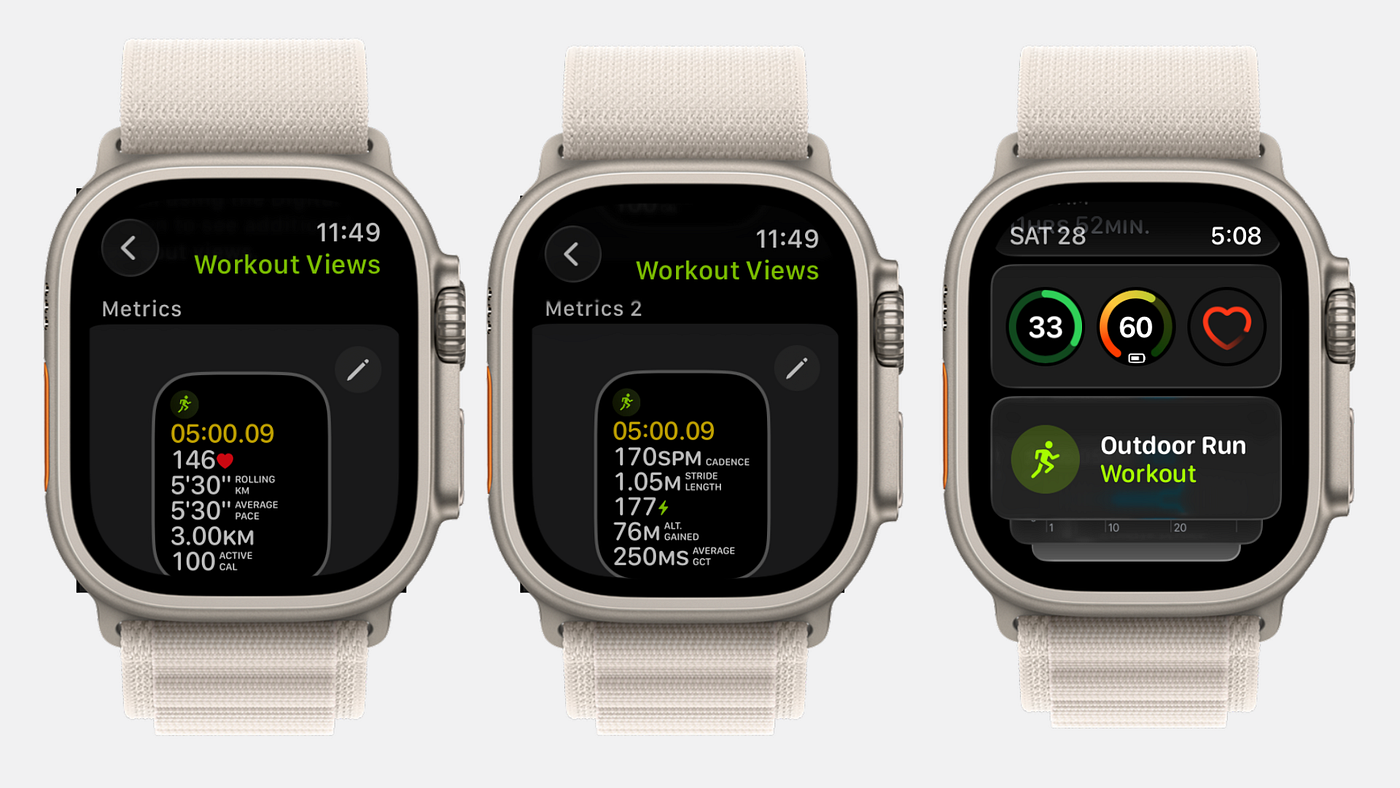
Source: Author | Workout Views (left and center) and Widget Stack (right) on my Apple Watch Ultra 2
Metrics Screen 1:
Live HR
Current Split Pace
Average Split Pace
Distance
Active Calories Burnt

Metrics Screen 2:
Cadence (Steps Per Minute)
Stride Length
Power
Altitude Gained
Average Ground Contact Time
While I am usually just focused on screen 1, I do usually swipe to the next screen to keep tabs on my cadence and average GCT, especially when I am training for marathons. Apart from these, there are some default ones that Apple shows, such as HR Zones, Segment/Split (if you choose a customised running workout), Altitude, Power, and Activity Rings screen, that you can turn off by toggling the ‘Include’ button for the specific workout view.
That covers the technical setup — now, let me share a few personal stories about how using the Apple Watch transformed my running consistency, not just my speed.
How The Apple Watch Made Me A Consistent Runner — And Not Just A Faster One 🏃♂️💨
When I started running a few years ago, I would only use the Workout app in the most vanilla way possible — browse for the Outdoor Run workout and start it. At the end of the workout, I would swipe right to the controls and end the run workout. That’s about it! I didn’t bother with setting any goals or customising the workout.
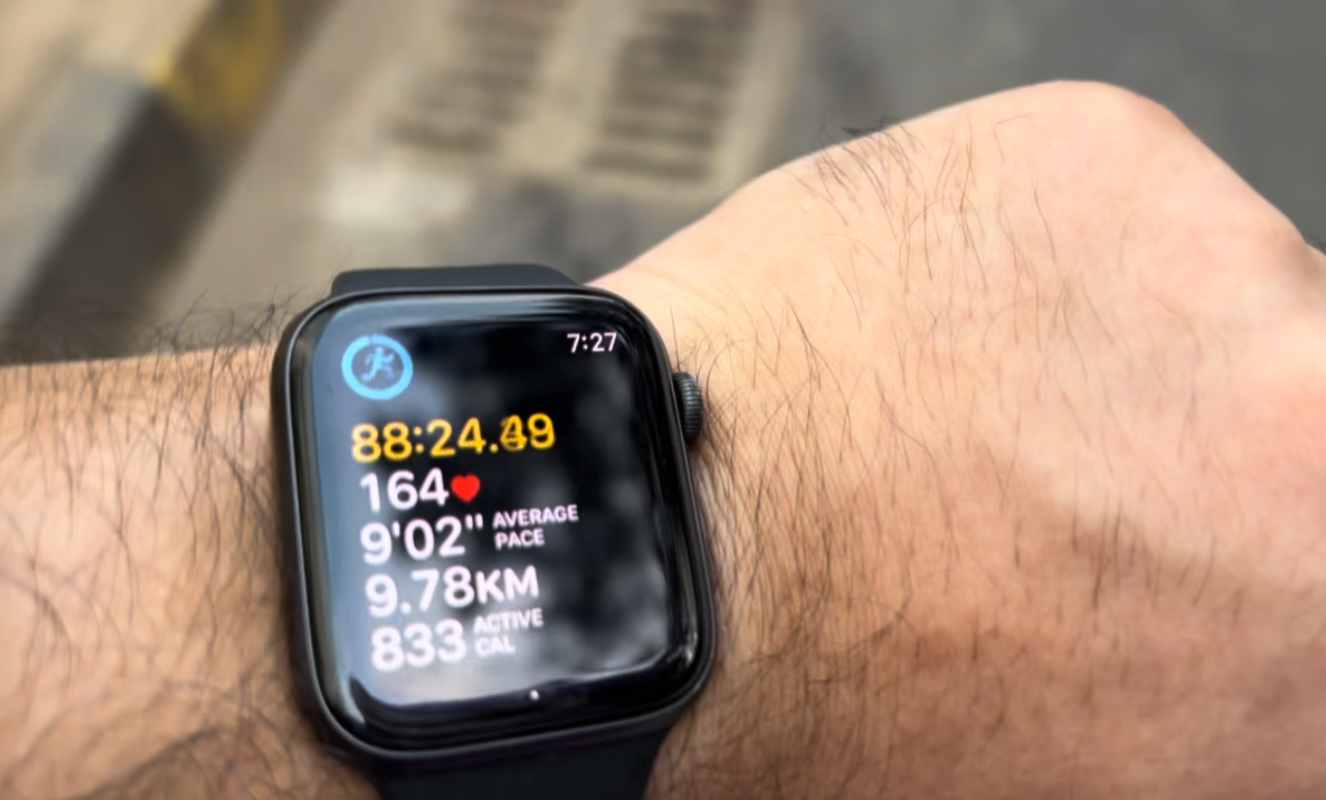
Source: Author | Running like a rookie with my Apple Watch
And for months, that brought me no visible progress in my running metrics — in fact, I deteriorated. I never learnt about my average pace or how my HR reacted to different terrains and effort — like a rookie, I would stop when it felt too much and ended up pushing myself into comfort zones way too often. The problem with that? I was monitoring my fitness level instead of letting the dedicated tracker on my wrist do its job.
And so when I signed up for my first 10K race, I knew I had to change things around. That was the first time I decided to play around with Metric views (that you read about in the previous section). But more than that, I needed easy, efficient training plans to get myself in shape for the race.
At this point, you would think I am going to talk about some third-party fitness app that helped me reach my goal. But nah. After spending $799 on my Watch Ultra, I was in no mood to spend any more. Moreover, I didn’t feel the need to. There are three awesome features built right within your Apple Watch (of any model) that will help you as a runner to reach absolutely any goal you put your mind to.
The Three Features That Kept Me Running When Motivation Didn’t 📊
Truth be told, Motivation is easy to run out of when you are running at your max HR and gasping for air.
That’s when you need a coach, companion, or, in my case, an Apple Watch to tell you — just go on for a few more seconds, a few more hundred metres, or try to lower that average pace by ten seconds to reach your goal. For me, the three features that kept me on track were the Customised, Pacer, and Course target runs.
1. Customised Run
These are the holy grail of training plans for runners. You can find them under Goals & Targets >> Custom.
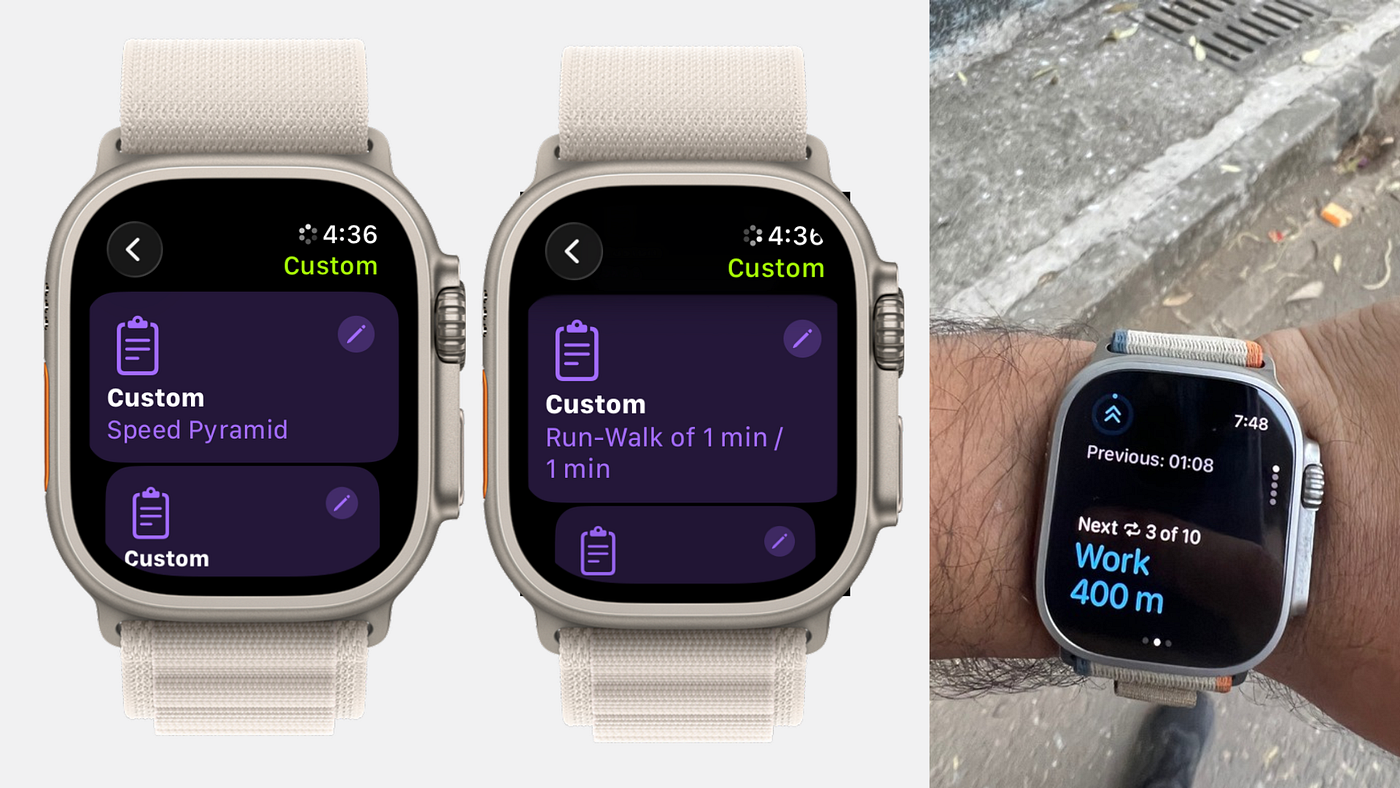
Source: Author | Custom Run on Apple Watch are the best curated training plans
Under these, you will find a bunch of custom runs curated by Apple themselves for different types of running — Run-Walk-Run Method, Temp Runs, 5x5 s, 1m Hill Run, 6X800m repeats, among many others. There are still some built-in custom runs I haven’t tried out yet, but Speed Pyramid is by far my favourite — you start off with some easy work with equal amounts of recovery, then your work gradually increases until it peaks (while your recovery remains the same), and then finally dips again till the end.
Apart from these curated ones from Apple, you can also design your own custom runs if you have any in mind, or find your favourite athlete/runner practising it too. I remember designing my own 10x400m repeat when I was training for my first 10K — running 400m, then a 100m recovery, ten times to complete a 5K.
I would play around with the curated custom runs every morning during my run, so each run felt a bit different from the previous one. And that made running less monotonous for me because every day I would be pushing myself to different limits — sometimes well within my range and sometimes totally out of bounds.
2. Pacer Runs
Having completed my 10K race, I was in no mood to just relax. Before the joy even sank in, I signed up for a half-marathon that was going to take place ten months later.
But this time, I needed a slightly better plan than just running custom runs on hills and repeats. That involved me spending a little bit of money too on certain upgrades for my wear as well as some app subscriptions. But let’s talk about the free stuff first — the Apple Watch feature that helped me stay on course and chase the pace.
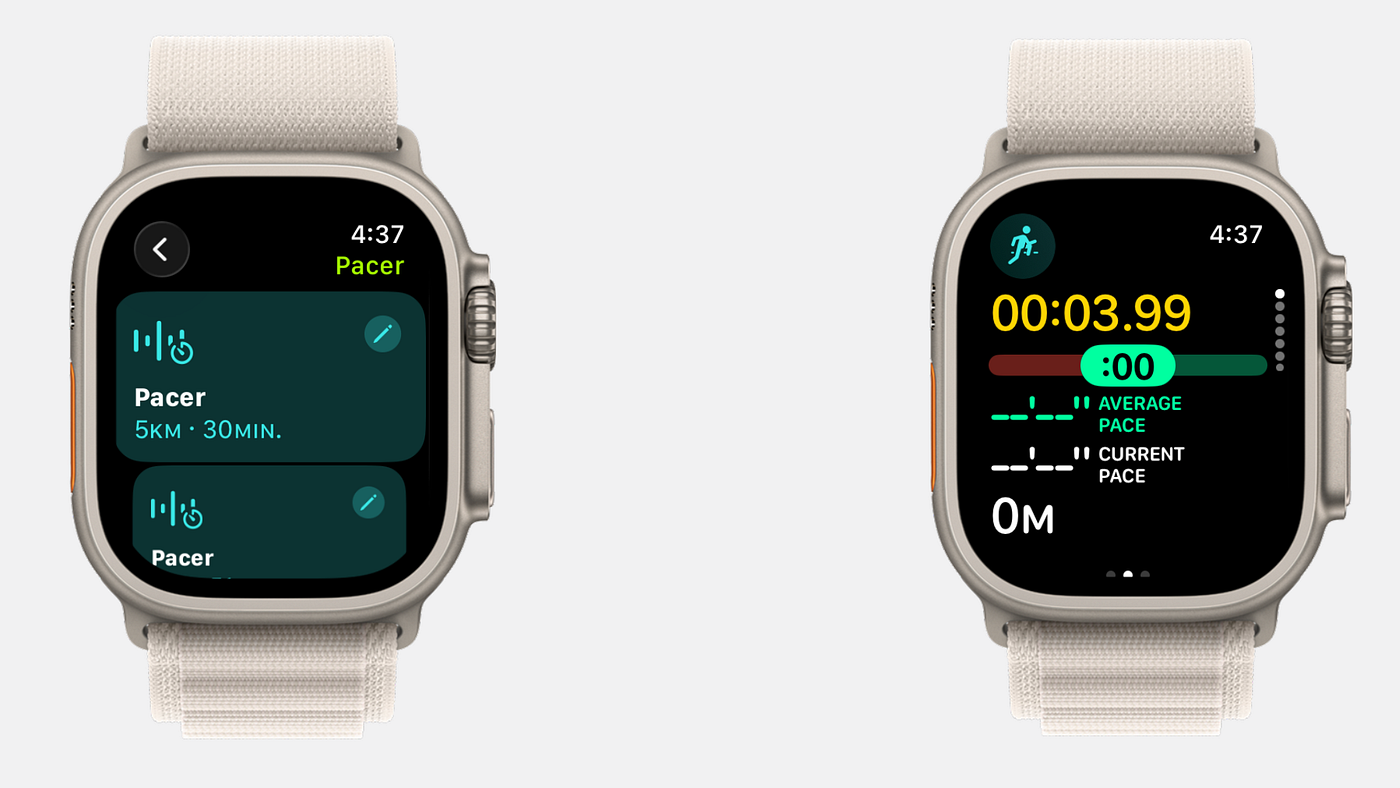
Source: Author | Pacer Runs while training for a certain marathon pace
I am talking about Pacer runs. You can find these under Goals & targets >> Pacer. Here, you get to choose a distance and the time you want to finish running it. The watch then calculates the pace you need to maintain for it and guides you to run faster or slower accordingly.
It can be a bit annoying to have your watch constantly buzz and remind you at different times that you might be running slower and need to catch up, but that’s how you end up getting better. At least, that’s how I started running faster — by just letting my watch guide me.
If the run felt too exhausting and a 11/10 in terms of effort, I would go slightly easy on the time for the next pacer run. After having run at a comfortable pace for a few days, the next week I would take off ten seconds from my current pace — so if I ran 6’30” this week, next week would have to be 6’20”, the week after that maybe a 6’10”, and so on.
Just keep calm and trust the Apple Watch pacer.
3. Course Race Runs
Running the same course over and over again is just boring.
But sometimes it does tell you how much you have progressed over time. I had a favourite course that I used to run almost daily as a beginner runner. Turns out, not only I but my Apple Watch remembers it too. Under Goals & targets >> Courses, you can find the courses you have run more than twice, along with a small map preview.
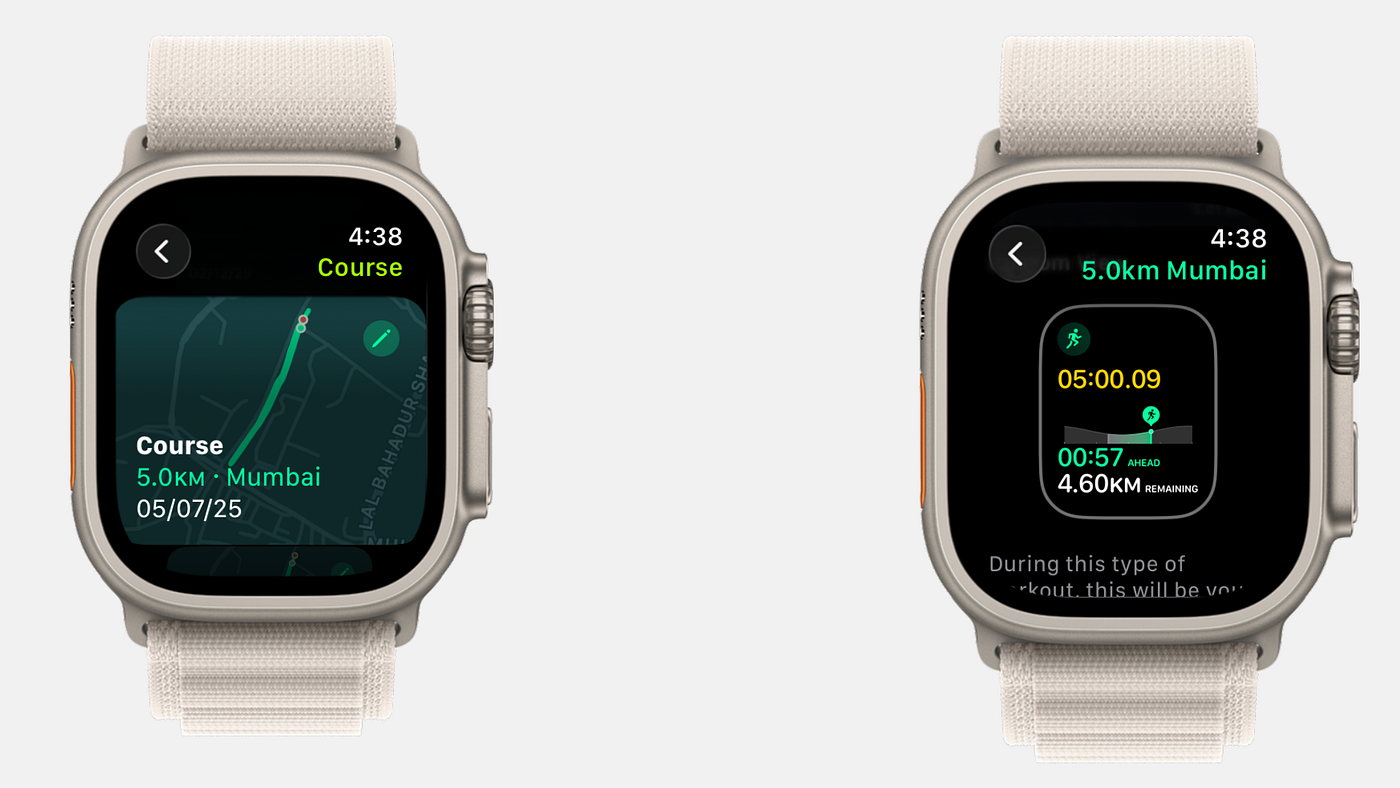
Source: Author | Course Race Runs to find out how much you progressed
With this kind of course run, you aren’t competing with anyone or even being asked to chase a pace. You are simply running the course, while your watch keeps you on track in case you forget directions and frequently prompts you if you are running faster or slower on a section of the course.
For me, this helped during recovery runs on weekends, when all I wanted to do was run the same course and not worry much about my pace. There is something about running in familiar courses after a long time — you start noticing how the nature around has changed, how the neighbourhood is doing, and also how well you are running along the same uphill compared to when you started.
Those were the built-in Apple Watch features I use almost every day on my runs. They are available at no extra cost as long as you own an Apple Watch and are on the latest watchOS update to ensure these features work seamlessly. But as I mentioned before, I spent a bit more during my half-marathon training. Let me introduce you to the two shotguns of my training plan.
Apple Fitness+ and AirPods Pro 3: The Extra Gear That Helped My Training 🏋🏼♂️🎧
I didn’t know I needed them until I had them.
That’s how I would describe both of these recent shotguns of mine — an Apple Fitness+ subscription as good as any gym subscription and my AirPods Pro 3, which help my Apple Watch with some detailed HR tracking when my watch’s sensors bail out.
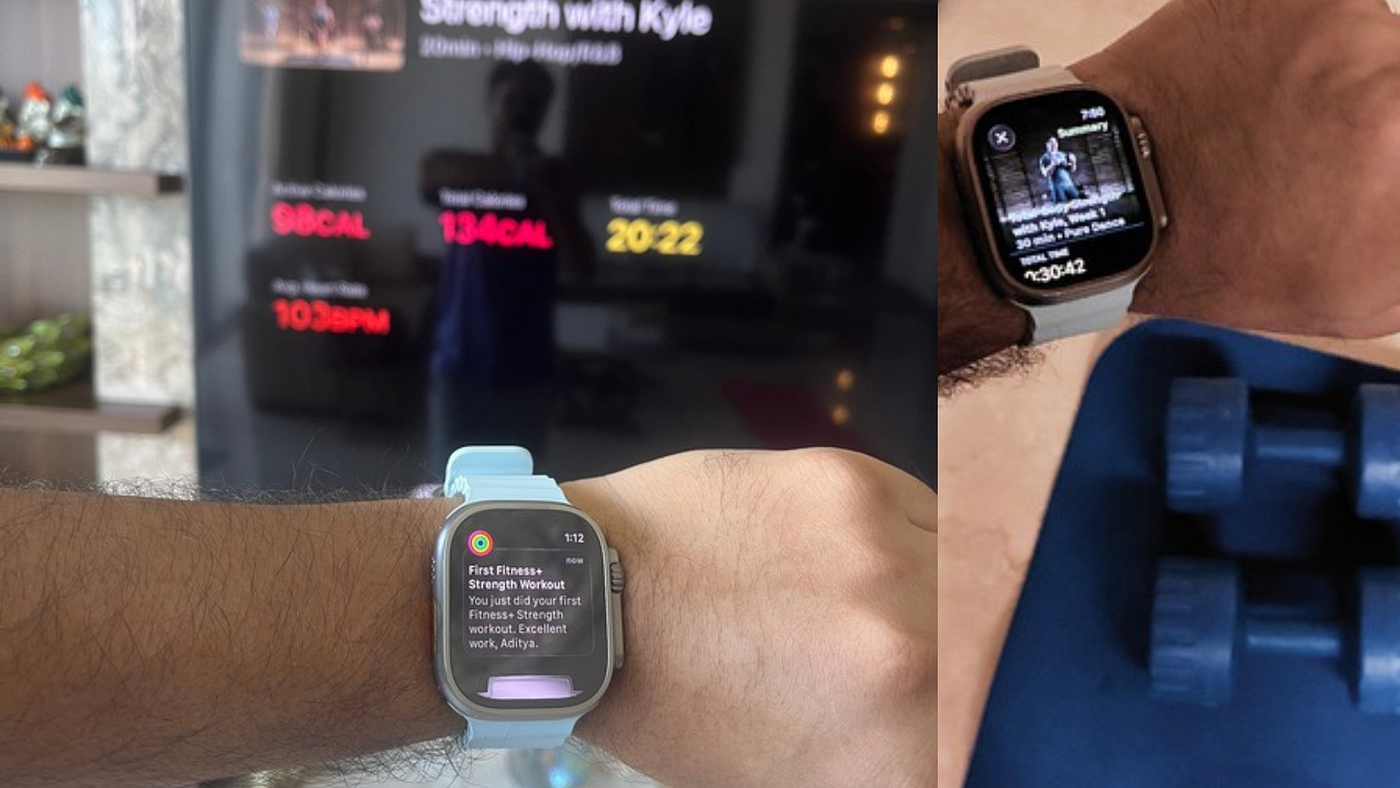
Source: Author | Apple Fitness+ Workouts on my Apple Watch Ultra
Apple Fitness+ workouts have given me some great strength, HIIT, and recovery workouts for the odd days that I miss my run due to bad weather or just plain boredom and laziness. Most of the strength workouts require a mat and a pair of heavy and light dumbbells — both of which I already own, so the barrier to entry is at an all-time low. All I have to do is spread the mat in my room and get started. Having an instructor guide you through it makes it much easier to just follow along, and I love how they have modifiers for every set, so no one actually feels left out. This is a subscription I have continued paying for even after my half-marathon.
The AirPods Pro 3, on the other hand, became my favourite pair of headphones only after I tested out their HR tracking. SPOILER: The HR tracking on the AirPods, along with the Apple Watch, is great!
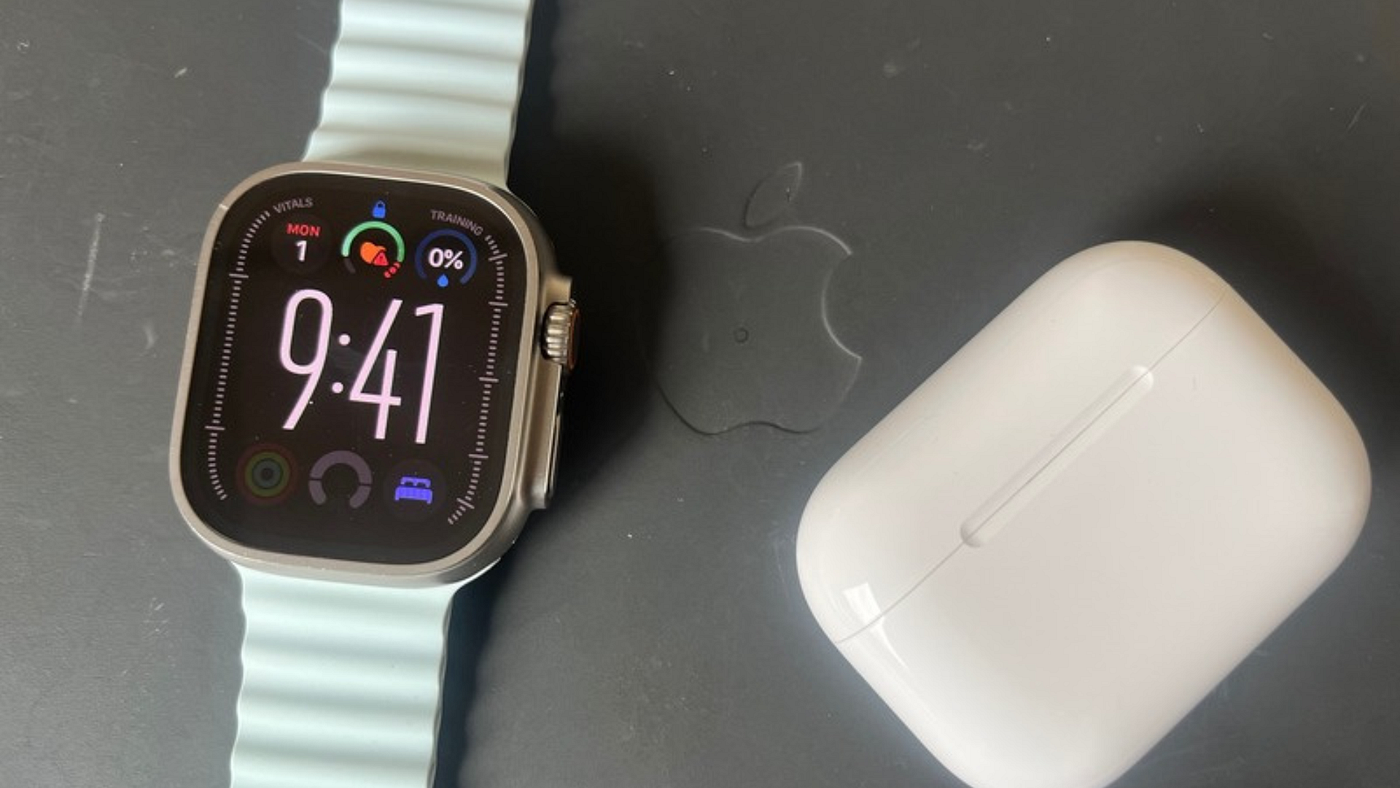
Source: Author | AirPods Pro 3 HR Tracking
Apart from HR tracking with the Pro 3, I also tested Workout Buddy during outdoor runs while testing the iPhone 16e. I wasn’t super impressed with it because it felt more like an interval-split voiceover with a few more bells to it (no whistles, really). It was just underwhelming, and the prerequisites (requiring an Apple Intelligence-enabled iPhone with an active internet connection along with wireless headphones paired to it) felt a bit too much for someone like me who just likes to run hands-free and light-pocketed. I just prefer listening to an audiobook or playing my workout playlist on the AirPods and focusing on chasing my running goals.
I wouldn’t call these shotgun upgrades “Must Haves,” but they are definitely great to have (“Great Haves”?) and are difficult to let go of now, for me, having used them for the last few months. Apple is great at making things that end up defining your lifestyle. I mean, you are reading a 4000-word story about an Apple Watch, aren’t you?
But sometimes, just sometimes, I like to peep over the walled garden that Apple has me excited about. And that look over the walls tells me about the things that could have been better with my Apple Watch and watchOS, if Apple had taken note.
Three Things I Wish Apple Would Fix ⚙️👨🔧
Every now and then, when I see other runners flex their Garmin watches, I am reminded of how underpowered the Apple Watch is — not by design, but by choice. There are a ton of features Apple could release with a watchOS update as soon as tomorrow, but they just decided to wait till fall or for the right moment when a special hardware feature is ready for launch in a new watch model.
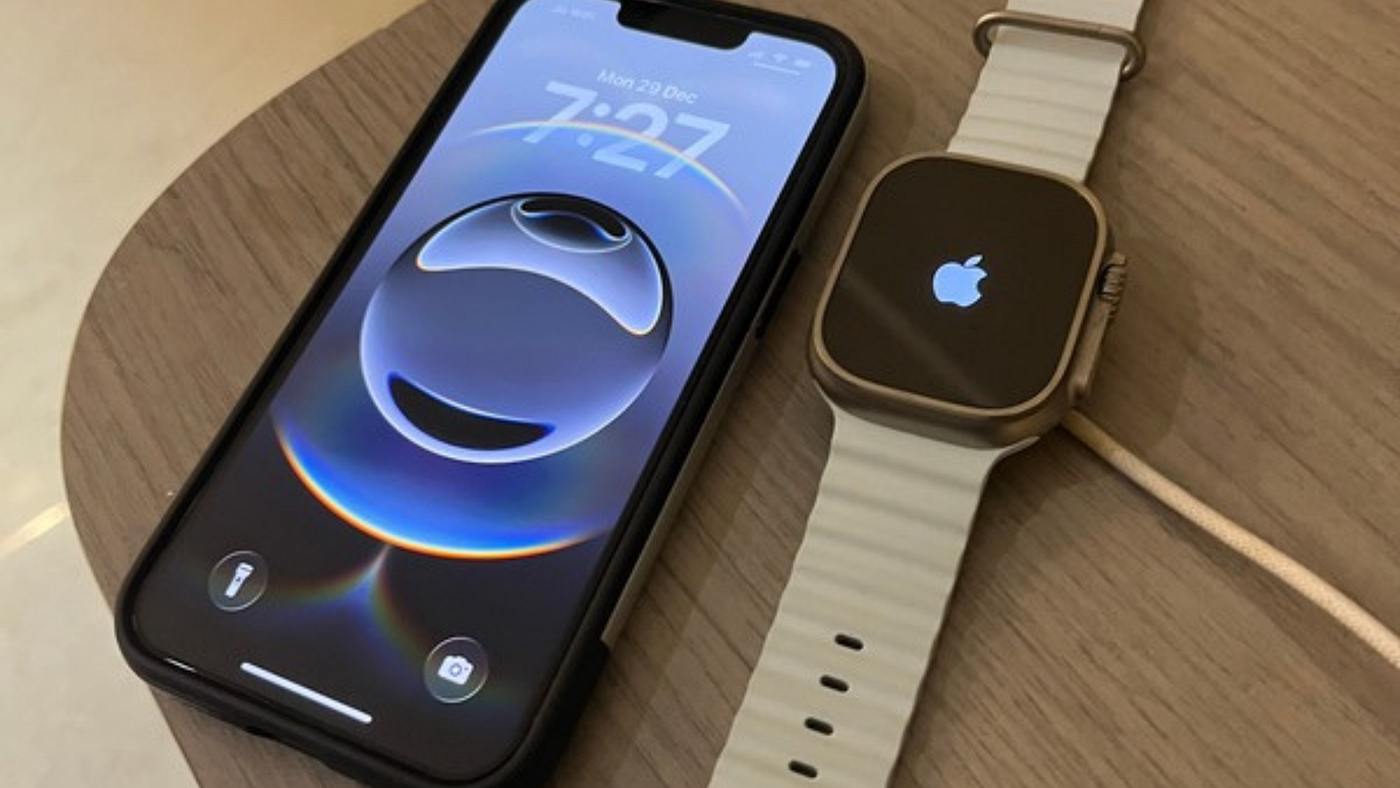
Source: Author | Apple Watch Ultra
Here are the top three things Apple should fix to make the Apple Watch a true fitness tracker.
- Workout Suggestions based on Vitals and Training Load: When Vitals and Training Load were announced with watchOS 11, it felt like Apple was really onto something. I was hoping to finally see some proactive workout suggestions with the watchOS 26 update. With all the vitals and training load data, it shouldn’t be all that difficult for the watch to suggest a workout based on the user’s preferred workouts, along with a time duration or effort rating. Apple Fitness+ already does suggest workouts based on previously completed workouts, so we are already halfway there.
- On-Watch Workout Buddy: In its current state, it’s very underwhelming. It requires an Apple Intelligence-enabled iPhone paired with the Watch, a good internet connection on that iPhone, and wireless headphones. And the result is just a VoiceOver-like alert telling you how good your last split was and occasionally, a few comments on your music playlist. The pep talk at the beginning and end is lacklustre too. While I am sure Apple would improve it over the next few watchOS updates, what I really hope to see is an on-device Workout Buddy option, i.e., Workout Buddy right out of the Apple Watch. If you look at the Apple Watch Ultra hardware, it’s no joke — 64GB storage, speakers, and a pretty good SoC too. I am sure it can run Apple Intelligence models just fine.
- Special Battery Mode for All-Week Battery Life: I love the battery life on my Apple Watch Ultra. Sure, it’s not as great as it was back when I got it two years ago, but it still lasts three full days until I have to think about charging it again. Yet when I look at a Garmin watch with its battery life for half the price of the Ultra, I feel jealous. With Apple making all sorts of miraculous battery claims for its latest iPhone (especially the Air), I wish it could bring some battery innovation to its Apple Watch models, too. If only there were a special battery management mode that just turned off all the smartwatch features while keeping all the health & fitness features active, it would work wonders. I don’t need instant notifications on my watch, so I don’t mind even having the WiFi turned off except for a few minutes every hour to just sync the rings. Or maybe just a bigger battery that lasts for weeks. That would be my dream Apple Watch.
These were just the top three things I could think of at the moment, but I can surely draft you an entire list of features I would love to have on my dream Apple Watch model. But that’s probably another story for another time.
Make sure to follow me here on Medium 🙋🏽♂️ and subscribe to my email newsletter 📨 if you would like to be notified when I publish that story!
Second Anniversary Verdict: If I Lost It Tomorrow, Would I Buy It Again? 🤔
Well, I certainly hope I don’t lose my Apple Watch Ultra anytime soon. I spent like $800 on it. Not to mention the additional $200 for buying and testing the other two bands.
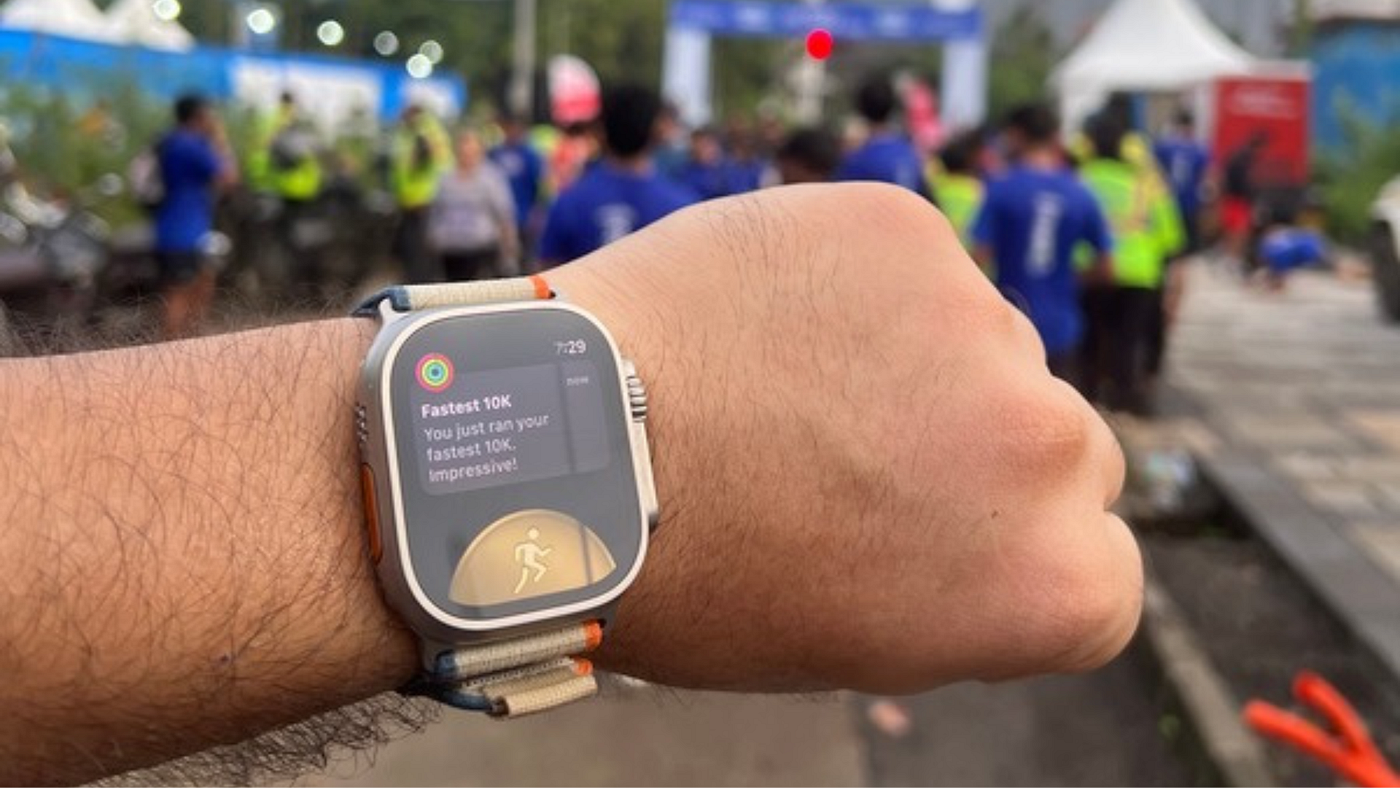
Source: Author | My Apple Watch Ultra 2
Two years ago, when I bought my Ultra, I did so with hope. The hope was that watchOS would finally deliver some intelligent health and fitness-specific updates. With watchOS 11, they did just that — we got training load, vitals app, and workout effort rating. And then with watchOS 26 update, we got… a Workout app overhaul. Not sure if we asked for it, but glad Apple at least thought about something fitness-related rather than skipping it altogether for another year. I desperately want to see Apple Intelligence updates specifically for the Apple Watch, because I feel the Ultra will handle them best. But given Apple Intelligence’s current state, I just hope they take their own sweet time rather than butchering watchOS completely.
Meanwhile, on the Series models, Apple has done some great work — there is finally a 46mm Apple Watch with thin bezels and an even thinner overall footprint. While the battery is still just a single-day run time, this is the closest the Series watch has come to the Ultra model in other tech specs. In short, if I lost my Apple Watch Ultra tomorrow, I might not invest another $800 on an Ultra. I might go the Series way, after all. Or maybe even a Garmin watch.
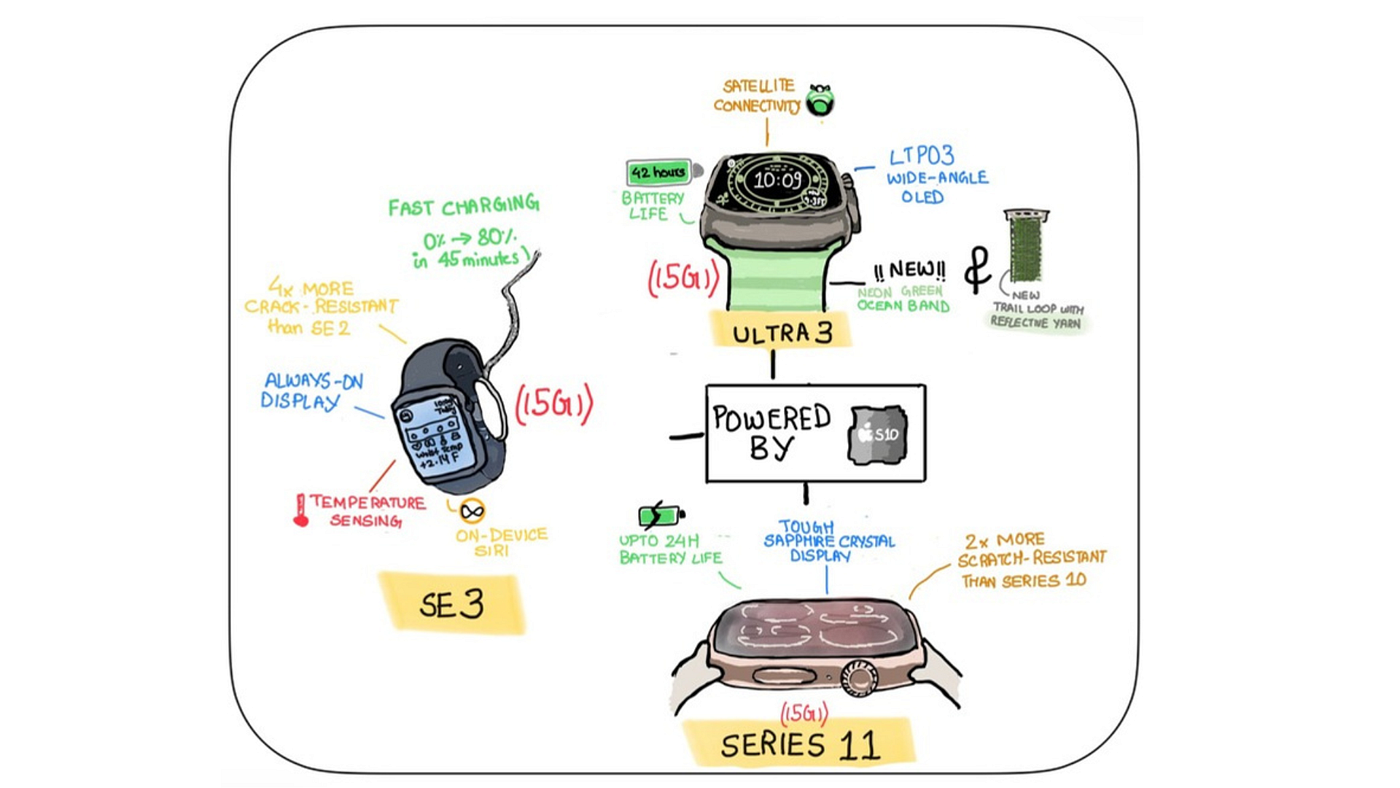
Source: Author | Visual Summary of Apple Watches launched during the ‘Awe Dropping’ 2025 Event
Jeez… this guy just spent 15 minutes talking about how great his Apple Watch Ultra is for his running and training, only to side with the Series models and Garmin watches at the end.
If that makes me sound like a hypocrite, then maybe that’s what I am. Look, I am all for the Apple Watch Ultra — the bigger display, multiple-day battery life, watch band options — they support me as a runner. But the decision to buy an $800 watch is something I would make maybe once every decade. Staying fit is non-negotiable, but running is still a hobby — not something I would invest hundreds in unless I start a fitness channel on YouTube for fellow runners that earns me some revenue.
That’s where the line draws in for me. I would happily invest hundreds in something that is about to make me better at a skill that will eventually pay itself off (even if it takes years) — like my MacBook Pro. For the rest, I would prefer a quintessential model that just keeps me in the loop — like the iPad Air for most of my non-pro tasks, my iPhone 13 mini for staying connected with loved ones, or my Apple Watch SE previously, which once helped me get started with my running journey.
The Apple Watch Ultra is the overkill I upgraded to just for experiencing the runner’s high without my watch dying midway through it — and it was totally worth it!
-Aditya Darekar
메타데이터
- post_id
- 2bd0b690584c
- slug
- is-the-apple-watch-ultra-worth-it-for-runners-my-2-year-review-after-700km-2bd0b690584c
- url
- https://medium.com/macoclock/is-the-apple-watch-ultra-worth-it-for-runners-my-2-year-review-after-700km-2bd0b690584c
- canonical_url
- https://medium.com/macoclock/is-the-apple-watch-ultra-worth-it-for-runners-my-2-year-review-after-700km-2bd0b690584c
- author_url
- https://medium.com/@adityadarekar
- status
- ok
- fetched_at
- 2026-07-24 10:50:06