Geezer adds Voice Control to Ancient Treadmill using Raspberry Pi and AI to Avoid Button Pressing…
Because mashing buttons while sprinting at mile pace is not great for running form or aging joints and tendons.
Geezer adds Voice Control to Ancient Treadmill using Raspberry Pi and AI to Avoid Button Pressing Injuries
Because mashing buttons while sprinting at mile pace is not great for running form or aging joints and tendons.
The Problem: Buttons and Speed Don’t Mix
Last fall I was training for a half marathon and tweaked my Achilles tendon while running intervals on my treadmill, ending my quest to run a lap inside the Daytona speedway, which would have been so cool. The most plausible reason for the injury was that I ramped from couch to fast intervals way too quickly. I’m excitable and have a history of doing that. But in the back of my mind I wondered whether stabbing at the bloody faster and slower button had anything to do with the injury.
Ramping from walking pace to mile pace can require upwards of 40 button presses or a commensurate amount of time holding the button down. While sprinting, this is awkward and results in horrible running form. Could the slight body twist and poor running form have contributed to my injury?
I thought, why can’t I push preset buttons for walk, 5K pace, 10K pace, mile pace, etc.? I’m sure modern treadmills must have this feature, but I had zero interest in buying a new treadmill — I don’t like running that much and running on a treadmill inside even less. How hard could it be to hack into the treadmill and add pace preset buttons?
My treadmill is solid, reliable, and… more than 30 years old. It’s from Sears and outlasted the department store. It was a birthday present from my wife. While I’m a sentimental guy, I figured that if I killed the treadmill during this process, it’s had a nice long life.
Prequel:
The journey began with a Raspberry Pi Pico 2. While Sam Altman may have access to $500 billion to build data centers to enable AI for humanity and beyond, $5 seemed appropriate for little ’ol me. I managed to make a few LEDs blink. Exciting stuff. Then I thought, why not add a display and discovered one in my price range that had 4 buttons — bingo! The display could show a changing set of presets based on what preset is currently selected. Example, if you’re walking you don’t need to display walk. If you’re zipping along, you do. Once again, with my bottomless funding, I found a display for pocket change.
But as you can see in the picture, the display is about the size of a peanut, and each button is the size of a tick. Can you imagine looking at the display and trying to jab a tick while running? Disaster.
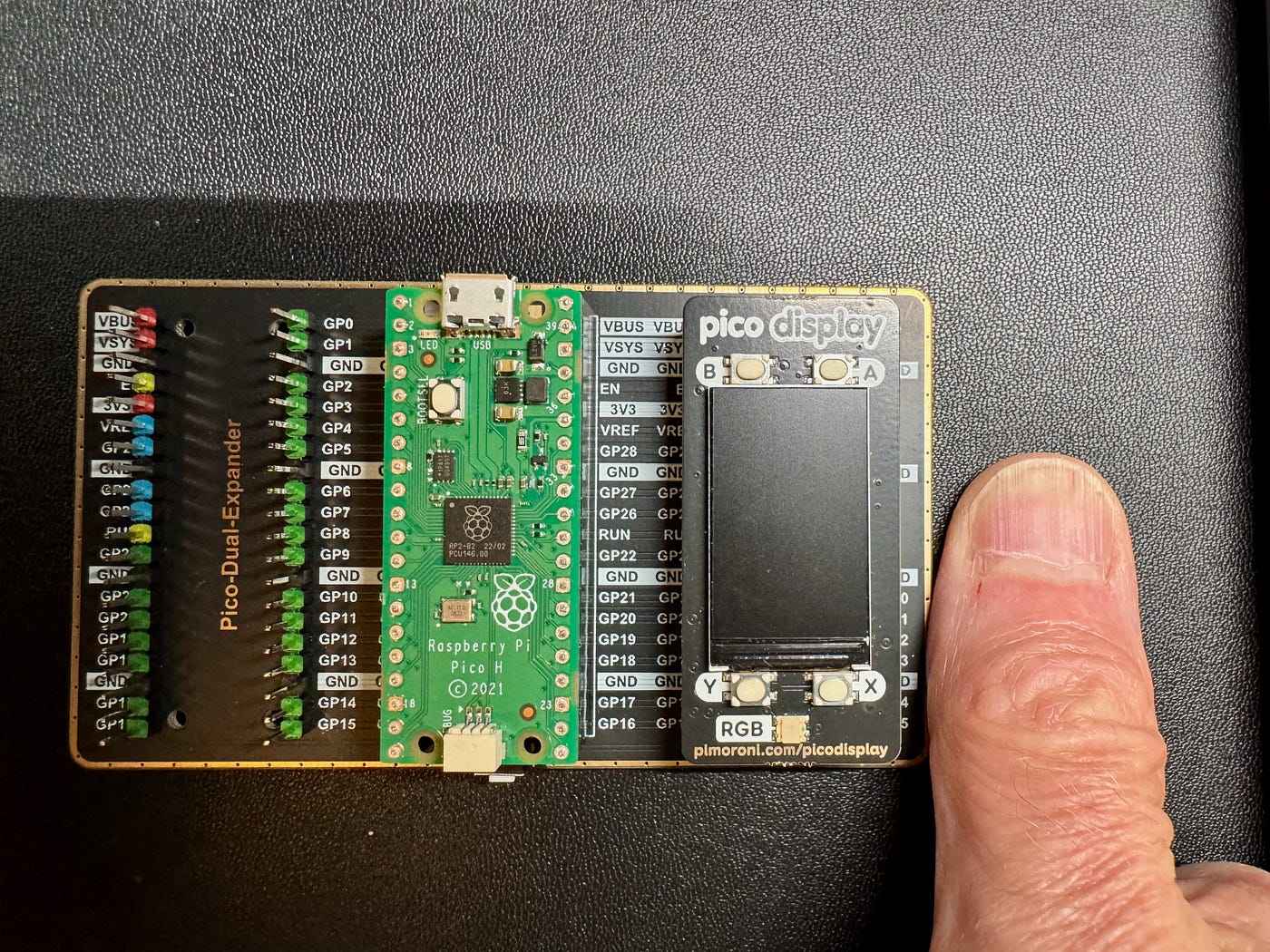
V1.0 Fail — Raspberry Pi Pico with microscopic display and buttons the size of a tick.
Then I had the eureka moment — why use buttons at all? Why can’t I simply talk to my treadmill. Once again…how hard can that be? To be fair, I have a smidge of AI background. I worked for an AI chip company (no, not that one) and am familiar with wake word AI algorithm companies.
The Project: Voice-Controlled Treadmill with Raspberry Pi + Vosk AI
The goal: Add AI-powered voice control to my treadmill using a Raspberry Pi Zero 2W, so I could simply say a pace (e.g. “walk”, “tempo”, “5K”, “mile”, “stop”) and the treadmill would adjust — no more button mashing while gasping for air. It was obvious that a Raspberry Pi Pico 2 was not going to have the horsepower to run AI algorithms. A little research led me to the budget busting $15 Raspberry Pi Zero 2W as ideal for this project.
Step 1: Hacking the Keyboard
My idea was to emulate faster and slower button presses using a microcontroller. If the Pi knows the current speed and target speed, it just needs to emulate n number of button presses in the appropriate direction. Simple, right? But when I disassembled the treadmill I discovered a panel revealing a membrane keyboard with 19 mostly useless buttons (faster and slower is all I thought I needed) wired through only 10 connector pins to the main controller board. How can that be? Without even asking AI, it dawned on me that they must be encoded, so I reverse-engineered the matrix, mapping key combinations for faster / slower, up / down incline and stop, which is always handy when you’re about to be sucked into the machine.
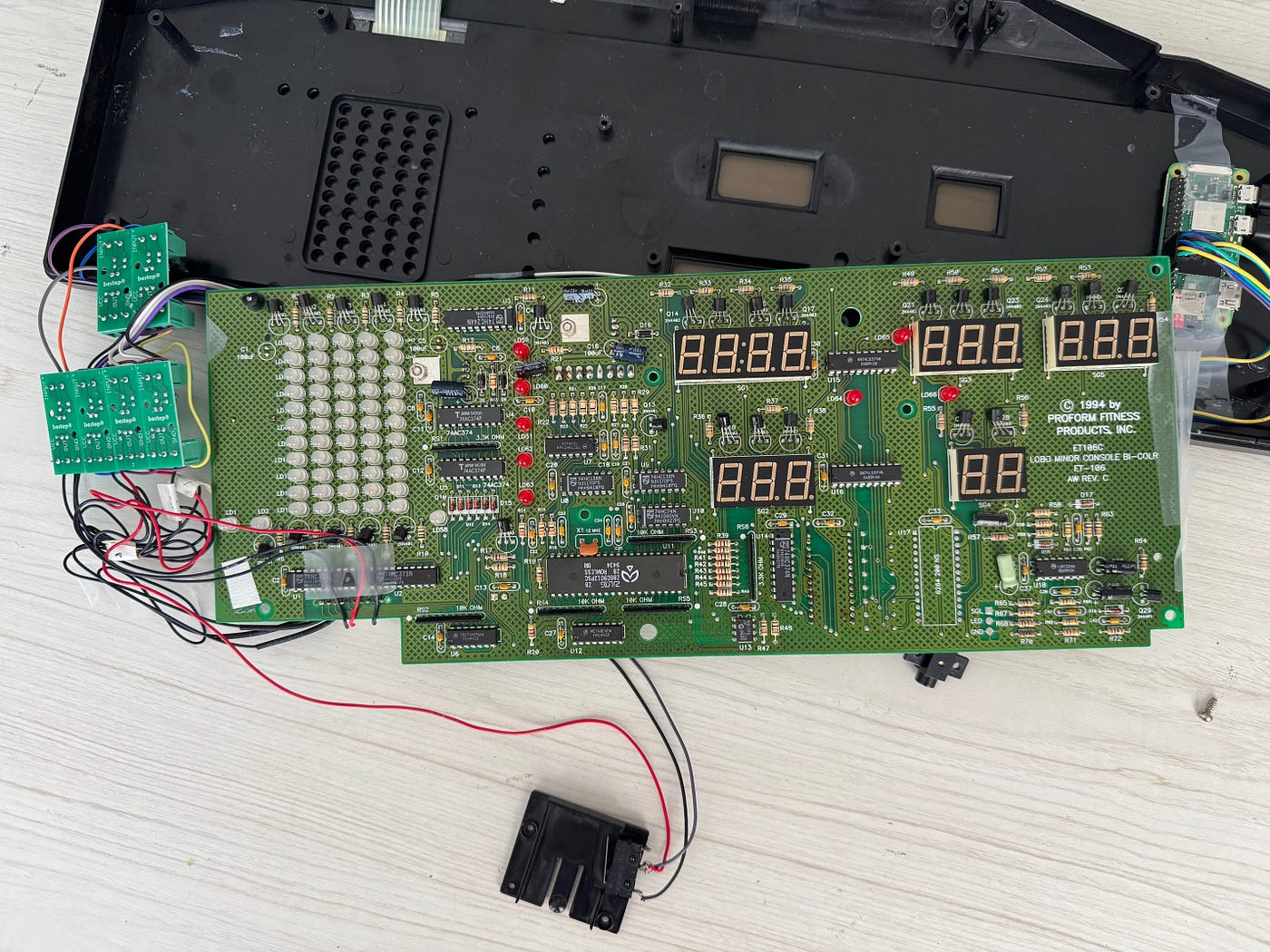
Plastic case top with membrane keyboard, treadmill display/controller board. Just look at that beautiful wire bundle in lower left. Nothing scotch tape can’t handle.
Step 2: Safe GPIO Triggering with Optocouplers
To simulate button presses, I connected the Raspberry Pi Zero 2’s GPIO pins to the treadmill’s keyboard lines through optocouplers to isolate the circuits electrically. I had no interest in worrying about shared ground planes or other 30+ year-old quirks. I was trying to create voice signals, not smoke signals. The first iteration used relays, but they are noisy — I’m sensitive — so I switched to optocouplers.
This was the worst portion of the project. I really hate soldering. Finding a place to solder into the keyboard matrix pins was maddening. I finally managed to solder into the ribbon connector, but it was tedious and looks dubious at best, but it’s holding so far…I take that back. While taking it apart to get a photo for this article, I fried that connector. But the beauty of 30 year old things is that they are usually way easier to repair than today’s disposable stuff.
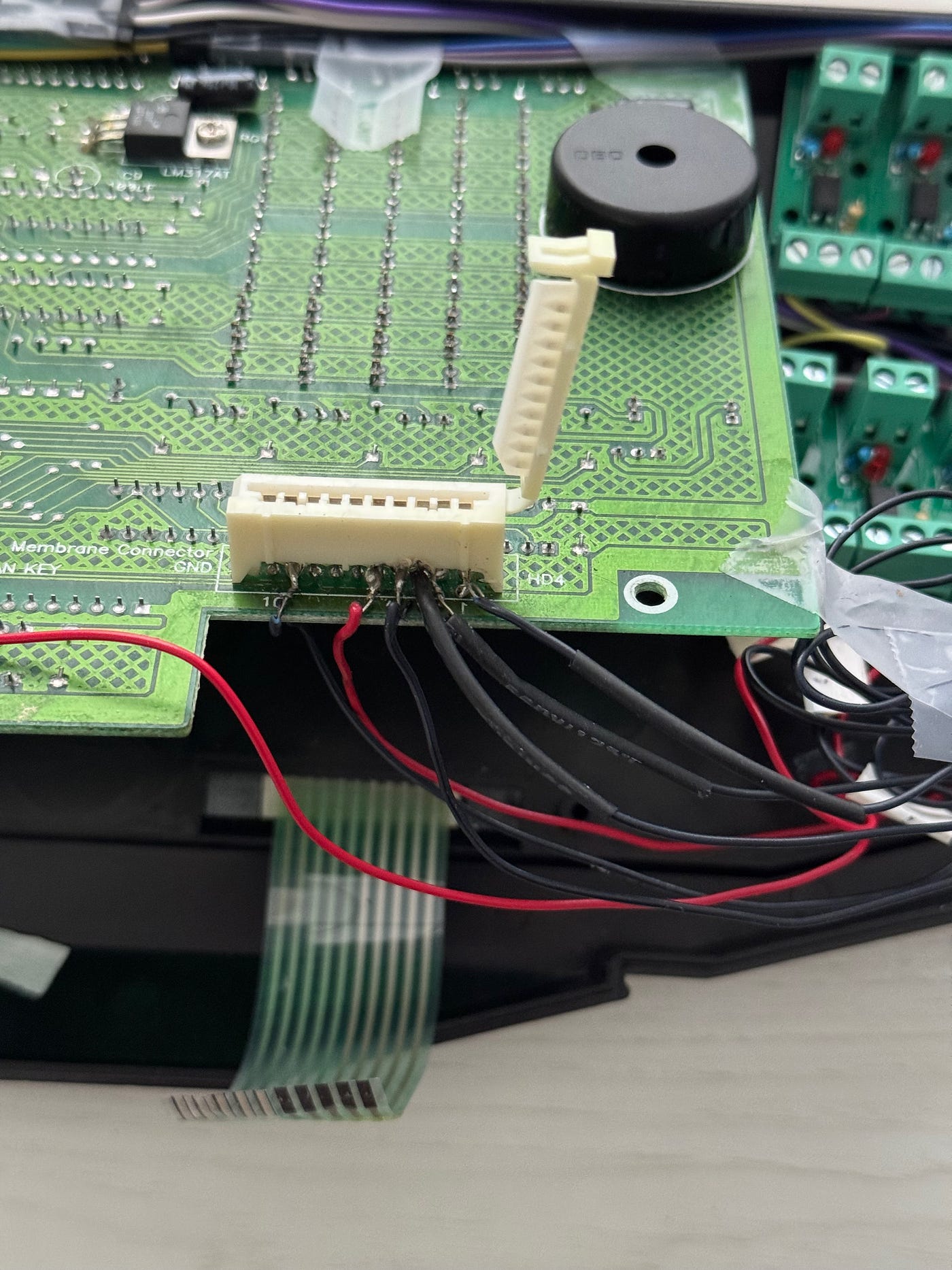
Hack job hacking into the keyboard — horrible soldering & melted connector
Step 3: Raspberry Pi Zero 2 master controller
The keyboard connector is mapped to several GPIO pins on the Raspberry Pi using the optocouplers. The Pi and optocoupler all fit nicely inside the treadmill controller without catching on fire so far. Notice the exotic scotch tape holding everything in place. Some might call it art. One USB port connects the Pi to power; the other connects it to a microphone.
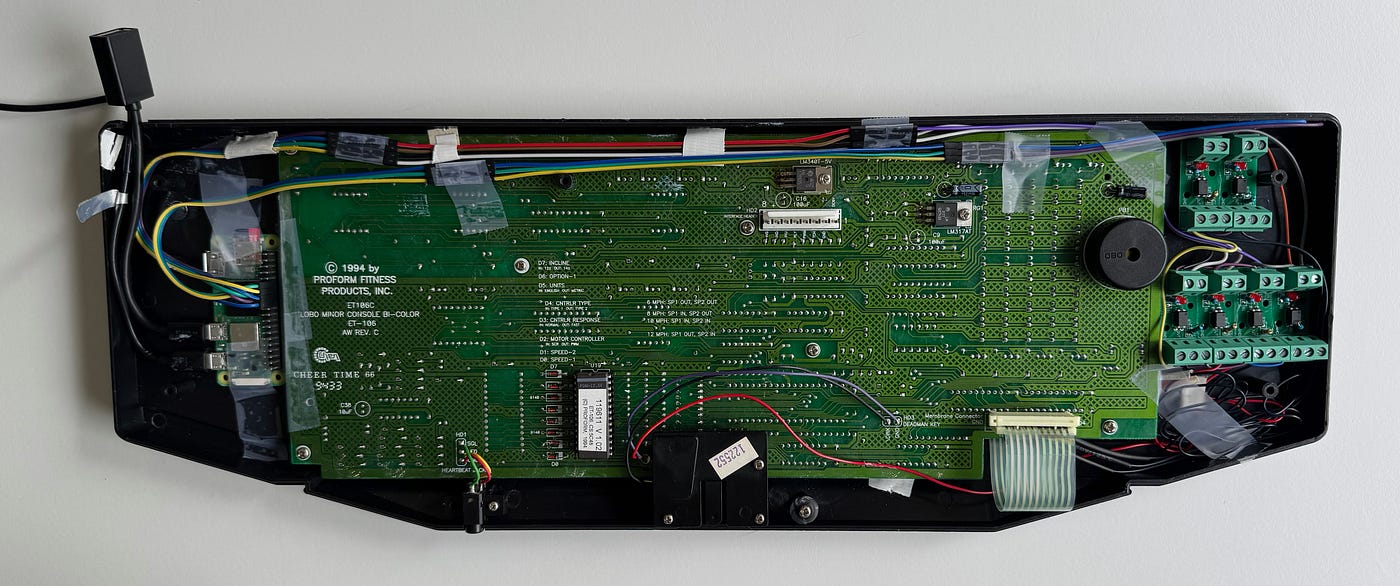
Raspberry Pi Zero 2W on left, 6 optocouplers on right
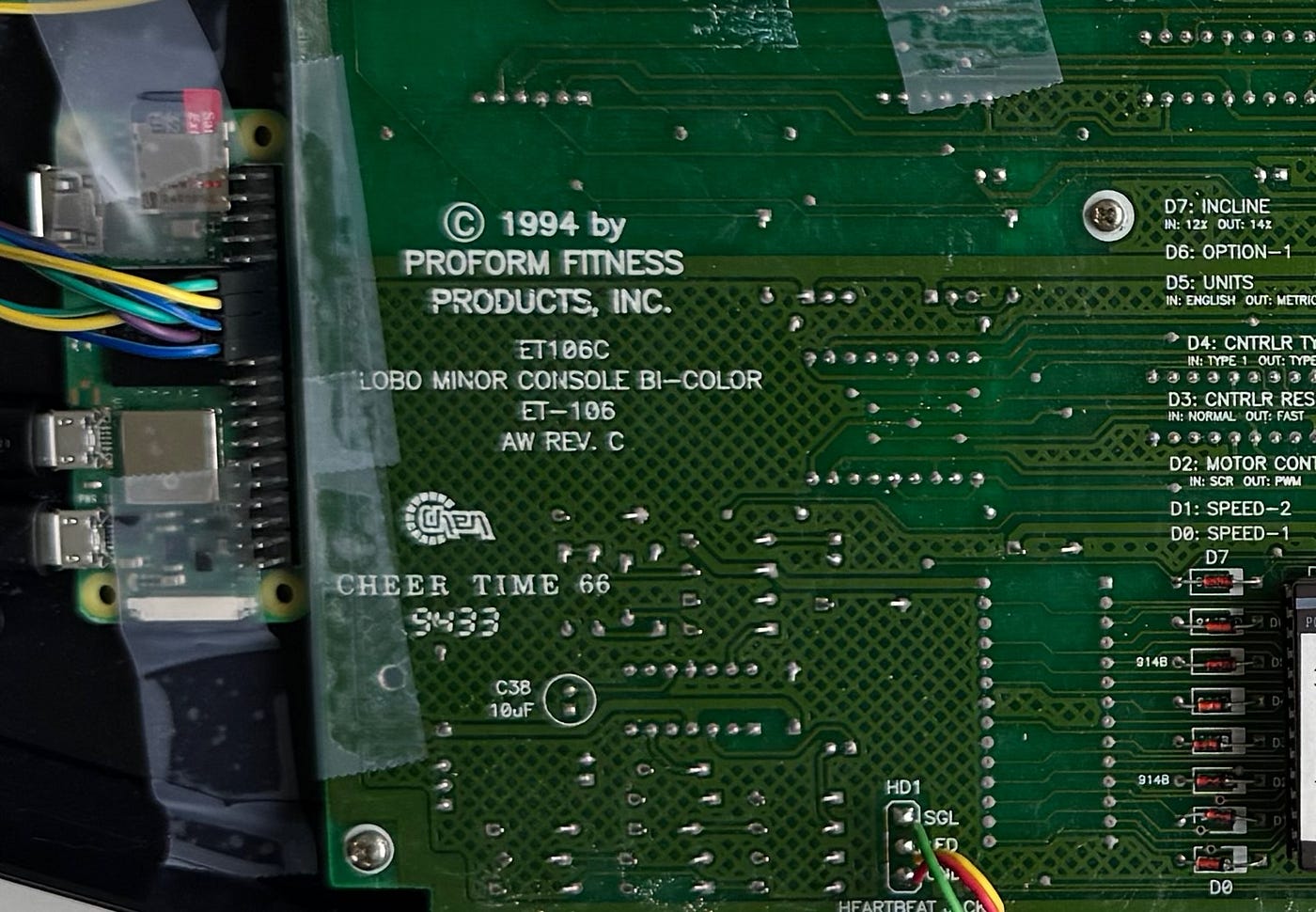
1994 copyright closeup! Vintage — I do not lie.
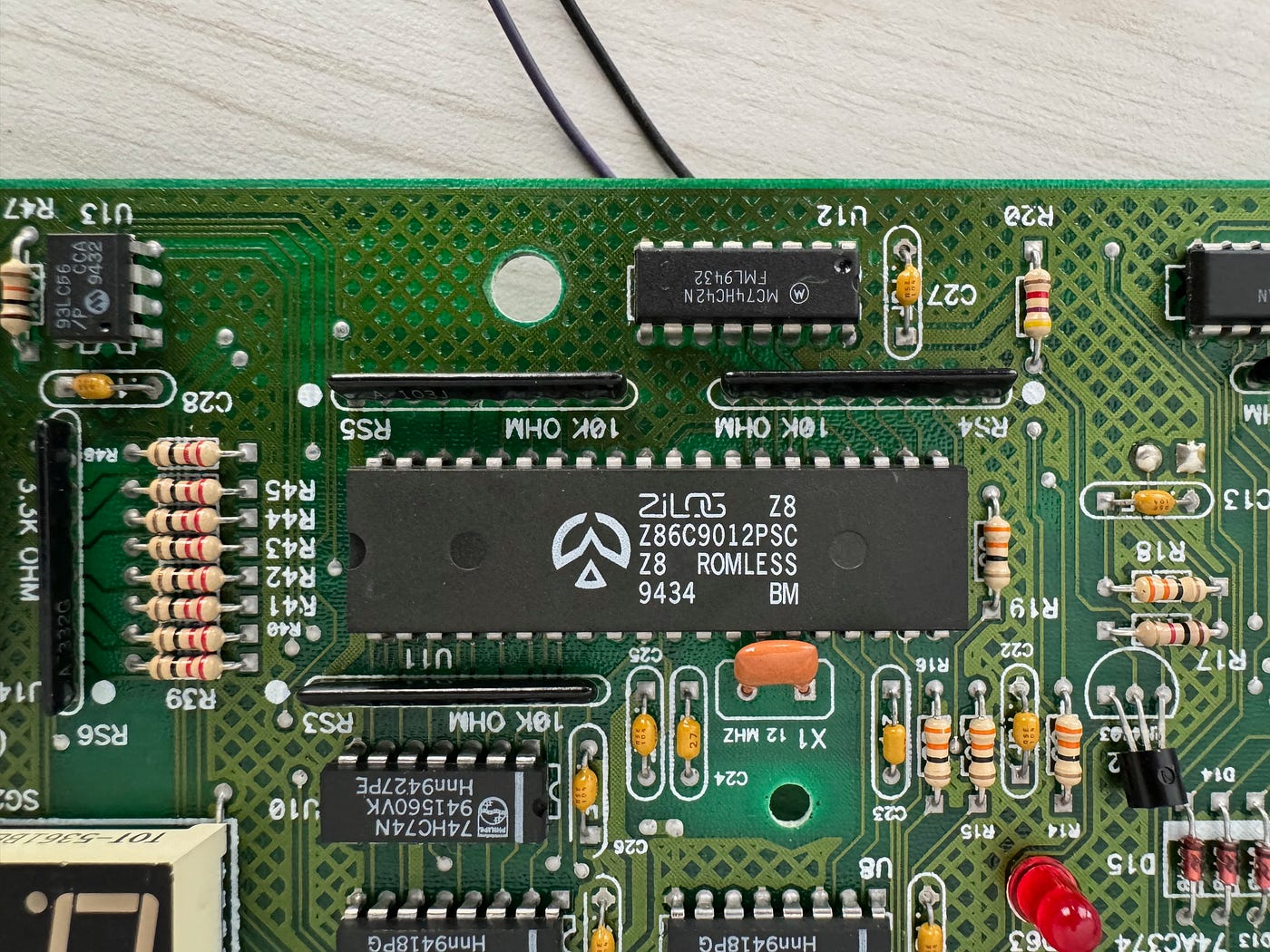
Old school PCB. No surface mount here. Zilog Z8, not to be confused with the famous Z80. AI probably can’t run on it, ya think?
Step 4: Adding a Microphone
The USB microphone is mounted on a podcaster-style boom arm to bring it close to my mouth — critical for clear pickup over the treadmill’s motor noise. I went through several microphone iterations moving up in sound quality and from omnidirectional to cardioid to try to reduce the noise that goes along with a treadmill.
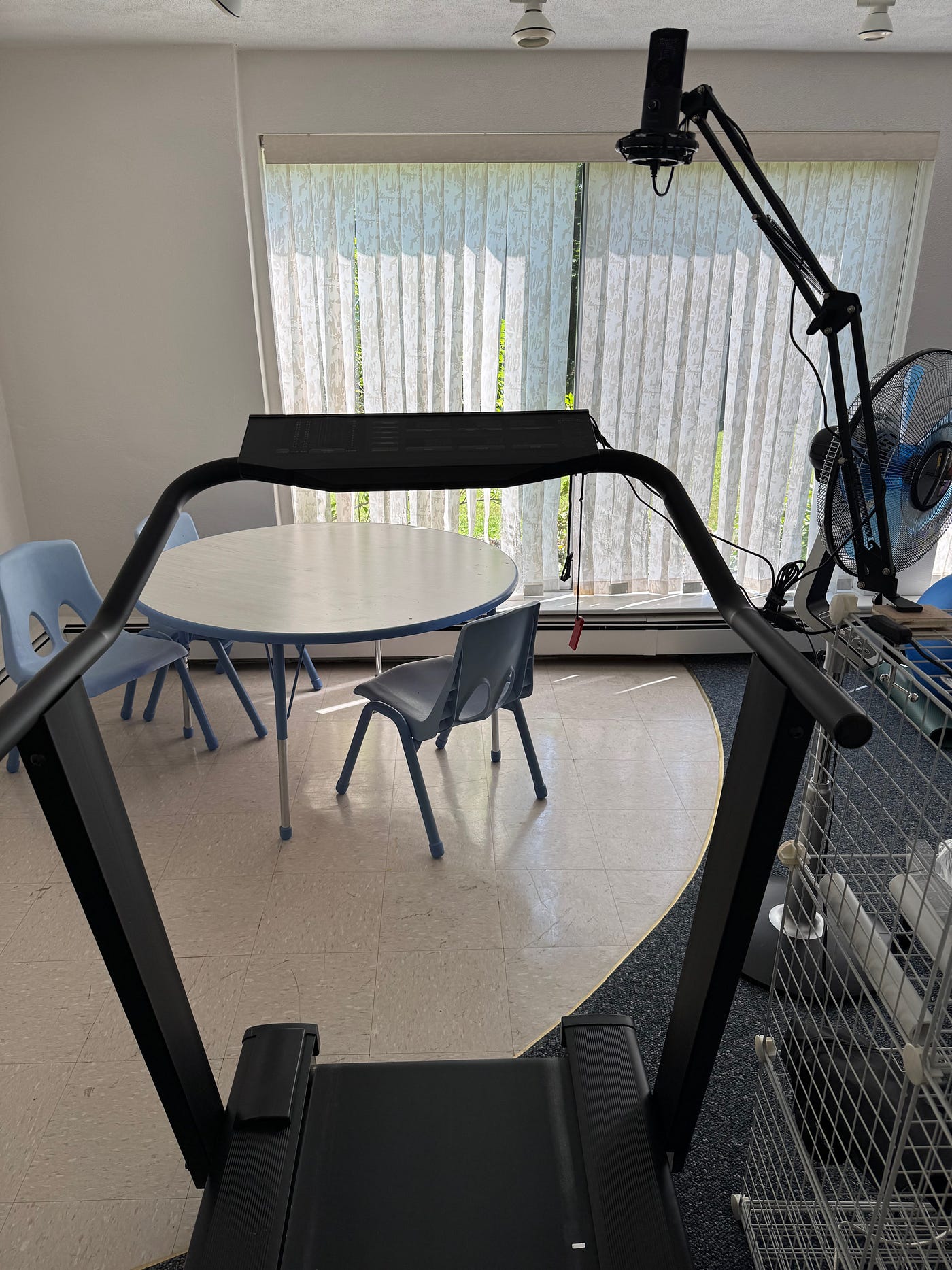
The Frankenmill — 30+ year old treadmill with Boom Arm Microphone
Step 5: Voice Recognition: The Vosk Journey
In a past work life, I had come across Picovoice and other wake word algorithms. These seemed like good choices for fast response with a limited vocabulary — just the few running paces. Initially, I tried:
- Picovoice Porcupine — fast, easy but limited to a few hardcoded words in the free tier.
- OpenWakeWord — promising but tedious to train custom wake words.
Then I found Vosk, an open source AI-based speech-to-text engine that works offline and in real-time on a Raspberry Pi using a lightweight AI model. High accuracy, a reasonable number of voice commands and low latency didn’t seem realistic, but Vosk has achieve all that with flying colors.
With Vosk:
- I get fast, flexible transcription (<200ms latency), more than adequate for a treadmill where any speed change takes far longer anyway. I did explore the audio block size and reduced latency by 50–100ms, which was probably unnecessary.
- I can expand the vocabulary easily, which turned out to be important because my few paces has grown into a 42 word vocabulary.
- I don’t need to retrain or tune wake words.
Step 6: Noise Reduction Detour
You would think noise reduction would be important, right? After all, running on a treadmill can be very noisy between the motor noise, shaking platform, pounding legs and grunts of pain. Seems logical. That’s why I kept shifting to better quality microphones, migrating from an awful $5 mic to a $50 podcaster mic.
Instead of testing Vosk, I dove right into noise reduction algorithms that would reside between the input audio stream and Vosk. What a waste of time. I explored several noise reduction libraries and settled on adding RNNNoise (a neural noise suppression library), but it turned out to be completely unnecessary — Vosk is trained on noisy inputs, and the performance was surprisingly good out of the box, even with the 40MB lightweight model for Android and RPi. (The big Vosk models are in the 2G range and are designed to run on high-end servers).
Step 7: Code Refinement
Google Gemini was a tremendous help with all aspects of this project. As you will see below, it generated a perfectively functional inactivity monitor. Early versions of the voice commands worked but were buggy, especially when issuing a new command before the prior command was finished. Initially I thought this would be acceptable — this isn’t a mars mission — but what happens if you say 99 and then quickly want to reverse course? Problem…to the point where the keyboard would become non-responsive.
With further reflection, I realized the program has to be threaded to interface with the physical word effectively and safely. Google Gemini wrote the threading code and explained it to me because I found threading and “multi-processing” to be a bit abstract and confusing. Now commands can override commands safely without corrupting the current speed, even in mid-execution, and ensure that the GPIO always works, including turning off all GPIO before changing commands.
There’s also a short bash script that launches the program on startup. If the Pi is powered down, flick the switch, tie your shoelaces, hop on and say “run baby run”. (Not programmed, but I think this should map to 10K pace).
What Commands Can I Use?
Initially I just wanted: “Walk”, “Recovery”, “Tempo”, “5K”, “10K”, and “Mile”
But with Vosk’s flexibility, I added support for:
- Setting specific speeds (e.g. “seven point five”)
- Setting the pace presets
- Calibrating the current speed if it gets out of sync with the treadmill (because I pressed a blasted faster or slower button)
- Incline up and down, rarely used, but why not
- Stop — because it’s faster to yell stop than find and push the stop button!
- Exit — terminates the program
- Shutdown — halts the Pi
Vosk isn’t perfect, but it’s completely adequate for this use case. It seems to output ‘one’ unexpectedly, so I simply filter it out as appropriate in the command code. Sometimes it also outputs 10 when I say 10K, which is obviously a vastly different speed. Another simple filter looks for ‘one zero’ as a valid speed but skips 10. It’s way below walking speed so rarely used anyway.
See it working here: https://youtu.be/cxL5Z40AcV0
I Am Not an AI, Audio, or Hardware Expert
I’m a geezer, been around and know just enough to be dangerous. Who else would think to themselves, I’m going to take apart my ancient treadmill with a motor, high voltage, unrecognizable parts and figure out how to make it respond to voice commands? I’m not a Python guru, AI wizard, or audio engineer. What made this possible?
AI Was My Sidekick
- Gemini and ChatGPT helped me discover and explore libraries, write Python and bash scripts, debug code, design benchmarks and explain code to me. I solely relied on AI — never once looked at a traditional tutorials, man pages, stack exchange or anything else. I’m completely amazed by how good AI is for programming tasks. On the other hand, while some code ran unchanged, AI made some surprisingly obvious errors. It’s not ready to replace humans — its just another tool.
- This project has turned AI into my main research partner, not just a coding assistant, for everything. It has been a complete eye opener. I now use it for vacation planning and just about everything else that I would have done in search. Search is dead…
Inactivity monitor — Last minute addition
To reduce power consumption, I briefly explored adding a voce activity detector. But given how infrequently I use the treadmill it didn’t seem to be worth the bother. Google Gemini wrote a nice inactivity monitor that runs a shutdown command, which works perfectly out-of-the-box. It is set for one hour of no button presses because it is possible that I may run, then get on my rowing machine, then run again, then do some mobility work, etc. One hour of inactivity means I’m probably napping.
This also provides some level of safety if my wife, kids or someone else decides to use the treadmill and starts belting out a tune like 99 bottles of beer on the wall, 99 bottles of beer, which would launch the person on a high-speed 6 minute mile pace. Better they just push buttons….
What Might I Add Next?
Ideas still bouncing around:
- Heart rate-based pace control, though heart rate lags effort so it’s not ideal for intervals but it might be interesting for tempo runs with a well-designed algorithm.
- Audio feedback (“Mile pace set”) via text-to-speech, but it’s kind of obvious on the treadmill readouts. I do incorporate a quick incline up/down as a kind of haptic feedback to confirm set commands.
- Display hack — to capture time and distance data, but really why?
- Stop hacking and start running! A gaming company CEO once told me there are makers and doers in this world. I obviously straddle both — I’m a middle child — but this project has made me miss out on some running, cycling, etc. Time to get back to it!
Reverse engineering the treadmill’s internals any further (e.g. tapping the display or microcontroller) is probably out of scope — unless I suddenly decide Z8 assembly programming sounds like fun.
What Surprised Me Most?
- It works way better than expected. Even mid-run, the microphone picks up my voice reliably. It understands my “Stop!” utterance while wheezing at mile pace.
- It’s more useful than I expected. This project is more than a bit cockamamie and took way more time than I planned. I finished it because I like to finish things. I thought it would be a nice novelty, but running without jabbing buttons is really nice. It actually makes running on the treadmill more enjoyable and entertaining.
- Vosk is amazing. Open-source voice-to-text on a Pi, offline, in real-time? Really?! Science fiction continues to become reality.
- AI is now part of my life. I used it to build this, but now I use it for everything — travel planning, research, itinerary building, you name it. This project wasn’t just about voice control — it changed how I think about AI. Or as I like to tell people — search is dead.
What Didn’t I think of?
Technology is always ahead of understanding its implications. What didn’t I think of? Mostly can I talk coherently while at mile pace? So far yes. Will it understand my grunts? So far, yes. What if I’m at walking pace and my wife or cat yells “Olympian pace”? That’s what threading and “stop” are for. The first time I tried it, I blasted some music and quickly realize that won’t work, time for earbuds.
Final Thoughts
This whole journey started with a simple frustration: Why do I have to push buttons while running introducing poor running form and potential injury? What I ended up with is more than just a cool treadmill hack — it’s a complete reimaging of how far AI has come and a deep appreciate for what the future of AI has in store for us.
So yeah, now I talk to my treadmill. And it mostly understands me.
And that’s kind of awesome.
Want to Try It?
- Ugly Python code: https://github.com/Pinestream/Treadmill_Voice_Commands
- Raspberry Pi Zero 2W with header
- Optocouplers: https://www.amazon.com/dp/B0B5D9XQLC
- Microphone: https://www.amazon.com/gp/aw/d/B07Y1C6GDS
- The 30+ year old Sears treadmill…can’t help ya with that…
Functionality Update
Added ‘interval’ and ‘repeat’ commands so I don’t need to gasp ‘walk’ at the end of an interval, and ‘repeat’ when I’m ready to suffer again. I say ‘interval 5/10/mile, time in seconds’ to setup a 120 second interval at 5K pace as one example. Sweet. Next up, ‘Fartlek’ because who doesn’t like to say ‘Fartlek’.
메타데이터
- post_id
- 2c75b52d64c2
- slug
- geezer-adds-voice-control-to-ancient-treadmill-using-raspberry-pi-and-ai-to-avoid-button-pressing-2c75b52d64c2
- url
- https://medium.com/@cliff_65764/geezer-adds-voice-control-to-ancient-treadmill-using-raspberry-pi-and-ai-to-avoid-button-pressing-2c75b52d64c2
- canonical_url
- https://medium.com/@cliff_65764/geezer-adds-voice-control-to-ancient-treadmill-using-raspberry-pi-and-ai-to-avoid-button-pressing-2c75b52d64c2
- author_url
- https://medium.com/@cliff_65764
- status
- ok
- fetched_at
- 2026-06-25 07:00:49




